1. Introduktion
This manual provides essential information for the safe and efficient use of your DOOGEE Note 58 Android 16 Smartphone. Please read it carefully before using your device and keep it for future reference.
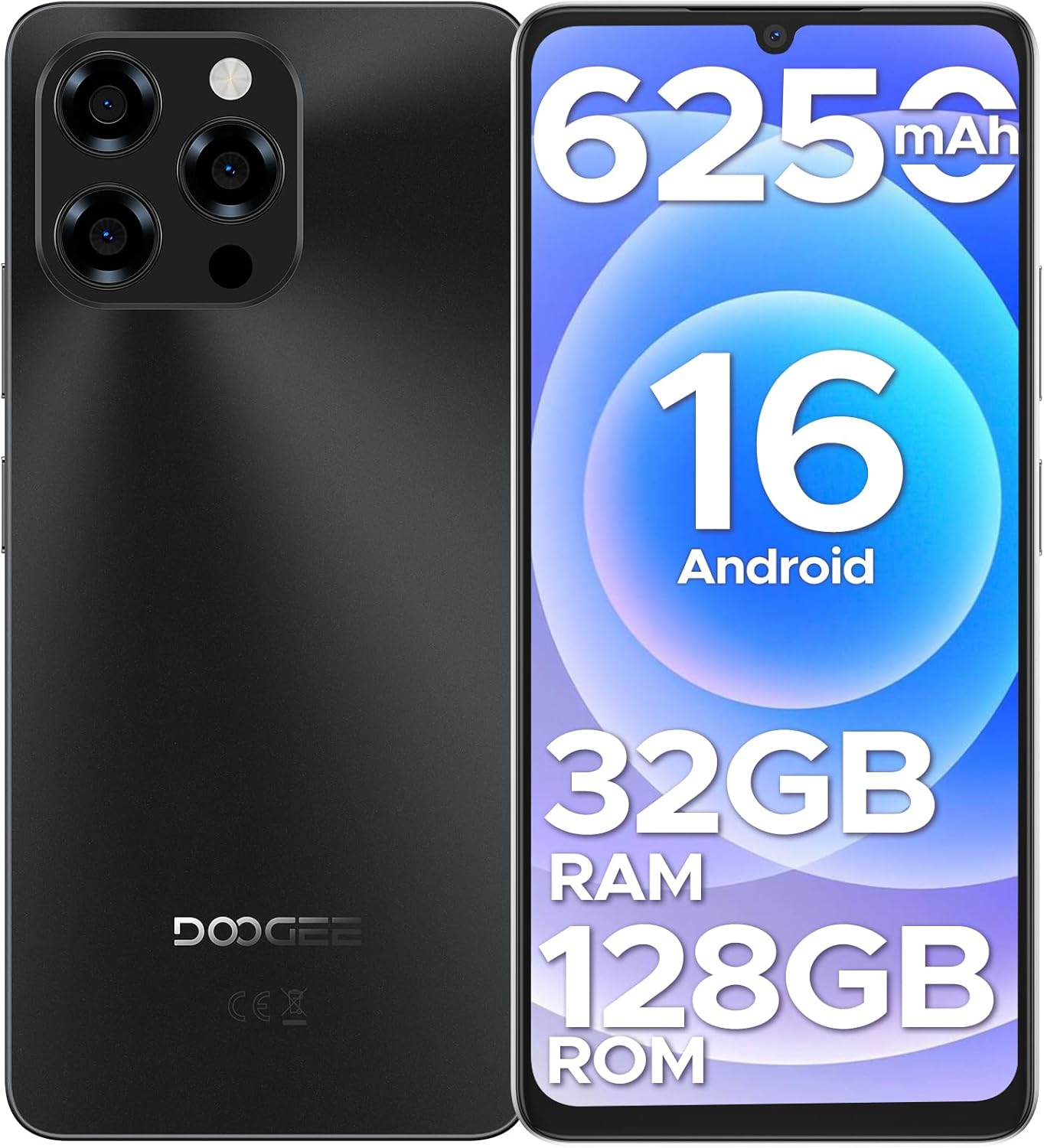
Billede: Forside og bagside view of the DOOGEE Note 58 smartphone, highlighting its design and key features like the camera module and display.
2. Pakkens indhold
Bekræft, at alle varer er til stede i din produktpakke:
- DOOGEE Note 58 Cellphone (Unlocked Android 16) x1
- Type-C USB-kabel x1
- Oplader x1
- Anti-explosion film x1
- SIM card pin x1
- Protective case x1
- Pakkeboks x1
- Manual and warranty card x1
3. Opsætningsvejledning
3.1 Isætning af SIM-kort og MicroSD-kort
- Find SIM-kortbakken på siden af din enhed.
- Insert the provided SIM card pin into the small hole on the tray to eject it.
- Carefully place your Nano-SIM card(s) and/or MicroSD card into the designated slots on the tray. Ensure the metal contacts face downwards. The phone supports two SIM cards or one SIM card and one MicroSD card.
- Skub forsigtigt bakken tilbage i telefonen, indtil den klikker på plads.
3.2 Første opstart og grundlæggende opsætning
- Tryk og hold tænd/sluk-knappen nede (normalt på højre side), indtil DOOGEE-logoet vises.
- Følg vejledningen på skærmen for at vælge dit sprog, oprette forbindelse til et Wi-Fi-netværk og konfigurere din Google-konto.
- Configure security settings such as Face Unlock, PIN, pattern, or password.

Image: The DOOGEE Note 58 showcasing its Face Unlock feature and NFC payment capability at a terminal.
4. Betjening af din smartphone
4.1 Android 16-operativsystem
The DOOGEE Note 58 runs on the latest Android 16, offering a fast, secure, and user-friendly experience. Enjoy smooth multitasking, quick app launches, and enhanced privacy features.
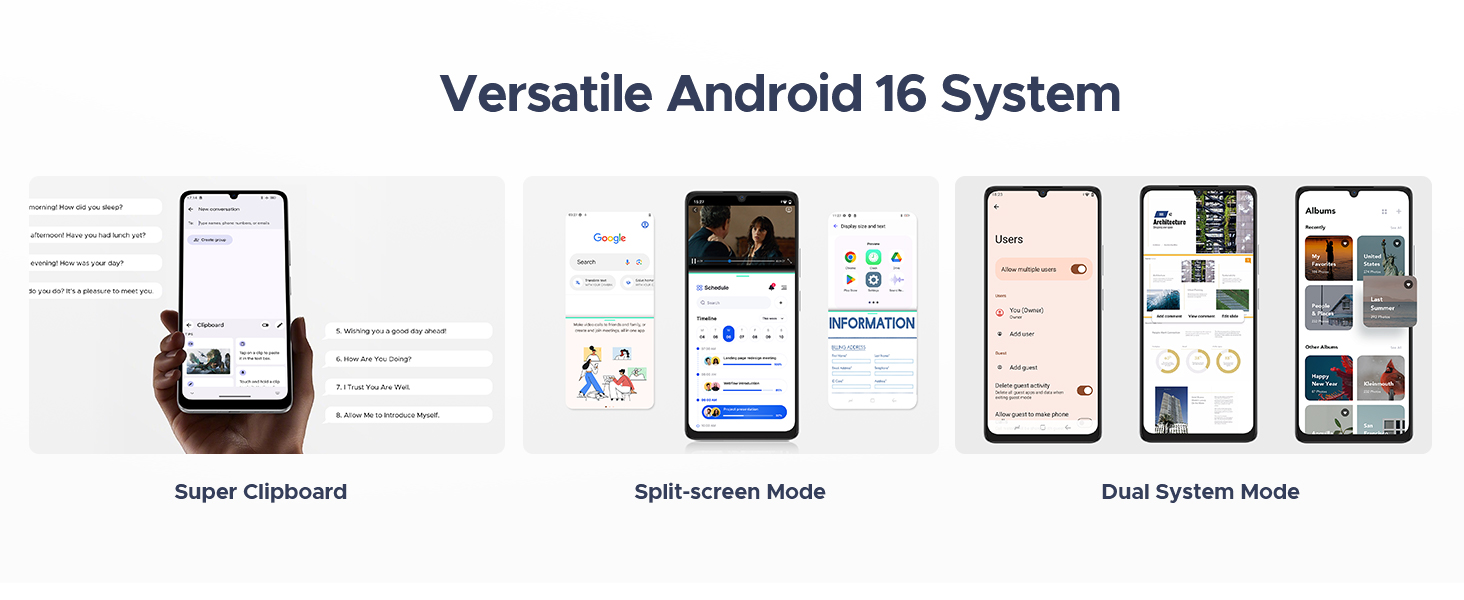
Image: The DOOGEE Note 58 displaying various features of the Android 16 operating system, including a super clipboard, split-screen mode, and dual system mode.
4.2 Display og visuelle elementer
Experience vibrant visuals on the 6.75-inch HD+ IPS waterdrop display with a 90Hz refresh rate. The 720 x 1600 resolution, enhanced brightness, and in-cell technology ensure clear and crisp details for all your content.

Image: The DOOGEE Note 58 showcasing its expansive 6.75-inch display, ideal for immersive viewing.
4.3 Ydeevne og lagring
The device is powered by a 12nm UNISOC T7250 octa-core processor, ensuring smooth performance. It features 8GB of basic RAM, expandable up to 32GB with memory extension, and 128GB of internal storage, which can be expanded up to 2TB using a MicroSD card.

Image: Visual representation of the DOOGEE Note 58's 32GB RAM (8GB Basic + 24GB Extended) and 128GB ROM with 2TB expandable storage.
4.4 Kamerafunktioner
Capture moments with the 16MP AI main camera and an 8MP front-facing camera. The camera supports various modes including HDR, Night Mode, Time-Lapse, Portrait, Panorama, and Pro Mode. Optical image stabilization helps reduce blur, and features like Beauty Mode and Filters enhance your photos.

Image: The DOOGEE Note 58 highlighting its 16MP main camera and 8MP front camera, along with various shooting modes.
4.5 Batterilevetid og opladning
The DOOGEE Note 58 is equipped with a 6250mAh large-capacity battery for extended use. It supports OTG reverse charging, allowing you to power other devices. Smart AI power management optimizes battery consumption.

Image: Diagram illustrating the large 6250mAh battery inside the DOOGEE Note 58, emphasizing its long-lasting capacity.
4.6 Forbindelse og navigation
The device offers 4G dual SIM support, compatible with various GSM carriers. It includes NFC for tap-to-pay functionality with Google Wallet, and precise navigation systems (GPS, GLONASS, Galileo, BeiDou) for accurate location services. Widevine L1 support ensures high-quality streaming.
5. Vedligeholdelse
5.1 Rengøring af din enhed
Brug en blød, fnugfri klud til at rengøre skærmen og kabinettet på din telefon. Undgå at bruge skrappe kemikalier eller slibende materialer, der kan beskadige enheden.
5.2 Softwareopdateringer
Tjek regelmæssigt for og installer softwareopdateringer for at sikre, at din enhed har de nyeste funktioner, sikkerhedsrettelser og forbedringer af ydeevnen. Naviger til Indstillinger > System > Systemopdatering for at søge efter opdateringer.
5.3 Pleje af batterier
For at forlænge batteriets levetid bør du undgå at udsætte din telefon for ekstreme temperaturer. Det anbefales at holde batteriopladningen mellem 20 % og 80 % for optimal levetid.
6. Fejlfinding
6.1 Almindelige problemer og løsninger
- Enheden tænder ikke: Sørg for, at batteriet er opladet. Tilslut telefonen til opladeren, og vent et par minutter, før du forsøger at tænde den igen.
- Skærmen reagerer ikke: Prøv at genstarte enheden ved at holde tænd/sluk-knappen nede i cirka 10-15 sekunder, indtil den genstarter.
- Forgotten password/pattern: If you have set up a Google account on the device, you may be able to reset your password through Google's account recovery process. If not, a factory reset might be necessary (this will erase all data).
- SIM-kort ikke fundet: Ensure the SIM card is correctly inserted into the tray. Re-insert the tray firmly. Verify that your SIM card is active and compatible with the device's network bands.
- Problemer med netværksforbindelse: Check your carrier's coverage in your area. Ensure mobile data is enabled in settings. Some carriers may have specific compatibility requirements; verify with your service provider.
6.2 Fabriksindstilling
A factory reset will erase all data from your phone and restore it to its original factory settings. Back up important data before proceeding.
- Gå til Indstillinger > System > Nulstillingsindstillinger.
- Vælge Slet alle data (gendan fabriksindstillinger).
- Bekræft din beslutning, og indtast din pinkode/mønster/adgangskode, hvis du bliver bedt om det.
7. Specifikationer
| Feature | Specifikation |
|---|---|
| Modelnavn | Bemærk 58 |
| Operativsystem | Android 16 |
| Skærmstørrelse | 6.75 tommer |
| Opløsning | 720 x 1600 |
| Opdateringshastighed | 90 Hz |
| Installeret RAM-hukommelsesstørrelse | 8 GB (kan udvides til 32 GB) |
| Hukommelseslagringskapacitet | 128 GB (kan udvides til 2 TB) |
| Processor | UNISOC T7250 Octa-core |
| Batteri | 6250 mAh |
| Hovedkamera | 16 MP |
| Forreste kamera | 8 MP |
| Cellulær teknologi | 4G |
| Trådløs bærer | Unlocked for All Carriers (GSM compatible) |
| Særlige funktioner | NFC, Face Unlock, GPS, GLONASS, Galileo, BeiDou, Widevine L1, OTG Reverse Charging |
| Produktdimensioner | 7.6 x 4 x 2 tommer |
| Varens vægt | 14.9 ounce |
8. Garanti og support
Your DOOGEE Note 58 Smartphone comes with a warranty. Please refer to the warranty card included in your package for detailed terms and conditions. For technical support or further assistance, please visit the official DOOGEE website or contact their customer service as indicated on your warranty documentation.


