1. Introduktion
The Rii RK805 is a versatile 75% gasket-mounted mechanical keyboard designed for gaming and office use. It features tri-mode connectivity (Bluetooth, 2.4G wireless, and USB Type-C), a smart TFT display screen with a multi-function knob, full RGB backlighting, and hot-swappable switches. This manual provides detailed instructions for setup, operation, and maintenance to ensure optimal performance.
2. Pakkens indhold
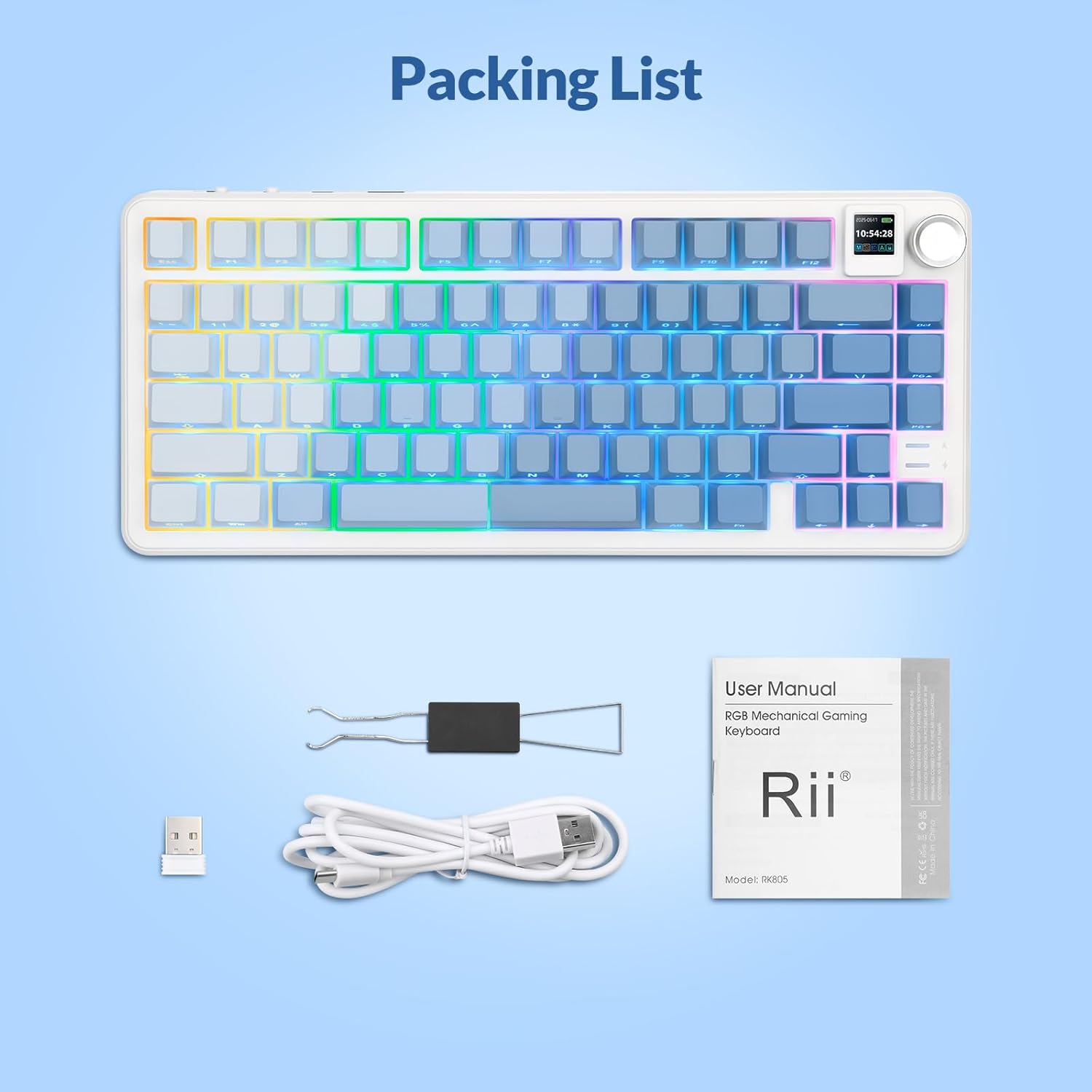
Please verify that all items are present in your Rii RK805 package:
- Rii RK805 Wireless Mechanical Keyboard
- USB Type-C to USB-A Charging Cable (1.8 meters)
- 2.4G trådløs modtager (USB-dongle)
- Tastehætte/kontaktudtrækker
- Extra Switches (pre-lubricated linear switches)
- Brugermanual
3. Opsætning
3.1. Tri-mode-forbindelse
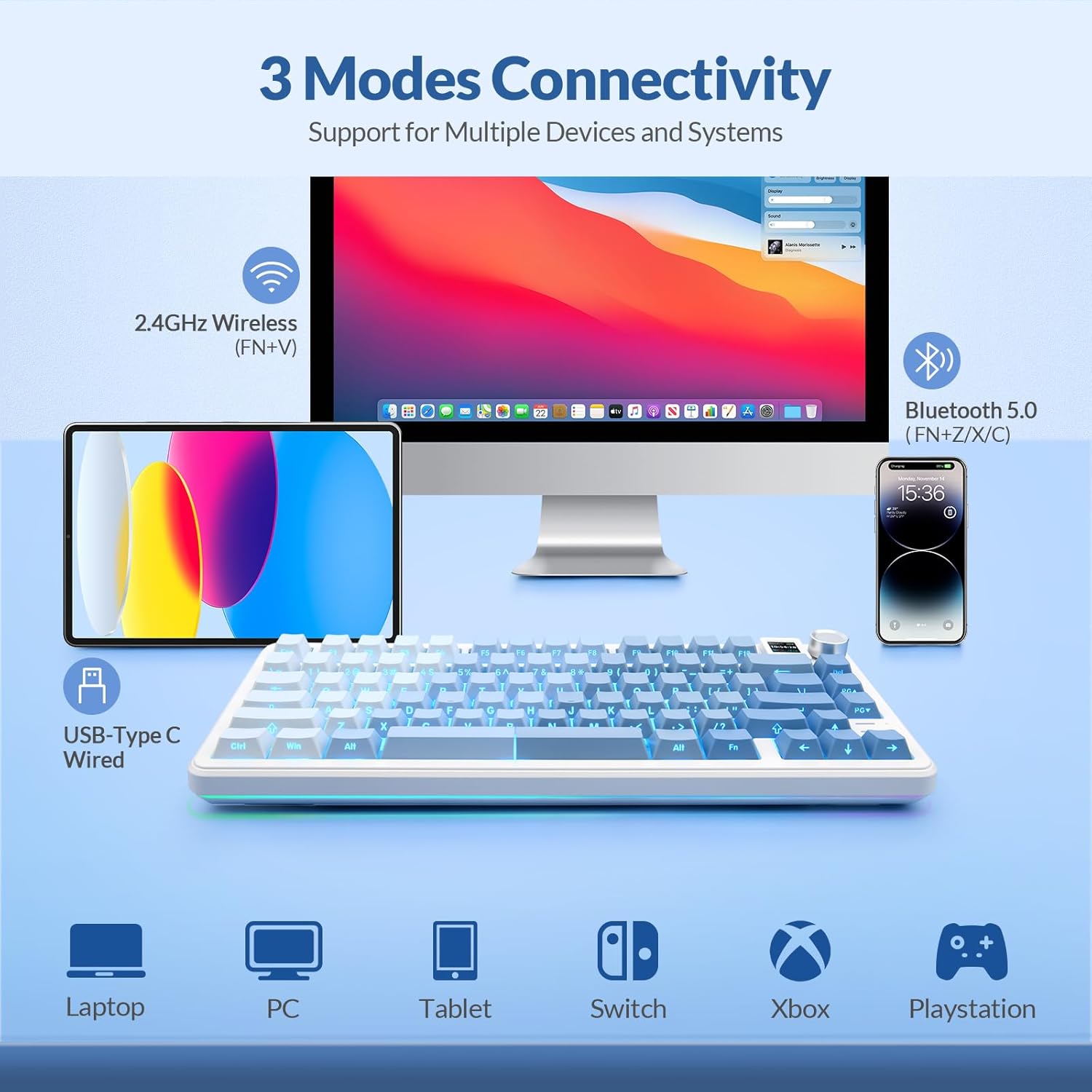
The Rii RK805 supports three connection modes: Bluetooth, 2.4G wireless, and USB Type-C wired. This allows for multi-device compatibility with computers, tablets, and smartphones.
3.1.1. 2.4G trådløs forbindelse
- Locate the 2.4G wireless receiver (USB dongle) from the package.
- Tilslut 2.4G-modtageren til en ledig USB-port på din computer eller enhed.
- On the keyboard, switch the mode selector to 2.4G. The keyboard will automatically connect.
3.1.2. Bluetooth-forbindelse
- On the keyboard, switch the mode selector to Bluetooth (BT).
- Press and hold the Fn + Z/X/C keys to enter pairing mode for BT1, BT2, or BT3 respectively. The indicator light will flash.
- On your device, search for
Relaterede dokumenter - RK805

Rii RK100 Farverigt LED-baggrundsbelyst multimediespiltastatur - Product Overview
Udforsk Rii RK100, et farverigt LED-baggrundsbelyst multimediespiltastatur. Dette dokument beskriver dets specifikationer, systemkrav, brugerflade, LED-baggrundsbelysningskontroller og multimedietaster. Indeholder pakkens indhold og kontaktoplysninger til Delton.
Rii i8 Plus Mini-tastatur: Funktioner, layout og brugervejledning
En omfattende guide til Rii i8 Plus Mini-tastaturet, der beskriver dets multimediefunktioner, touchpad-bevægelser, specialtaster og fuldt QWERTY-layout for optimal brug.
Rii i8+ Mini trådløst tastatur med touchpad-kombination: Installations- og brugermanual
Få detaljerede instruktioner og specifikationer til Rii i8+ Mini Wireless Keyboard Touchpad Combo. Denne guide dækker opsætning, systemkrav, funktioner som automatisk dvalefunktion, multi-finger touchpad, baggrundsbelyst LED og fejlfinding for problemfri forbindelse med pc'er, smart-tv'er og meget mere.
Rii RK909 Trådløst Tastatur Brugermanual
Brugermanual til Rii RK909 trådløst tastatur med detaljerede oplysninger om funktioner, specifikationer, tilslutningsmuligheder (kablet, 2.4G, Bluetooth 5.0), multimediefunktioner, LED-baggrundsbelysning og indstillinger for Mac-systemlayout. Indeholder oplysninger om FCC-overholdelse.
Rii RT518S Dual Mode Multimedia Keyboard Brugervejledning
Brugermanual til Rii RT518S Dual Mode multimedietastatur, der beskriver funktioner, specifikationer, opsætning, betjening og fejlfinding til brug med smart-tv'er, pc'er, tablets og mobile enheder.
Rii RT721 trådløst og Bluetooth dobbelttilstandstastatur brugermanual
Omfattende brugermanual til Rii RT721, et 2.4G trådløst og Bluetooth Dual Mode multimedietastatur med touchpad. Indeholder opsætning, funktioner, fejlfinding og specifikationer.