1. Introduktion
Welcome to the Google Pixel 10 Pro experience. This manual provides essential information to help you set up, operate, and maintain your new smartphone. The Pixel 10 Pro is designed to deliver an ultimate mobile experience, integrating advanced AI capabilities with a powerful camera system and robust design.
Featuring the next-gen Google Tensor G5 chip, the Pixel 10 Pro offers unparalleled performance and efficiency. Its advanced AI, Gemini, enhances various aspects of your daily interactions, from communication to photography. The device boasts an unbelievable camera quality, allowing you to capture stunning photos and videos, and an impeccable design built for durability.
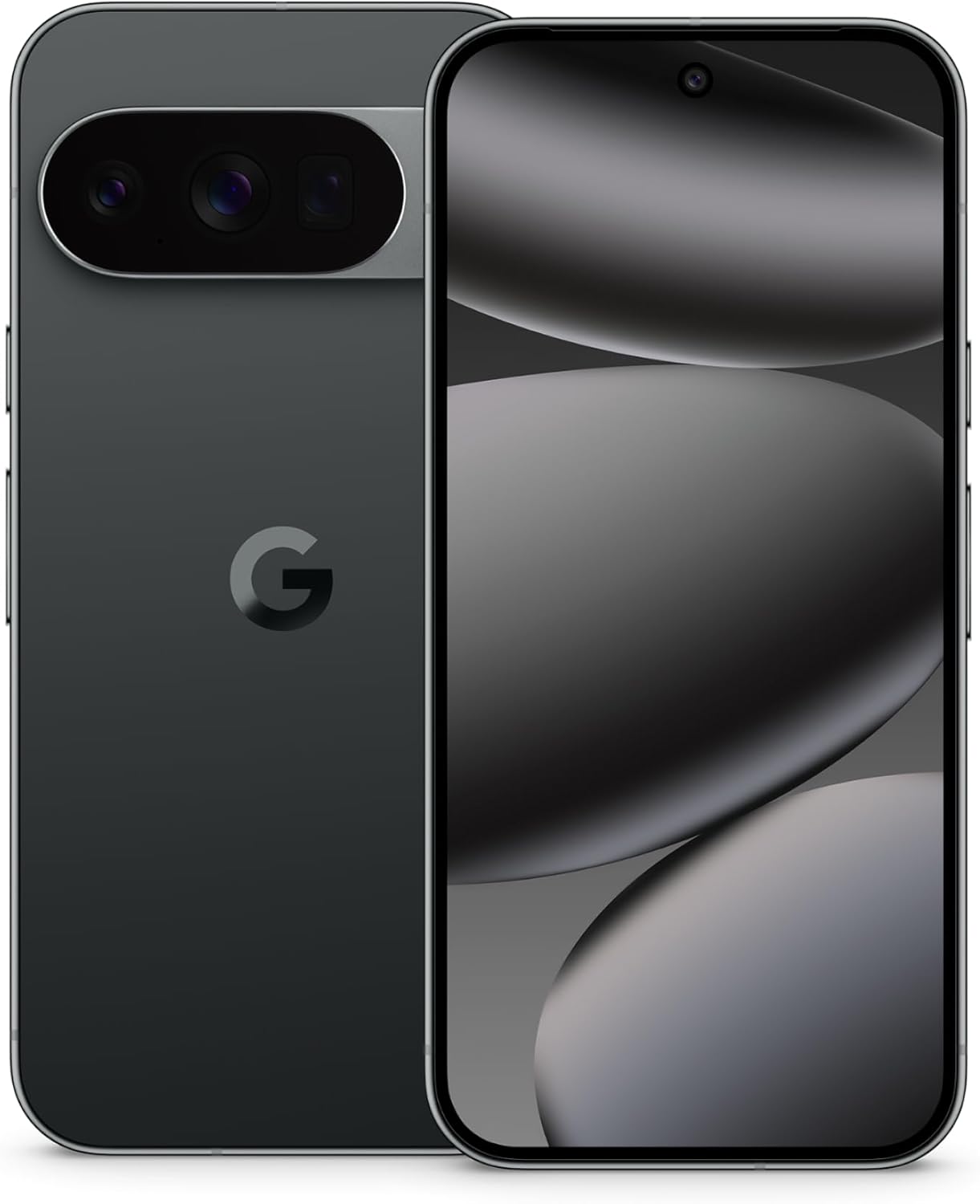
Figure 1.1: Google Pixel 10 Pro (Obsidian)
2. Hvad er der i æsken
Upon unboxing your Google Pixel 10 Pro, please ensure all the following items are present:
- Google Pixel 10 Pro Cell Phone
- USB-C Cable (1 meter, 2.0)
- Garantihæfte

Figur 2.1: Æskens indhold
3. Opsætning
3.1 Første opstart og opsætning
- Oplad enheden: Before first use, connect your Pixel 10 Pro to the included USB-C cable and a power adapter (sold separately) to ensure it has sufficient charge.
- Tænd: Tryk og hold tænd/sluk-knappen nede (placeret på højre side af enheden), indtil Google-logoet vises.
- Følg instruktionerne på skærmen: The device will guide you through the initial setup process, including selecting your language, connecting to Wi-Fi, and signing in with your Google account.
- Insert SIM Card (if applicable): The Pixel 10 Pro supports eSIM. If you are using a physical SIM card, locate the SIM tray on the side of the phone, insert the SIM ejection tool (not included) into the small hole, and gently push to eject the tray. Place your nano-SIM card into the tray and reinsert it into the phone.
3.2 Transferring Data from Your Old Phone
The Pixel 10 Pro makes it easy to transfer your data from your previous device. It only takes about 20 minutes to bring your stuff from your old phone, including contacts, photos, videos, and apps. The device is also designed to allow you to text iPhone users high-res images, react with emoji, and see read receipts, ensuring a seamless transition.

Figure 3.1: Seamless Data Transfer and Messaging
4. Betjeningsvejledning
4.1 Grundlæggende navigation
The Google Pixel 10 Pro runs on Android 16, offering an intuitive and responsive user interface. Navigate using touch gestures: tap to select, swipe to scroll, pinch to zoom. The 6.3-inch Super Actua display provides a vibrant and clear viewoplevelse.
4.2 Gemini AI-assistent
The Pixel 10 Pro features the advanced Gemini AI assistant, designed to make your interactions more natural and efficient. Instead of typing, you can use Gemini Live to have a free-flowing conversation. Point your camera at objects you're curious about, and Gemini can provide information or assist with tasks across various applications.

Figure 4.1: Interacting with Gemini Live
4.3 Kamerabetjening
The Pixel 10 Pro's pro camera system is engineered for exceptional image and video quality. It includes advanced Google AI models to enhance your shots, even in low-light conditions. The camera features a stunning 50 MP main sensor, 100x Pro Res Zoom, and the ability to record super steady videos in 8K resolution.

Figure 4.2: 100x Pro Res Zoom Capability

Figure 4.3: Super Steady Video Recording
Video 4.1: Official Google Pixel 10 Pro XL Overview. This video highlights key features and capabilities of the Pixel 10 Pro XL, including its AI, camera, and design.
5. Durability and Display
The Pixel 10 Pro is built with durable aluminum and Corning Gorilla Glass Victus 2, providing enhanced scratch and drop resistance for everyday use. The 6.3-inch Super Actua display features an impressive 3,300-nit peak brightness, ensuring excellent visibility even in direct sunlight, while being easy on the eyes.

Figure 5.1: Durable Design and Bright Display
6. Ydeevne og batteri
Powered by the next-gen Google Tensor G5 chip, the Pixel 10 Pro delivers Pixel's biggest leap in performance, optimized for Google's advanced AI. With 16 GB of RAM and storage options up to 1 TB, the device handles demanding applications and multitasking with ease.
The Pixel 10 Pro features a 4870 mAh battery, providing fast-charging capabilities and lasting 24+ hours on a single charge, with some configurations offering over 30 hours of battery life. This ensures you stay connected and productive throughout your day.

Figure 6.1: Google Tensor G5 Chip and Battery Life
7. Økosystemintegration
The Google Pixel 10 Pro seamlessly integrates with other Google devices, allowing you to unlock your full potential. Connect with the Pixel Watch for enhanced health tracking and smart notifications, and pair with Pixel Buds for superior audio clarity and focus during calls or media playback.

Figure 7.1: Pixel Ecosystem
8. Sikkerhed og opdateringer
Google Pixel 10 Pro prioritizes your security and data privacy. It helps protect you against spam, scams, and phishing attempts. Your phone will automatically lock if it's lost or stolen, safeguarding your personal information.
The Pixel 10 Pro receives regular security and software updates for 7 years, ensuring your device remains secure and up-to-date with the latest features and improvements. This commitment to long-term support means your phone gets better over time.

Figure 8.1: Pixel Security Features
9. Specifikationer
Below are the detailed specifications for the Google Pixel 10 Pro:

Figure 9.1: Pixel 10 Series Comparison
| Feature | Detalje |
|---|---|
| Produktdimensioner | 6 x 2.8 x 0.3 tommer |
| Varens vægt | 10.8 ounce |
| ASIN | B0FFTT2J6N |
| Varemodelnummer | G4QUR |
| Operativsystem | Android 16 |
| Forbindelsesteknologier | Bluetooth, NFC, Wi-Fi, 5G Cellular |
| GPS | ægte |
| Human Interface Input | Touchskærm |
| Kamerafunktioner | Front, Rear (Pro triple camera system: 50 MP Wide, 48 MP Ultrawide, 48 MP Telephoto, 100x Zoom) |
| Formfaktor | Bar |
| Farve | Obsidian |
| Batteristyrke | 4870 mAh |
| Fabrikant | |
| Hukommelseslagringskapacitet | 128 GB |
| Stående skærm displaystørrelse | 6.3 tommer |
| Installeret RAM-hukommelsesstørrelse | 16 GB |
| Opdateringshastighed | 120 Hz |
| Trådløs bærer | Låst op for alle udbydere |
10. Fejlfinding
If you encounter any issues with your Google Pixel 10 Pro, please refer to the following general troubleshooting steps:
- Genstart din enhed: En simpel genstart kan ofte løse mindre softwarefejl.
- Tjek for softwareopdateringer: Ensure your device is running the latest Android version. Go to Settings > System > System update.
- Ryd app-cache: If a specific app is causing issues, try clearing its cache. Go to Settings > Apps > See all apps, select the app, then Storage & cache > Clear cache.
- Tjek netværksforbindelse: For connectivity issues, ensure Wi-Fi or mobile data is enabled and you have a strong signal. Try toggling Airplane Mode on and off.
- Fabriksnulstilling (sidste udvej): Hvis problemerne fortsætter, kan du overveje en fabriksnulstilling. Advarsel: Dette vil slette alle data på din telefon. Sikkerhedskopier vigtige data, før du fortsætter. Gå til Indstillinger > System > Nulstillingsindstillinger > Slet alle data (fabriksnulstilling).
For more detailed troubleshooting or specific error codes, please visit the official Google Pixel support webwebsted eller kontakt kundeservice.
11. Garanti og support
Your Google Pixel 10 Pro comes with a limited manufacturer's warranty. Please refer to the included Warranty Booklet for detailed terms, conditions, and duration of coverage. This booklet contains important information regarding repairs, replacements, and service options.
For technical support, warranty claims, or additional assistance, please contact Google Support through their official website or designated support channels. Keep your proof of purchase handy as it may be required for warranty services.
For the most up-to-date support information, visit the official Google Pixel Help Center online.


