1. Introduktion
The NUX Mighty 40 MKII is a 40-watt guitar modeling amplifier designed for practice, jamming, and live performance. It features advanced TS/AC-2K White-Box modeling technology, a custom-tuned speaker, and a wide range of customizable effects. This manual provides instructions for the proper setup, operation, and maintenance of your amplivligere.
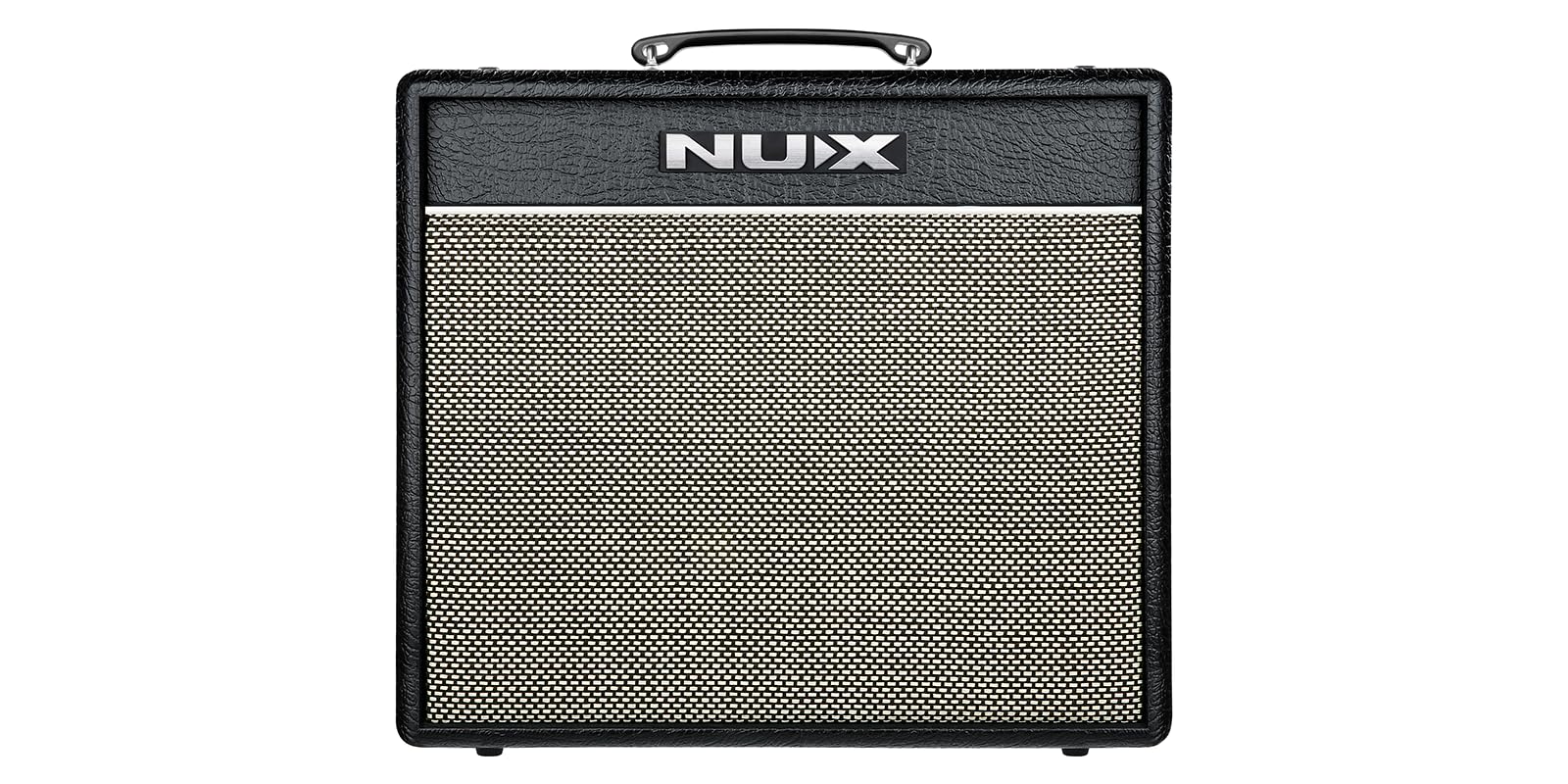
Figur 1: Forside view of the NUX Mighty 40 MKII Guitar Modeling Ampløfter, showcasing its black textured casing and light-colored speaker grille.
2. Sikkerhedsoplysninger
- Strømforsyning: Brug kun den angivne strømadapter. Sørg for, at lydstyrkentage matcher din lokale strømforsyning.
- Ventilation: Bloker ikke ventilationsåbningerne. Sørg for tilstrækkelig luftgennemstrømning omkring ampfor at forhindre overophedning.
- Fugtighed: Udsæt ikke amplifier to rain, moisture, or excessive humidity. Keep liquids away from the unit.
- Placering: Placer ampPlacer den på en stabil, plan overflade. Undgå at placere den i nærheden af varmekilder eller i direkte sollys.
- Service: Forsøg ikke selv at udføre service på enheden. Overlad al service til kvalificeret personale.
3. Hvad er der i æsken
Carefully unpack your NUX Mighty 40 MKII amplifier and check for the following items:
- NUX Mighty 40 MKII Amplivligere
- NBT-1 Bluetooth Module
- Power Adapter (not explicitly listed in 'whats_in_the_box' but implied for operation)
- Brugervejledning (dette dokument)
4. Produktfunktioner
The NUX Mighty 40 MKII amplifier offers a range of features to enhance your playing experience:
- TS/AC-2K White-Box Modeling: Authentic recreation of 21 legendary amp models, providing dynamic and expressive tones.
- 43 Customizable Effects: A comprehensive suite of effects including GATE, COMP, EFX, AMP, EQ, MOD, DLY, and RVB. The effects chain is fully routable for flexible sound design.
- Pro-Level Presets & Scenes: Save up to 7 user presets, each with 3 customizable Pro Scenes for quick switching between tailored setups.
- Funktion på patchniveau: Maintains balanced volume levels across all presets for smooth transitions during performance.
- 30-Second Looper & Built-in Drum Machine: Features a 30-second phrase looper and a drum machine with auto tempo detection for practice and song development.
- Justerbare strømindstillinger: Selectable output power at 0.5w, 5w, and 40w to suit various playing environments without compromising tone.
- Custom NUX G10-40W Speaker: A 10-inch speaker engineered for clarity and responsiveness, delivering punchy lows, warm mids, and sparkling highs.
- Trådløs kontrol og app-integration: Styr amplifier remotely via the Mighty Amp app (Bluetooth) or MightyEditor software (USB) for detailed tone adjustments.
- NUX NBT-1 Bluetooth Module: Enables seamless audio streaming and wireless control.
5. Opsætning
5.1 Tilslutning af strøm
- Sørg for ampStrømafbryderen er i OFF-positionen.
- Connect the provided power adapter to the 100V-240VAC input on the rear panel of the amplivligere.
- Sæt strømadapteren i en passende stikkontakt.
5.2 Tilslutning af dit instrument
- Tilslut din guitar eller et andet instrument til INPUT stikket på frontpanelet ved hjælp af et standard 6,5 mm instrumentkabel.
5.3 Installing the NBT-1 Bluetooth Module
- Locate the NBT-1 module slot on the rear panel of the amplivligere.
- Carefully insert the NBT-1 Bluetooth module into the designated slot until it is securely seated.

Figur 2: Bagside view of the NUX Mighty 40 MKII amplifier, highlighting the power input, USB port, NBT-1 module slot, footswitch input, and AUX IN.
5.4 Installation af apps og software
- Mægtig Amp App: Download the 'Mighty Amp' application from your mobile device's app store (iOS/Android).
- MightyEditor Software: For computer-based editing, download the 'MightyEditor' software from the official NUX webwebsted (www.nuxefx.com). Connect the amplifier to your computer via the USB port.
6. Betjeningsvejledning
6.1 Tænd/sluk
- To power on, flip the MAGT skift til ON-position.
- To power off, flip the MAGT skifte til OFF position.
6.2 Grundlæggende kontroller

Figur 3: Øverst view of the NUX Mighty 40 MKII control panel, illustrating the various knobs and buttons for sound adjustment.
- INPUT (HIGH/LOW): Connect your instrument. Use HIGH for passive pickups, LOW for active pickups.
- GEVINST: Adjusts the input sensitivity and amount of overdrive/distortion.
- NIVEAU: Controls the output level of the selected amp model.
- BAS, MELLEM, DISKANT: 3-band equalizer to shape your tone.
- REVERB: Justerer mængden af rumklangseffekt.
- TILSTEDEVÆRELSE: Controls the high-frequency boost, adding sparkle to your tone.
- MESTRE: Overall output volume control of the amplivligere.
6.3 Channel and Power Settings
- KANAL-knap: Cycles through available amp models/channels.
- 0.5W/5W/40W Switch: Vælger ampforsyningens output watttage. Choose 0.5W for quiet practice, 5W for home use, and 40W for louder environments.
6.4 Presets and Scenes
- S1, S2, S3 Buttons: Select between the three customizable scenes within the currently active preset.
- To save a preset, adjust your desired settings, then press and hold one of the S1-S3 buttons until it flashes.
6.5 Looper og trommemaskine
- Refer to the detailed instructions in the Mighty Amp app or MightyEditor software for full control over the 30-second looper and built-in drum machine functions.
6.6 Brug af den mægtige Amp App / MightyEditor Software
- Bluetooth-forbindelse: On your mobile device, enable Bluetooth and pair with the 'NUX Mighty 40 MKII'. Open the Mighty Amp app to control amplifier settings, effects, and presets.
- USB-forbindelse: Tilslut amplifier to your computer via a USB cable. Launch the MightyEditor software to access advanced editing features, firmware updates, and more.
7. Vedligeholdelse
- Rensning: Brug en blød, tør klud til at rengøre ampBrug ikke slibende rengøringsmidler eller opløsningsmidler.
- Opbevaring: Når den ikke er i brug, skal du opbevare den ampOpbevar væsken på et tørt, køligt sted væk fra direkte sollys og ekstreme temperaturer.
- Transport: Use the integrated handle for carrying. Ensure all cables are disconnected before moving the unit.
8. Fejlfinding
- Ingen lyd:
- Kontroller strømtilslutningen og sørg for, at amplifier er tændt.
- Verify instrument cable connection and ensure the instrument's volume is up.
- Check the MASTER volume knob on the amplivligere.
- Ensure no headphones are plugged into the headphone jack if you expect sound from the speaker.
- Problemer med Bluetooth-forbindelse:
- Ensure the NBT-1 module is correctly installed.
- Genstart amplifier and your mobile device.
- Glem enheden i din telefons Bluetooth-indstillinger, og prøv at parre igen.
- Forvrænget lyd:
- Skru ned for GAIN-knappen.
- Tjek dit instruments udgangsniveau.
- Ensure the correct INPUT (HIGH/LOW) is selected for your instrument.
9. Specifikationer
| Feature | Specifikation |
|---|---|
| Modelnummer | NGA-40 |
| Output Wattage | 40 Watts (selectable 0.5W, 5W, 40W) |
| Højttaler | Custom NUX G10-40W (10-inch) |
| Amp Modeller | 21 (TS/AC-2K White-Box Modeling) |
| Effekter | 43 (GATE, COMP, EFX, AMP, EQ, MOD, DLY, RVB) |
| Looper | 30-second phrase looper |
| Trommemaskine | Built-in with auto tempo detection |
| Forbindelse | USB, Bluetooth (via NBT-1 module), AUX IN, Footswitch |
| Kompatible enheder | Guitar, Bass, Drums, Keyboard |
| Strømkilde | AC adapter |
| Varens vægt | 12 pund (5.44 kg) |
| Produktdimensioner | 11.4" D x 18.9" B x 21.9" H (28.96 x 48.01 x 55.63 cm) |
10. Garanti og support
NUX products are designed and manufactured to high-quality standards. For warranty information, technical support, or service inquiries, please visit the official NUX webwebstedet eller kontakt din lokale forhandler.
Officiel NUX Webwebsted: www.nuxefx.com