Indledning
This user manual provides essential information for the safe and efficient operation of your Jackery HomePower 3000 Portable Power Station. Please read this manual thoroughly before using the product and retain it for future reference.
The Jackery HomePower 3000 is a high-capacity portable power station designed to provide reliable backup power for home essentials, outdoor activities, and emergencies. It features a robust 3600W output (7200W surge) and a 3072Wh LiFePO4 battery, offering extended power duration and superior reliability.
Hvad er der i æsken
- Jackery HomePower 3000 bærbar kraftstation
- AC-opladerkabel
- Brugermanual
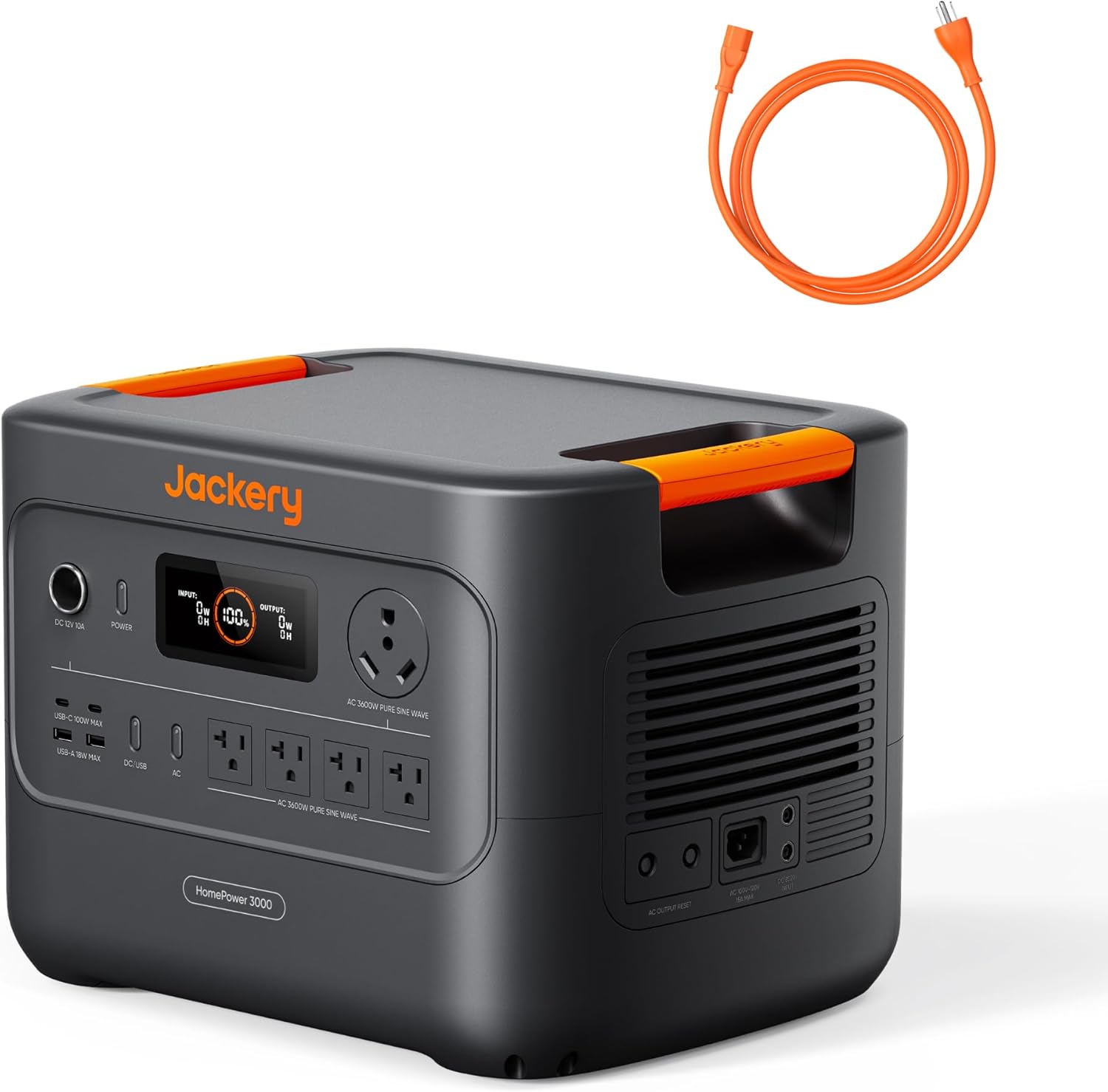
Image: The Jackery HomePower 3000 unit shown with its included orange AC charging cable.
Produktfunktioner og komponenter
The Jackery HomePower 3000 is equipped with various ports and features for versatile power delivery and charging.

Image: Close-up of the Jackery HomePower 3000's front panel, highlighting the display, DC 12V 10A port, Power button, USB-C and USB-A ports, AC outlets, and the TT-30 RV port.
- Power knap: Activates and deactivates the unit.
- Skærm: Shows input/output wattage, batteriprocenttage, og resterende opladnings-/afladningstid.
- DC 12V 10A Port: For connecting 12V DC devices.
- USB-C Ports (2x): Up to 100W Max each, for fast charging compatible devices.
- USB-A-porte (2x): Up to 18W Max each, for standard USB charging.
- AC Outlets (4x): 120V, 20A, providing 3600W pure sine wave output.
- TT-30 RV-port: 120V, 30A, designed for RV power needs.
- Integrerede håndtag: For nem transport.
Opsætning
Indledende opladning
Before first use, fully charge the Jackery HomePower 3000. This ensures optimal battery performance and longevity.
- Connect the provided AC Charging Cable to the AC input port on the back of the unit.
- Plug the other end of the AC Charging Cable into a standard wall outlet (120V AC).
- The display will show "INPUT" wattage and the battery percentage stigendeasing.
- Charging from 0% to 80% takes approximately 1.6 hours via AC. A full charge takes about 2.2 hours.

Image: The Jackery HomePower 3000 connected to a wall outlet for fast AC charging.
Valgfri solopladning
For renewable energy charging, connect compatible Jackery SolarSaga panels (sold separately).
- Unfold and position your Jackery SolarSaga panels in direct sunlight.
- Connect the solar panels to the DC input port on the back of the HomePower 3000.
- The display will show "INPUT" wattage from solar and the battery percentage stigendeasing.
- With 2x SolarSaga 200W panels, the unit can charge to 80% in approximately 9 hours.
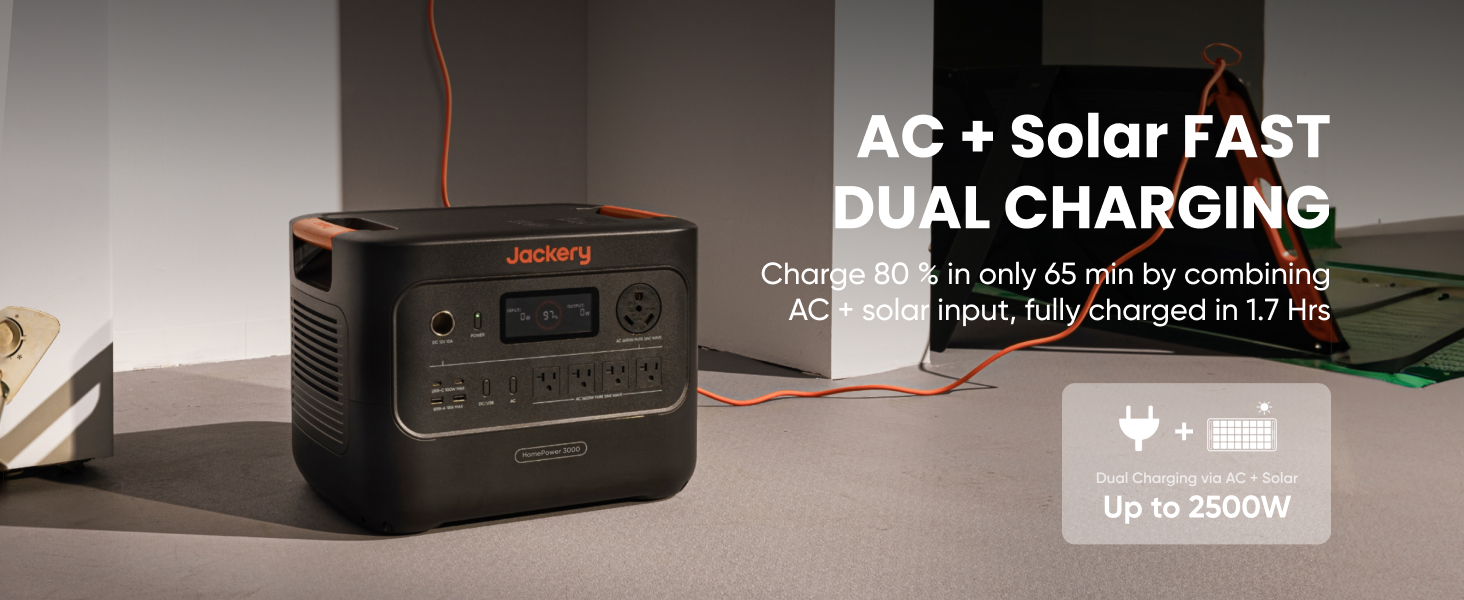
Image: The Jackery HomePower 3000 positioned outdoors, connected to two Jackery SolarSaga panels for solar charging.
Mobil app-forbindelse
Download the Jackery App for convenient remote control and monitoring via Bluetooth or Wi-Fi.
- Søg efter "Jackery" in your device's app store and install the application.
- Follow the in-app instructions to pair your HomePower 3000.
- Once connected, you can monitor input/output, battery status, and set charging schedules.
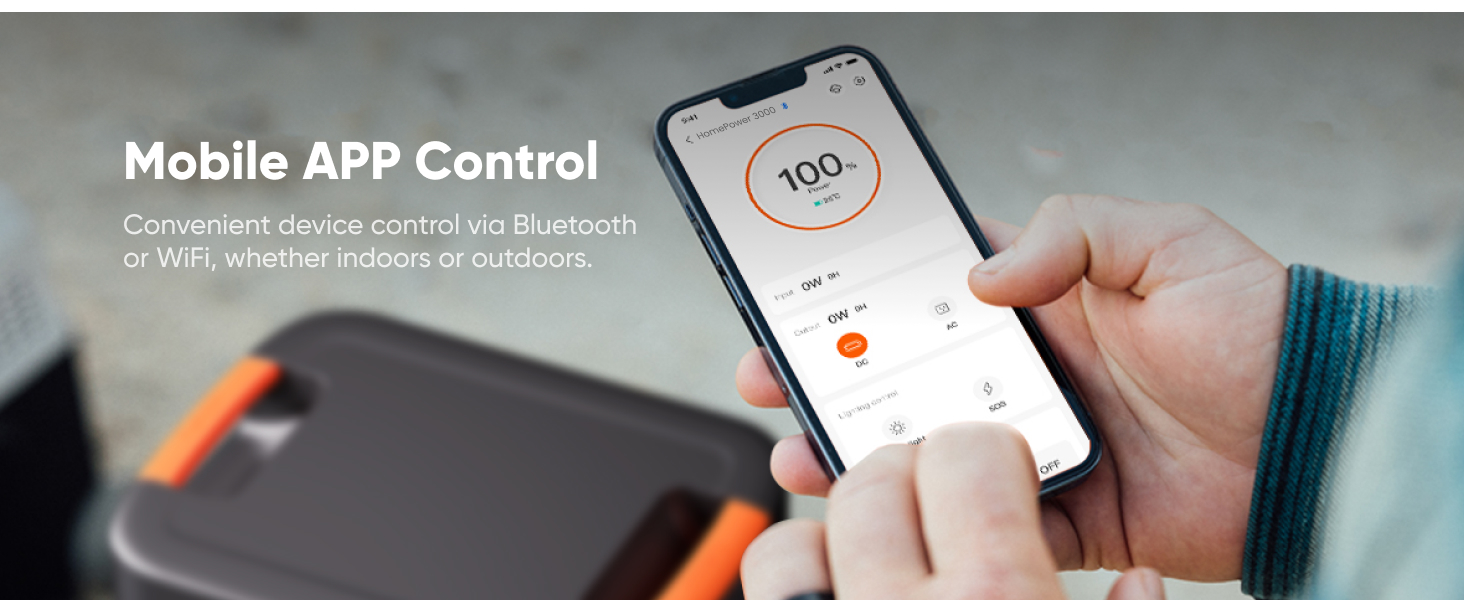
Image: A hand holding a smartphone showing the Jackery mobile application interface, used for controlling and monitoring the power station.
Betjeningsvejledning
Tænd/sluk
- To turn on the unit, press and hold the Magt knappen, indtil displayet lyser.
- For at slukke for enheden skal du trykke på og holde nede Magt knappen, indtil displayet slukker.
Brug af AC-udgang
The HomePower 3000 provides 3600W (7200W surge) of pure sine wave AC power.
- Sørg for, at enheden er tændt.
- Plug your appliance into one of the four AC outlets or the TT-30 RV port.
- The display will show the "OUTPUT" wattage being drawn by your devices.
- For home backup, the unit features a UL-certified UPS that switches seamlessly within ≤20ms during power outages.

Image: The Jackery HomePower 3000 connected to a refrigerator and other household items, demonstrating its use as an essential home backup power source.

Image: The Jackery HomePower 3000 providing power to a desktop computer and monitor, illustrating its seamless UPS function during unexpected blackouts.
Brug af USB-udgang
The unit provides two USB-C ports (100W Max) and two USB-A ports (18W Max) for charging smaller electronic devices.
- Sørg for, at enheden er tændt.
- Connect your device's USB cable to the appropriate USB-C or USB-A port.
- The display will indicate power output.
Using DC 12V Output
The DC 12V 10A port is suitable for devices requiring 12V DC power, such as car refrigerators or portable air pumps.
- Sørg for, at enheden er tændt.
- Plug your 12V DC device into the DC 12V 10A port.
Opretholdelse
Opbevaring
- Store the HomePower 3000 in a cool, dry place, away from direct sunlight and extreme temperatures.
- To preserve charge, ensure the unit is turned off during storage.
- The unit features ZeroDrain technology, retaining 95% power after 365 days of storage when turned off.
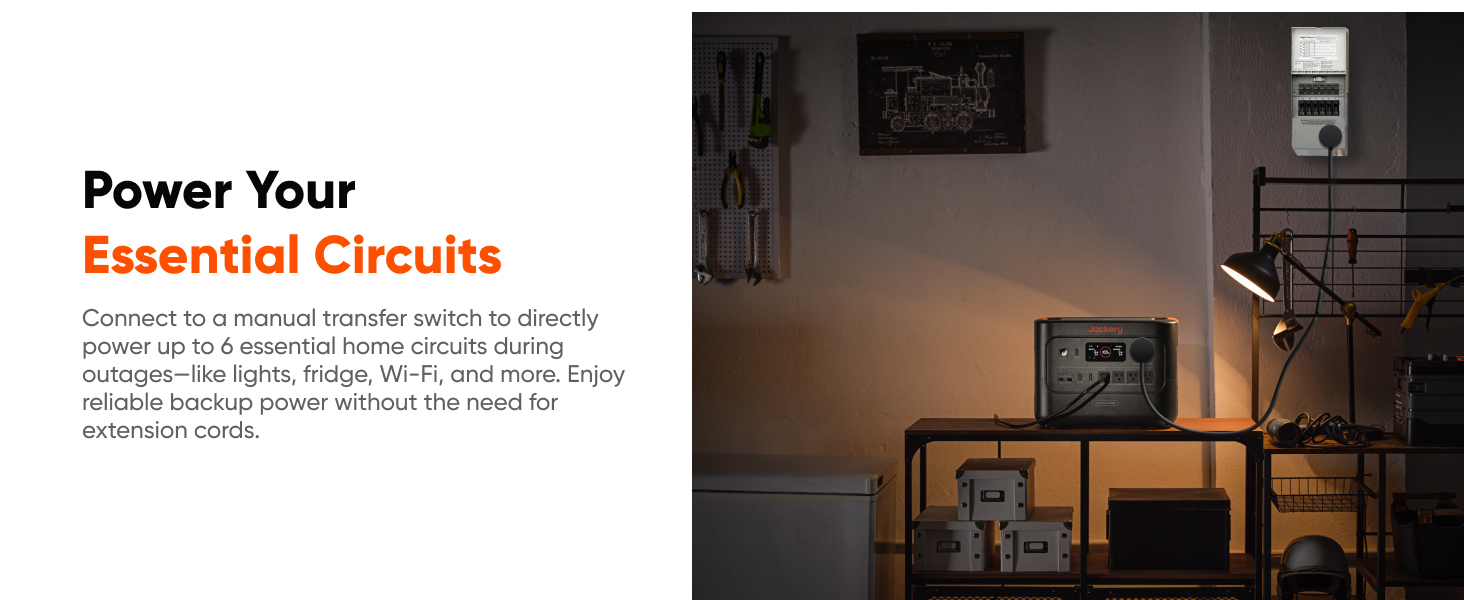
Image: The Jackery HomePower 3000 stored on a shelf, demonstrating its compact size for storage and readiness for emergencies.
Batteripleje
- The LiFePO4 battery offers 4,000 cycles while retaining 70% capacity, ensuring long-lasting performance.
- Undgå at aflade batteriet helt ofte for at forlænge dets levetid.
- Charge the unit at least once every 3-6 months if not in regular use.

Image: The Jackery HomePower 3000 with a graphic indicating its 10-year lifespan and 4000 full charge cycles, highlighting its durable LiFePO4 battery technology.
Fejlfinding
| Problem | Mulig årsag | Løsning |
|---|---|---|
| Enheden tænder ikke. | Batteriet er helt afladet. | Tilslut til vekselstrøm og oplad i mindst 30 minutter. |
| Ingen AC-udgang. | AC output not enabled or overloaded. | Press the AC button to enable output. Reduce load if overloaded (check display). |
| Langsom opladning. | Using a low-power charging source (e.g., car charger only) or solar panels not in direct sunlight. | Use AC charging for fastest results. Ensure solar panels are in full, direct sunlight and clean. |
| Display virker ikke. | Unit is off or display is in standby mode. | Press the Power button briefly to wake the display. Ensure unit is powered on. |
Specifikationer
| Feature | Detalje |
|---|---|
| Modelnavn | JHP-3000C |
| Kapacitet | 3072Wh |
| AC udgang | 3600W (7200W Surge) Pure Sine Wave |
| Batteritype | LiFePO4 (lithiumjernfosfat) |
| Cyklus liv | 4000 cyklusser til 70%+ kapacitet |
| UPS funktion | ≤20ms seamless switch |
| Opladningstid (AC) | 2.2 timer (0-100%) |
| Opladningstid (solenergi) | 9 hours (0-80% with 2x SolarSaga 200W) |
| Dimensioner (L x B x H) | 16.4 cm L x 12.8 cm B x 12 cm H |
| Vægt | 59.5 pund |
| Forbindelse | Wi-Fi, Bluetooth |
Garanti og support
The Jackery HomePower 3000 comes with a standard warranty. For specific warranty terms and conditions, please refer to the official Jackery webwebstedet eller garantikortet, der følger med dit produkt.
For technical support, troubleshooting assistance, or warranty claims, please contact Jackery Customer Service:
- Online support: Visit the official Jackery website for FAQs, user guides, and contact forms.
- E-mail support: Se din produktdokumentation for at finde kundeservice-e-mailadressen.
Yderligere ressourcer:
Vigtige sikkerhedsoplysninger
Følg altid grundlæggende sikkerhedsforanstaltninger, når du bruger dette produkt, for at mindske risikoen for brand, elektrisk stød eller personskade.
- Enheden må ikke skilles ad, repareres eller modificeres.
- Hold enheden væk fra varmekilder, direkte sollys og brandfarlige materialer.
- Sørg for tilstrækkelig ventilation under brug og opladning.
- Udsæt ikke enheden for vand eller for høj luftfugtighed.
- Opbevares utilgængeligt for børn.


