1. Introduktion
This manual provides essential information for the safe and efficient operation of your WiMiUS P61 Pro Smart Mini Projector. Please read it thoroughly before using the device and retain it for future reference.
The WiMiUS P61 Pro is a portable smart mini projector featuring native 1080P resolution with 4K support, integrated streaming apps like Netflix, YouTube, and Prime Video, Dolby Audio, WiFi 6, Bluetooth 5.2, auto keystone correction, and electric focus. Its compact design allows for versatile use in various environments.
2. Sikkerhedsoplysninger
- Øjensikkerhed: Se ikke direkte ind i projektorlinsen, når lamp er tændt. Det skarpe lys kan forårsage øjenskader.
- Ventilation: Sørg for tilstrækkelig ventilation omkring projektoren. Bloker ikke ventilationsåbningerne. Overophedning kan føre til funktionsfejl eller brand.
- Strømforsyning: Brug kun den medfølgende strømadapter. Sørg for, at strømkilden passer til lydstyrken.tage requirements specified on the adapter.
- Væske og fugt: Keep the projector away from water, rain, and excessive humidity. Do not operate with wet hands.
- Rensning: Disconnect power before cleaning. Use a soft, dry cloth. Avoid abrasive cleaners or solvents.
- Placering: Placer projektoren på en stabil, plan overflade. Undgå at placere den i direkte sollys eller i nærheden af varmekilder.
- Børn: Hold projektoren utilgængeligt for børn.
3. Pakkens indhold
Bekræft at alle varer er til stede i pakken:
- WiMiUS P61 PRO Projector *1
- Remote Control *1 (Batteries not included)
- Netledning * 1
- HDMI-kabel *1
- Hurtig startguide *1
4. Produktet er slutview
The WiMiUS P61 Pro is designed for ease of use and portability. Below are key features and components.

Billede 4.1: Forside view of the WiMiUS P61 Pro Mini Projector displaying its smart system, Dolby Audio, 4K support, and auto keystone features against a Netflix background.

Image 4.2: The WiMiUS P61 Pro Mini Projector showcasing its built-in smart system with pre-installed apps like Netflix, YouTube, Prime Video, Disney+, and Hulu, eliminating the need for external TV sticks.
5. Opsætning
5.1 Placering
Position the projector on a stable surface. The optimal projection distance for a 40-120 inch display is between 3 and 11 feet. The projector features a 1.24:1 throw ratio.
- Bordplade: Place the projector on a flat table.
- Stativ: Use the M6 threaded mount at the bottom to attach a tripod.
- Loftmontering: Securely mount the projector to the ceiling using a compatible mount.

Image 5.1: Illustration of various placement options for the WiMiUS P61 Pro Mini Projector, including tabletop, tripod, and ceiling mount, demonstrating its versatility.
5.2 Strømtilslutning
- Tilslut netledningen til projektorens strømindgang.
- Sæt den anden ende af netledningen i en passende stikkontakt.
5.3 Indledende tænding
Tryk på tænd/sluk-knappen på projektoren eller fjernbetjeningen for at tænde enheden. Projektoren vil starte sin opstartssekvens.
5.4 Fokus- og Keystone-justering
The P61 Pro features automatic adjustments for optimal image quality.
- Elektrisk fokus: The projector will automatically adjust focus for a clear image. Manual adjustment can also be performed via the remote if needed.
- Automatisk keystone-korrektion: The projector automatically corrects vertical trapezoidal distortion (up to ±30°). This ensures a rectangular image even if the projector is not perfectly aligned with the screen.
- Zoom funktion: Juster skærmstørrelsen fra 50% til 100% uden at flytte projektoren.

Image 5.2: Visual representation of the WiMiUS P61 Pro's electric focus, ±30° auto vertical keystone correction, and 50-100% zoom capabilities, ensuring a perfectly aligned and clear image.
6. Betjening
6.1 Navigation med fjernbetjening
Use the included remote control to navigate the projector's interface. The remote has dedicated buttons for popular streaming services like Netflix, YouTube, and Prime Video for quick access.
6.2 Tilslutning til Wi-Fi
- Gå til 'Indstillinger' fra startskærmen.
- Vælg 'Netværk' eller 'Wi-Fi-indstillinger'.
- Vælg dit ønskede Wi-Fi-netværk fra listen.
- Enter the password and connect. The projector supports Wi-Fi 6 for fast and stable streaming.
6.3 Streamingapplikationer
The WiMiUS P61 Pro comes with officially licensed Netflix, YouTube, and Prime Video pre-installed. Other apps can be downloaded from the integrated app store.
- Select the desired app from the home screen.
- Log ind med dine kontooplysninger.
- Begin streaming content directly.
6.4 Bluetooth-forbindelse
The projector features two-way Bluetooth 5.2, allowing it to connect to external audio devices or function as a Bluetooth speaker for your phone.
- Tilslutning til ekstern lyd: Go to 'Settings' > 'Bluetooth', turn on Bluetooth, and select your desired speaker or headphones to pair.
- Using as Bluetooth Speaker: Switch the projector to Bluetooth speaker mode (refer to on-screen instructions or quick guide). Pair your phone with the projector.

Image 6.1: Depiction of the WiMiUS P61 Pro's two-way Bluetooth 5.2 functionality, enabling connection to external audio devices or streaming music from a phone to the projector's speakers.
6.5 Tilslutning af ekstern enhed
The projector offers multiple ports for connecting various devices.
- HDMI: Connect gaming consoles (PS4, Switch), laptops, or other HDMI-enabled devices using the HDMI cable. Supports CEC/ARC.
- USB: Tilslut USB-drev for at afspille medier files direkte.
- Lydudgang: Connect to external sound systems via the 3.5mm audio jack.
6.6 Skærmspejling
The projector supports Miracast, DLNA, and AirPlay for wireless screen mirroring from compatible devices.
- Sørg for, at din mobilenhed og projektor er forbundet til det samme Wi-Fi-netværk.
- Select the screen mirroring function on the projector (e.g., 'Miracast', 'AirPlay').
- On your mobile device, enable screen mirroring/casting and select the projector from the list of available devices.

Image 6.2: A user enjoying a racing game projected by the WiMiUS P61 Pro, highlighting its Wi-Fi 6 capability for faster streaming and screen mirroring via Miracast, DLNA, and AirPlay.
7. Vedligeholdelse
7.1 Rengøring af linsen
Use a soft, lint-free cloth specifically designed for optical lenses to gently wipe the projector lens. Avoid touching the lens with bare hands.
7.2 Ventilation
Regularly check that the projector's ventilation ports are clear of dust and debris to prevent overheating. Do not place the projector on soft surfaces that might block airflow.
7.3 Opbevaring
When not in use for extended periods, store the projector in a cool, dry, dust-free environment. Use the original packaging or a protective case to prevent damage.
8. Fejlfinding
- Ingen strøm: Sørg for, at netledningen er korrekt tilsluttet til både projektoren og stikkontakten. Prøv en anden stikkontakt.
- Intet billede: Check if the projector is powered on. Verify the input source is correctly selected (HDMI, USB, etc.). Ensure cables are properly connected.
- Sløret billede: Allow the auto-focus to complete. If still blurry, manually adjust focus using the remote control. Ensure the projection surface is flat.
- Billedet er ikke rektangulært: The auto keystone correction should adjust this automatically. If not, check for obstructions or try repositioning the projector.
- Ingen lyd: Check the volume settings on the projector and any connected external audio devices. Ensure Bluetooth audio is correctly paired or HDMI ARC is configured.
- Problemer med Wi-Fi-forbindelse: Ensure the Wi-Fi password is correct. Restart the projector and your router. Check for signal interference.
- Fjernbetjeningen virker ikke: Ensure batteries are correctly inserted and not depleted. Point the remote directly at the projector's IR receiver.
9. Specifikationer
| Feature | Specifikation |
|---|---|
| Mærke | WiMiUS |
| Modelnummer | P61 PRO |
| Skærmopløsning | 1920 x 1080 (Native 1080P), 4K Supported |
| Varens vægt | 1.98 pund |
| Produktdimensioner | 3.15 x 3.94 x 7.09 tommer |
| Farve | Sort |
| Forbindelsesteknologi | Bluetooth 5.2, HDMI (CEC/ARC), WiFi 6, USB, Audio Out |
| Særlige funktioner | Netflix Officially-Licensed, Portable Design, Dolby Audio, 20W Speakers, Electric Focus, Auto Keystone (±30° Vertical), 50%-100% Zoom |
| Anbefalede anvendelser | Erhverv, Uddannelse, Gaming, Hjemmebiograf |
10. Garanti og support
WiMiUS is committed to providing excellent customer service and product reliability.
- Reliability Warranty: 36 måneder
- Returpolitik: 30 Days (no-questions-asked)
- Eftersalgssupport: Livsvarig support
For any inquiries or technical assistance, please contact our support team:
E-mail: support@wimius.com
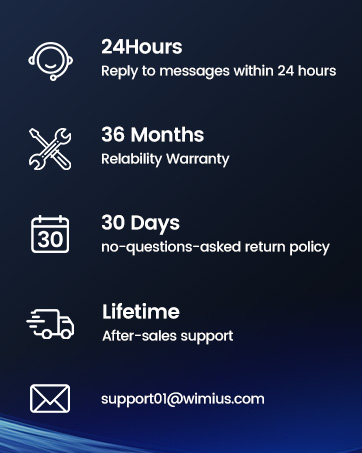
Image 10.1: WiMiUS customer support details, including 24-hour message reply, 36-month warranty, 30-day return policy, lifetime after-sales support, and contact email.


