
1. Introduktion
This manual provides essential information for setting up, operating, maintaining, and troubleshooting your DOOGEE E3MAX 14-inch Android 15 Tablet. Please read this guide thoroughly to ensure optimal performance and longevity of your device.
2. Opsætning
2.1 Udpakning og første inspektion
Carefully unpack your DOOGEE E3MAX tablet and verify that all components are present. The standard package includes:
- DOOGEE Tab E3 Max Tablet
- Type-C USB-kabel
- Oplader
- SIM Card Removal Tool
- Stylus (Full Accessory Set Version)
- Tempered Glass Film (Full Accessory Set Version)
- Bluetooth Mouse (Full Accessory Set Version)
- Leather Protective Cover (Full Accessory Set Version)
- Bluetooth Keyboard (Full Accessory Set Version)
- Brugermanual

This image shows all items included in the DOOGEE E3MAX package: the tablet, a Type-C USB cable, a charger, a SIM card removal tool, a stylus, a tempered glass film, a Bluetooth mouse, a leather protective cover, a Bluetooth keyboard, and the user manual.
2.2 Opladning af tabletten
Before first use, fully charge the tablet using the provided USB Type-C cable and charger. Connect the cable to the tablet's Type-C port and the charger to a power outlet. The battery indicator on the screen will show charging status.
2.3 Tænd/sluk
- For at tænde: Tryk på tænd/sluk-knappen, og hold den nede, indtil DOOGEE-logoet vises.
- For at slukke: Tryk på tænd/sluk-knappen og hold den nede, og vælg derefter 'Sluk' fra indstillingerne på skærmen.
- For at genstarte: Tryk og hold tænd/sluk-knappen nede, og vælg derefter 'Genstart' fra valgmulighederne.
2.4 Indledende konfiguration
Når du tænder din tablet første gang, skal du følge instruktionerne på skærmen for at konfigurere den:
- Vælg dit foretrukne sprog.
- Opret forbindelse til et Wi-Fi-netværk.
- Log ind med din Google-konto, eller opret en ny.
- Review og accepterer vilkårene og betingelserne.
- Konfigurer skærmlås (pinkode, mønster, adgangskode eller ansigtsgenkendelse).
2.5 Installation af SIM- og TF-kort
The tablet supports dual SIM cards or one SIM card and one TF (microSD) card for expanded storage.
- Find SIM-/TF-kortbakken på siden af tabletten.
- Insert the SIM card removal tool into the small hole next to the tray to eject it.
- Placer dit/dine Nano-SIM-kort og/eller TF-kort i de dertil beregnede pladser på bakken. Sørg for, at de vender korrekt.
- Skub forsigtigt bakken tilbage i tabletten, indtil den klikker på plads.

This diagram illustrates the tablet's dual card slot, allowing for the insertion of two SIM cards or one SIM card and one TF (microSD) card for expanded storage and cellular connectivity.
3. Betjeningsvejledning
3.1 Skærmfunktioner
The DOOGEE E3MAX features a large, high-resolution display for an enhanced visual experience.
- Skærmstørrelse: 14-tommer IPS-skærm
- Opløsning: 2.1K (2160x1440 pixels)
- Aspektforhold: 3:2
- Skærm-til-krop-forhold: 82.8 %
- Farvedybde: 16.7 millioner farver

The tablet features a 14-inch 2.1K (2160x1440) IPS display, offering vivid colors and sharp details with an 82.8% screen-to-body ratio and 3:2 aspect ratio.
3.2 Ydelse
The tablet is designed for smooth multitasking and efficient operation.
- Processor: MediaTek Helio G100 Octa-Core Processor (2.2GHz, 6nm process)
- VÆDDER: 32GB (8GB physical + 24GB virtual memory)
- Intern lagring (ROM): 256 GB
- Udvidelig lagerplads: Up to 2TB via TF card (sold separately)
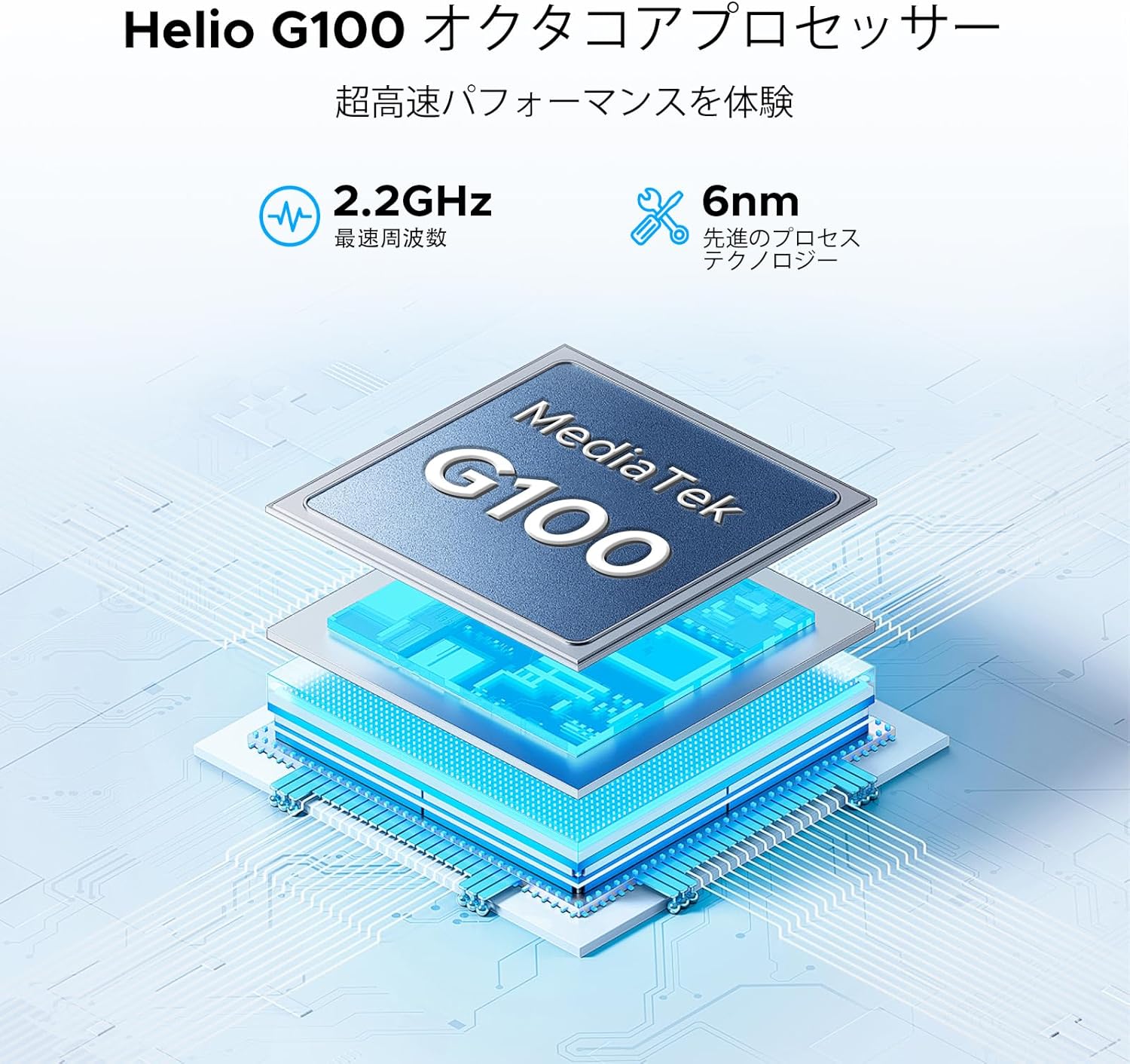
The tablet is powered by a MediaTek Helio G100 octa-core processor, operating at 2.2GHz with a 6nm process technology, ensuring efficient performance for various tasks.

Equipped with 32GB RAM (8GB physical + 24GB virtual) and 256GB internal storage, the tablet also supports up to 2TB of expandable storage via a TF card (sold separately).
3.3 Trådløs forbindelse
Stay connected with various wireless options:
- Wi-Fi: Dual-band 2.4G/5G (802.11ax, 802.11b, 802.11g, 802.11n) for stable and fast internet.
- Bluetooth: Version 5.2 for connecting wireless peripherals.
- Mobil: 4G LTE support via dual SIM card slots.
- Navigation: Integrated GPS, Glonass, Galileo, and Beidou for precise location services.

The tablet supports dual-band 2.4G/5G Wi-Fi for stable and fast internet access, along with Bluetooth 5.2 for peripheral connections and GPS for navigation.
3.4 Lydsystem
Enjoy rich audio with the tablet's advanced sound features:
- Højttalere: Premium 1217 BOX Quad Speakers for immersive sound.
- Lydstik: Standard 3.5mm audio jack for wired headphones.

Experience immersive sound with the tablet's premium 1217 BOX quad speakers. A standard 3.5mm audio jack is also included for wired headphone connectivity.
3.5 Integrated Cameras
Capture moments and conduct video calls with the tablet's cameras:
- Bagkamera: 16MP with autofocus, suitable for document scanning and general photography.
- Forreste kamera: 8MP, ideal for video conferencing and selfies.
- Makro kamera: 2MP til detaljerede nærbilleder.

Capture clear photos with the 16MP autofocus rear camera, suitable for scanning documents. The 8MP front camera is ideal for video calls, and a 2MP macro camera is included for detailed close-up shots.
3.6 Langtidsholdbart batteri
The DOOGEE E3MAX is equipped with a high-capacity battery for extended use.
- Batterikapacitet: 13500mAh Lithium Polymer battery.
- Standby tid: Op til 29 dage.
- Videoafspilning: Up to 10 hours of continuous video.

The tablet is equipped with a large 13500mAh battery, providing extended usage times, including up to 29 days standby and 10 hours of continuous video playback.
3.7 Softwarefunktioner
The tablet runs on the latest Android operating system with integrated smart features.
- Operativsystem: Android 15, GMS certified for full access to Google services.
- Gemini AI: Built-in AI for tasks like voice-to-text conversion for meetings, image analysis, and smart assistance.
- WPS-kontor: Pre-installed suite for Word, Excel, and PowerPoint document editing.
- Multitasking: Efficient split-screen functionality for running multiple applications simultaneously.
- Sikkerhed: Face recognition for quick and secure unlocking, enhanced privacy shield with precise permission management, data encryption, and timely security updates.
- Øjenbeskyttelse: Features like eye protection mode and dark mode to reduce eye strain during prolonged use.

Integrated Gemini AI assists with various tasks, including converting meeting audio to text, scanning documents, and providing smart assistance.

WPS Office is pre-installed, allowing for efficient editing of Word, Excel, and PowerPoint files, making the tablet suitable for productivity tasks.

Enhance productivity with split-screen multitasking. Secure your device with face recognition unlock and protect your eyes with built-in eye protection modes.
4. Vedligeholdelse
4.1 Vedligeholdelse af enheden
- Rensning: Brug en blød, fnugfri klud til at rengøre skærmen og kabinettet. Undgå slibende materialer eller barske kemikalier.
- Softwareopdateringer: Søg regelmæssigt efter og installer systemopdateringer for at sikre optimal ydeevne og sikkerhed. Gå til Indstillinger > System > Systemopdatering.
- Lagerstyring: Ryd periodisk unødvendigt fileog apps for at frigøre lagerplads og opretholde enhedens hastighed.
- Batteripleje: Undgå ekstreme temperaturer. Lad ikke batteriet aflades helt for ofte. Ved langtidsopbevaring skal batteriet oplades til ca. 50%.
5. Fejlfinding
Dette afsnit omhandler almindelige problemer, du kan støde på med din tablet.
- Enheden tænder ikke: Sørg for, at batteriet er opladet. Tilslut opladeren, og vent et par minutter, før du forsøger at tænde den igen. Hvis den ikke reagerer, skal du trykke på tænd/sluk-knappen og holde den nede i 10-15 sekunder for at fremtvinge en genstart.
- Problemer med Wi-Fi-forbindelse: Tjek om Wi-Fi er aktiveret i indstillingerne. Genstart din router og tablet. Glem netværket, og genopret forbindelsen.
- Langsom ydeevne: Close unused applications. Clear cache and data for frequently used apps. Consider performing a factory reset if performance issues persist after backing up your data.
- Apps der går ned: Ensure apps are updated to their latest versions. Clear the app's cache and data (Settings > Apps > [App Name] > Storage > Clear cache/Clear data).
- Opladningsproblemer: Verify the charging cable and adapter are securely connected and undamaged. Try a different compatible charger and cable.
6. Specifikationer
| Feature | Specifikation |
|---|---|
| Mærke | DOOGEE |
| Model | E3MAX |
| Operativsystem | Android 15 |
| Processor | MediaTek Helio G100 Octa-Core, 2.2 GHz |
| VÆDDER | 32 GB (8 GB fysisk + 24 GB virtuel) |
| Intern opbevaring | 256 GB |
| Udvidelig opbevaring | Op til 2 TB via TF-kort |
| Vise | 14-inch IPS, 2160x1440 (2.1K) |
| Bagkamera | 16 MP autofokus |
| Forreste kamera | 8 MP |
| Makro kamera | 2 MP |
| Batteri | 13500mAh Lithium Polymer |
| Wi-Fi | 802.11ax, 802.11b, 802.11g, 802.11n (2.4G/5G Dual-band) |
| Bluetooth | Version 5.2 |
| Navigation | GPS, Glonass, Galileo, Beidou |
| Havne | USB Type-C, 3.5 mm lydstik |
| Dimensioner (L x B x H) | 24.53 x 16.33 x 0.99 cm |
| Vægt | 992 g |
7. Garanti og support
7.1 Garantioplysninger
Your DOOGEE E3MAX tablet comes with a 12 måneders kvalitetsgaranti fra købsdatoen. Denne garanti dækker fabrikationsfejl ved normal brug. Gem venligst din købsbevis i tilfælde af garantikrav.
7.2 Kundesupport
For any questions, technical assistance, or warranty claims, please contact DOOGEE customer support. Refer to the contact information provided with your purchase or visit the official DOOGEE webwebsted for supportdetaljer.


