Indledning
This manual provides detailed instructions for the ATTACK SHARK G3 Tri-Mode Wireless Gaming Mouse. Please read this manual thoroughly before use to ensure proper operation and to maximize your experience with the product.
The ATTACK SHARK G3 is a high-performance gaming mouse designed for versatility and precision. It offers three connectivity modes: 2.4GHz wireless, Bluetooth 5.2, and wired USB-C, allowing seamless switching between various devices and setups. Featuring a lightweight design, a high-precision PAW3311 sensor, and programmable buttons, the G3 is engineered for both gaming and productivity.
Pakkens indhold
- ATTACK SHARK G3 Wireless Gaming Mouse
- USB-C lade-/datakabel
- 2.4 GHz USB-modtager
- Brugermanual
Produkt overview
Familiarize yourself with the components of your ATTACK SHARK G3 mouse.

Billede: Top-down view of the ATTACK SHARK G3 Wireless Gaming Mouse in Berry Red, showing the left and right click buttons, scroll wheel, and two side buttons on the left.
- Venstreklikknap: Standard primary mouse function.
- Højreklik-knap: Standard secondary mouse function.
- Scrollhjul: Til scrollning og mellemklikfunktion.
- Sideknapper (x2): Default to Forward/Backward, programmable via software.
- DPI Button (underside): Skifter gennem forudindstillede DPI-niveauer.
- Mode Switch (underside): Toggles between 2.4GHz, Bluetooth, and Wired modes.
- USB-C-port: Til kabelforbindelse og opladning.
- 2.4GHz USB Receiver Storage: Located on the underside of the mouse.

Billede: En collageudstillingasing key features of the G3 mouse, including its 59g ultra-light design, 500mAh battery, PixArt PAW3311 sensor, 25000 DPI capability, Huano Blue Shell Pink Dot Switches, and Tri-mode connectivity.
Opsætning
1. Kabelbaseret forbindelse
- Tilslut USB-C-enden af det medfølgende kabel til musen.
- Tilslut USB-A-enden af kablet til en ledig USB-port på din computer.
- Ensure the mode switch on the underside of the mouse is set to the "Wired" position.
- The mouse will be recognized by your computer and is ready for use.
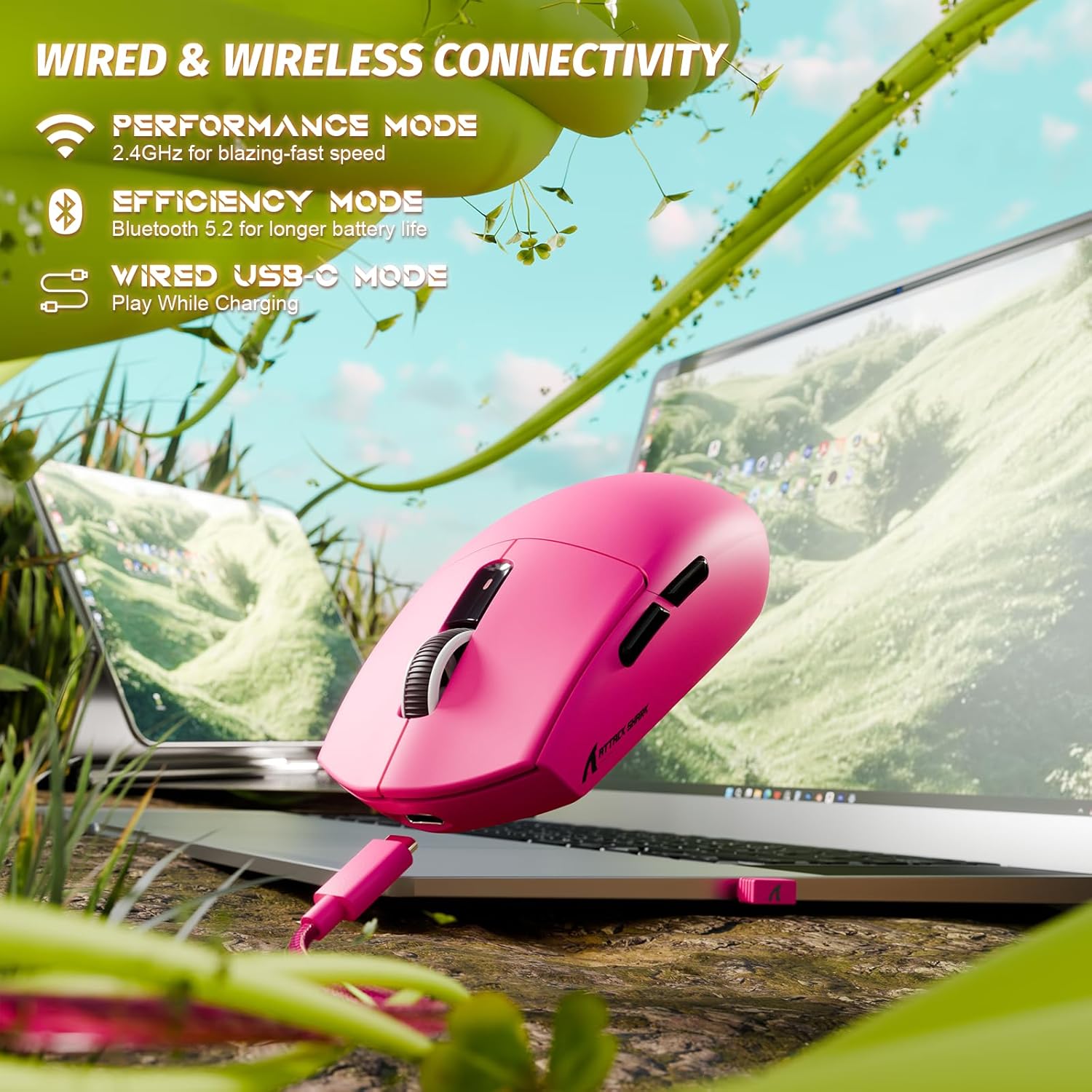
Image: The ATTACK SHARK G3 mouse connected to a laptop via its USB-C cable, illustrating the wired connectivity option.
2. 2.4GHz Wireless Mode Connection
- Locate the 2.4GHz USB receiver stored on the underside of the mouse.
- Sæt USB-modtageren i en ledig USB-port på din computer.
- Set the mode switch on the underside of the mouse to the "2.4G" position.
- The mouse should automatically connect to the receiver. If not, press and hold the DPI button and a side button simultaneously for 3 seconds to initiate pairing.
3. Bluetooth 5.2 Mode Connection
- Set the mode switch on the underside of the mouse to the "BT" (Bluetooth) position.
- The mouse will enter pairing mode, indicated by a blinking LED light.
- Gå til Bluetooth-indstillinger på din computer eller enhed.
- Søg efter new devices and select "ATTACK SHARK G3" from the list.
- Følg eventuelle anvisninger på skærmen for at fuldføre parringsprocessen.
Betjeningsvejledning
DPI justering
The ATTACK SHARK G3 features a PAW3311 sensor with adjustable DPI settings. You can cycle through preset DPI levels by pressing the DPI button located on the underside of the mouse. For fine adjustments and custom DPI profiles, use the dedicated driver software.

Billede: Et nærbillede view of the PixArt PAW3311 sensor inside the mouse, highlighting its capabilities such as 1000Hz polling rate, 25000 DPI max, and 40G acceleration.
Programmerbare knapper og software
The G3 mouse includes 5 programmable buttons. To customize button functions, create macros, and adjust settings like polling rate and Lift-Off Distance (LOD), download and install the official ATTACK SHARK driver software from the manufacturer's website. The software allows for personalized configurations to suit your specific needs.

Image: A screenshot of the ATTACK SHARK G3 customization software interface, showing options for mouse settings, DPI settings, parameter settings, macro editing, and personal center.
Oplader musen
The mouse is equipped with a built-in 500mAh rechargeable lithium-ion battery. When the battery is low, the LED indicator will signal. Connect the mouse to your computer using the provided USB-C cable to charge. The mouse can be used normally while charging in wired mode.

Image: The ATTACK SHARK G3 mouse in a natural setting, emphasizing its 500mAh battery capacity for extended use.
Opretholdelse
- Rensning: Brug en blød, tør klud til at rengøre musens overflade. Ved genstridigt snavs, brug en let tør klud.amp klud kan bruges, så det sikres, at der ikke trænger fugt ind i de indvendige komponenter.
- Sensorpleje: Hold den optiske sensor på undersiden af musen ren og fri for støv og snavs for at sikre nøjagtig sporing.
- Batteriets levetid: For at forlænge batteriets levetid, undgå at aflade musen helt ofte. Oplad den, når indikatoren for lavt batteri vises.
- Opbevaring: Når musen ikke er i brug i længere perioder, skal den opbevares et køligt og tørt sted.

Image: An inverted view of the ATTACK SHARK G3 mouse, showcasing its double-layer mouse feet for smooth gliding and stability.
Fejlfinding
- Musen svarer ikke:
- Sørg for, at musen er opladet.
- Check the mode switch (2.4G, BT, Wired) is set correctly.
- For 2.4 GHz skal du sørge for, at USB-modtageren er korrekt tilsluttet. Prøv en anden USB-port.
- For Bluetooth skal du sørge for, at Bluetooth er aktiveret på din enhed, og at musen er parret.
- Try connecting in wired mode to confirm functionality.
- Unøjagtig sporing:
- Rengør den optiske sensor på undersiden af musen.
- Sørg for at bruge musen på en passende overflade (f.eks. en musemåtte).
- Adjust DPI settings via the DPI button or software.
- Forbindelsesproblemer:
- Flyt musen tættere på modtageren/enheden for at reducere interferens.
- Avoid using the 2.4GHz receiver near other wireless devices that may cause interference.
- Re-pair the mouse in 2.4GHz or Bluetooth mode if connection is lost.
- Software registrerer ikke mus:
- Ensure the mouse is connected in wired or 2.4GHz mode (Bluetooth may not be supported by all software).
- Genstart softwaren og/eller din computer.
- Reinstall the driver software.
Specifikationer
| Feature | Detalje |
|---|---|
| Model | G3 |
| Forbindelse | 2.4 GHz trådløs, Bluetooth 5.2, USB-C kablet |
| Sensor | PixArt PAW3311 Optisk Sensor |
| DPI rækkevidde | 800 - 25,000 DPI (justerbar) |
| Sporingshastighed | 400 IPS |
| Acceleration | 40G |
| Afstemningsfrekvens | 1000Hz (Wired/2.4GHz) |
| Knapper | 5 Programmerbare knapper |
| Afbrydere | Huano Blue Shell Pink Dot Switches (80 million clicks) |
| Batteri | 500mAh genopladeligt litium-ion-batteri |
| Musens vægt | Approximately 59g (2.08 oz) |
| Kompatibilitet | PC, Mac (Windows/macOS) |
Garanti og support
ATTACK SHARK products are designed and manufactured to the highest quality standards. For warranty information and technical support, please refer to the official ATTACK SHARK webwebstedet eller kontakt deres kundeservice direkte. Gem din købsbevis til garantikrav.
For further assistance, visit the official ATTACK SHARK store: ATTACK SHARK Butik


