1. Introduktion
Welcome to the user manual for your new OnePlus Buds 4 Wireless Earbuds. These earbuds are designed to provide a superior audio experience with features such as adaptive noise cancellation, high-resolution audio support, and extended battery life. This manual will guide you through the setup, operation, maintenance, and troubleshooting of your device to ensure you get the most out of your earbuds.
2. Hvad er der i æsken
Kontroller venligst indholdet af din pakke for at sikre, at alle varer er til stede:
- OnePlus Buds 4 Earbuds
- OnePlus Buds 4 opladningsetui
- Type-C opladerkabel
- Ørepropper (S, M, L par)
- Brugermanual og sikkerheds- og garantioplysninger
3. Produktet er slutview
The OnePlus Buds 4 feature an ergonomic design for comfortable wear and a compact charging case for portability and extended battery life. Key components include the earbuds with touch controls and the charging case with a USB-C port.

Image: OnePlus Buds 4 earbuds securely placed within their charging case.

Image: The OnePlus Buds 4 earbuds and their open charging case, showcasing the individual components.

Billede: En overview of the OnePlus Buds 4's advanced features, including noise cancellation, audio quality, and smart functionalities.
3.1 Nøglefunktioner
- Sensationelt skulptureret lyd: Dual DACs and dual drivers with Hi-Res LHDC 5.0 for near-lossless audio, deep bass, and clear highs. Features Golden Sound for personalized listening and OnePlus 3D Audio for immersive sound.
- Silence Made Smarter: Up to 55dB Adaptive Noise Cancellation (ANC) dynamically reduces ambient noise. Adaptive Mode allows switching between ANC and Transparency Mode.
- AI Clear Call-algoritme: A 3-mic system filters out ambient noise and wind for crystal-clear calls.
- Smartere forbindelse: Steady Connect ensures reliable connectivity. Supports real-time AI Translation and voice assistant activation.
- Forlænget batterilevetid: Op til 45 timers samlet afspilningstid med opladningsetuiet.

Image: Visual representation of BassWave™ 2.0 Dynamic Bass technology, enhancing low-frequency audio.

Image: Depiction of Golden Hearing technology, which customizes sound based on individual ear canal structure for optimized audio.
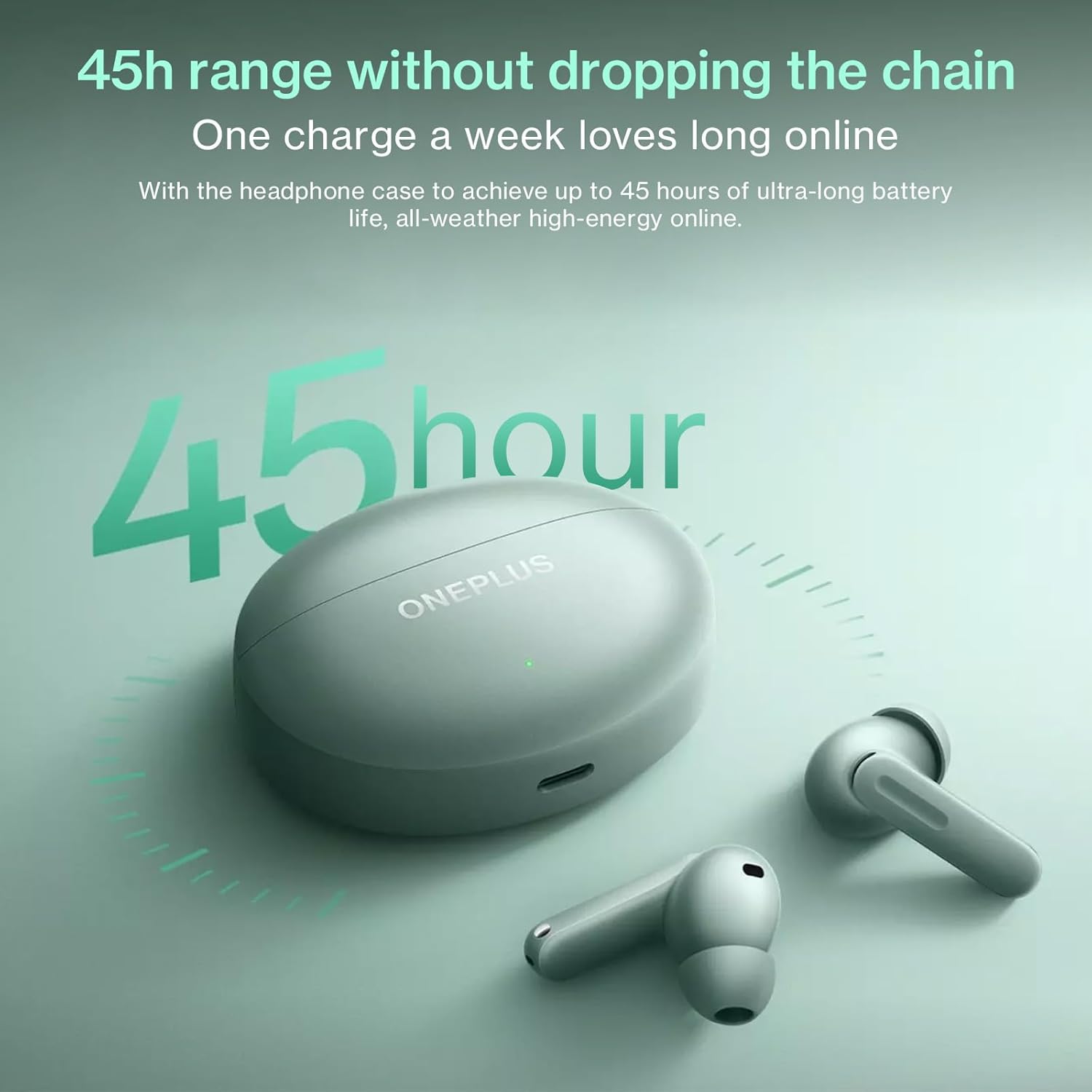
Image: The OnePlus Buds 4 and their charging case, highlighting the impressive 45-hour total battery life.

Image: Explanation of the enhanced Vocal Noise Reduction feature, demonstrating its effectiveness in noisy environments.

Billede: Detaljeret view of the Flagship Coaxial Dual Unit, illustrating its design for balanced high and low-frequency audio reproduction.
4. Opsætning
4.1 Opladning af øretelefoner og etuiet
Before first use, fully charge the earbuds and the charging case. Place the earbuds into the charging case and close the lid. Connect the Type-C charging cable to the charging port on the case and plug the other end into a USB power adapter (not included). The indicator light on the case will show charging status.
- Opladningsetui: Connect to a power source using the provided USB-C cable.
- høretelefoner Place them inside the charging case. They will charge automatically.
4.2 Indledende parring
- Sørg for, at ørepropperne er i opladningsetuiet, og at etuiet har tilstrækkeligt batteri.
- Open the charging case lid. The indicator light will flash, indicating pairing mode.
- Gå til Bluetooth-indstillinger på din enhed (smartphone, tablet osv.), og aktiver Bluetooth.
- Søg efter available devices and select "OnePlus Buds 4" from the list.
- Once connected, the indicator light on the case will turn solid.
4.3 Subsequent Pairing
The earbuds will automatically connect to the last paired device when the case lid is opened. If you wish to pair with a new device, follow the initial pairing steps.
4.4 App Installation (HeyMelody App)
For full functionality, including custom touch controls, sound customization (Golden Sound), and firmware updates, download the HeyMelody app from your device's app store (Google Play Store for Android, Apple App Store for iOS). Open the app and follow the on-screen instructions to connect your OnePlus Buds 4.
5. Betjeningsvejledning
5.1 Tryk på kontrolelementer
The OnePlus Buds 4 feature intuitive touch controls on each earbud. The default controls are:
- Enkelt tryk: Afspil/pause musik, besvar/afslut opkald.
- Dobbeltklik: Next track, Decline call.
- Tredobbelt tryk: Previous track, Activate AI Translation (on OnePlus phones).
- Press and Hold (Earbud Stem): Switch Noise Control modes (ANC/Transparency/Off).
- Press and Hold (Both Earbuds): Aktiver stemmeassistent.
Note: These controls can be customized via the HeyMelody app.
5.2 Støjkontroltilstande
The OnePlus Buds 4 offer advanced noise control options:
- Adaptiv støjreduktion (ANC): Reduces ambient noise for an immersive listening experience. The earbuds dynamically adjust noise cancellation levels based on your environment.
- Gennemsigtighedstilstand: Giver dig mulighed for at høre dine omgivelser tydeligt uden at fjerne ørepropperne, praktisk til samtaler eller ved trafikopmærksomhed.
- Slukket: Disables both ANC and Transparency modes.
Switch between modes by pressing and holding the earbud stem.
5.3 AI-oversættelse
For OnePlus phone users, triple-tapping an earbud can activate real-time AI Translation, facilitating seamless conversation in multiple languages. Ensure your OnePlus phone's translation features are set up.
5.4 Opkaldsfunktioner
The earbuds are equipped with a 3-mic system and AI Clear Call algorithm for clear voice pickup during calls, even in noisy environments.
- Besvar/afslut opkald: Et enkelt tryk på begge øretelefoner.
- Afvis opkald: Dobbelttryk på begge øretelefoner.
5.5 Spiltilstand
The Low Latency Gaming Mode minimizes audio delay, providing a more synchronized audio-visual experience for gaming. This mode can typically be activated or managed through the HeyMelody app or your OnePlus phone's settings.
6. Vedligeholdelse
6.1 Rengøring
Regelmæssig rengøring hjælper med at opretholde lydkvalitet og hygiejne:
- høretelefoner Gently wipe the earbuds, especially the ear tips and mesh, with a soft, dry, lint-free cloth. For stubborn dirt, slightly dampen the cloth with water or a mild, non-abrasive cleaner. Ensure no liquid enters the speaker openings.
- Opladningsetui: Wipe the case with a soft, dry cloth. Use a cotton swab to clean the charging contacts inside the case if necessary.
- Ørespidser: Remove the ear tips and wash them with water and mild soap. Rinse thoroughly and allow them to dry completely before reattaching.
Brug ikke slibende materialer, alkohol eller kemiske rengøringsmidler.
6.2 Opbevaring
Når ørepropperne ikke er i brug, skal de altid opbevares i deres opladningsetui for at beskytte dem mod støv, snavs og fysisk skade. Opbevar etuiet et køligt og tørt sted væk fra direkte sollys og ekstreme temperaturer.
7. Fejlfinding
If you encounter issues with your OnePlus Buds 4, try the following solutions:
- Ørepropper parrer ikke: Ensure the earbuds are charged, in the case, and the lid is open. Check your device's Bluetooth settings. Try resetting the earbuds (refer to the HeyMelody app or online support for specific reset instructions).
- Ingen lyd fra den ene øreprop: Place both earbuds back in the case, close the lid, wait a few seconds, then open it again. Check the battery level of both earbuds.
- Opladningsproblemer: Ensure the charging cable is securely connected to both the case and the power source. Try a different cable or power adapter. Clean the charging contacts on the earbuds and inside the case.
- Dårlig lydkvalitet: Ensure the ear tips provide a good seal in your ear canal. Try different sized ear tips. Clean the earbud mesh. Check for interference from other wireless devices.
- Touch-kontrollerne reagerer ikke: Sørg for, at dine fingre er rene og tørre. Prøv at genstarte ørepropperne ved at placere dem i etuiet og lukke låget.
For more detailed troubleshooting or persistent issues, refer to the HeyMelody app or the official OnePlus support webwebsted.
8. Specifikationer
| Specifikation | Detalje |
|---|---|
| Modelnavn | E513A |
| Forbindelsesteknologi | Trådløs |
| Trådløs kommunikationsteknologi | Bluetooth |
| Bluetooth version | 5.4 |
| Kontroltype | Tryk på kontrol |
| Støjkontrol | Adaptiv støjreduktion |
| Øreplacering | In Ear |
| Formfaktor | In Ear |
| Vandmodstandsniveau | Vandtæt (IP55) |
| Varens vægt | 4.2 ounce (0.12 kilo) |
| Batterilevetid (i alt med etui) | Op til 45 timer |
| Farve | Grøn |
| Fabrikant | ONEPLUS |
9. Garanti og support
Your OnePlus Buds 4 are covered by a limited warranty. Please refer to the "User Manual & Safety and Warranty" document included in your package for detailed warranty terms and conditions. For technical support, product information, or service requests, please visit the official OnePlus support webwebstedet eller kontakt deres kundeservice. Gem din købsbevis til garantikrav.
OnePlus Officiel Webwebsted: https://www.oneplus.com/global/support


