Indledning
Tak for købetasing the Dierya DK68 Wireless Mechanical Gaming Keyboard. This manual provides detailed instructions on how to set up, operate, and maintain your keyboard. Please read this manual thoroughly before use to ensure optimal performance and longevity of your device.

Image: The Dierya DK68 wireless mechanical gaming keyboard, showcasing its compact 60% layout and RGB backlighting.
Nøglefunktioner
- Kompakt 60% layout: 68-key design for space efficiency, with all functions accessible via FN key combinations. Ideal for portability and maximizing desk space.
- Tri-Mode Seamless Connectivity: Supports USB-C wired, Bluetooth, and 2.4GHz wireless receiver connections. Easily switch between up to 3 devices (PC, Mac, smartphone/tablet).
- Customizable 16.8 Million Color RGB Backlight: Features 21 dynamic lighting effects. Adjust effects and colors using FN key combinations.
- Long-Lasting Battery & Standby: Equipped with a 3000mAh battery, providing approximately 8 hours of continuous use with backlight on, or up to 90 hours with backlight off. Standby time up to 360 hours (approx. 15 days).
- Durable Mechanical Switches: Utilizes Dierya's proprietary mechanical switches with a 60 million keystroke lifespan. Red switches (linear, silent) are suitable for gaming and office work.
- N-nøgleoverførsel (NKRO): Ensures all key presses are registered accurately, even during simultaneous inputs, for competitive gaming.
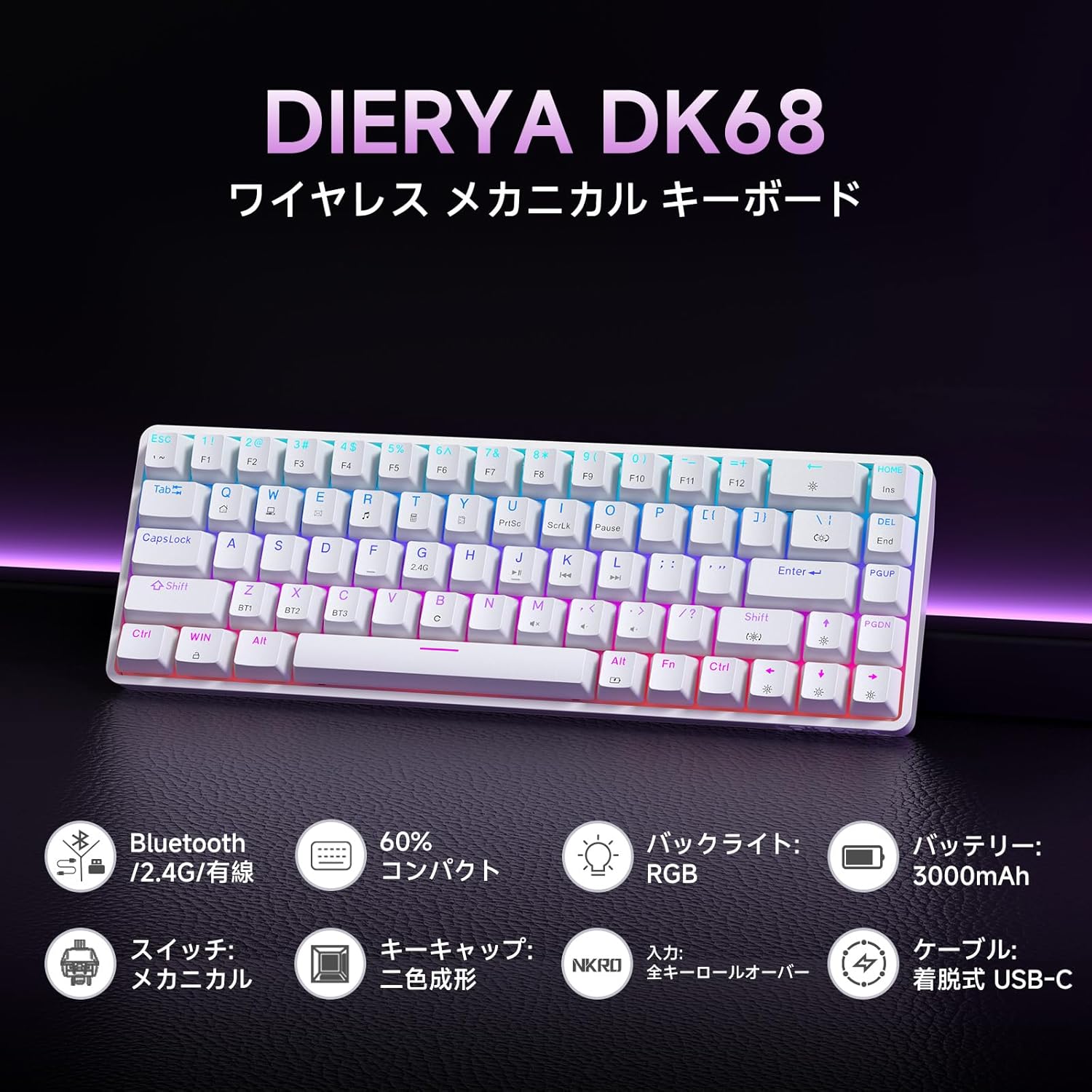
Billede: En overview of the Dierya DK68 keyboard's main features, including Bluetooth/2.4G/Wired connectivity, 60% compact design, RGB backlight, 3000mAh battery, mechanical switches, double-shot keycaps, N-Key Rollover, and a detachable USB-C cable.
Opsætning
1. Opladning af tastaturet
Before first use, fully charge the keyboard using the provided USB-C cable. Connect the cable to the keyboard's USB-C port and to a power source (e.g., computer USB port, USB wall adapter).
- Opladningsindikatorlampen viser opladningsstatus.
- En fuld opladning tager typisk et par timer.
2. Tilslutning af tastaturet
The DK68 supports three connection modes: USB-C wired, 2.4GHz wireless, and Bluetooth.
USB-C kablet forbindelse
- Tilslut det medfølgende USB-C-kabel til tastaturets USB-C-port.
- Tilslut den anden ende af kablet til en ledig USB-port på din computer.
- Tastaturet vil automatisk blive genkendt og klar til brug.
2.4 GHz trådløs forbindelse
- Find 2.4 GHz USB-modtageren (normalt opbevaret i et rum på tastaturet eller emballagen).
- Sæt USB-modtageren i en ledig USB-port på din computer.
- Tænd tastaturet. Tastaturet burde automatisk oprette forbindelse til modtageren.
- If connection is not established, press FN + R to switch to 2.4GHz mode.
Bluetooth-forbindelse
The keyboard can store up to three Bluetooth device pairings.
- Tænd for tastaturet.
- Tryk og hold FN + Z, FN + X, eller FN + C for 3-5 seconds to enter pairing mode for BT1, BT2, or BT3 respectively. The indicator light will flash rapidly.
- On your device (PC, Mac, smartphone, tablet), enable Bluetooth and search for new devices.
- Select "Dierya DK68" from the list of available devices.
- Når den er parret, holder indikatorlampen op med at blinke og forbliver konstant.
- For at skifte mellem parrede Bluetooth-enheder skal du trykke på FN + Z, FN + X, eller FN + C kort.

Image: Diagram illustrating the three connection modes: USB-C wired, Bluetooth, and 2.4GHz wireless, along with compatibility icons for Windows, Mac, iOS, Android, Xbox, PC, Laptop, and Tablet.
Betjeningsvejledning
1. FN-tastekombinationer
Due to the compact 60% layout, many functions are accessed using the FN nøgle i kombination med andre nøgler.
| Kombination | Fungere |
|---|---|
| FN + 1-0 (øverste række) | F1-F10 |
| FN + - = | F11, F12 |
| FN + Backspace | Toggle Backlight ON/OFF |
| FN + Shift | Skift baggrundslysfarve |
| FN + | | Skift baggrundslystilstand |
| FN + pil op | Øg baggrundsbelysningens lysstyrke |
| FN + pil ned | Reducer baggrundsbelysningens lysstyrke |
| FN + Venstre pil | Reducer baggrundslyshastigheden |
| FN + Højre pil | Øg baggrundslyshastigheden |
| FN + Z/X/C | Switch Bluetooth Device (BT1/BT2/BT3) |
| FN + R | Switch to 2.4GHz Wireless Mode |
| FN + T | Switch to USB-C Wired Mode |
| FN + VIND | Lås/lås Windows-nøgle op |

Image: A visual guide to customizing the RGB backlight on the Dierya DK68 keyboard using FN key combinations for turning the light on/off, changing colors, modes, brightness, and speed.
2. Tilpasning af RGB-baggrundsbelysning
The keyboard features over 20 dynamic RGB lighting effects. Use the FN key combinations listed above to personalize your lighting experience.
- Trykke FN + Backspace for at tænde eller slukke baggrundsbelysningen.
- Trykke FN + Shift to cycle through different backlight colors.
- Trykke FN + | to switch between various lighting effects.
- Bruge FN + Up/Down Arrow to adjust brightness and FN + Left/Right Arrow to adjust effect speed.
3. Strømbesparende tilstand
To conserve battery life, the keyboard will automatically enter sleep mode after approximately 3 minutes of inactivity. Press any key to wake it up.
Opretholdelse
- Rensning: Use a soft, dry cloth to wipe the keyboard surface. For deeper cleaning, you may use a can of compressed air to remove dust and debris from between the keycaps. Avoid using harsh chemicals or abrasive materials.
- Opbevaring: Opbevar tastaturet et køligt, tørt sted væk fra direkte sollys og ekstreme temperaturer.
- Batteripleje: To prolong battery life, avoid fully discharging the battery frequently. Charge the keyboard regularly, especially if it will be stored for an extended period.
- Fjernelse af nøglekapsel: If you need to remove keycaps for cleaning or switch replacement, use a keycap puller to avoid damage. Pull straight up with gentle force.
Fejlfinding
- Tastaturet reagerer ikke:
- Sørg for, at tastaturet er tændt.
- Kontroller batteriniveauet og oplad om nødvendigt.
- Verify the correct connection mode (USB-C, 2.4GHz, or Bluetooth) is selected.
- For 2.4GHz, ensure the receiver is properly plugged in.
- For Bluetooth skal du parre enheden igen, hvis forbindelsen mistes.
- Prøv at tilslutte via USB-C-kabel for at udelukke problemer med den trådløse forbindelse.
- Nøgler registreres ikke eller dobbelttastes:
- Clean under the keycaps to remove any debris.
- Ensure the switches are properly seated.
- RGB backlight not working:
- Ensure the backlight is turned on (FN + Backspace).
- Tjek batteriniveauet; lavt batteriniveau kan deaktivere baggrundsbelysningen.
- Bluetooth-forbindelse ustabil:
- Sørg for, at tastaturet er inden for enhedens rækkevidde.
- Minimér interferens fra andre trådløse enheder.
- Prøv at parre tastaturet med din enhed igen.
Specifikationer
| Feature | Detalje |
|---|---|
| Mærke | DIERYA |
| Modelnummer | DK68 |
| Layout | 60% (68 taster) |
| Forbindelse | 2.4 GHz trådløs, Bluetooth, USB-C kablet |
| Switch Type | Mechanical Red Switches (Linear, Silent) |
| Aktiveringskraft | 45gf (±15gf) |
| Aktueringsrejse | 2.0 mm (±0.6 mm) |
| Tastetryklevetid | Ca. 60 mio |
| Baggrundsbelysning | RGB (16.8 million colors, 21+ effects) |
| Batterikapacitet | 3000mAh lithium batteri |
| Battery Life (Backlight ON) | Ca. 8 timer |
| Battery Life (Backlight OFF) | Ca. 90 timer |
| Standby tid | Ca. 360 timer (15 dage) |
| Kompatibilitet | Windows, Mac, iOS, Android, Xbox, PC, Laptop, Tablet |
| Dimensioner (L x B x H) | 372 x 115 x 51 mm |
| Vægt | 830 g |
| tasterne | Double-shot (OFS height) |
| Anti-Ghosting | Fuld N-nøgleoverførsel (NKRO) |

Image: A diagram showing the compact 60% layout of the Dierya DK68 keyboard with its dimensions: 372mm length, 115mm width, and 51mm height, highlighting its 68-key configuration.

Billede: Nærbillede view of the Dierya DK68's mechanical red switches, detailing their linear and silent operation, 45gf actuation force, 2.0mm travel, and pre-lubricated design for smooth keystrokes.

Image: An exploded diagram of the Dierya DK68 keyboard, showing its internal layers including ABS keycaps, mechanical switches, positioning plate, EVA mat, PCB, high-density sound-absorbing foam, and bottom case, highlighting its robust construction.
Garanti og support
DIERYA products are designed for durability and performance. For warranty information or technical support, please refer to the official DIERYA webwebstedet eller kontakt deres kundeservice direkte. Gem din købskvittering som købsbevis i tilfælde af garantikrav.


