1. Getting Started: Unboxing and Components
This section details the contents of your TABWEE T80 package and provides an overview of the tablet's physical features.
1.1 Pakkens indhold
Bekræft, at alle nedenstående varer er til stede i din pakke:
- TABWEE T80 Android Tablet
- Bluetooth tastatur
- Trådløs mus
- Stylus pen
- Beskyttende etui
- Skærmbeskytter (forudmonteret eller separat)
- Tablet stativ
- Charger and USB-C Cable

1.2 Produkt overview
Familiarize yourself with the tablet's buttons, ports, and camera locations.
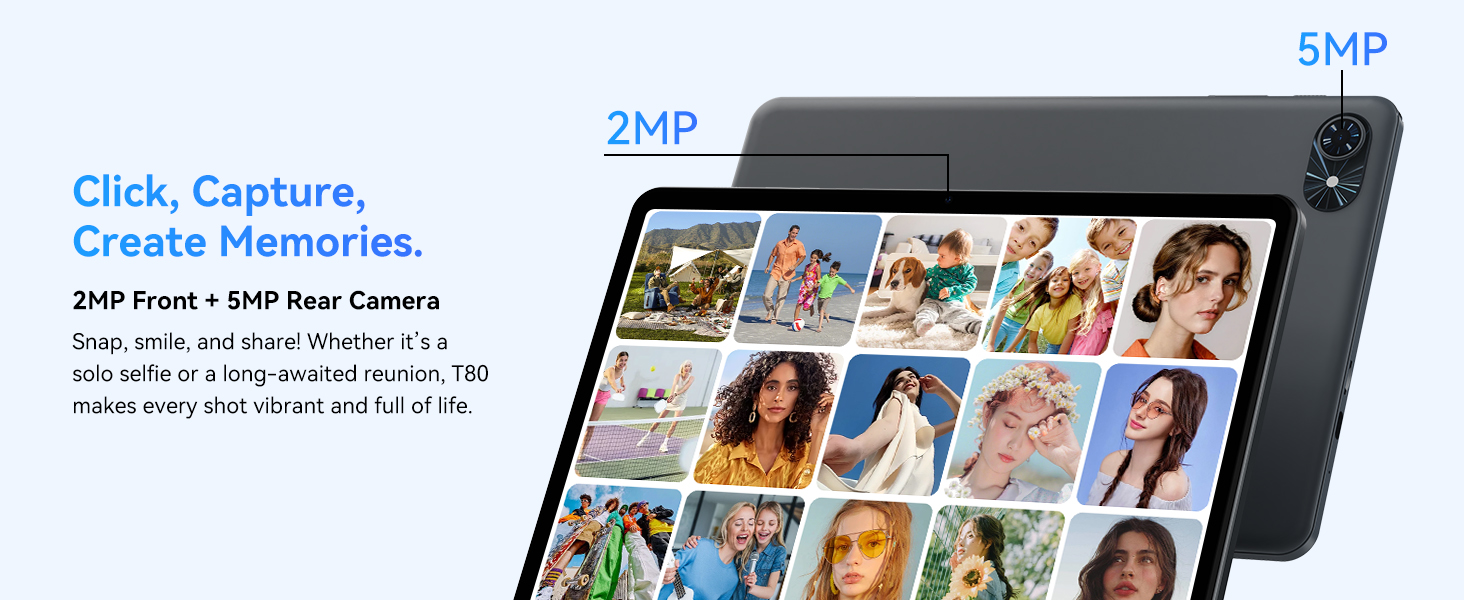
- Forreste kamera: Located at the top center when held in landscape orientation. (2MP)
- Bagkamera: Located on the back panel, typically in the upper left corner. (5MP)
- Power knap: Used to turn the tablet on/off or wake/sleep the screen.
- Lydstyrkeknapper: Juster lydudgangsniveauet.
- USB-C-port: Til opladning og dataoverførsel.
- MicroSD -kortplads: Til udvidelse af lagerplads op til 2 TB.
- Højttalere: Dobbelte højttalere til lydudgang.
2. Opsætningsvejledning
Follow these steps to set up your TABWEE T80 tablet for first-time use.
2.1 Første opstart og grundlæggende konfiguration
- Oplad tabletten: Connect the provided USB-C cable and charger to the tablet and a power outlet. Allow the tablet to charge for at least 30 minutes before first use.
- Tænd: Tryk på tænd/sluk-knappen, og hold den nede, indtil TABWEE-logoet vises på skærmen.
- Sprog og region: Følg vejledningen på skærmen for at vælge dit foretrukne sprog og område.
- Opret forbindelse til Wi-Fi: Select your Wi-Fi network from the list and enter the password. A stable internet connection is required for initial setup and updates.
- Google-konto: Log ind med din Google-konto, eller opret en ny. Dette er nødvendigt for at downloade apps fra Google Play Store.
- Dato og tid: Confirm the date and time settings.
- Sikkerhed: Opsæt en skærmlås (pinkode, mønster eller adgangskode) for at sikre din sikkerhed.
2.2 Tilslutning af tilbehør
The TABWEE T80 comes with several accessories to enhance its functionality.
- Bluetooth Keyboard and Mouse:
- Ensure the keyboard and mouse are charged and powered on.
- Gå til din tablet på Indstillinger > Forbundne enheder > Bluetooth.
- Enable Bluetooth and scan for new devices.
- Select the keyboard and mouse from the list to pair them. Follow any on-screen prompts.
- Stylus pen: The stylus pen can be used directly on the screen for navigation, drawing, or writing. No pairing is typically required for basic capacitive styluses.
- Protective Case and Stand: Attach the protective case to the tablet. The case often includes a foldable stand for hands-free viewing.
3. Betjeningsvejledning
This section covers the daily operation of your TABWEE T80 tablet.
3.1 Basic Navigation and Android 15 Features
- Startskærm: Swipe left or right to access different home screens. Tap and hold an empty space to customize widgets, wallpaper, and settings.
- Notifikationer og hurtige indstillinger: Stryg ned fra toppen af skærmen til view notifications and access quick settings like Wi-Fi, Bluetooth, and brightness.
- App Skuffe: Stryg opad fra bunden af skærmen for at få adgang til alle installerede apps.
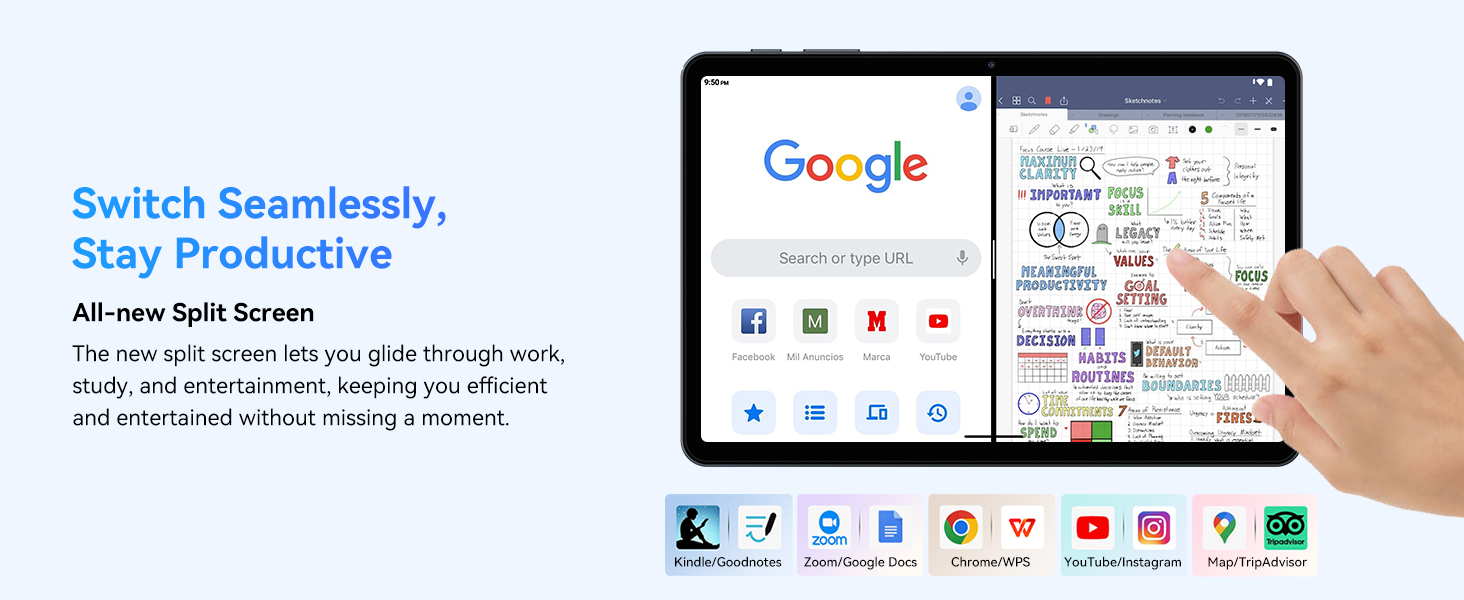
- Multitasking (Split Screen): Android 15 supports enhanced split-screen functionality. To use, open an app, then swipe up from the bottom, hold, and drag another app icon to either side of the screen.
- Gemini AI 2.0: Your tablet integrates Gemini AI 2.0 for enhanced task management, smart chats, text-to-image generation, voice-enabled Q&A, and real-time conversations. Access AI features through compatible apps or dedicated AI interfaces.
- Privatliv og sikkerhed: Android 15 offers improved privacy controls. Review and adjust app permissions in Indstillinger > Privatliv.
3.2 Forbindelse
- Wi-Fi: Supports 802.11a/b/g/n/ac for fast 5G Wi-Fi connectivity. Manage Wi-Fi connections in Indstillinger > Netværk og internet > Wi-Fi.
- Bluetooth 5.0: For connecting wireless headphones, speakers, keyboards, and mice. Manage Bluetooth devices in Indstillinger > Forbundne enheder > Bluetooth.
- GPS: The tablet includes GPS functionality for location services and navigation apps.
- OTG (på farten): Supports OTG, allowing you to connect USB devices like flash drives or external hard drives using an appropriate adapter.
3.3 Kamerabrug
The TABWEE T80 features a 2MP front camera and a 5MP rear camera.
- Åbn Kamera-appen fra din startskærm eller appskuffe.
- Tryk på udløserknappen for at tage billeder.
- Skift mellem forreste og bageste kamera ved hjælp af kamera-til/fra-ikonet.
- Explore different modes such as video recording or panorama if available.

3.4 Lagring og ydeevne
- VÆDDER: The tablet comes with 6GB of physical RAM, expandable virtually to 18GB for smooth multitasking. Adjust RAM settings in Indstillinger hvis det er nødvendigt.
- Intern opbevaring: 128GB ROM is provided for apps and files.
- Udvidelig lagerplads: A MicroSD card slot allows for storage expansion up to 2TB. Insert a compatible MicroSD card into the designated slot.
- Processor: Powered by a Quad-Core Unisoc T310 processor (1x A75 2.0GHz, 3x A55 1.8GHz) and GE8300 GPU for efficient performance.
3.5 Batteri og opladning
- Batterikapacitet: Equipped with a 6000mAh battery, providing over 10 hours of typical usage.
- Opladning: Use the provided 10W fast charger and USB-C cable. Connect the cable to the tablet's USB-C port and the charger to a power outlet.
- Batterioptimering: Android 15 includes AI Super Power Saving Algorithms to extend battery life. Monitor battery usage in Indstillinger > Batteri.

3.6 Display and Entertainment
- Vise: 10-inch IPS display with a resolution of 1280 x 800 pixels.
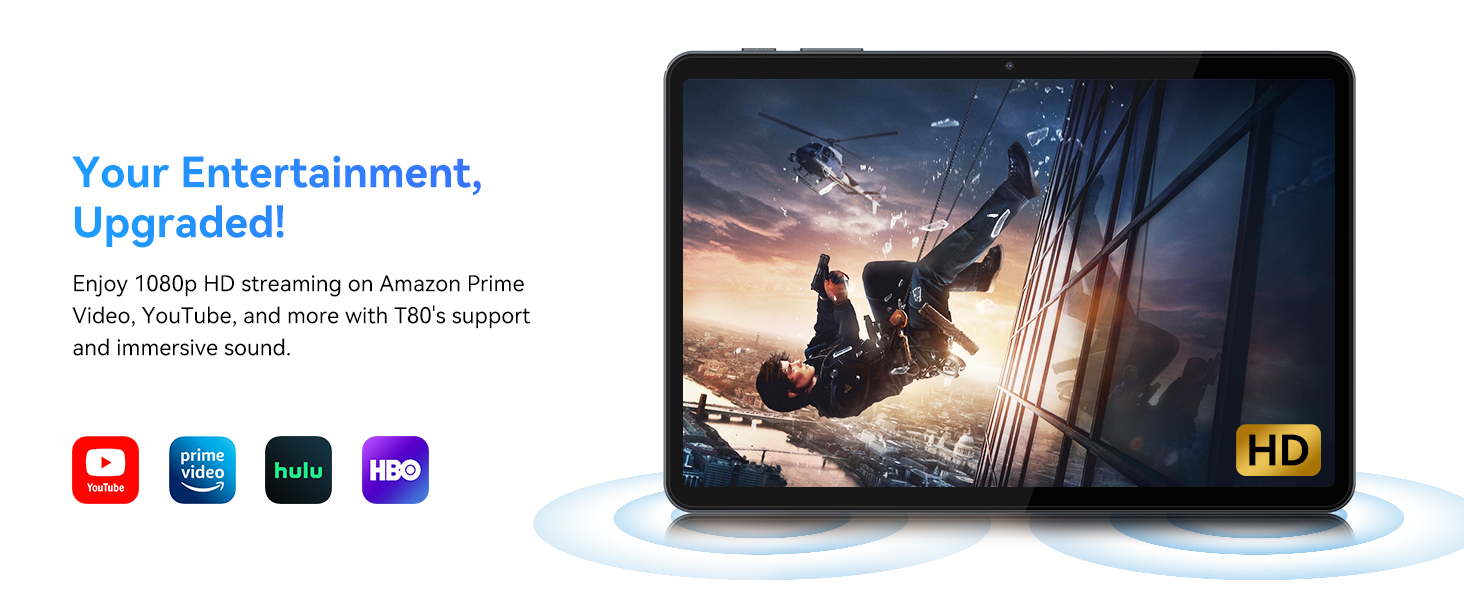
- Videoafspilning: Supports 1080P video playback for streaming services like Amazon Prime Video, YouTube, Hulu, and HBO.
- Lyd: Dual speakers provide clear audio for media consumption.
4. Vedligeholdelse
Proper maintenance ensures the longevity and optimal performance of your tablet.
4.1 Pleje af batterier
- Undgå ekstreme temperaturer, da de kan forringe batteriets levetid.
- Do not let the battery completely drain frequently. Charge it before it reaches 0%.
- Use only the provided charger and cable to prevent damage.
4.2 Rengøring
- Brug en blød, fnugfri klud til at rengøre skærmen og tablettens kabinet.
- Til genstridige pletter, let dampRengør kluden med vand eller en skærmrengøringsopløsning. Undgå skrappe kemikalier.
- Sørg for, at alle porte er fri for støv og snavs.
4.3 Softwareopdateringer
- Regularly check for and install system updates. These updates often include performance improvements, security patches, and new features.
- Gå til Indstillinger > System > Systemopdatering for at tjekke for tilgængelige opdateringer.
5. Fejlfinding
This section addresses common issues you might encounter with your TABWEE T80 tablet.
5.1 Tabletten tænder ikke
- Sørg for, at tabletten er tilstrækkeligt opladet. Tilslut den til opladeren, og vent et par minutter, før du forsøger at tænde den igen.
- Try holding the Power button for 10-15 seconds to force a restart.
5.2 Problemer med Wi-Fi-forbindelse
- Toggle Wi-Fi off and on in Quick Settings.
- Genstart din Wi-Fi-router.
- Forget the network in Indstillinger > Netværk og internet > Wi-Fi og tilslut igen.
5.3 Langsom ydeevne
- Luk unødvendige baggrundsapplikationer.
- Clear cache for frequently used apps in Indstillinger > Apps > [Appnavn] > Lagerplads og cache > Ryd cache.
- Ensure you have sufficient free storage space. Delete old files or move them to expandable storage.
- Genstart tabletten med jævne mellemrum.
5.4 Tilbehør tilsluttes ikke
- For Bluetooth accessories, ensure they are charged, powered on, and in pairing mode.
- Verify Bluetooth is enabled on the tablet and try re-pairing the device.
- Check the battery level of the accessories.
6. Specifikationer
Detailed technical specifications for the TABWEE T80 Android 15 Tablet.
| Feature | Specifikation |
|---|---|
| Modelnavn | T80(6+128) |
| Operativsystem | Android 15 |
| Skærmstørrelse | 10 tommer |
| Max skærmopløsning | 1280 x 800 pixel |
| Processor | Unisoc T310 Quad-Core (1x A75 2.0GHz, 3x A55 1.8GHz) |
| VÆDDER | 18 GB (6 GB fysisk + 12 GB virtuel) |
| Flash Memory Size (ROM) | 128 GB |
| Udvidelig opbevaring | Op til 2 TB via MicroSD-kort |
| Trådløs type | 802.11a, 802.11ac, 802.11b, 802.11g, 802.11n (5G WiFi) |
| Bluetooth | Bluetooth 5.0 |
| Batterikapacitet | 6000mAh |
| Gennemsnitlig batterilevetid | 480 Hours (Standby) / 10+ Hours (Usage) |
| Forreste kamera | 2 MP |
| Bagkamera | 5 MP |
| Varens vægt | 1.1 pund |
| Produktdimensioner | 9.5 x 6.3 x 0.3 tommer |
| Farve | Sølvgrå |
7. Garanti og support
Information regarding your product warranty and how to obtain customer support.
7.1 Produktgaranti
The TABWEE T80 tablet comes with a 2-års garanti, covering manufacturing defects and ensuring product reliability. This warranty provides peace of mind and support for your device.
7.2 Kundesupport
For any technical assistance, inquiries, or warranty claims, please contact TABWEE customer support:
- E-mail: serviceplus.linda@gmail.com
- Telefon (USA): +1 (717) 896-6060
- Telefon (Storbritannien): +44 7700 156388
- Telefon (Californien): +1 (587) 841-0500
- Telefon (DE): +49 157 3598 0115
TABWEE offers 24/7 customer support and lifetime technical assistance to ensure you have the best experience with your product.