1. Introduktion
Thank you for choosing the GOBOULT W60 True Wireless Earbuds. These earbuds are designed to provide a superior audio experience with features like 60 hours of playtime, Quad Mic Environmental Noise Cancellation (ENC) for crystal-clear calls, ultra-low latency for gaming, and fast charging capabilities. This manual will guide you through the setup, operation, and maintenance of your new earbuds to ensure optimal performance.

Image: The GOBOULT W60 True Wireless Earbuds, black in color with blue ear tips, resting inside their sleek black charging case. The case is open, revealing the earbuds and the internal blue accents.
2. Hvad er der i æsken
Upon opening your GOBOULT W60 package, you should find the following items:
- W60 Earbuds (Left and Right)
- Trådløs opladningsetui
- Ekstra par ørepropper (til tilpasset pasform)
- Type-C hurtigopladningskabel
- Brugermanual
- Garantikort
3. Produktet er slutview
The GOBOULT W60 earbuds feature a compact and ergonomic design for comfortable wear. The charging case is designed for portability and provides extended battery life for your earbuds.

Image: An infographic highlighting key features of the GOBOULT W60 earbuds, including ZEN Quad Mic ENC, 60 hours massive playtime, Lightning Fast Charging, Pocket Friendly design, Bluetooth 5.4, and 50ms Ultra Low Latency. It also shows the available color variants: Black, White, and Green.
4. Opsætning
4.1. Opladning af dine øretelefoner og etui
Before first use, fully charge your GOBOULT W60 earbuds and charging case. The case uses a Type-C port for fast charging.
- Connect the provided Type-C cable to the charging port on the case and a compatible USB power source.
- LED-indikatoren på etuiet viser opladningsstatus.
- En hurtig opladning på 10 minutter giver cirka 4 timers spilletid.
- The case provides up to 50 hours of additional battery life, extending total playtime to 60 hours.

Image: The GOBOULT W60 charging case connected to a Type-C charging cable, illustrating the fast charging capability with text overlays indicating '60 hrs Massive Playtime', 'Type-C Lightning Fast Charging', and '10 mins charge for 4 hrs playtime'.
4.2. Parring med din enhed
The GOBOULT W60 earbuds utilize Bluetooth 5.4 for a stable and efficient connection.
- Åbn opladningsetuiet. Ørepropperne går automatisk i parringstilstand.
- Gå til Bluetooth-indstillinger på din enhed (smartphone, tablet, bærbar computer), og slå Bluetooth til.
- Søg efter tilgængelige enheder, og vælg "GOBOULT W60" fra listen.
- Når der er forbindelse, hører du en bekræftelsestone, og ørepropperne er klar til brug.
- The earbuds feature 'Blink & pair' for instant connection after the initial pairing.

Image: The GOBOULT W60 earbuds and their charging case next to a smartphone, illustrating the Bluetooth 5.4 connectivity with features like 'Blink & pair instantly', 'SBC & AAC codec supported', and 'Drop-free stable connection'.
5. Betjening af dine øretelefoner
5.1. Tryk på Kontrolelementer
The GOBOULT W60 earbuds feature intuitive touch controls for easy management of your audio and calls.

Image: A close-up of the GOBOULT W60 earbud highlighting the touch control area with a fingerprint icon, emphasizing 'Tap to Command', 'User-friendly touch controls', and 'Seamless multitasking'.
Refer to the quick start guide included in the packaging for specific touch gestures for functions like play/pause, skip track, answer/end call, and volume control.
5.2. Foretage og modtage opkald
The GOBOULT W60 earbuds are equipped with ZEN Quad Mic ENC (Environmental Noise Cancellation) for clear voice calls, even in noisy environments.
- Besvarelse / afslutning af opkald: Use the touch controls on either earbud.
- Afvisning af opkald: Use the touch controls on either earbud.
- The 4 built-in microphones work to filter out ambient noise, ensuring your voice is heard clearly.

Image: The GOBOULT W60 earbud and charging case, illustrating the ZEN Quad Mic ENC technology with text indicating '4 Mics to filter noise' and 'Crystal Clear Calling'.
5.3. Lytte til musik
Enjoy rich and immersive sound with the GOBOULT W60's 13mm Punchy Bass Drivers and BoomX™ technology.
- Afspil/pause: Use the touch controls.
- Næste / forrige nummer: Use the touch controls.
- Lydstyrkekontrol: Adjust volume directly from your connected device or via earbud touch controls if supported.

Image: A visual representation of sound waves emanating from an earbud, highlighting '13mm Punchy Bass Drivers' and features like 'BoomX™ technology', 'Supreme bass', and 'Immersive sound'.
5.4. Gaming Mode (Ultra-Low Latency)
For an enhanced gaming or video-watching experience, activate the ultra-low latency mode (50ms).
- Refer to the quick start guide for instructions on how to activate/deactivate gaming mode via touch controls.
- This mode ensures seamless audio sync and minimal lag during intense gameplay or binge-watching.
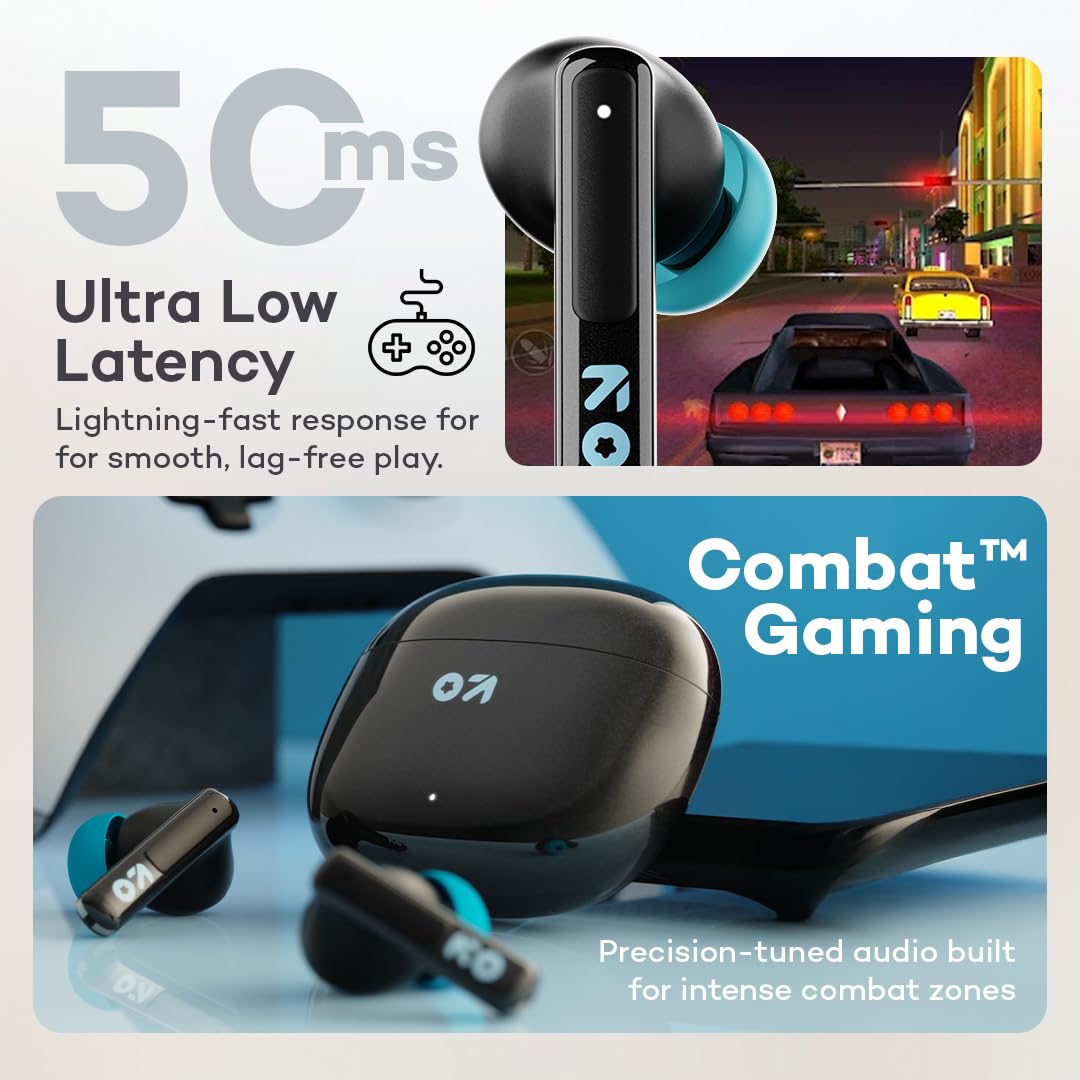
Image: The GOBOULT W60 earbuds and case with a background depicting a racing game, emphasizing '50ms Ultra Low Latency' for 'Lightning-fast response for smooth, lag-free play' and 'Combat™ Gaming'.
5.5. Stemmeassistent
The GOBOULT W60 earbuds support voice assistants like Google Assistant and Siri.
- Activate your device's voice assistant using the designated touch control gesture (refer to the quick start guide).
- You can then use voice commands for music control, making calls, getting directions, and more.

Image: A split image showing the GOBOULT W60 earbuds being splashed with water, indicating 'IPX5 Water Resistant' (Sweatproof, Splashproof). The lower part shows a person interacting with a voice assistant, with icons for Google Assistant and Siri, demonstrating 'Voice Assistant' functionality.
6. Vedligeholdelse
6.1. Rensning
For at opretholde optimal ydeevne og hygiejne skal du regelmæssigt rengøre dine ørepropper og opladningsetuiet.
- Brug en blød, tør og fnugfri klud til at tørre ørepropperne og opladningsetuiet af.
- Fjern forsigtigt ørevoks eller snavs fra ørepropperne og højttalernettet med en lille, blød børste eller vatpind.
- Undgå at bruge slibende materialer, opløsningsmidler eller barske kemikalier.
6.2. Vandafvisende
The GOBOULT W60 earbuds are IPX5 water resistant, meaning they are protected against sweat and splashes. This makes them suitable for workouts and daily use.
- Dyp ikke ørepropperne i vand.
- Sørg for, at ørepropperne er tørre, før du sætter dem tilbage i opladningsetuiet, for at forhindre skader.
Image: The GOBOULT W60 earbuds being splashed with water, indicating their 'IPX5 Water Resistant' rating, highlighting that they are 'Sweatproof' and 'Splashproof'.
7. Fejlfinding
If you encounter any issues with your GOBOULT W60 earbuds, please refer to the following common solutions:
- Ørepropper parrer ikke: Ensure both earbuds are in the charging case, then open the lid to activate pairing mode. Make sure Bluetooth is enabled on your device and try re-pairing.
- Kun én øreprop virker: Place both earbuds back into the charging case, close the lid for a few seconds, then open it again. This often re-syncs them.
- Ingen lyd: Kontrollér lydstyrken på din enhed og ørepropperne. Sørg for, at ørepropperne er korrekt tilsluttet din enhed.
- Opladningsproblemer: Verify that the charging cable is securely connected to both the case and the power source. Try a different charging cable or power adapter. Ensure the charging contacts on the earbuds and inside the case are clean.
- Dårlig opkaldskvalitet: Ensure the earbuds are properly seated in your ears. Check for any obstructions around the microphones.
- Intermitterende forbindelse: Move closer to your connected device to reduce interference. Ensure there are no major obstacles between the earbuds and your device.
If the issue persists, try resetting the earbuds (refer to the quick start guide for specific reset instructions) or contact customer support.
8. Specifikationer
| Feature | Specifikation |
|---|---|
| Modelnavn | W60 (AirBass) |
| Forbindelsesteknologi | Bluetooth 5.4, Trådløs |
| Trådløs kommunikationsteknologi | Bluetooth |
| Bluetooth rækkevidde | 10 meter |
| Audio driver størrelse | 10 millimeter |
| Lydforsinkelse | 45 Milliseconds (Ultra-Low Latency) |
| Støjkontrol | Passive Noise Cancellation (with Quad Mic ENC for calls) |
| Hovedtelefonstik | Type-C hurtigopladningsstik |
| Opladningstid | 10 Minutes (for quick charge) |
| Bæretaske Batteri Gennemsnitlig levetid | 50 timer (ekstra spilletid) |
| Samlet spilletid | Op til 60 timer |
| Vandmodstandsniveau | IPX5 (svedtæt, stænktæt) |
| Kontroltype | Media Control, Touch Controls |
| Controller type | Google Assistant, Siri |
| Varens vægt | 52 gram |
| Produktdimensioner | 6 x 2.7 x 5.3 cm |
| Battericellesammensætning | Lithium polymer |
| Oprindelsesland | Indien |
9. Garanti og support
Your GOBOULT W60 True Wireless Earbuds come with a 1 års producentgaranti fra købsdatoen.
This warranty covers manufacturing defects. Please retain your proof of purchase for warranty claims.
For any support, warranty claims, or further assistance, please contact the manufacturer:
- Fabrikant: Boult Audio, Exotic Mile Private Limited
- Adresse: B67 Wazirpur Industrial Area, New Delhi 110052
Please refer to the warranty card included in your product packaging for detailed terms and conditions.


