Indledning
This manual provides essential information for the safe and efficient operation, maintenance, and troubleshooting of your Xiaomi Robot Vacuum 5 Pro. Please read this manual thoroughly before using the product and retain it for future reference.
Vigtige sikkerhedsoplysninger
To reduce the risk of injury or damage, read and follow all safety precautions. This device is for household use only.
- Do not use the robot vacuum on wet surfaces or in environments with standing water.
- Keep children and pets away from the robot vacuum during operation.
- Use only the original power adapter and charging dock provided by the manufacturer.
- Ensure the power cord is not damaged or tangled.
- Fjern løse kabler, små genstande eller skrøbelige genstande fra gulvet inden rengøring for at forhindre vikling eller beskadigelse.
- Do not operate the robot vacuum near open flames or flammable materials.
- Sid ikke på robotstøvsugeren, og placer ikke tunge genstande på den.
- Turn off the robot vacuum and unplug the charging dock before performing any maintenance or cleaning.
Pakkens indhold
Bekræft at alle komponenter er til stede i pakken:
- Xiaomi Robot Vacuum 5 Pro
- Self-cleaning Base Station
- Strømadapter
- Sidebørste
- Hovedbørste (forinstalleret)
- Skraldespand (forinstalleret)
- Vandtank (forinstalleret)
- Moppepuder (x2)
- Brugermanual
Produkt overview
Familiarize yourself with the components and features of your Xiaomi Robot Vacuum 5 Pro.
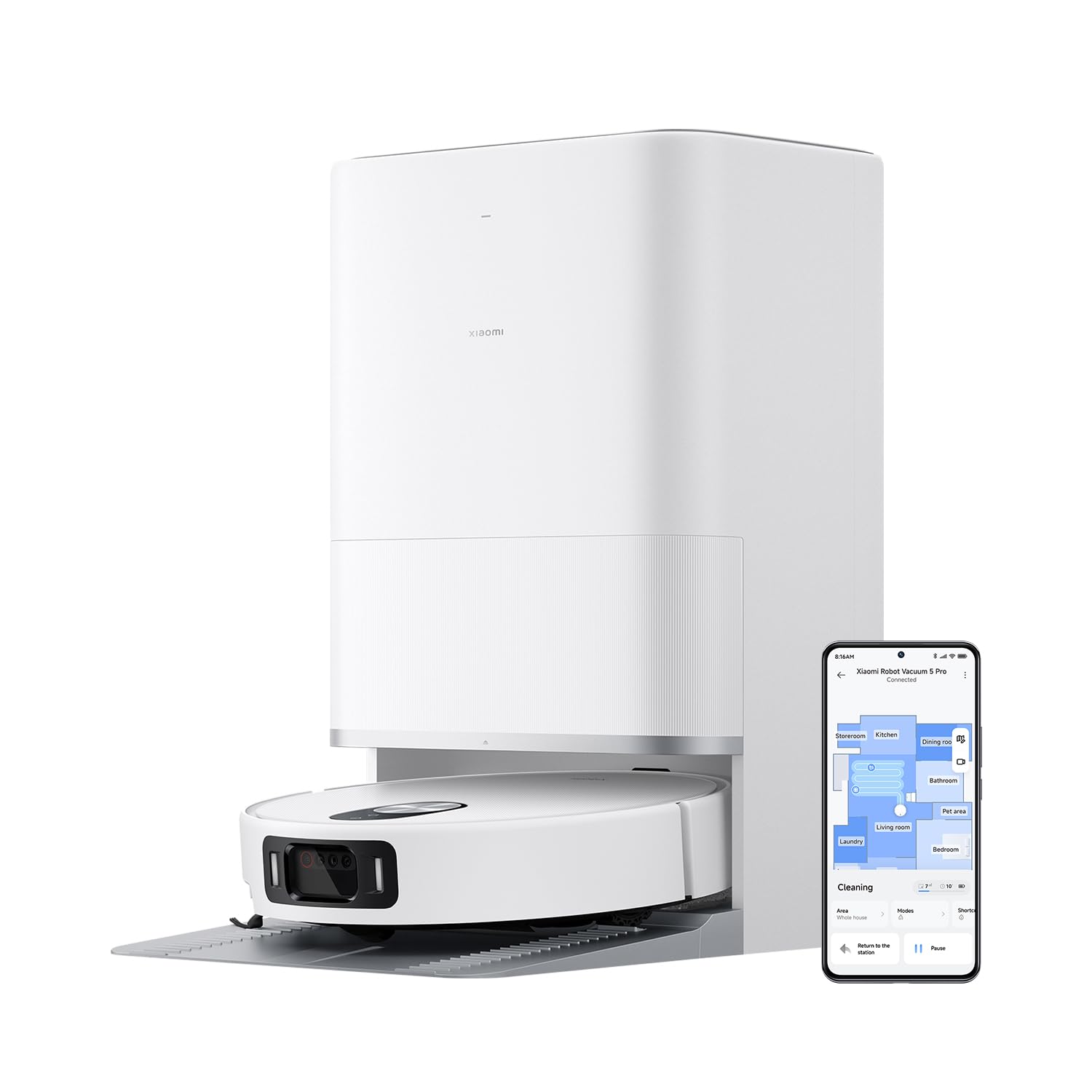
Figur 1: The Xiaomi Robot Vacuum 5 Pro docked in its self-cleaning base station, with a smartphone displaying the control app interface.
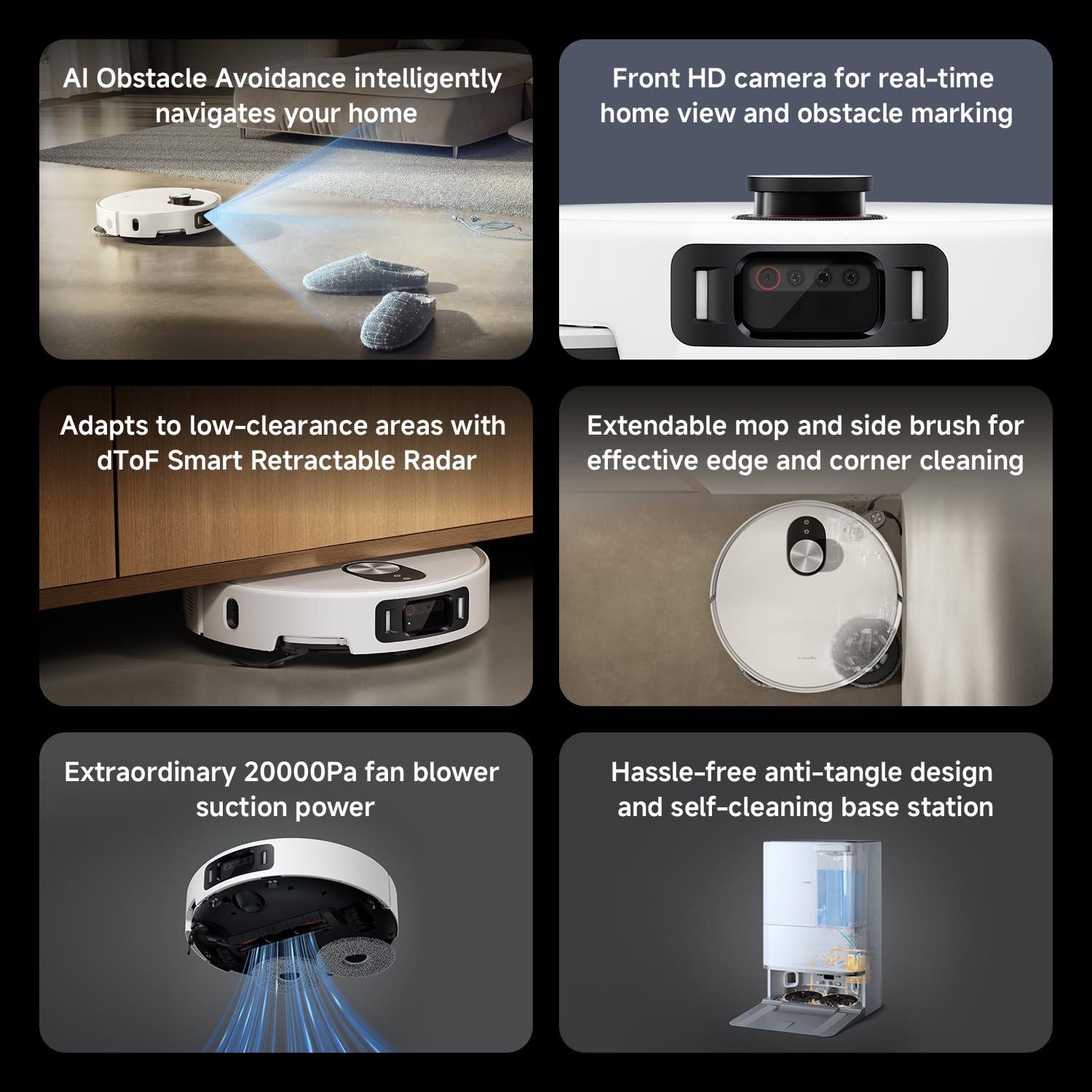
Figur 2: Overview of key features including AI obstacle avoidance, front HD camera, dToF radar, extendable mop, powerful suction, and the self-cleaning base station.

Figur 3: The AI triple-camera smart detection system, comprising an RGB camera, two infrared cameras, and an infrared 3D dot projector for accurate environment sensing.
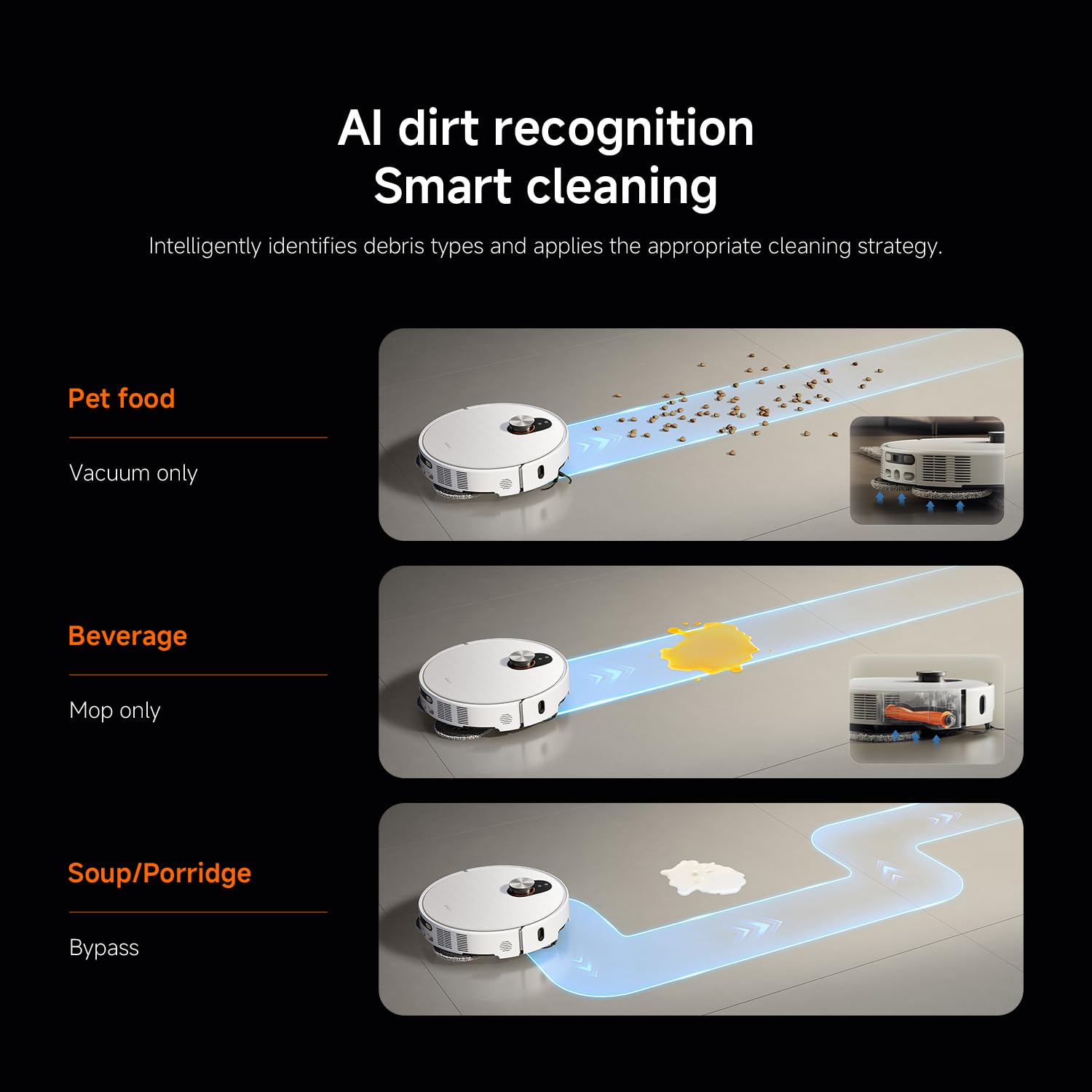
Figur 4: AI dirt recognition system intelligently identifying debris types and applying appropriate cleaning strategies (vacuum, mop, or bypass).
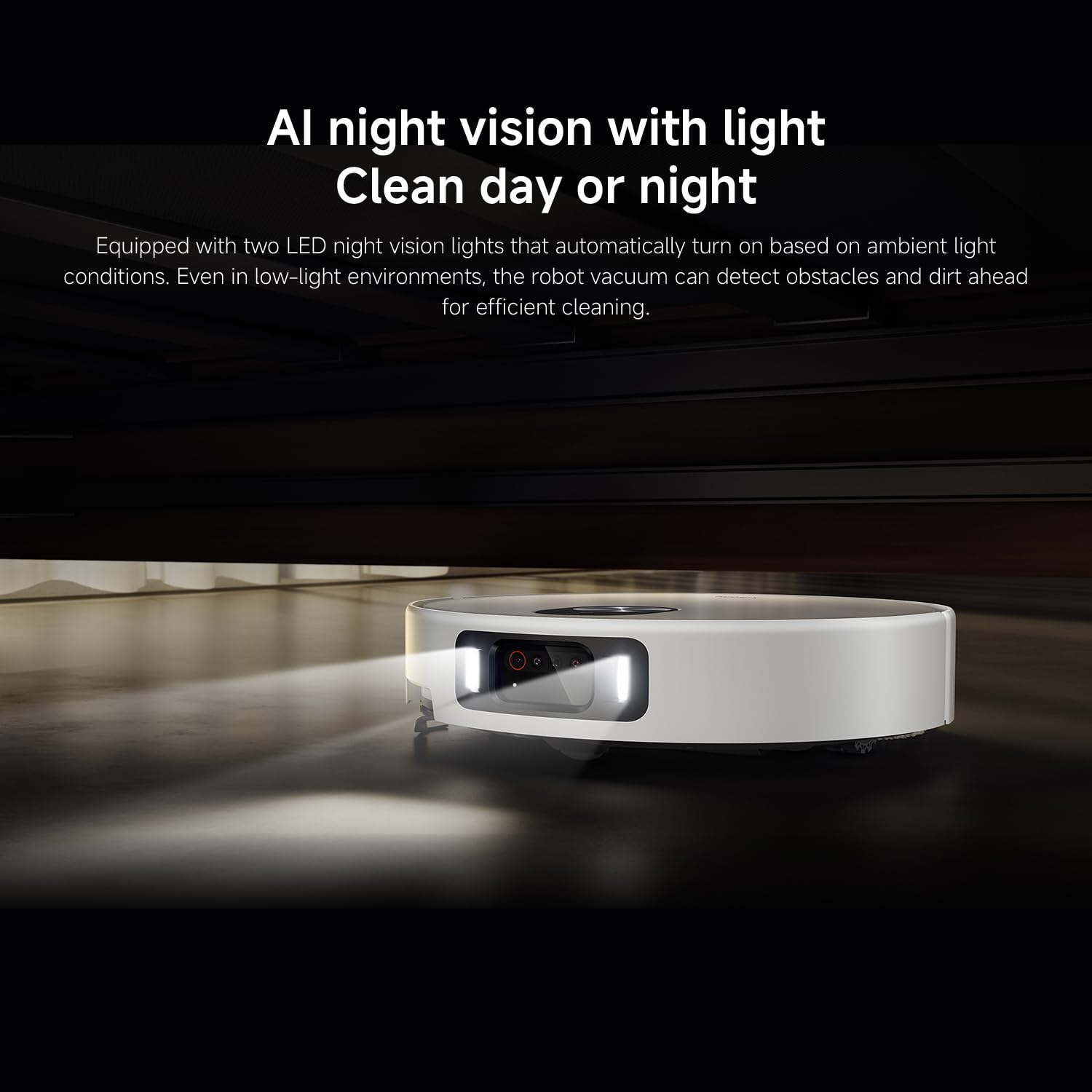
Figur 5: AI night vision with two LED lights, enabling the robot vacuum to detect obstacles and dirt efficiently in low-light conditions.
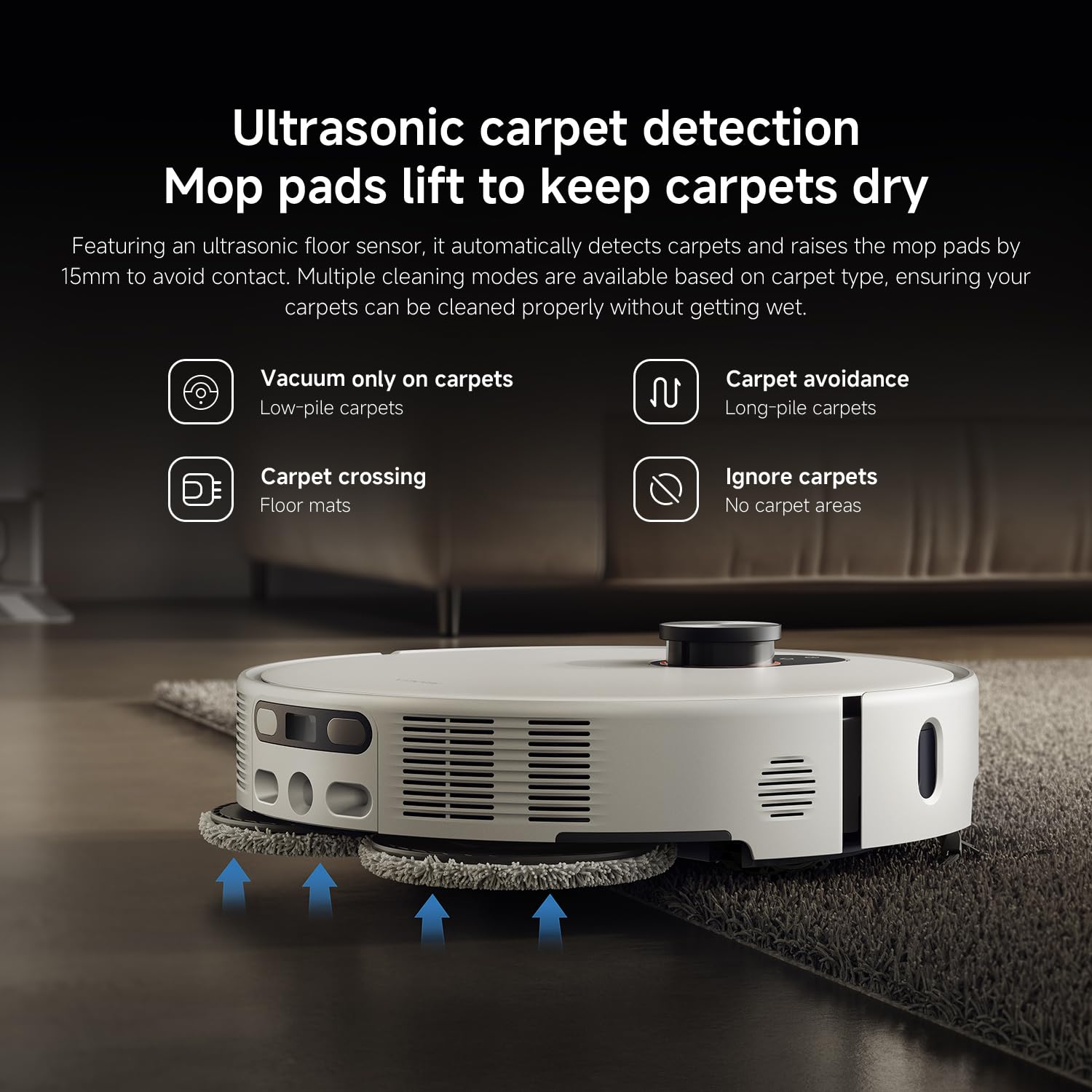
Figur 6: Ultrasonic carpet detection system, which automatically lifts mop pads by 15mm to avoid wetting carpets, offering multiple cleaning modes.
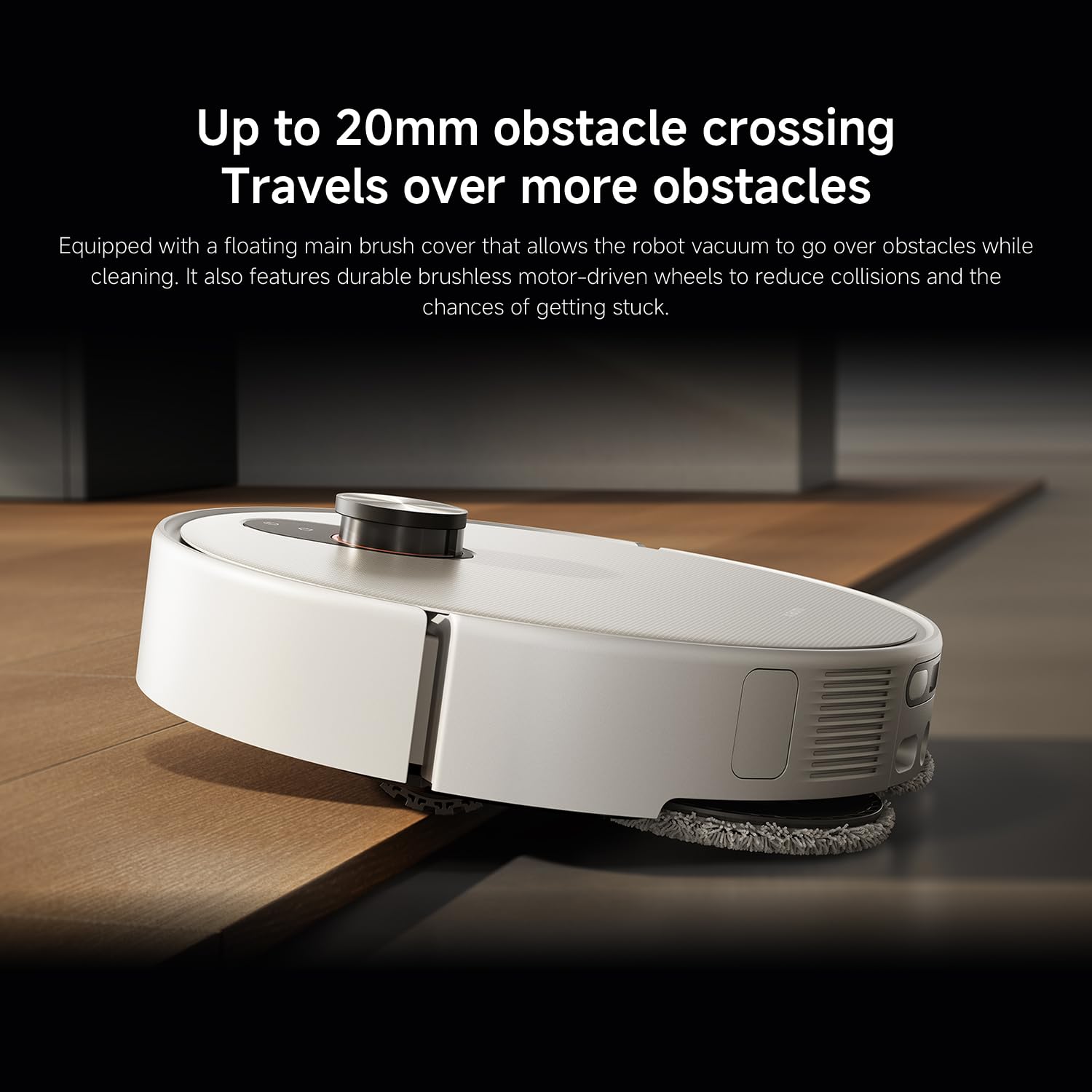
Figur 7: The robot vacuum's ability to cross obstacles up to 20mm high, facilitated by a floating main brush cover and durable wheels.
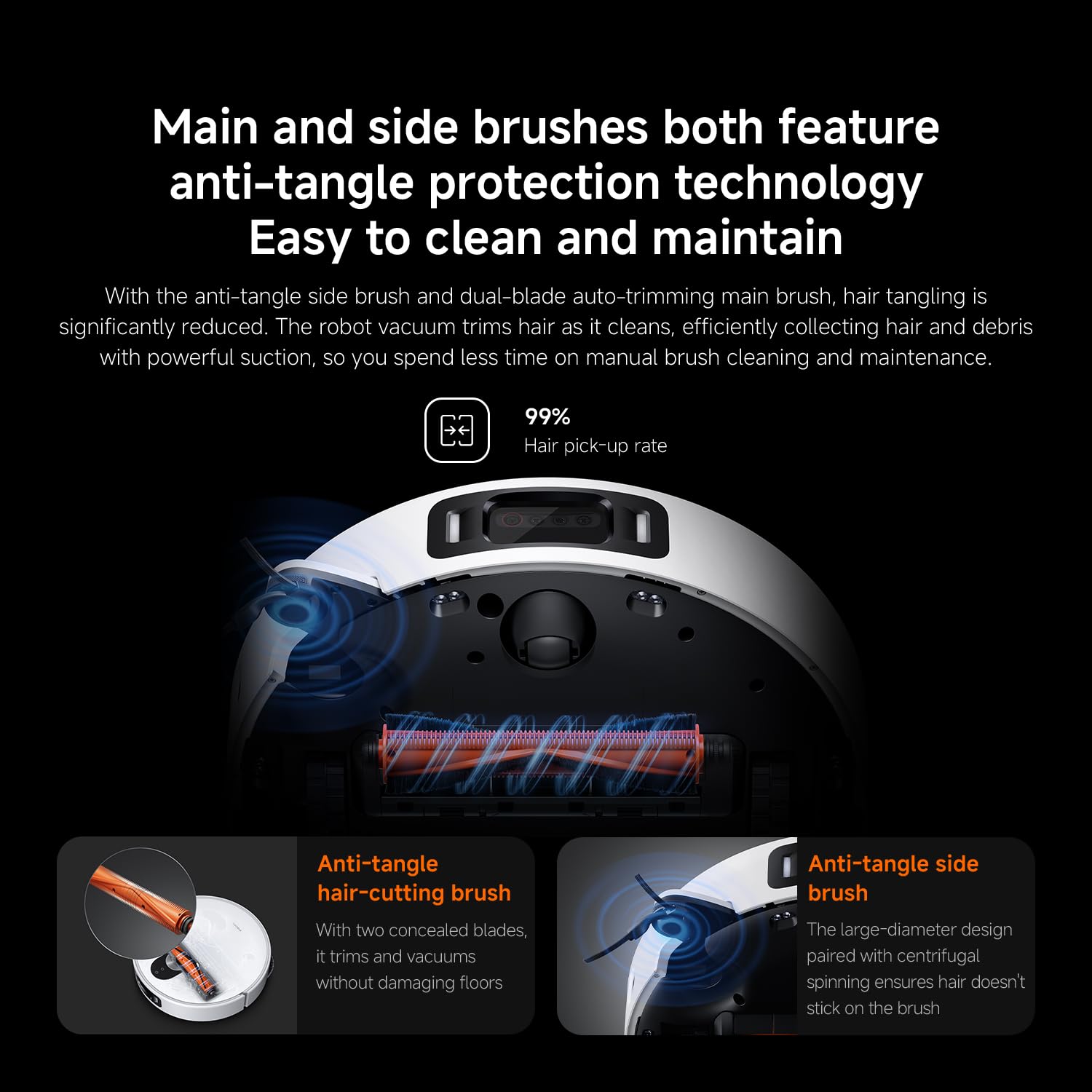
Figur 8: Main and side brushes featuring anti-tangle protection technology, including concealed blades for the main brush and a large-diameter design for the side brush.
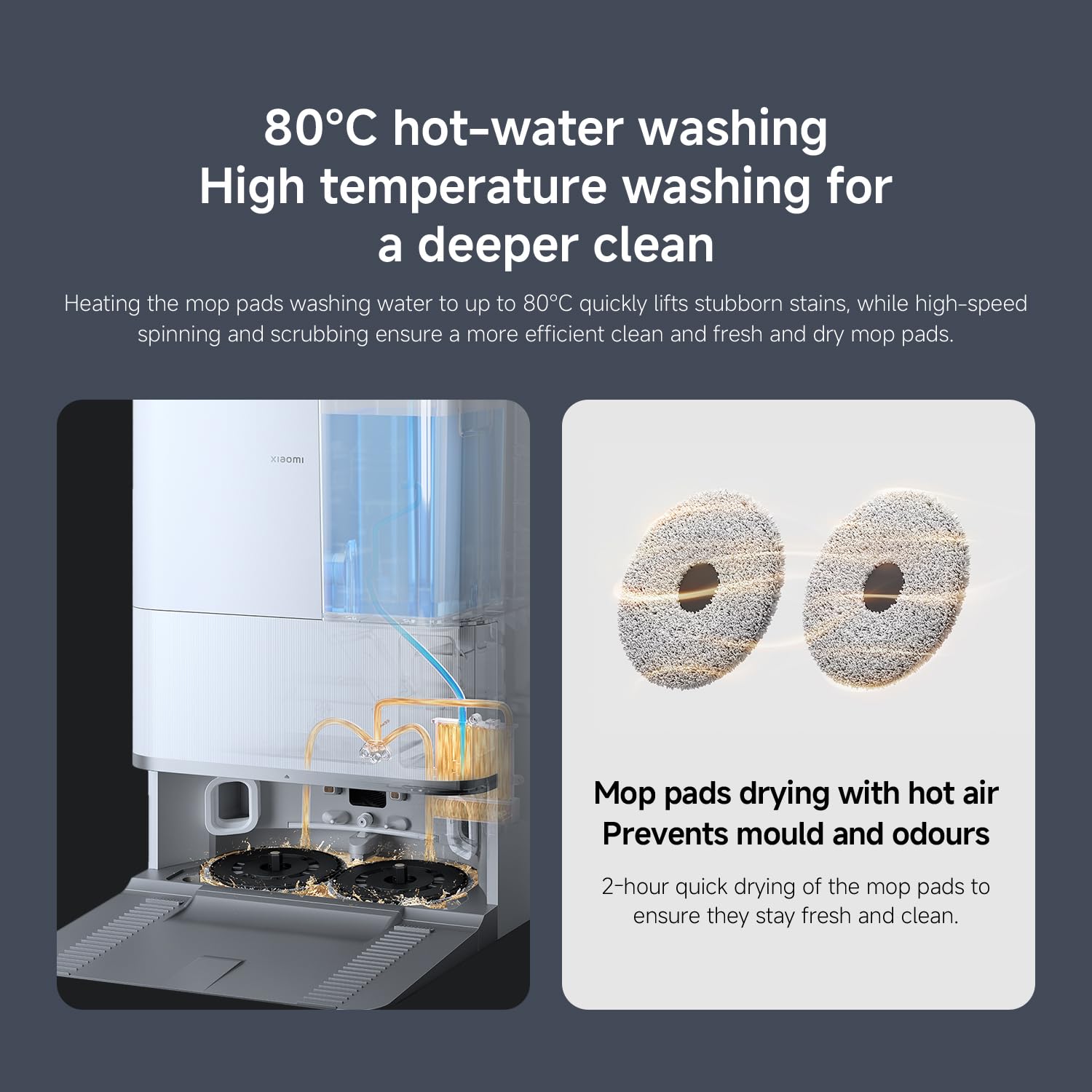
Figur 9: The self-cleaning base station performing 80°C hot-water washing for deep cleaning and 2-hour hot air drying of mop pads to prevent mold and odors.
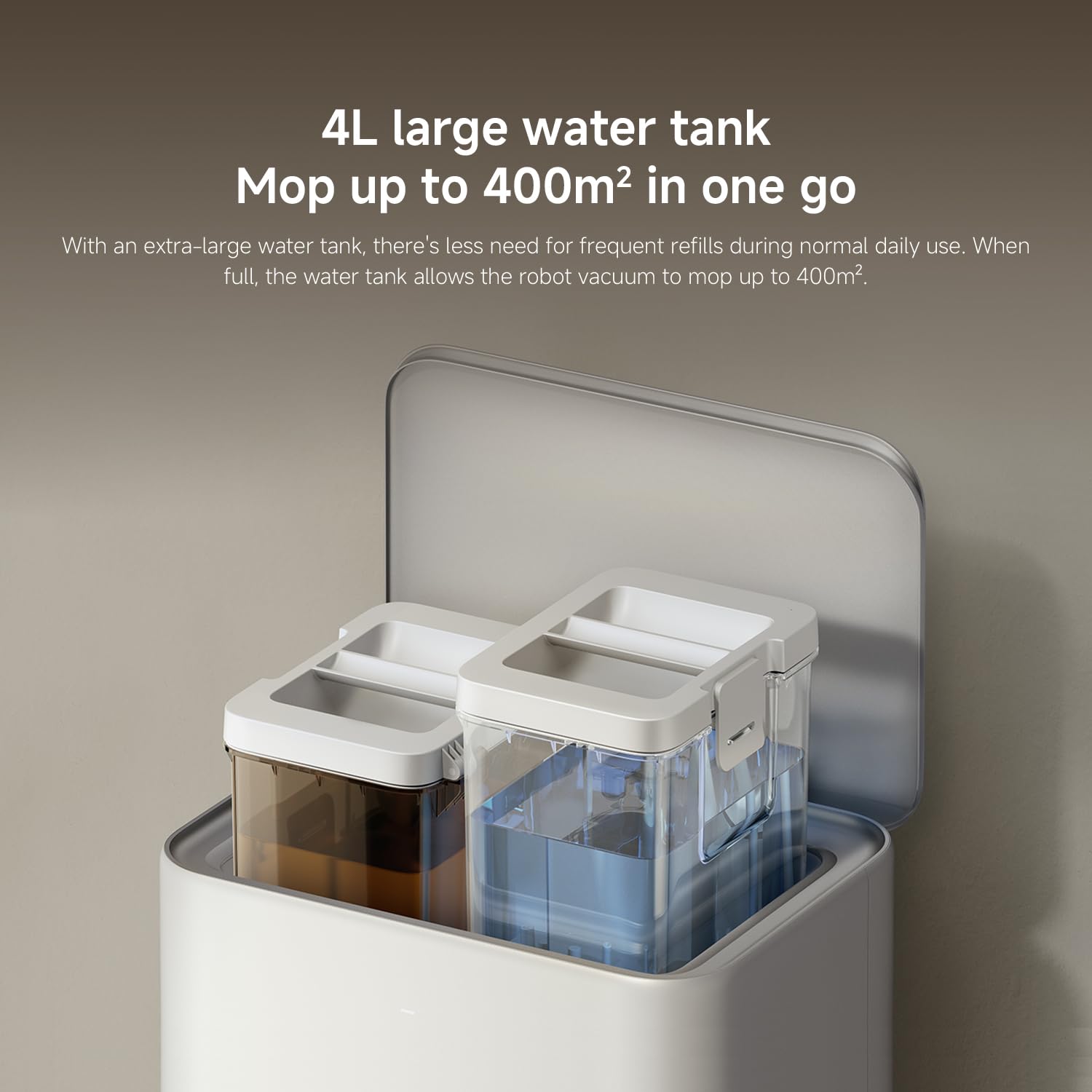
Figur 10: The 4L large water tank system within the self-cleaning base station, designed for extended mopping coverage without frequent refills.
Opsætningsvejledning
1. Udpakning og placering
- Fjern forsigtigt alle komponenter fra emballagen.
- Choose a suitable location for the self-cleaning base station. Ensure there is at least 0.5 meters of clear space on both sides and 1.5 meters in front of the base station.
- Place the base station against a wall on a hard, level surface. Do not place it on carpets.
- Connect the power adapter to the base station and plug it into a power outlet. Ensure the cable is neatly tucked away to prevent entanglement.
2. Første opladning
- Place the robot vacuum onto the charging contacts of the base station. Ensure the contacts align.
- The robot will automatically power on and begin charging. Allow it to fully charge before first use (approximately 6 hours). The indicator light on the robot will change when fully charged.
3. Download og tilslutning af appen
- Download Xiaomi hjem app from your smartphone's app store (App Store for iOS, Google Play Store for Android).
- Åbn appen, og opret en konto, eller log ind.
- Tryk på "+"-ikonet i øverste højre hjørne for at tilføje en enhed.
- Select "Xiaomi Robot Vacuum 5 Pro" from the list of available devices or scan the QR code on the robot.
- Follow the in-app instructions to connect the robot to your home Wi-Fi network. Ensure your phone is connected to a 2.4GHz Wi-Fi network during setup.
- Når den er forbundet, kan du styre robotten, view maps, set schedules, and access advanced features through the app.
Betjeningsvejledning
1. Start og stop af rengøring
- Start rengøring: Press the power button on the robot or tap "Clean" in the Xiaomi Home app. The robot will automatically map your home and begin cleaning.
- Pause rengøring: Tryk på en vilkårlig knap på robotten, eller tryk på "Pause" i appen.
- Resume Cleaning: Press the power button again or tap "Resume" in the app.
- Tilbage til basen: Press the home button on the robot or tap "Recharge" in the app. The robot will return to the self-cleaning base station.
2. Rengøringstilstande
The Xiaomi Home app allows you to select various cleaning modes:
- Kun støvsuger: For dry debris and general vacuuming.
- Kun moppe: For wet cleaning with mop pads.
- Støvsuger og mopper: Samtidig støvsugning og mopping.
- Område rengøring: Select specific rooms or zones on the map to clean.
- Rengøring af pletter: Bed robotten om at rengøre et specifikt lille område.
3. Advanced Features via Xiaomi Home App
- Korthåndtering: View and edit your home's map. Set virtual walls and no-go zones to restrict the robot from certain areas.
- Planlagt rengøring: Indstil specifikke tidspunkter for robottens automatiske rengøring.
- Rengøringspræferencer: Adjust suction power, water flow level, and carpet cleaning modes (e.g., vacuum only on carpets, carpet avoidance).
- Overvågning i realtid: Monitor the robot's cleaning progress and location in real-time.
- AI Dirt Recognition: The robot automatically adjusts its cleaning strategy based on detected dirt types.
- AI Night Vision: Enables cleaning in low-light conditions.
Opretholdelse
Regular maintenance ensures optimal performance and extends the lifespan of your robot vacuum. Always turn off the robot and unplug the base station before performing maintenance.
1. Skraldespand og filter
- Tøm skraldespand: The self-cleaning base station will automatically empty the dustbin. However, manually check and empty the dustbin if the base station is not used or if the dustbin is full.
- Rens filter: Tap the dustbin to remove loose dirt. Rinse the filter under running water. Ensure it is completely dry before re-installing (allow 24 hours). Replace the filter every 3-6 months, or as needed.
2. Water Tank and Mop Pads
- Genfyld vandtank: The base station will manage water levels. Ensure the clean water tank in the base station is filled.
- Rene moppepuder: The base station automatically washes and dries the mop pads. Periodically remove and hand wash the mop pads for a deeper clean. Replace mop pads every 1-3 months, depending on usage.
3. Børster
- Hovedbørste: Remove the main brush cover and lift out the main brush. Use the cleaning tool to remove hair and debris. Check the bearings for any entanglement. Reinstall the brush. Replace every 6-12 months.
- Sidebørste: Unscrew the side brush and remove any tangled hair or debris. Reattach the brush. Replace every 3-6 months.
4. Sensorer og opladningskontakter
- Wipe all sensors (cliff sensors, wall sensors, dToF radar) and charging contacts on both the robot and the base station with a clean, dry cloth.
Fejlfinding
Hvis du støder på problemer med din robotstøvsuger, kan du se følgende almindelige problemer og løsninger:
| Problem | Mulig årsag | Løsning |
|---|---|---|
| Robotten tænder eller oplader ikke. | Batteriet er fladt; opladningskontakterne er snavsede; strømadapteren er ikke tilsluttet. | Ensure robot is properly docked. Clean charging contacts. Check power adapter connection. |
| Robotten sidder ofte fast. | Obstacles on floor; low-clearance furniture; cliff sensors dirty. | Clear floor of cables and small items. Use virtual walls in app. Clean cliff sensors. |
| Dårlig rengøringsevne. | Dustbin full; brushes tangled; filter clogged; low suction setting. | Empty dustbin. Clean main and side brushes. Clean/replace filter. Increase suction power in app. |
| Robotten kan ikke vende tilbage til basestationen. | Base station obstructed; robot too far from base; charging contacts dirty. | Ensure clear path to base. Move robot closer to base. Clean charging contacts. |
| Moppeklude rengør ikke effektivt eller efterlader striber. | Mop pads dirty; water tank empty; low water flow setting. | Clean or replace mop pads. Refill clean water tank. Adjust water flow in app. |
| Problemer med app-forbindelse. | Forkert Wi-Fi-adgangskode; 5 GHz Wi-Fi-netværk; robotten er for langt fra routeren. | Ensure 2.4GHz Wi-Fi. Re-enter password. Move robot closer to router. Restart robot and router. |
Specifikationer
| Feature | Detalje |
|---|---|
| Mærke | XIAOMI |
| Modelnummer | 65238 |
| Varenummer | BHR07WEGB |
| Voltage | 240 volt |
| Strømkilde | Batteridrevet |
| Batterier medfølger | Ja (1 x 12V batteri) |
| Formfaktor | Rund |
| Produktdimensioner | 44.3 x 43.1 x 68.6 cm |
| Varens vægt | 15 kilo |
| Overfladeanbefaling | Multi-overflade |
| Dato først tilgængelig | 23. september 2025 |
Garanti og support
For garantioplysninger og kundesupport henvises til garantikortet, der følger med dit produkt, eller besøg den officielle XIAOMI-side. website. You can also contact XIAOMI customer service for assistance with product inquiries, technical support, or service requests.
Officiel Webwebsted: www.mi.com


