1. Introduktion
The FEELWORLD P6XL is a high-brightness 6-inch camera monitor designed to enhance your video production workflow. Featuring a 1200nit touchscreen display, 4K HDMI input, built-in battery, and advanced monitoring tools like Waveform, 3D LUT, and HDR support, it provides clear and accurate visual feedback for professional and enthusiast filmmakers.
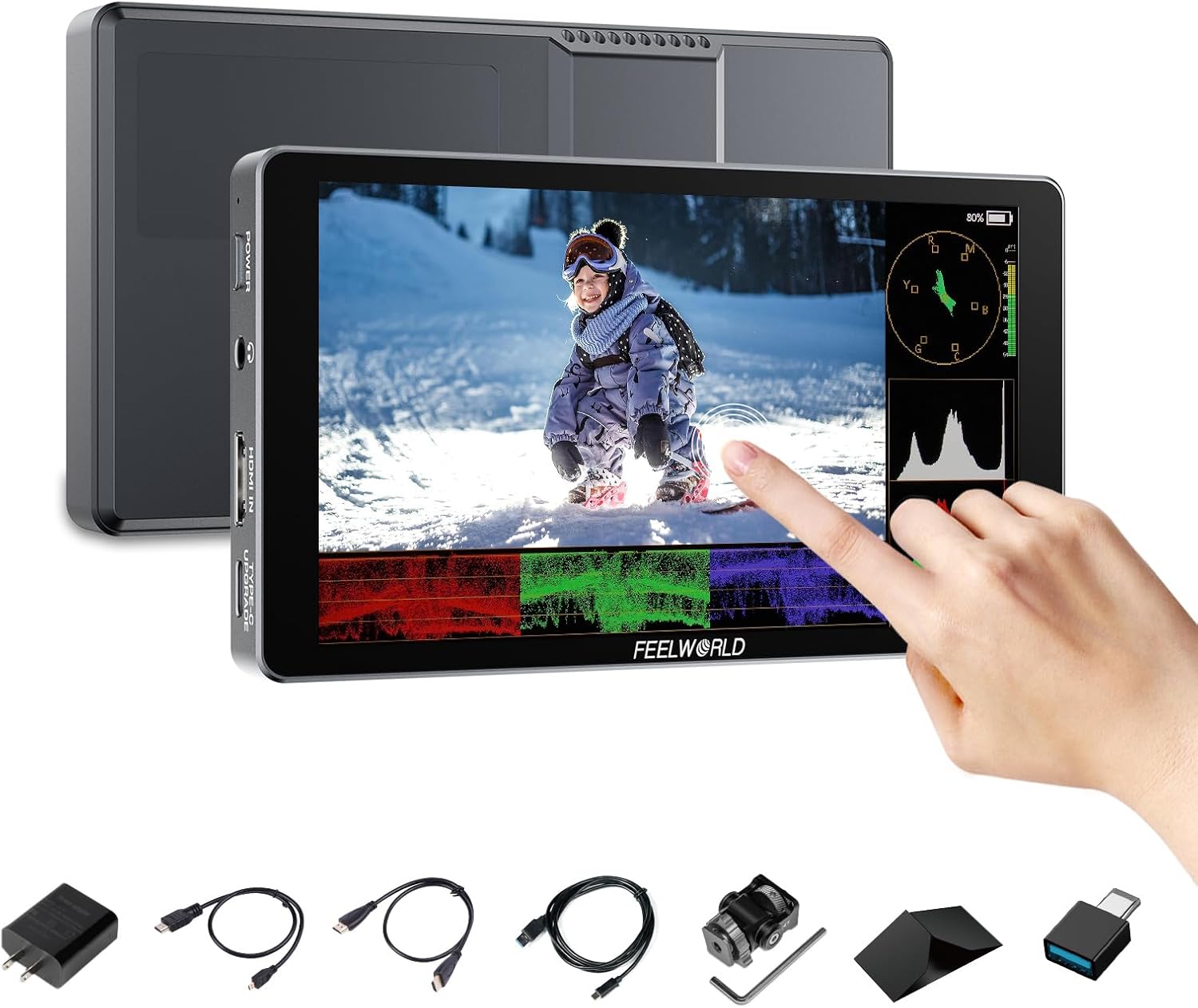
Image: The FEELWORLD P6XL monitor displaying various monitoring tools, with a hand touching the screen.
2. Hvad er der i æsken
Bekræft, at alle nedenstående varer er inkluderet i din pakke:
- 1x P6XL FEELWORLD Monitor
- 1x A-A HDMI Cable
- 1x Micro HDMI-kabel
- 1x USB-A til USB-C-kabel
- 1x Mini Hot Shoe Mount + Hex Wrench
- 1x USB-A til USB-C-adapter
- 1x Sunshade + Frame
- 1x Cable Management Tie
- 1x brugermanual
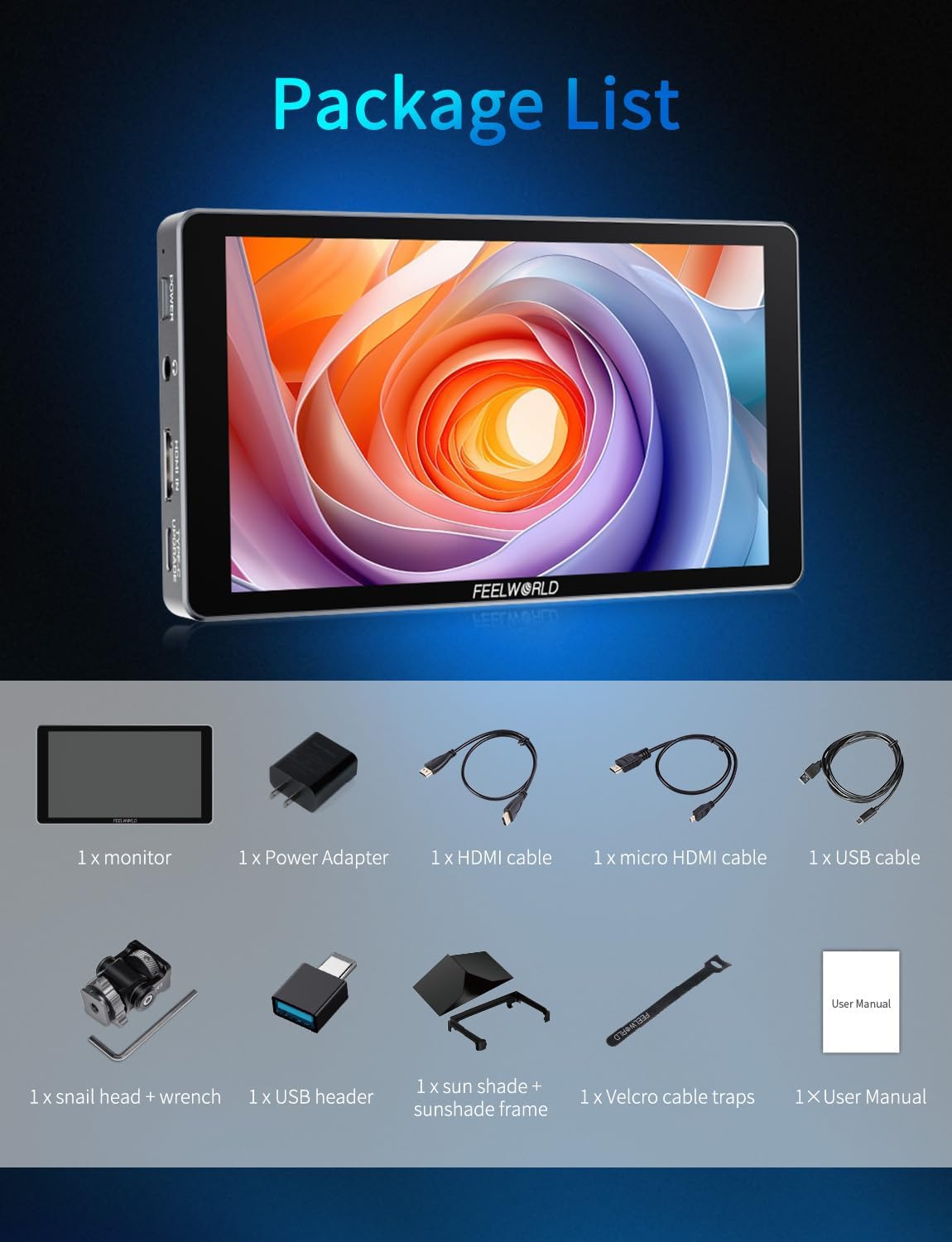
Image: All accessories included with the FEELWORLD P6XL monitor, neatly arranged.
3. Produktet er slutview
3.1 Fysiske egenskaber
The P6XL monitor features a rugged, full aluminum alloy body, ensuring durability while maintaining a lightweight profile. Its compact dimensions and robust construction make it suitable for various shooting environments.

Image: The FEELWORLD P6XL monitor's aluminum housing and dimensions.
3.2 Porte og kontroller
- Power knap: Long press to power on/off, short press for touch on/off.
- Hovedtelefonstik: 3.5mm output for audio monitoring.
- HDMI-indgang: 4K HDMI input, supports up to 2160p/30p signals.
- Type-C (Upgrade/LUT Upload): Used for firmware updates and loading custom 3D LUT filevia et USB-flashdrev.
- Type-C (9V/2A Power Supply/Charging): For charging the built-in battery or powering the monitor.
- 1/4" skruegevind: Til montering af tilbehør.
- Køleventilator: Built-in adjustable fan for heat dissipation.
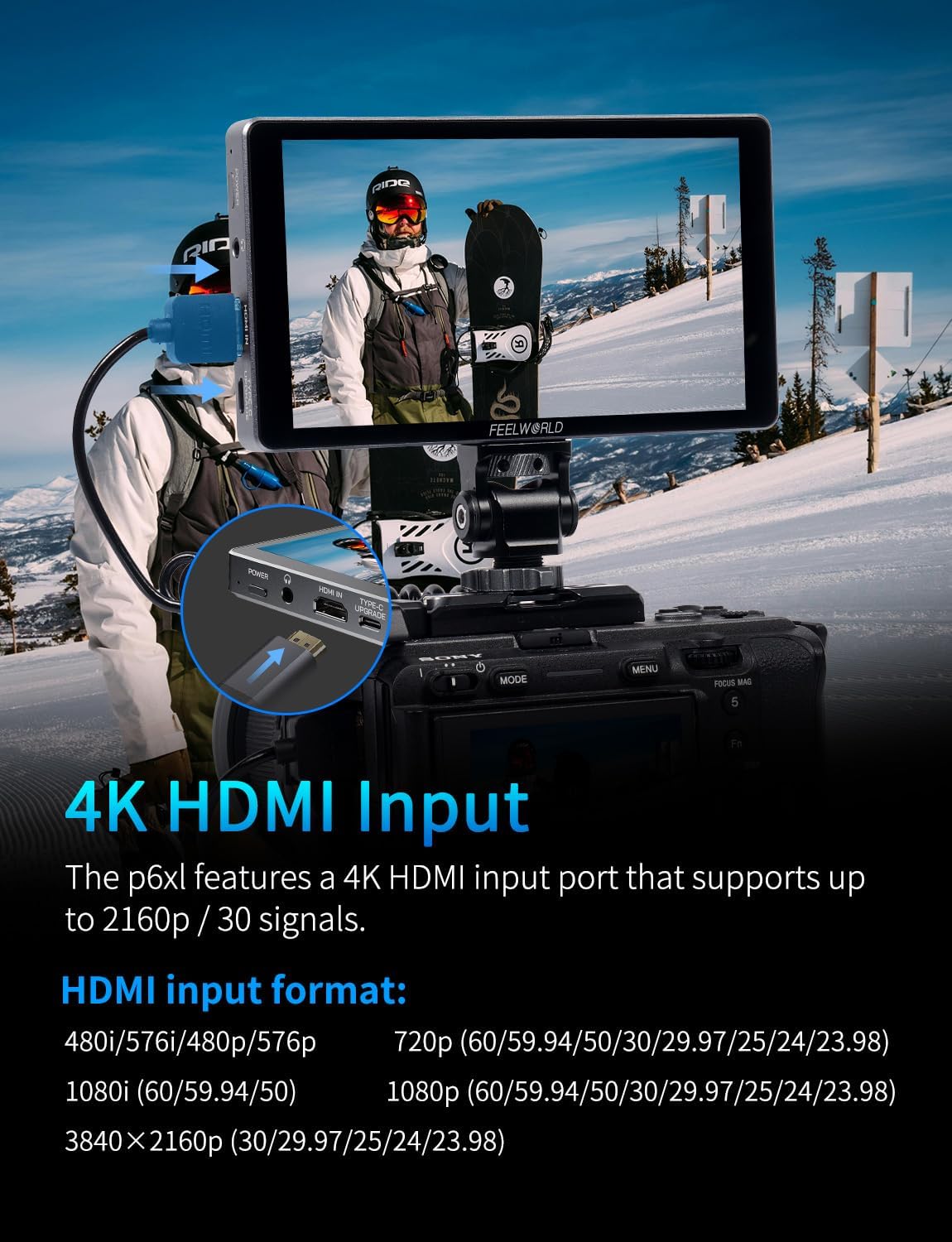
Image: The 4K HDMI input port on the FEELWORLD P6XL monitor.
4. Opsætning
4.1 Opladning af det indbyggede batteri
The P6XL features a built-in 22.2Wh/7.4V rechargeable battery. Use the provided USB-A to USB-C cable and a 9V charger to charge the monitor. The indicator light will turn green when fully charged. A full charge provides approximately 2 hours of run-time at 100% brightness.
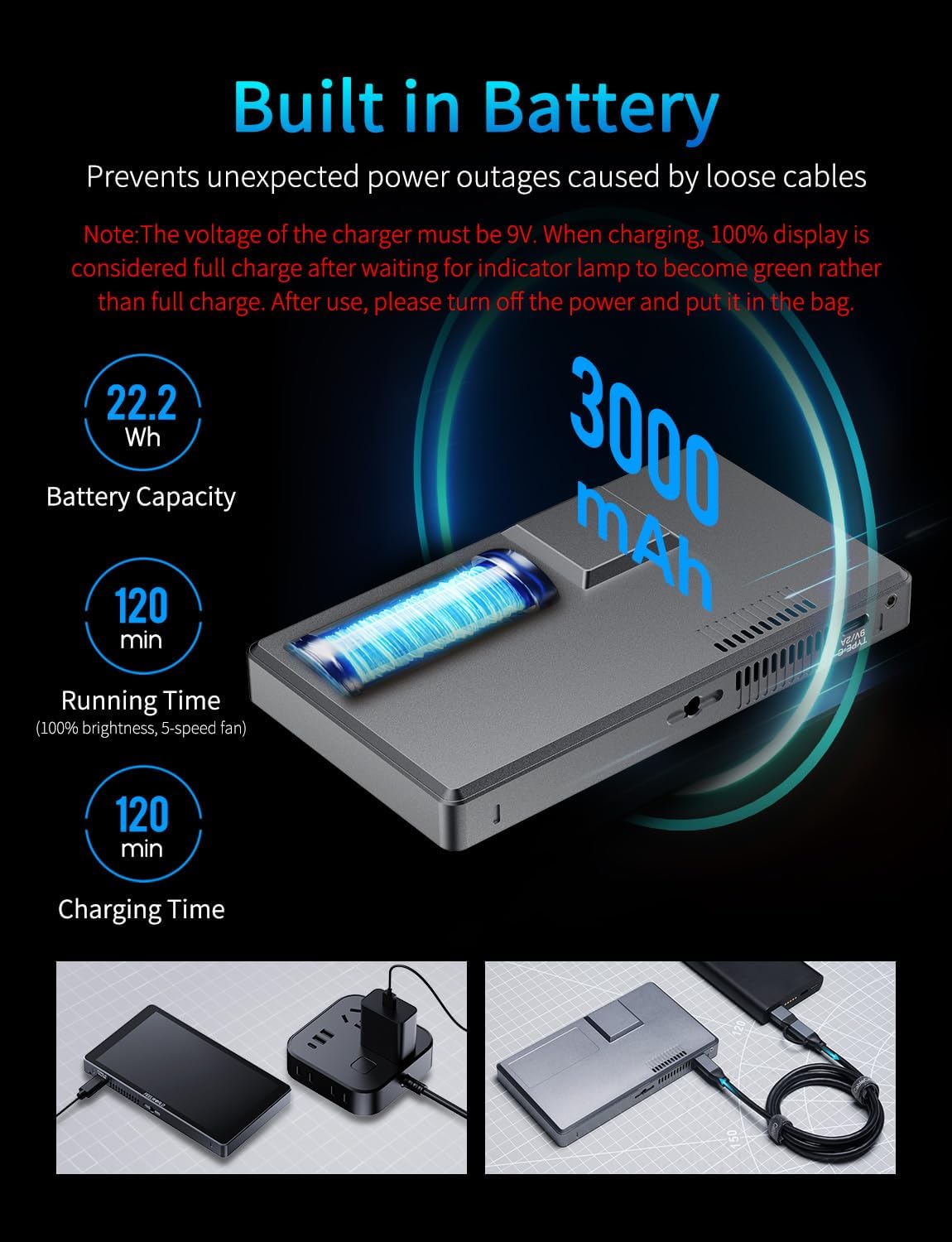
Image: Information regarding the monitor's built-in battery, capacity, and charging details.
4.2 Montering af skærmen
Attach the mini hot shoe mount to your camera's hot shoe or a compatible rig. Secure the monitor to the mount using the 1/4" screw thread on the monitor's bottom.
4.3 Tilslutning til et kamera
Connect your DSLR or mirrorless camera to the monitor using the provided HDMI cable. Ensure the camera's HDMI output settings are compatible with the monitor's input (up to 4K 2160p/30p).
5. Betjeningsvejledning
5.1 Berøringsskærmsgrænseflade
The P6XL features an intuitive touchscreen interface for easy control:
- Dobbelttryk: Få adgang til hovedmenuen.
- Swipe Left Side: Juster baggrundsbelysningen.
- Swipe Right Side: Juster lydstyrken.
- Swipe Bottom: Access quick menu shortcuts.

Image: The 6-inch touchscreen interface of the FEELWORLD P6XL monitor.
5.2 Menunavigation
Double-tap the screen to open the main menu. Navigate through the following categories:
- Hjælpe: Access various monitoring tools.
- Markør: Configure on-screen guides.
- Billede: Juster indstillinger for billedvisning.
- Brugermulighed: Manage LUTs, HDR, and display/color adjustments.
- System: Adgang til generelle systemindstillinger.
5.3 Assist Functions
The Assist menu provides professional tools for accurate monitoring:
- Bølgeform: Displays luminance and color information.
- Vektor: Shows color saturation and hue.
- Histogram: Visualizes tonal distribution.
- Focus Assist (Peaking): Highlights in-focus areas (adjustable color/level).
- Indlejret lyd: Displays audio levels.
- Zebra mønster: Indicates overexposed areas (adjustable threshold).
- Afkrydsningsfelt: Isolates specific color channels.
- False Colors: Aids in exposure setting by displaying different exposure levels in distinct colors.
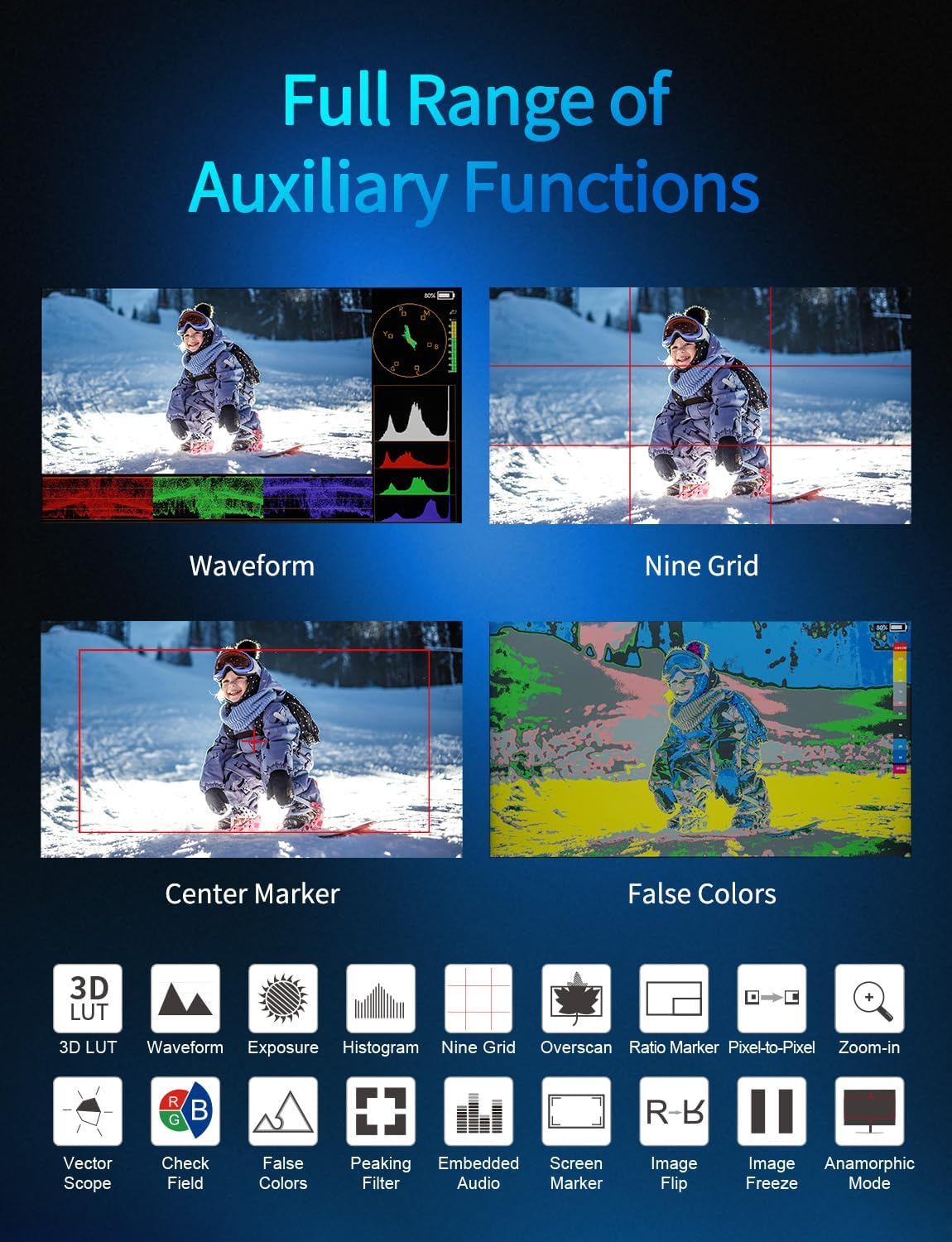
Image: A visual representation of the monitor's full range of auxiliary functions.
5.4 Marker Functions
Customize on-screen guides for framing and composition:
- Gitter: Display various grid patterns (e.g., Rule of Thirds, 2x2, 4x4, custom).
- Sikre rammer: Define safe areas for broadcast or social media aspect ratios.
- Centermarkør: Places a crosshair in the center of the screen.
- Ratio Marker: Overlays various aspect ratio guides (e.g., 4:3, 16:9, 2.35:1).
5.5 Image Functions
Adjust how the image is displayed on the monitor:
- Scanningstilstand: Adjusts the display area (e.g., Under Scan).
- Aspektforhold: Selects display aspect ratio (e.g., Auto, 16:9, 4:3).
- Anamorfisk: Desqueezes anamorphic footage (1.33x, 1.6x, 2.0x, custom).
- Billedflip: Vender billedet vandret eller lodret.
- Zoom-tilstand: Magnifies a portion of the image (2X, 4X, 8X).
- Billedfrys: Pauses the live video feed.
- P2P (Pixel-to-Pixel): Displays the image at its native resolution.
5.6 Brugerindstillinger
Customize advanced display settings:
- LUT (Look Up Table): Enable/disable LUTs, import custom .cube files via USB-C, and select from built-in DE-log LUTs (S-Log2, S-Log3, C-Log, V-Log to Rec.709).
- HDR: Enable/disable HDR display mode (HLG1, HLG2, HLG3).
- Skærmjustering: Adjust backlight, brightness, contrast, saturation, hue, and sharpness.
- Farvejustering: Fine-tune color temperature (5600K, 6500K, 9300K, User) and individual RGB levels.

Image: The monitor's screenshot and image overlay feature for composition comparison.
5.7 Systemindstillinger
General monitor settings:
- User Switch: Administrer flere brugere profiles.
- Sprog: Vælg displaysprog.
- OSD Option: Adjust On-Screen Display settings.
- Bind: Control audio output volume.
- Køleventilator: Adjust fan speed (modes 1-5).
- Nulstil: Gendan fabriksindstillingerne.
- Firmwareopdatering: Update monitor firmware via USB-C.
6. Specifikationer
| Feature | Specifikation |
|---|---|
| Skærmstørrelse | 6 tommer |
| Lysstyrke | 1200 nits |
| Opløsning | Full HD 1920x1080 |
| Input | 4K HDMI (up to 2160p/30p) |
| Batteri | Built-in 22.2Wh/7.4V rechargeable battery |
| Opladning | Type-C (9V/2A) |
| Boliger | Aluminiumslegering |
| Vægt | 332 gram (ca. 0.73 lbs) |
| Dimensioner | 154 x 87 x 17 mm (ca. 6.06 x 3.43 x 0.67 tommer) |
7. Fejlfinding
- Intet signal: Ensure HDMI cable is securely connected and camera's HDMI output is active and set to a compatible resolution.
- Skærmen tænder ikke: Check battery level. Connect to a 9V/2A Type-C charger.
- Touchskærm reagerer ikke: Short press the power button to toggle touch functionality. If issue persists, try resetting the monitor to factory settings.
- Overophedning: Ensure cooling fan is enabled in System settings. Avoid blocking ventilation holes.
- LUT Import Failure: Ensure USB flash drive is formatted correctly and contains only .cube LUT files. Do not remove the USB drive during import.
8. Vedligeholdelse
- Rensning: Use a soft, dry cloth to clean the monitor screen and body. For stubborn smudges, use a screen-specific cleaning solution.
- Opbevaring: Store the monitor in a cool, dry place away from direct sunlight and extreme temperatures. Use the provided sunshade and frame for protection.
- Batteripleje: For long-term storage, charge the battery to approximately 50-60% to prolong its lifespan.
9. Garanti og support
FEELWORLD products typically come with a standard manufacturer's warranty. Please refer to the warranty card included in your package or visit the official FEELWORLD webhjemmeside for detaljerede garantivilkår.
For technical support, troubleshooting assistance, or service inquiries, please contact FEELWORLD customer service through their official channels.


