Indledning
The Bose SoundLink Micro Portable Bluetooth Speaker (2nd Gen) is a compact, durable, and high-performance wireless speaker designed for on-the-go audio. This manual provides essential information for setting up, operating, and maintaining your speaker to ensure optimal performance and longevity.

Image: The Bose SoundLink Micro speaker, highlighting its powerful sound capabilities.
Hvad er der i æsken
Bekræft at alle elementer er til stede, før du fortsætter med opsætningen:
- Bose SoundLink Micro Portable Speaker (2nd Gen)
- USB-C til USB-A-kabel
- Sikkerhedsark
Produkt overview
The SoundLink Micro features a robust design with intuitive controls for easy operation.

Billede: Forside view of the SoundLink Micro speaker, displaying the Bluetooth, volume, play/pause, and power buttons.
Kontrolelementer:
- Bluetooth knap: Starter Bluetooth-parringstilstand.
- Skrue ned for lyden (-): Sænker lydstyrken.
- Afspil/pause knap: Controls media playback (play, pause, skip tracks).
- Lydstyrke op (+): Øger lydstyrken.
- Power knap: Tænder eller slukker for højttaleren.
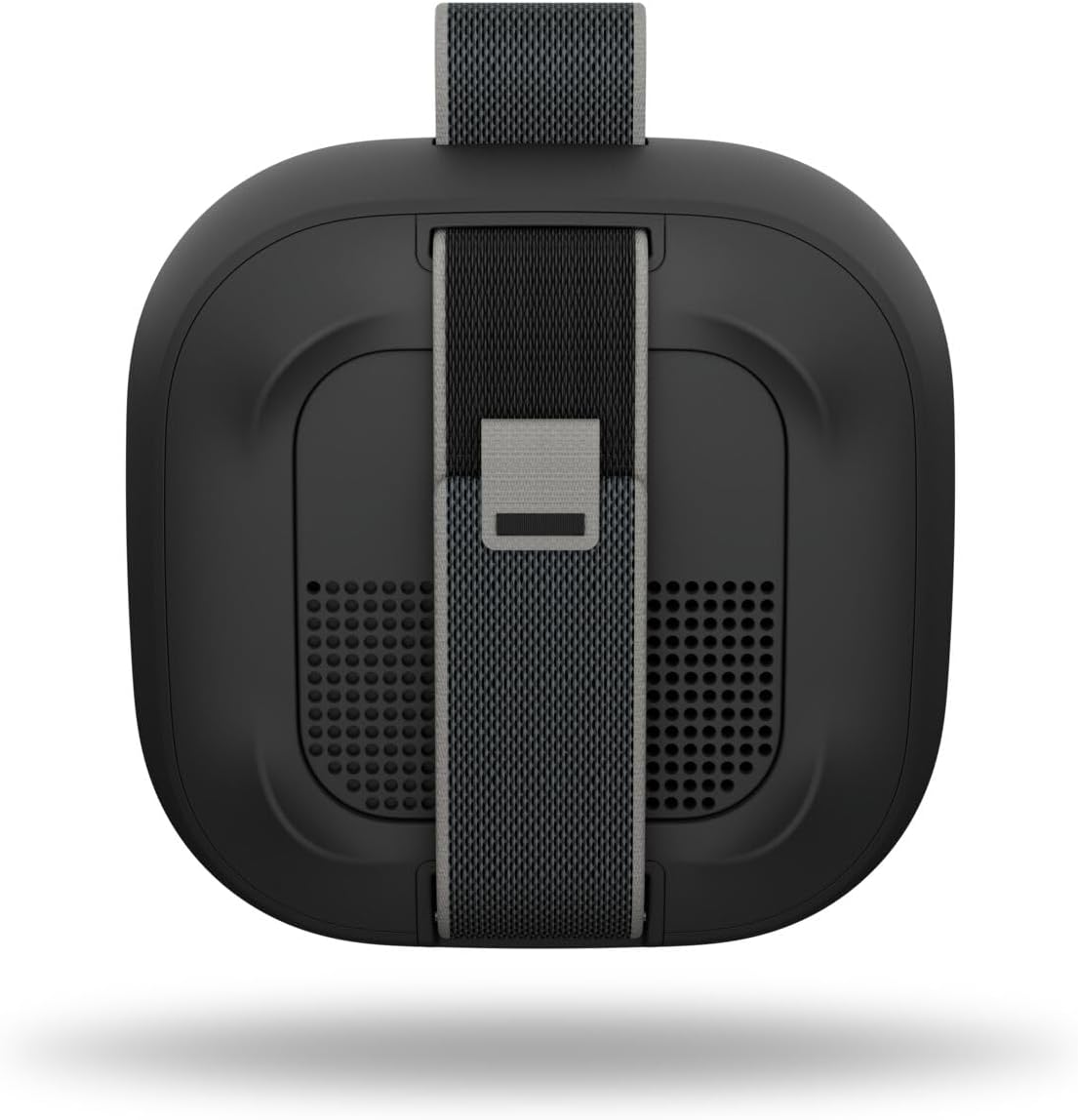
Billede: Bagside view of the SoundLink Micro speaker, highlighting the integrated utility strap for attachment.
The speaker also features a durable utility strap for easy attachment to bags or other objects, enhancing its portability.
Opsætning
1. Opladning af højttaleren
- Connect the small end of the USB-C to USB-A cable to the USB-C port on the speaker.
- Connect the large end of the cable to a USB-A wall charger (not included) or a computer's USB port.
- Batteriindikatorlamperne lyser for at vise opladningsstatus. En fuld opladning tager cirka 3 timer.
2. Tænd/sluk
- For at tænde skal du trykke på Magt button. You will hear an audible tone and the battery indicator will show the current charge level.
- For at slukke, skal du trykke på og holde nede Magt button until you hear an audible tone.
3. Bluetooth-parring
- Med højttaleren tændt skal du trykke på og holde nede Bluetooth button until the Bluetooth indicator light blinks blue. The speaker is now in pairing mode.
- On your mobile device, enable Bluetooth and select "Bose SoundLink Micro" from the list of available devices.
- Once connected, you will hear an audible tone and the Bluetooth indicator light will glow solid white.
4. Using the Bose App
- Download the Bose app from your device's app store.
- The app allows for software updates, adjustable EQ settings (bass, treble, mid-levels), volume control, and the ability to create shortcuts.
Betjeningsvejledning
Kontrol af musikafspilning
- Tryk på Afspil/pause button once to play or pause audio.
- Tryk på Afspil/pause button twice quickly to skip to the next track.
- Tryk på Afspil/pause button three times quickly to skip to the previous track.
- Brug Lydstyrke op (+) og Skrue ned (-) knapper til at justere lydniveauet.
Pairing Two Speakers (Party Mode / Stereo Mode)
You can link two SoundLink Micro (2nd Gen) speakers for an enhanced audio experience:
- Festtilstand: Plays the same audio simultaneously from both speakers, ideal for larger areas.
- Stereo-tilstand: Designates one speaker as the left channel and the other as the right channel for a stereo soundstage.
Refer to the Bose app for detailed instructions on how to set up Party Mode or Stereo Mode.

Image: Two SoundLink Micro speakers demonstrating the ability to link for expanded sound.
Opretholdelse
Holdbarhed og beskyttelse
The SoundLink Micro is designed for rugged use:
- Waterproof and Dustproof (IP67 rated): Can withstand immersion in water up to 1 meter for 30 minutes and is protected against dust ingress.
- Shock and Rust Resistant: Built to endure drops and exposure to various environments.

Image: The SoundLink Micro speaker in an outdoor setting, emphasizing its durable construction.
Rensning
For at rengøre højttaleren skal du bruge en blød,amp cloth. Avoid using solvents or harsh chemicals. Ensure the USB-C port cover is securely closed before exposing the speaker to water or dust.
Fejlfinding
If you encounter issues with your SoundLink Micro, try the following steps:
- Ingen strøm: Sørg for, at højttaleren er opladet. Tilslut den til en strømkilde med det medfølgende USB-C-kabel.
- Ingen lyd: Kontrollér lydstyrken på både højttaleren og din tilsluttede enhed. Sørg for, at højttaleren er korrekt parret via Bluetooth.
- Problemer med Bluetooth-forbindelse: Turn off and on your device's Bluetooth. Try unpairing and re-pairing the speaker. Ensure the speaker is within the 30-foot Bluetooth range.
- Højttaler svarer ikke: Perform a soft reset by holding the Power button for 10 seconds.
For further assistance, consult the Bose app or the official Bose support webwebsted.
Specifikationer
| Feature | Specifikation |
|---|---|
| Modelnavn | Bose SoundLink Micro Speaker (2nd Gen) |
| Varemodelnummer | 895098-0100 |
| Højttaler type | Bærbar højttaler |
| Forbindelsesteknologi | Bluetooth |
| Trådløs kommunikationsteknologi | Bluetooth |
| Bluetooth rækkevidde | Op til 30 fod |
| Strømkilde | Batteridrevet |
| Batterilevetid | Op til 12 timer |
| Opladningstid | Cirka 3 timer |
| Vandmodstandsniveau | Vandtæt (IP67) |
| Produktdimensioner | 4.09" D x 4.09" B x 1.69" H |
| Varens vægt | 0.33 kilo (11.6 ounce) |
| Kontrolmetode | App, trykknap |
| Inkluderede komponenter | Speaker, USB-C to USB-A cable, Safety Sheet |
Garanti og support
The Bose SoundLink Micro Portable Bluetooth Speaker (2nd Gen) comes with a Limited Warranty. For specific warranty terms and conditions, please refer to the Safety Sheet included in the packaging or visit the official Bose webwebsted.
For product support, software updates, and additional resources, download the Bose app or visit www.bose.com/support.


