1. Introduktion
This manual provides detailed instructions for the operation and maintenance of your BOBLOV W5 5K Body Camera. Please read this manual thoroughly before using the device to ensure proper function and to maximize its capabilities. The BOBLOV W5 is a versatile vlogging camera designed for capturing high-quality video in various scenarios, featuring 5K/15FPS and 4K/60FPS recording, a 270° rotating lens, external microphone support, and Electronic Image Stabilization (EIS).
2. Hvad er der i æsken
Upon opening your BOBLOV W5 package, please verify that all the following items are included:
- BOBLOV W5 Camera
- USB kabel
- Brugervejledning (dette dokument)
- Ekstern mikrofon
- Clip montering
- Håndstrop

Image 2.1: BOBLOV W5 package contents.
3. Produktet er slutview
The BOBLOV W5 camera is designed for ease of use and portability. Key features include a high-resolution lens, a clear display screen, and intuitive controls.

Image 3.1: BOBLOV W5 5K Body Camera and accessories.
3.1 Nøglefunktioner
- 5K/15FPS & 4K/60FPS Video Recording: Capture vivid details or smooth motion.
- 270° roterende linse: Adjust the lens angle for various perspectives, including selfie mode and first-person view.
- External Microphone Support: Enhance audio clarity for recordings.
- Elektronisk billedstabilisering (EIS): Reduces camera shake for smoother footage.
- Kompakt og let design: Easy to carry and use for daily vlogging and recording.

Image 3.2: The 270° rotating lens allows for flexible shooting angles.
4. Opsætning
4.1 Opladning af batteriet
- Connect the provided USB cable to the camera's charging port.
- Tilslut den anden ende af USB-kablet til en USB-strømadapter (medfølger ikke) eller en computers USB-port.
- Opladningsindikatorlampen lyser under opladning og slukker, når den er fuldt opladet.
4.2 Montering af tilbehør
The BOBLOV W5 comes with various accessories for flexible mounting options:
- Clip Mount: Attach the camera to clothing, bags, or other surfaces using the clip mount. Ensure it is securely fastened.
- Håndrem: For added security, attach the hand strap to the designated loop on the camera to prevent accidental drops.
- Ekstern mikrofon: Connect the external microphone to the camera's microphone input port for improved audio quality.

Image 4.1: Versatile wearing options for the BOBLOV W5 camera.
5. Betjeningsvejledning
5.1 Tænd/sluk
- Tænd: Tryk og hold tænd/sluk-knappen nede i et par sekunder, indtil skærmen lyser.
- Sluk: Tryk og hold tænd/sluk-knappen nede igen, indtil enheden slukker.
5.2 Optagelse af video
- Sørg for, at kameraet er tændt.
- Press the Record button once to start recording. A red indicator light or on-screen icon will confirm recording is active.
- Press the Record button again to stop recording. The video file gemmes automatisk.
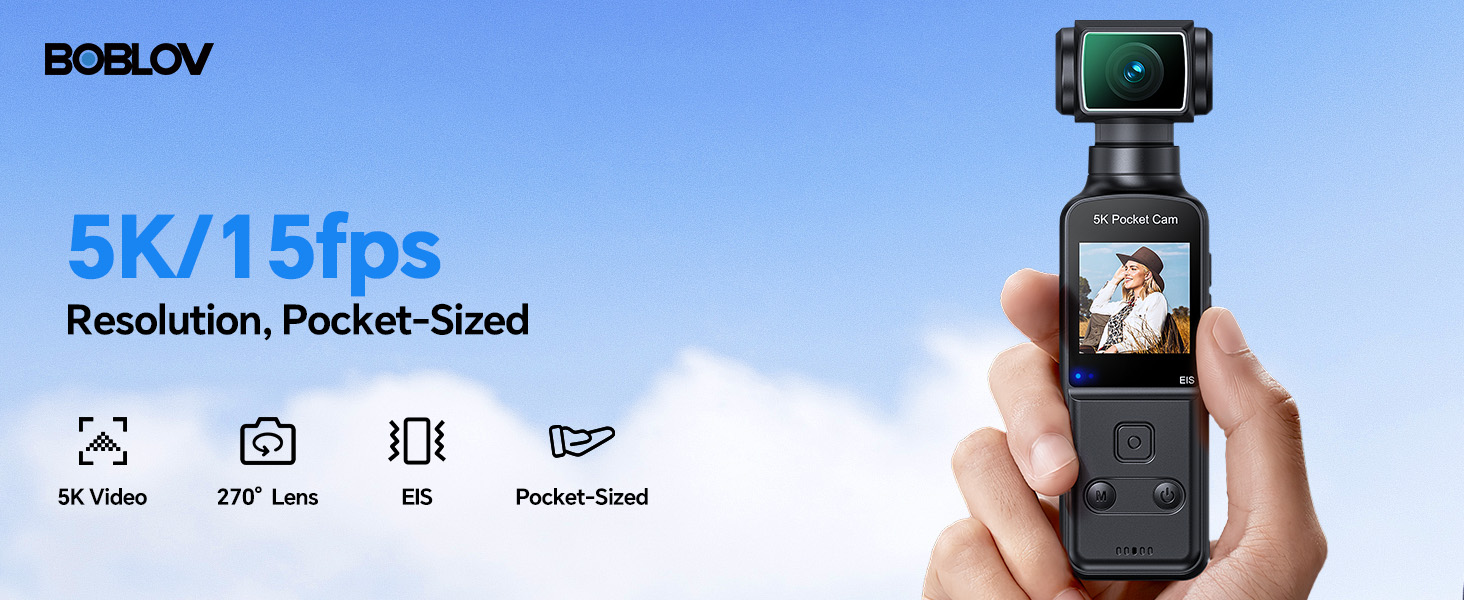
Image 5.1: The BOBLOV W5 supports 5K/15fps and 4K/60fps recording.
5.3 Using the 270° Rotating Lens
The camera's lens can be manually rotated up to 270 degrees. Gently twist the lens module to adjust the viewing angle as needed for different shooting scenarios, such as capturing a selfie or a first-person perspective.

Image 5.2: Adjusting the 270° rotatable lens.
5.4 Ekstern mikrofon
For optimal audio recording, connect the included external microphone to the camera's dedicated microphone input port. This is particularly useful in noisy environments or when clear voice capture is critical.

Image 5.3: Using the external microphone for clear audio.
5.5 Elektronisk billedstabilisering (EIS)
The BOBLOV W5 features built-in EIS to reduce camera shake during recording. This function is automatically active and helps produce smoother footage, especially during handheld use or while walking.

Image 5.4: EIS provides smooth footage.
5.6 File Ledelse
To access and manage your recorded files, connect the camera to a computer using the provided USB cable. The camera will appear as a removable storage device, allowing you to transfer videos and photos. The camera is compatible with both Windows and Mac operating systems.

Image 5.5: Connecting the camera to a computer for file ledelse.
6. Vedligeholdelse
6.1 Rengøring af kameraet
- Brug en blød, tør klud til at rengøre kamerahuset.
- Brug en specialklud og -opløsning til linsen for at undgå ridser.
- Brug ikke skrappe kemikalier eller slibende materialer.
6.2 Opbevaring
- Opbevar kameraet et køligt og tørt sted, væk fra direkte sollys og ekstreme temperaturer.
- If storing for extended periods, ensure the battery is partially charged (around 50%) to prolong battery life.
7. Fejlfinding
If you encounter issues with your BOBLOV W5 camera, please refer to the following common problems and solutions:
| Problem | Mulig årsag | Løsning |
|---|---|---|
| Kameraet tændes ikke | Lavt batteri; enhedfejl | Charge the battery fully. If problem persists, contact support. |
| Kan ikke optage video | Insufficient storage; incorrect mode | Ensure sufficient storage space. Check camera mode settings. |
| Dårlig lydkvalitet | External mic not connected; environmental noise | Ensure external microphone is securely connected. Reduce background noise or adjust mic placement. |
| Footage is shaky | Overdreven bevægelse | EIS is active by default. Minimize sudden movements during recording. |
| Kan ikke oprette forbindelse til computer | Faulty USB cable; driver issue | Try a different USB cable or USB port. Ensure camera is powered on when connecting. |
8. Specifikationer
Detailed technical specifications for the BOBLOV W5 5K Body Camera:
| Feature | Detalje |
|---|---|
| Mærke | BOBLOV |
| Modelnummer | W5 |
| Varens vægt | 8.8 ounce |
| Pakkedimensioner | 6.97 x 4.37 x 2.4 tommer |
| Batterier | 1 A batteri påkrævet (medfølger) |
| Farve Navn | Sort |
| Særlige funktioner | Lightweight, Microphone Input, Time Lapse |
| Fotosensorteknologi | CMOS |
| Videooptagelsesopløsning | 5K |
| Maksimal brændvidde | 6.8 |
| Maksimal blænde | 2 f |
| Flash-hukommelsestype | Micro SD |
| Videooptagelsesformat | MOV |
| Understøttet lydformat | MP4 |
| Skærmstørrelse | 1.3 tommer |
| Forbindelsesteknologi | USB |
9. Garanti og support
9.1 Produktgaranti
The BOBLOV W5 Body Camera comes with a 24-month product coverage period. This warranty covers manufacturing defects and ensures reliable performance under normal use conditions.
9.2 Teknisk support
For any technical assistance, questions, or issues not covered in this manual, BOBLOV offers quick response within 24 hours and lifetime technical support. Please visit the official BOBLOV website or contact their customer service directly for assistance.
Officiel BOBLOV-butik: BOBLOV-butik på Amazon


