Indledning
This manual provides essential information for setting up, operating, maintaining, and troubleshooting your Thermaltake LCGS View 7660-170 Gaming Desktop. This high-performance system is designed for demanding tasks such as gaming and video editing, featuring an AMD Ryzen™ 5 7600X CPU, NVIDIA® GeForce RTX™ 5060 graphics, 32GB DDR5 6000MT/s RGB memory, and a 1TB NVMe M.2 SSD. Please read this manual thoroughly to ensure optimal performance and longevity of your device.

Figure 1: Thermaltake LCGS View 7660-170 Gaming Desktop highlighting seamless performance.
Opsætning
1. Frakobling
Carefully remove the desktop from its packaging. Ensure all accessories, including the power cable and any documentation, are present. The internal components are protected by vacuum-sealed packing material; gently remove this material before powering on the system.

Figur 2: Samlet set view of the Thermaltake LCGS View 7660-170 Gaming Desktop.
2. Tilslutning af eksterne enheder
- Overvåge: Connect your monitor to the dedicated graphics card (NVIDIA GeForce RTX 5060) ports located at the lower rear of the PC. Use either a DisplayPort or HDMI cable. Do not use the video ports on the motherboard (upper rear section), as these are for integrated graphics which are disabled when a dedicated GPU is present.
- Tastatur og mus: Tilslut dit tastatur og din mus til alle tilgængelige USB-porte.
- Magt: Connect the power cable to the power supply unit (PSU) at the rear of the desktop and then to a wall outlet. Ensure the PSU switch is in the 'ON' position.
- Netværk: Connect an Ethernet cable to the LAN port for a wired internet connection, or attach the Wi-Fi antennas for wireless connectivity.

Figure 3: Front panel connectivity options including USB 3.0, headphone, and microphone ports.
3. Første opstart
Press the power button located on the top panel of the desktop. The system will initiate the boot process. Follow the on-screen instructions to complete the Windows 11 setup.
Betjeningsvejledning
1. Windows 11
Your desktop comes pre-installed with Windows 11. Complete the initial setup steps, including user account creation and network configuration. Ensure Windows updates are installed for optimal security and performance.
2. Præstation
The Thermaltake LCGS View 7660-170 is equipped with powerful components for a smooth computing experience:
- Processor: AMD Ryzen™ 5 7600X for efficient multitasking and demanding applications.
- Grafik: NVIDIA® GeForce RTX™ 5060 ensures high frame rates and visual fidelity in modern games.
- Hukommelse: 32GB DDR5 6000MT/s RGB memory provides ample capacity for gaming and content creation.
- Opbevaring: 1TB NVMe M.2 SSD offers rapid boot times and quick loading of applications and games.
3. RGB-belysning
The desktop features customizable ARGB lighting for the fans and memory modules. Use the pre-installed software (if available) or physical buttons on the case (if present) to adjust lighting effects and colors to match your preference.
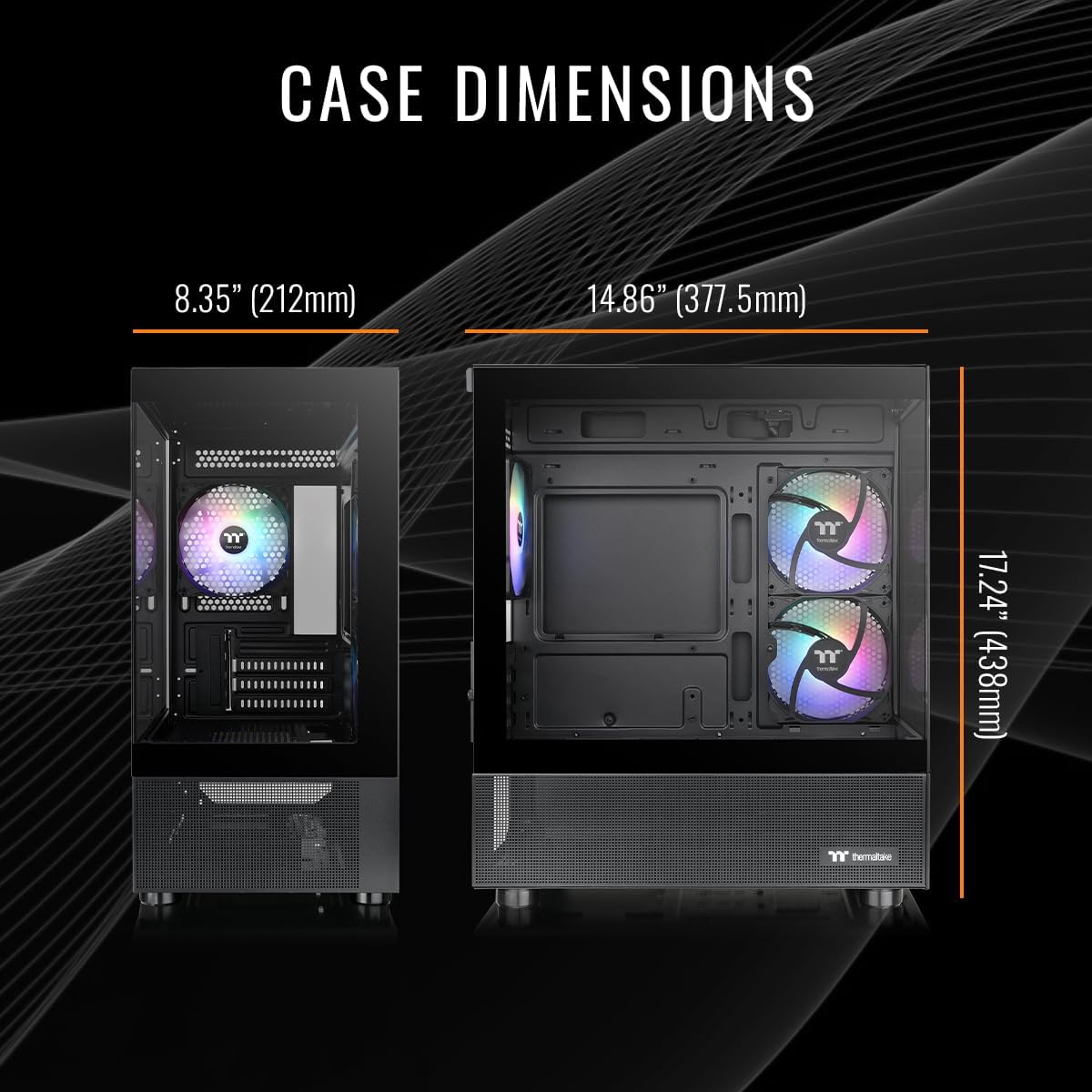
Figur 4: Intern view of the desktop with illuminated ARGB fans and RAM.
Opretholdelse
1. Rensning
- Ydre: Use a soft, dry cloth to clean the exterior surfaces, including the tempered glass panels. Avoid abrasive cleaners.
- Støvfiltre: Regularly check and clean the dust filters located on the intake vents to maintain optimal airflow and prevent dust buildup inside the case.
- Interne komponenter: Periodically use compressed air to gently remove dust from internal components such as fans, heatsinks, and the graphics card. Ensure the system is powered off and unplugged before cleaning.

Figure 5: Illustration of optimized airflow within the Thermaltake View series chassis.
2. Softwareopdateringer
Keep your operating system, drivers (especially graphics drivers), and other software up to date. This ensures system stability, security, and optimal performance for your hardware.
Fejlfinding
- Ingen strøm: Ensure the power cable is securely connected to both the PC and the wall outlet. Verify that the power switch on the PSU (located at the rear of the PC) is in the 'ON' position.
- Ingen visning: Confirm your monitor cable is connected to one of the graphics card's output ports (DisplayPort or HDMI), not the motherboard's ports. Check that your monitor is powered on and set to the correct input source.
- Ydelsesproblemer: Update your graphics drivers and Windows 11. Close unnecessary background applications. Monitor system temperatures to ensure proper cooling.
- RGB-belysning virker ikke: Check the connections for the RGB components inside the case. Ensure any dedicated RGB control software is installed and configured correctly.
Specifikationer
| Komponent | Specifikation |
|---|---|
| Processor | AMD Ryzen™ 5 7600X (4.7 GHz) |
| Grafik coprocessor | NVIDIA® GeForce RTX™ 5060 (8 GB) |
| VÆDDER | 32 GB DDR5 6000MT/s |
| Opbevaring | 1 TB NVMe M.2 SSD |
| Operativsystem | Windows 11 |
| Bundkortchipsæt | AMD B650 |
| Køling | ARGB Tower Air Cooler |
| USB-porte | 2x USB 3.0 (foran), 10x USB 2.0 (bagpå) |
| Lydporte | 1x Headphone, 1x Mic (front) |
| Forbindelse | Wi-Fi, Ethernet |
| Varens vægt | 22.3 pund |
| Pakkedimensioner | 20.5 x 20 x 12.5 tommer |

Figure 6: Visual summary of the desktop's key specifications.
Garanti & Support
Your Thermaltake LCGS View 7660-170 Gaming Desktop comes with a manufacturer's warranty. For specific warranty terms and conditions, please refer to the documentation included with your product or visit the official Thermaltake website. For technical support, troubleshooting assistance, or warranty claims, please contact Thermaltake customer service.
Thermaltake Support: For hjælp, besøg venligst Thermaltake Store on Amazon eller deres embedsmand webwebsted.


