1. Introduktion
Thank you for choosing the ATOTO AC-44P4 HD 720P Front DVR Camera. This device is designed to provide reliable video recording of your driving experience with a wide 140-degree viewing angle and support for up to 32GB of storage. This manual provides detailed instructions for installation, operation, and maintenance to ensure optimal performance and longevity of your device.
2. Pakkens indhold
Kontroller venligst, at alle nedenstående varer er inkluderet i din pakke:
- ATOTO AC-44P4 Dash Cam
- AC-44P4 Extension Cable (3m/9.8ft)
- 32 GB Micro SD-kort
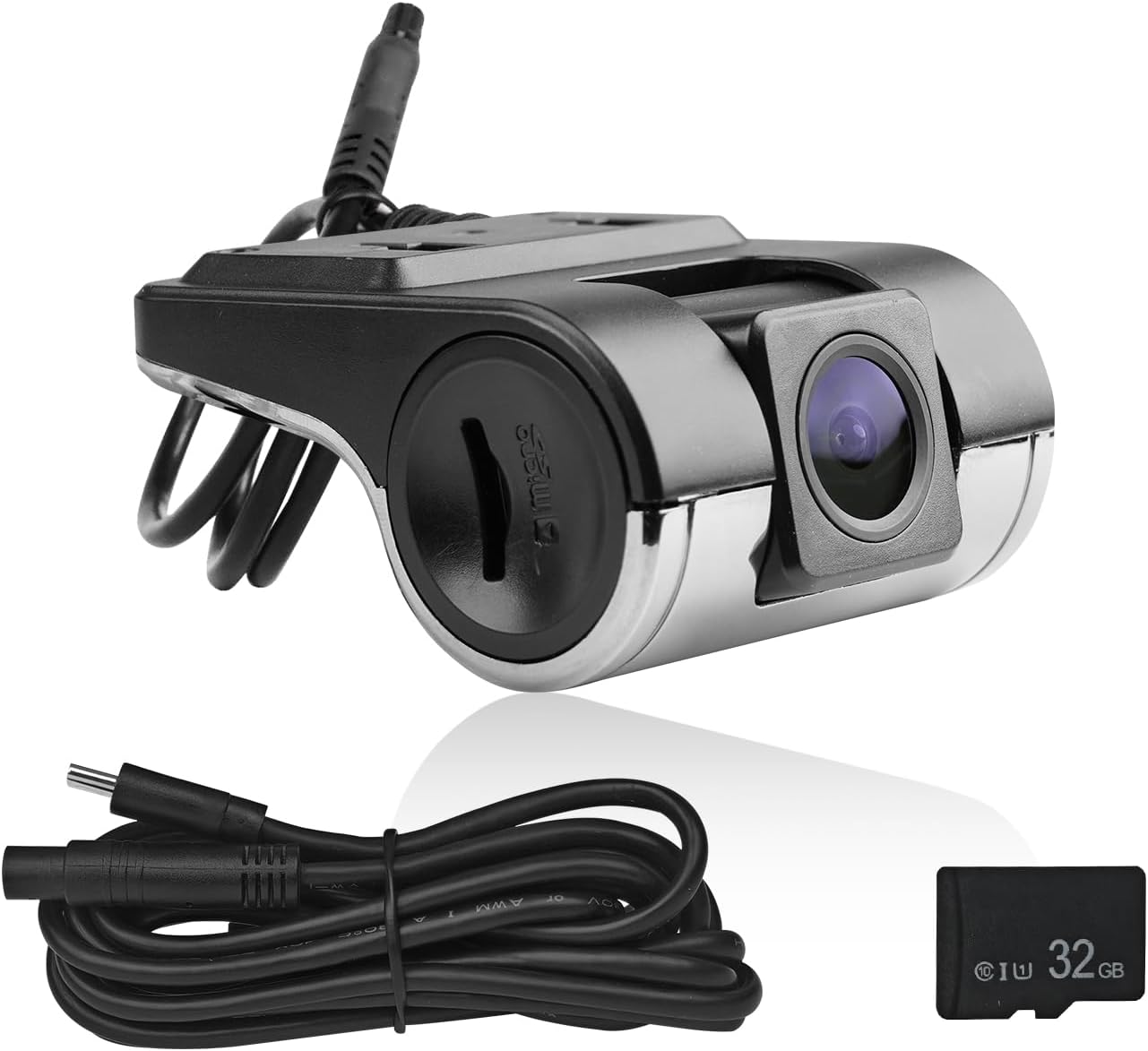
Image: Contents of the ATOTO AC-44P4 package, including the camera, cable, and memory card.

Billede: Detaljeret view of package contents and a diagram illustrating the connection to a P5 head unit and windshield placement.
3. Nøglefunktioner
- HD 720P Video Recording: Optager klar videotage at 720P resolution.
- 140° bred Viewvinkel: Provides a broad perspective of the road ahead, minimizing blind spots.
- Automatic Start & Loop Recording: The camera automatically begins recording when the vehicle starts and continuously records, overwriting the oldest files, når lageret er fuldt.
- Video Lock Function: Vigtig madtage can be manually locked to prevent it from being overwritten during loop recording.
- Indbygget mikrofon: Records audio inside the vehicle, which can be toggled on or off as needed.
- Dedicated "DVR-CAM" App Control: Easily manage and view recorded videos directly from your compatible ATOTO head unit using the dedicated application.
- Storage Support: Supports Micro SD cards up to 32GB (a 32GB card is included).

Image: Illustrates the 720P HD resolution and the 140-degree wide viewkameraets vinkel.

Image: Demonstrates the photo shooting, video lock, and automatic loop recording features.
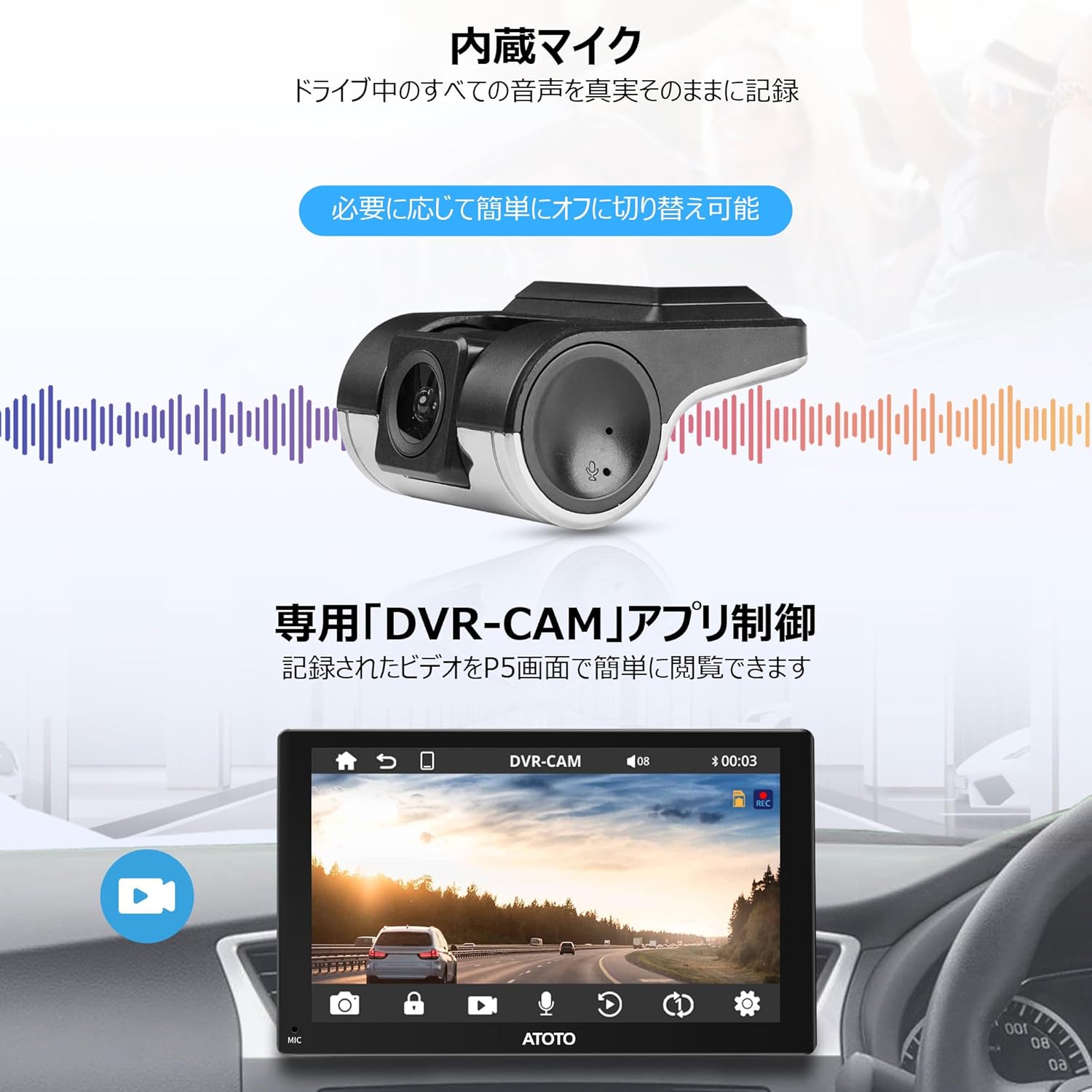
Image: Highlights the built-in microphone and the dedicated DVR-CAM app control interface.
4. Installationsvejledning
4.1 Placering og tilslutning
- Vælg en placering: Mount the AC-44P4 camera on your car's front windshield in a position that provides a clear, unobstructed view of the road. Ensure it does not block your driving vision. Note: The AC-44P4 cannot be installed on vertical car windshields.
- Tilslut til hovedenhed: Use the provided extension cable to connect the AC-44P4 camera to the designated DVR input port on your compatible ATOTO P5 series head unit.
- Indsæt Micro SD-kort: Insert the included 32GB Micro SD card into the camera's card slot. Ensure it is inserted correctly.
Image: Illustrates the recommended installation position on the windshield and the connection path to the ATOTO P5 head unit.
4.2 Kompatibilitetsnoter
The ATOTO AC-44P4 DVR Camera is specifically designed for use with ATOTO P5 series head units only. It is not compatible with other ATOTO series (e.g., S8, F7, A6PF, P9, P8) or head units from other brands. Please ensure your head unit is an ATOTO P5 series model for proper functionality.
The camera supports Micro SD cards up to 32GB. Using incompatible or larger capacity cards may result in recording issues. A 32GB Micro SD card is included for your convenience.

Image: Important compatibility information, showing correct and incorrect head unit types and supported Micro SD card types.
5. Betjeningsvejledning
5.1 Grundlæggende betjening
- Tænd/sluk: The camera powers on and off automatically with your vehicle's ignition when connected to a compatible ATOTO P5 head unit.
- Automatisk optagelse: Once powered on, the camera will automatically begin recording video footage to the inserted Micro SD card.
- Loop-optagelse: The camera records in continuous loops. When the Micro SD card is full, the oldest unlocked files vil blive overskrevet af nye optagelser.
5.2 Using the DVR-CAM App
Access the dedicated "DVR-CAM" application on your ATOTO P5 head unit to manage and view optagelser.
- View Live feed: Open the app to see a real-time view fra kameraet.
- Få adgang til optagelser: Browse through recorded video files.
- Video Lock: During recording or playback, you can manually lock important video segments to prevent them from being overwritten. Look for a lock icon within the app interface.
- Mikrofonkontrol: The built-in microphone can be easily toggled on or off through the app settings if you wish to record or mute in-car audio.
6. Vedligeholdelse
- Rengøring af linsen: Rengør kameralinsen regelmæssigt med en blød, fnugfri klud for at sikre en klar videokvalitet. Undgå slibende materialer eller barske kemikalier.
- SD-kortadministration: Periodically format the Micro SD card (e.g., once a month) through the DVR-CAM app to maintain optimal performance and prevent data corruption. Back up any important files før formatering.
- Temperatur: Avoid exposing the camera to extreme temperatures for extended periods, as this can affect its performance and lifespan.
7. Fejlfinding
- Kameraet optager ikke:
- Ensure the camera is properly connected to the ATOTO P5 head unit.
- Check if the Micro SD card is inserted correctly and is not full. Format the card if necessary (after backing up data).
- Verify that your head unit is a compatible ATOTO P5 series model.
- Dårlig videokvalitet:
- Rengør kameralinsen.
- Ensure the windshield area where the camera is mounted is clean.
- App Not Recognizing Camera:
- Restart your ATOTO P5 head unit.
- Check the cable connection between the camera and the head unit.
If you encounter persistent issues not covered here, please refer to the support section of this manual or contact ATOTO customer service.
8. Specifikationer
| Feature | Specifikation |
|---|---|
| Mærke | ATOTO |
| Model | AC-44P4 |
| Video opløsning | HD 720P |
| Viewi vinkel | 140° vidvinkel |
| Support til opbevaring | Up to 32GB Micro SD Card (32GB included) |
| Produktdimensioner | 15 x 11.4 x 4.8 cm |
| Kompatibilitet | ATOTO P5 Series Head Units ONLY |
9. Garanti og support
The ATOTO AC-44P4 DVR Camera comes with a standard manufacturer's warranty. For specific warranty terms and conditions, please refer to the documentation provided with your ATOTO head unit or visit the official ATOTO webwebsted.
For technical support, troubleshooting assistance, or any inquiries regarding your ATOTO product, please contact ATOTO customer service through their official website or the contact information provided in your head unit's manual. Please have your product model (AC-44P4) and purchase details ready when contacting support.


