1. Introduktion
The SteelSeries Arctis Nova 3P Wireless Multi-Platform Gaming Headset is designed to provide a superior audio experience across various gaming platforms including PlayStation, PC, Switch, and mobile devices. Featuring advanced audio technology, comfortable design, and versatile connectivity, this headset is engineered for immersive gaming and clear communication.
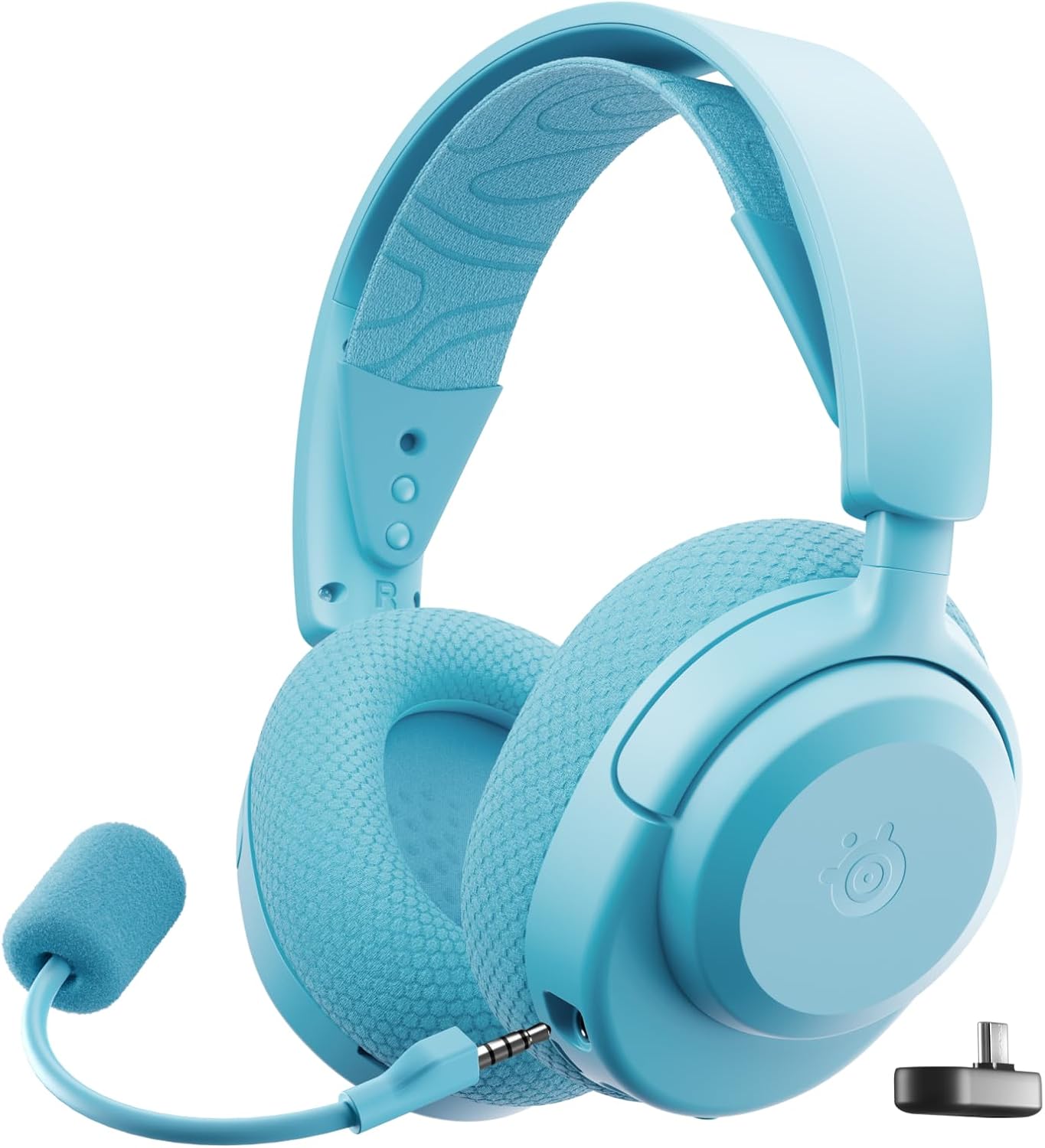
Figure 1: SteelSeries Arctis Nova 3P Wireless Gaming Headset.
Key features include mobile app control for audio presets, up to 40 hours of battery life with fast charging, lightweight and durable construction, Neodymium Magnetic Drivers for high-fidelity sound, and multi-platform USB-C dongle connectivity.
2. Pakkens indhold
Sørg for, at alle varer er til stede i din pakke:
- SteelSeries Arctis Nova 3P Wireless Multi-Platform Gaming Headset
- Produktinformationsvejledning
- USB-C trådløs dongle
- USB-A Adapter for Dongle
- Aftagelig ClearCast-mikrofon
3. Opsætning
3.1 Indledende opladning
Before first use, fully charge your headset. The Arctis Nova 3P Wireless supports fast charging, providing up to 9 hours of playback with just 15 minutes of charge via the USB-C port located at the bottom of the left earcup. A full charge can last up to 40 hours.

Figure 2: USB-C Fast Charging Port.
3.2 Tilslutning til enheder
3.2.1 2.4GHz Wireless (USB-C Dongle)
For optimal gaming performance with low latency, use the included USB-C wireless dongle. Simply plug the dongle into a compatible USB-C port on your PlayStation, PC, Nintendo Switch, or mobile device. The headset will automatically connect.

Figure 3: USB-C Wireless Dongle.
3.2.2 Bluetooth-forbindelse
For mobile devices and other Bluetooth-enabled platforms, the headset supports Bluetooth 5.3. To pair, hold down the power button on the headset until the LED indicator blinks blue. Then, select "Arctis Nova 3X Wireless" from your device's Bluetooth settings. The headset can seamlessly switch between 2.4GHz and Bluetooth modes by pressing the power button once.

Figure 4: Headset with Mobile App Control.
3.2.3 Mikrofontilslutning
The ClearCast microphone is detachable. Insert the 3.5mm jack of the microphone into the port on the left earcup until it clicks into place. Ensure it is securely connected for optimal voice clarity.
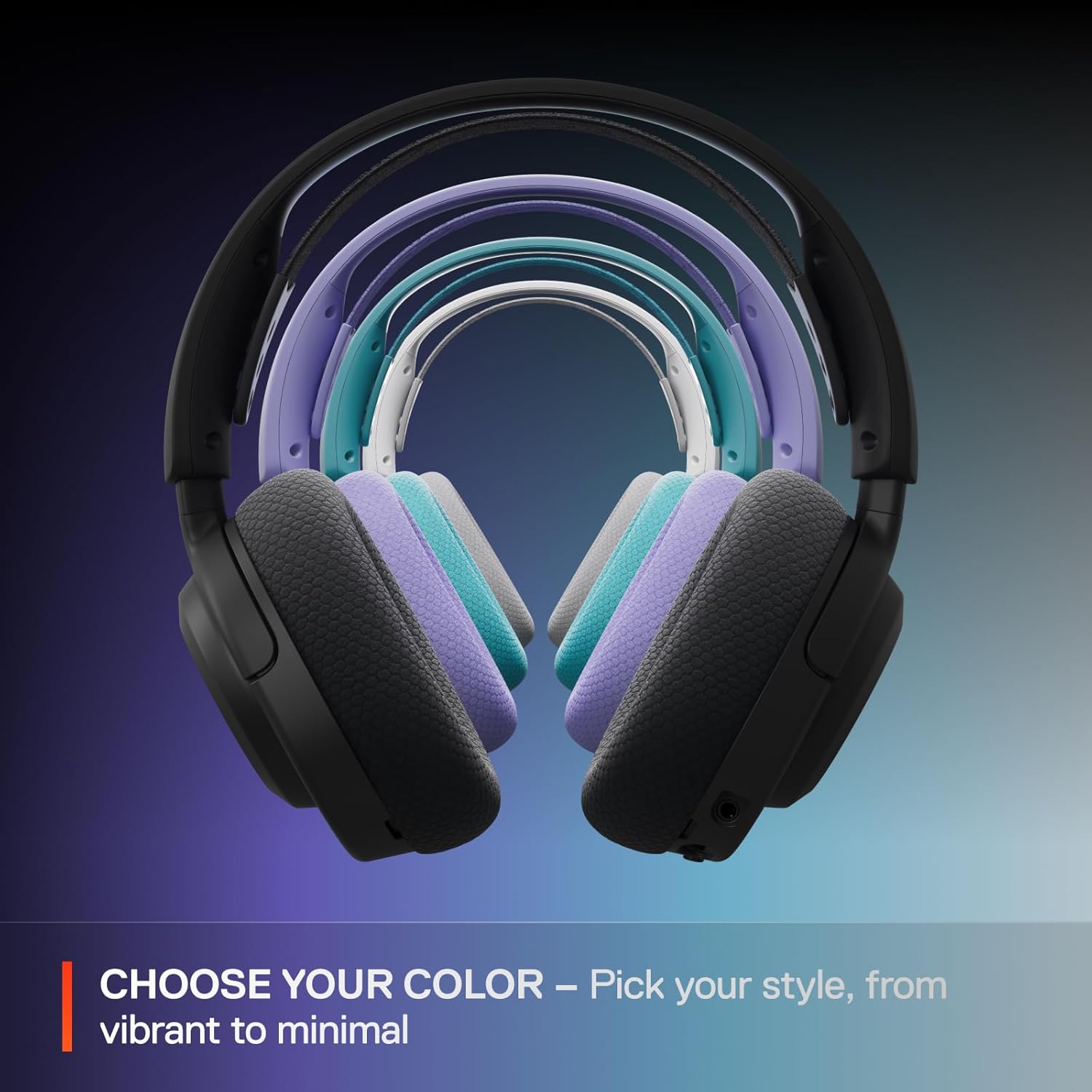
Figure 5: Detachable ClearCast Microphone.
4. Betjening
4.1 Headset-kontroller
- Mikrofon mute knap: Located on the left earcup, slide to mute/unmute the microphone.
- Volumenrulle: Adjusts headset volume. Click once to pause/play media. Click twice for next track. Click three times for previous track. Hold down to adjust chat mix volume.
- Power knap: Hold to turn on/off. Press once to switch between 2.4GHz and Bluetooth modes.
4.2 Mobile App Control (Arctis Companion App)
The Arctis Companion App (available for mobile devices) provides extensive customization options for your headset:
- Batteristatus: View den nuværende batteriprocenttage of your headset.
- Mikrofonindstillinger: Adjust microphone volume and sidetone (how much of your own voice you hear).
- EQ-forudindstillinger: Access over 200 pre-configured audio presets optimized for various games (e.g., Call of Duty, Fortnite), music genres, and esports players. You can also set separate presets for 2.4GHz and Bluetooth modes, which will automatically apply when switching connections.

Figure 6: EQ Presets in Arctis Companion App.
4.3 Komfort og pasform
The Arctis Nova 3P Wireless is designed for extended comfort. It weighs only 260g and features a stretchy ski-goggle style headband that distributes pressure evenly across your head. The earcups are made from AirWeave memory foam, which helps prevent heat buildup during long gaming sessions. The headset's dual-hinge design allows for significant adjustability to conform to various head shapes.

Figure 7: Headset Comfort and Durability.
4.4 Lydfunktioner
Equipped with custom-designed Neodymium Magnetic Drivers, the headset delivers clear highs, pinpoint mids, and deep bass for a rich and detailed soundscape. It is fully compatible with Tempest 3D Audio for PlayStation 5 and Microsoft Spatial Audio for Xbox and PC, enhancing immersion and directional audio cues in games.

Figure 8: Neodymium Magnetic Drivers.
5. Vedligeholdelse
5.1 Rengøring
- Use a soft, dry cloth to wipe down the headset body.
- For earcups, gently wipe with a damp cloth and mild soap if necessary, then air dry completely before reattaching or using.
- Brug ikke skrappe kemikalier eller slibende materialer.
5.2 Opbevaring
Store the headset in a cool, dry place away from direct sunlight and extreme temperatures. When not in use, you can lay the earcups flat for compact storage or to rest around your neck.
6. Fejlfinding
- Ingen lyd/intermitterende lyd:
- Ensure the headset is powered on and correctly paired (2.4GHz dongle or Bluetooth).
- Check the volume roller on the headset and your device's volume settings.
- Verify the USB-C dongle is fully inserted into the device.
- If using 2.4GHz, ensure no major obstructions are between the dongle and headset.
- Mikrofonen virker ikke:
- Check if the microphone mute button on the headset is disengaged (unmuted).
- Ensure the detachable microphone is securely plugged into the headset.
- Verify microphone input settings on your gaming console or PC.
- Batteri oplades ikke:
- Ensure the USB-C charging cable is properly connected to both the headset and a power source.
- Prøv et andet USB-C-kabel eller en anden opladningsport.
- Connectivity Issues with Mobile App:
- Ensure Bluetooth is enabled on your mobile device and the headset is in Bluetooth mode.
- Restart the Arctis Companion App.
- Try unpairing and re-pairing the headset via Bluetooth.
7. Specifikationer
| Feature | Detalje |
|---|---|
| Modelnavn | Arctis Nova 3P Wireless Multi-Platform Gaming Headset - PS5, PS4, PC, Switch, Mobile |
| Varemodelnummer | 61688 |
| Forbindelsesteknologi | Trådløs (2.4 GHz, Bluetooth 5.3) |
| Øreplacering | Over Ear |
| Formfaktor | Over Ear |
| Farve | Aqua |
| Varens vægt | 1.04 pund (ca. 472 g) |
| Produktdimensioner | 3.58 x 6.89 x 7.32 tommer |
| Batterilevetid | Op til 40 timer |
| Hurtig opladning | 15 minutters opladning giver 9 timers spilletid |
| UPC | 810052988443 |
8. Garanti og support
SteelSeries products typically come with a manufacturer's warranty covering defects in materials and workmanship. For specific warranty details, registration, and technical support, please visit the official SteelSeries webwebsted eller kontakt deres kundeservice.
For yderligere hjælp kan du besøge SteelSeries-butikken på Amazon eller deres officielle supportportal.


