Indledning
This manual provides comprehensive instructions for the setup, operation, and maintenance of your memzuoix WM125B Wireless Mouse. Designed for comfort and precision, this 2.4GHz wireless mouse offers adjustable DPI settings and broad compatibility for various computing needs.
Nøglefunktioner:
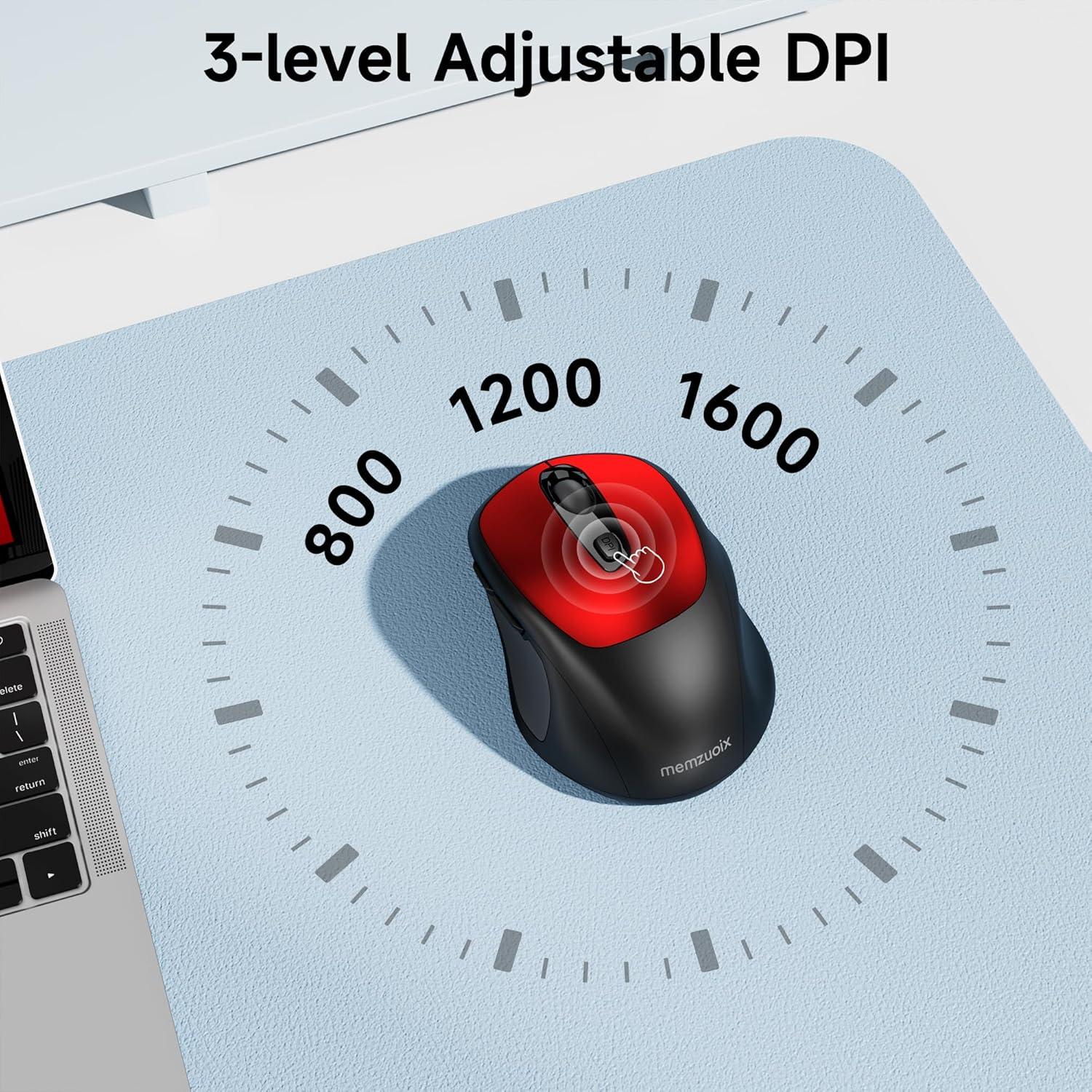
- 3 justerbare DPI-niveauer: Easily switch between 800, 1200, and 1600 DPI for optimal control.
- Ergonomic & Ambidextrous Design: Contoured shape with rubberized side grips for comfortable use by both left and right-handed users.
- Plug & Play 2.4GHz Nano Receiver: Instant connectivity without software installation, offering a reliable 33ft range.
- Holdbar konstruktion: Buttons and scroll wheel tested for 10 million clicks, ensuring long-term reliability.
- Universal kompatibilitet: Works seamlessly with Windows, macOS, Linux, and ChromeOS devices.
- Bærbart design: Lightweight and compact, ideal for travel and on-the-go use.
Opsætningsvejledning
1. Installer batterier
- Find batteridækslet på undersiden af musen.
- Skub eller løft forsigtigt dækslet for at åbne rummet.
- Isæt to AAA-batterier, og sørg for at polariteten (+/-) vender korrekt.
- Sæt batteridækslet på plads, indtil det klikker sikkert på plads.

2. Tilslut USB-modtager
- Locate the nano USB receiver, typically stored within the battery compartment of the mouse.
- Plug the USB receiver into an available USB port on your computer (PC, Mac, laptop, etc.).
- Computeren burde automatisk registrere og installere de nødvendige drivere. Der kræves ingen yderligere softwareinstallation.

Betjeningsvejledning
1. Tænd/sluk
Locate the ON/OFF switch on the underside of the mouse. Slide the switch to the 'ON' position to activate the mouse. Slide it to 'OFF' when not in use to conserve battery life.
2. Knapfunktioner
- Venstre knap: Primær klikfunktion.
- Højre knap: Sekundær klikfunktion (kontekstmenu).
- Scrollhjul: Rul op/ned i dokumenter og web pages. Can also be clicked for middle-button functionality.
- DPI knap: Skifter mellem DPI-indstillinger (800/1200/1600).
- Frem-knap: Navigerer fremad i web browsere eller file opdagelsesrejsende.
- Baglæns knap: Navigerer baglæns i web browsere eller file opdagelsesrejsende.
3. Justering af DPI-følsomhed
Tryk på DPI knap located below the scroll wheel to cycle through the available sensitivity settings: 800 DPI (for precise control), 1200 DPI (standard use), and 1600 DPI (for faster cursor movement). The mouse will indicate the change, often with a brief LED flash.
Opretholdelse
1. Rensning
For at opretholde optimal ydeevne skal du rengøre din mus regelmæssigt. Brug en blød, fnugfri klud, der er let tørret.amprengøres med vand eller en mild rengøringsopløsning. Undgå skrappe kemikalier eller slibende materialer. Sørg for, at der ikke kommer væske ind i musens indre komponenter.
2. Udskiftning af batteri
When the mouse's performance degrades or it stops responding, it may be time to replace the batteries. Follow the steps in the 'Install Batteries' section of this manual to replace the two AAA batteries. Dispose of old batteries responsibly according to local regulations.
Fejlfinding
- Musen svarer ikke:
- Ensure the mouse is switched 'ON' using the power switch on the underside.
- Kontroller, om batterierne er korrekt installeret og har tilstrækkelig opladning. Udskift om nødvendigt.
- Kontroller, at USB-modtageren er korrekt tilsluttet en fungerende USB-port på din computer. Prøv en anden USB-port.
- Genstart din computer.
- Cursor movement is erratic or inaccurate:
- Ensure the mouse is used on a clean, non-reflective surface. Avoid glass or highly reflective surfaces.
- Rengør den optiske sensor på undersiden af musen med en blød klud.
- Prøv at justere DPI-indstillingen ved hjælp af DPI-knappen.
- Connection issues or frequent disconnections:
- Ensure the mouse is within the effective operating range (approximately 33 feet) of the USB receiver.
- Avoid using the mouse near strong electromagnetic interference sources (e.g., other wireless devices, large metal objects).
- Re-pair the mouse with the receiver if possible (refer to manufacturer's website for specific pairing instructions if needed, as this model is typically plug-and-play).
Specifikationer
| Feature | Detalje |
|---|---|
| Mærke | memzuoix |
| Modelnummer | WM125B |
| Forbindelsesteknologi | 2.4 GHz trådløs (USB Nano-modtager) |
| DPI niveauer | 800/1200/1600 |
| Antal knapper | 6 (Venstre, Højre, Scrollhjul, DPI, Frem, Bagud) |
| Bevægelsesdetekteringsteknologi | Optisk |
| Strømkilde | 2 x AAA-batterier (medfølger ikke) |
| Varens vægt | 3.2 ounce |
| Pakkedimensioner | 4.8 x 3.23 x 1.85 tommer |
| Farve | Rød |
| Kompatibilitet | PC, Mac, Laptop (Windows, macOS, Linux, ChromeOS) |
Garanti og support
The memzuoix WM125B Wireless Mouse comes with a standard manufacturer's warranty. For specific warranty details, return policies, or technical support, please refer to the product packaging or contact memzuoix customer service directly through their official webwebstedet eller forhandleren, hvor produktet blev købt.
For yderligere hjælp, besøg venligst memzuoix Store on Amazon.
