1. Introduktion
This manual provides essential information for the safe and efficient use of your OPPO Reno14Pro 5G smartphone. Please read this guide thoroughly before operating your device to ensure optimal performance and longevity.

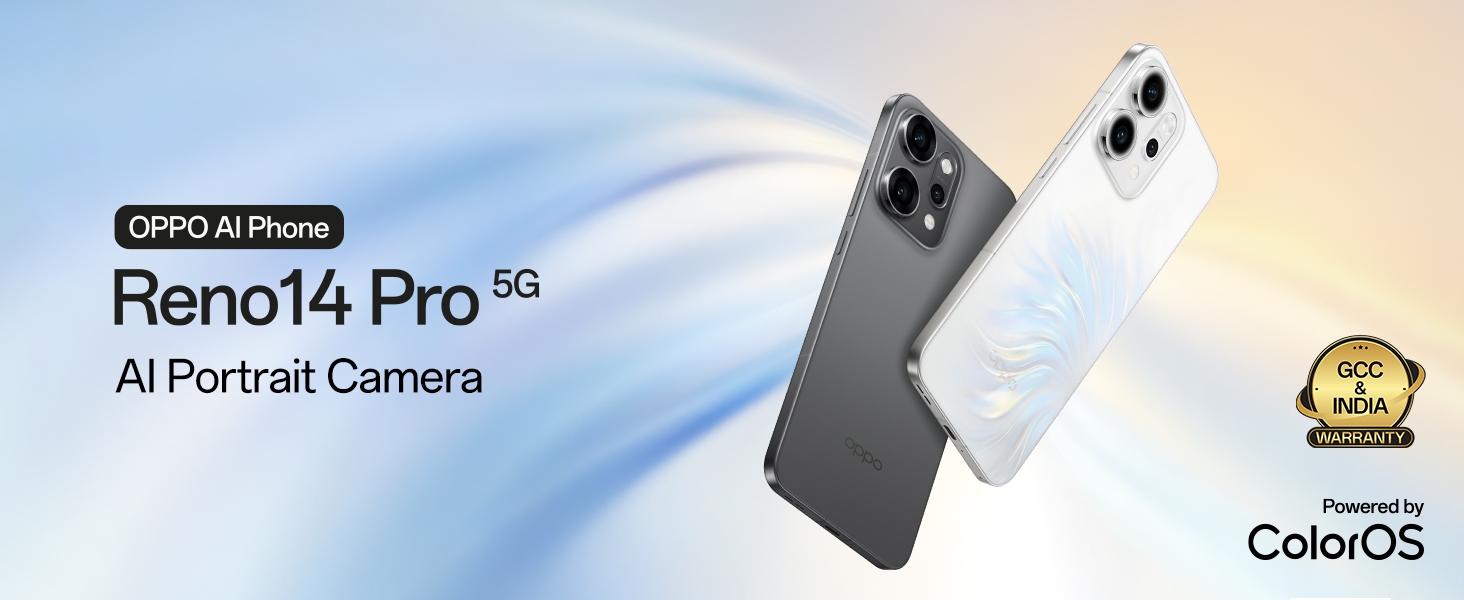
Billede: Forside og bagside view of the OPPO Reno14Pro 5G in Pearl White.
2. Opsætning
2.1. Pakkens indhold
Bekræft, at din pakke indeholder følgende varer:
- OPPO Reno14Pro 5G Smartphone
- Strømadapter
- USB kabel
- Telefon etui
- SIM-bakkeudkaster
2.2. SIM-kort installation
- Find SIM-kortbakken på siden af din enhed.
- Sæt SIM-kortbakkens udløserværktøj ind i det lille hul ved siden af bakken, og tryk godt ned, indtil bakken springer ud.
- Placer dit/dine Nano-SIM-kort i bakken med guldkontakterne nedad. Sørg for, at de vender korrekt.
- Sæt forsigtigt SIM-kortbakken tilbage i enheden, indtil den klikker på plads.
2.3. Første opstart og opsætning
- Tryk og hold tænd/sluk-knappen nede, indtil OPPO-logoet vises.
- Følg vejledningen på skærmen for at vælge dit sprog, oprette forbindelse til et Wi-Fi-netværk og konfigurere din Google-konto.
- Transfer data from a previous device if desired, or set up as a new device.
- Configure security settings such as fingerprint unlock or facial recognition.
3. Betjening af din enhed
3.1. Grundlæggende navigation
The OPPO Reno14Pro 5G features a responsive touchscreen interface. Use gestures such as tapping, swiping, pinching, and spreading to navigate the device and interact with applications.
3.2. Kamerafunktioner
The device is equipped with an advanced camera system for high-quality photography and videography.
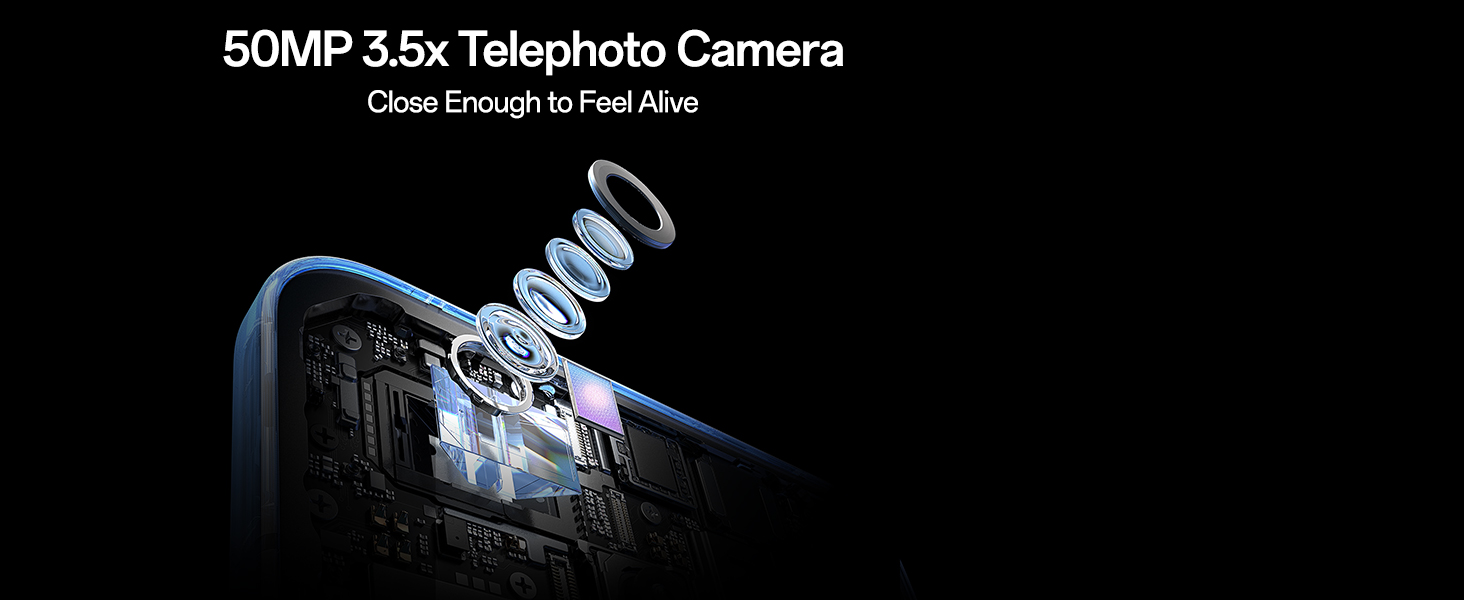
- Hovedkamerasystem: Features a 50MP IMX882 Main Camera, 50MP Ultra Wide Camera, 50MP 3.5x Telephoto Camera, and a 50MP front Ultra Clear Camera.
- Optisk zoom: Utilize 3.5x optical zoom and up to 120x Super Digital Zoom for detailed distant shots.
- Videooptagelse: Capture cinematic 4K HDR videos at 60fps across all lenses.
- AI-editor 2.0: Access creative tools including AI Composition, Perfect Shot, Style Transfer, and Flash LivePhoto for enhanced image editing.
Billede: Overview of the OPPO Reno14Pro 5G's camera system, detailing the 50MP lenses.
Billede: Detaljeret view of the 50MP 3.5x Telephoto Camera's internal structure.
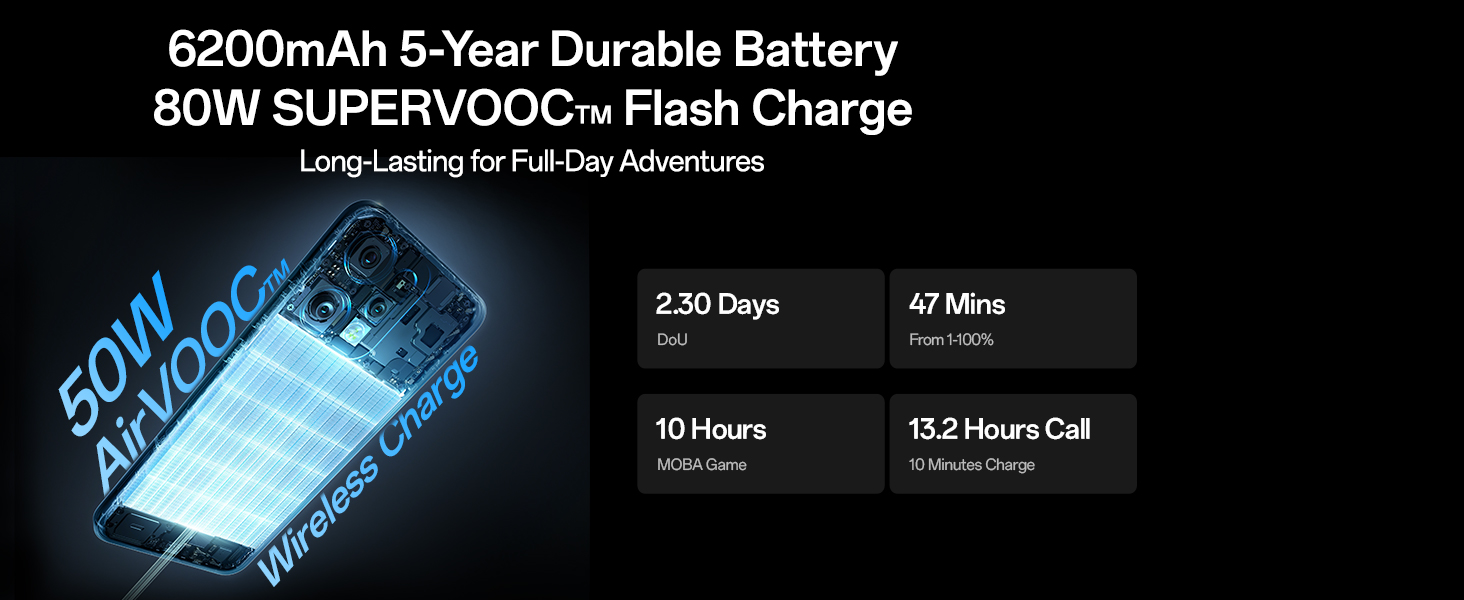
Image: Demonstrates the AI Telephoto Zoom capability, showing a scene at 1x and then at 120x digital zoom.
3.3. Præstation
The OPPO Reno14Pro 5G is designed for responsive and smooth operation.
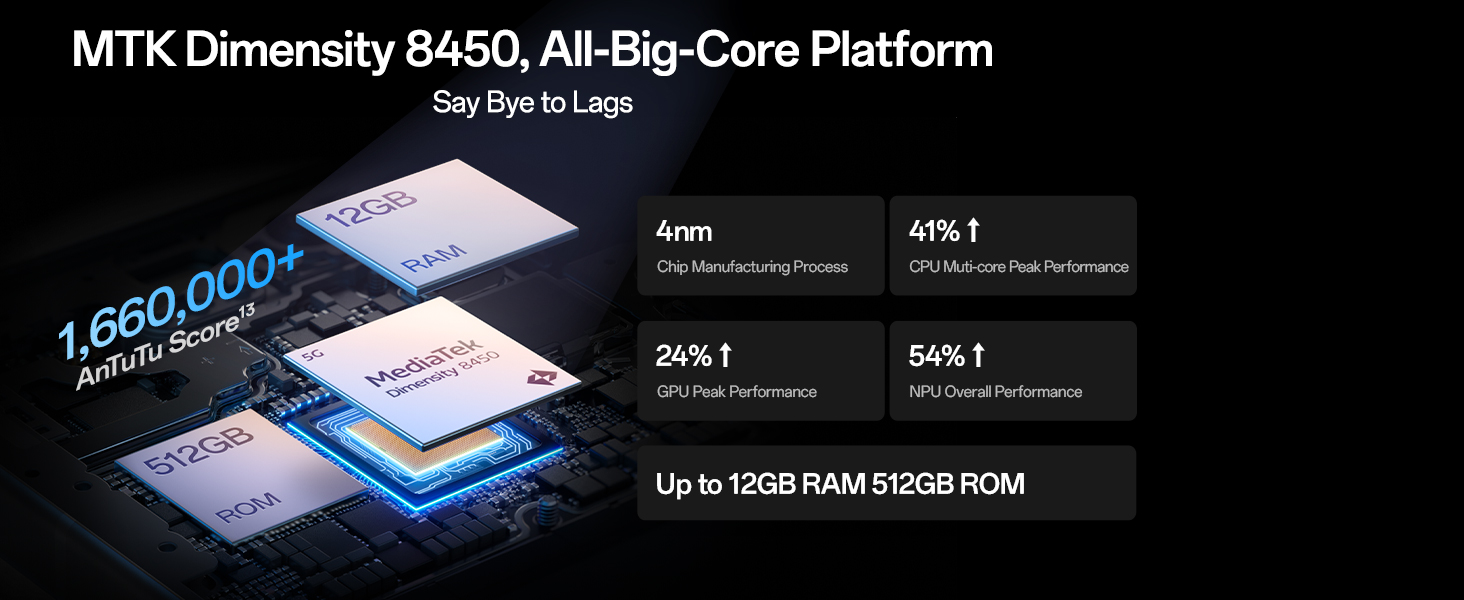
- Processor: Powered by the MediaTek 8450 All-Big-Core Chipset, ensuring high-tier speed.
- Kølesystem: Features an AI Nano Dual-Drive Cooling System for sustained performance during intensive use.
- VÆDDER: Equipped with 12GB RAM for efficient multitasking.

Image: Visual representation of the MediaTek Dimensity 8450 chipset and memory configuration.
Billede: Eksploderet view of the AI Nano Dual-Drive Cooling System, highlighting vapor chamber and graphite material.
3.4. Batteri og opladning
The device is equipped with a high-capacity battery and fast charging capabilities.
- Batterikapacitet: 6200mAh 5-Year Durable Battery.
- Kablet opladning: Supports 80W SUPERVOOC Flash Charge.
- Trådløs opladning: Supports 50W AirVOOC Wireless Charging.
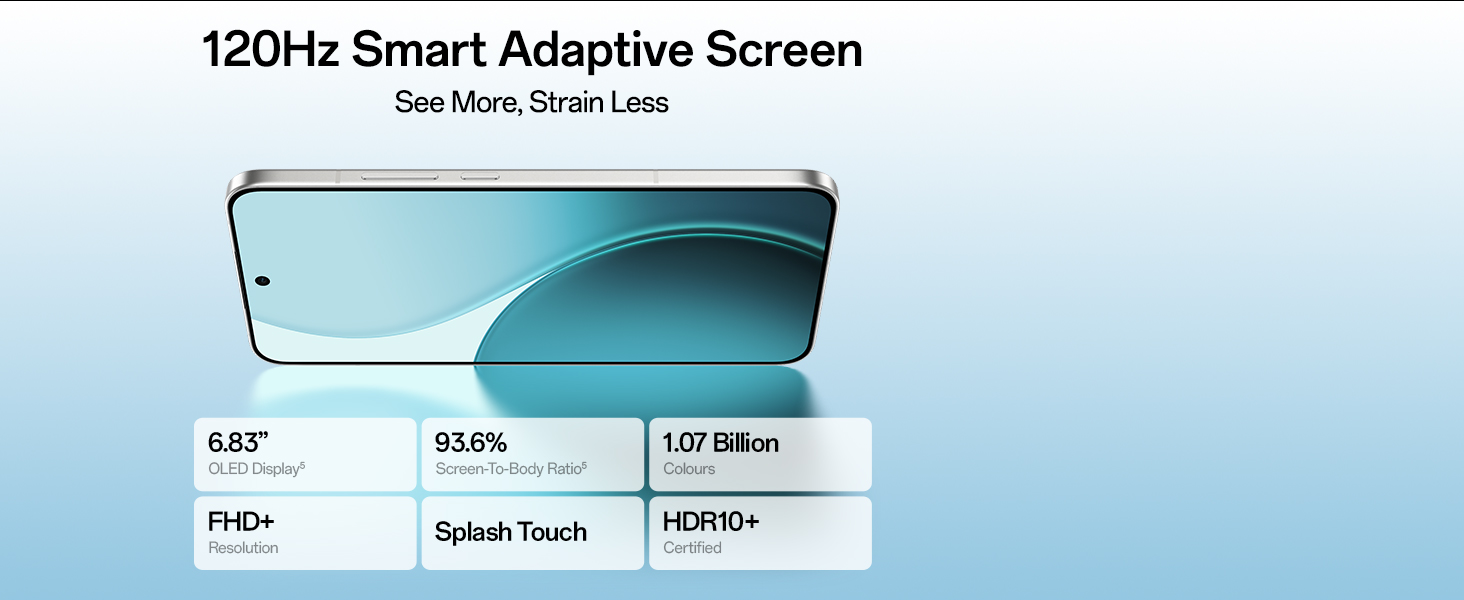
Image: Illustration of the phone's battery and charging technologies, including estimated usage times.
3.5. Skærmfunktioner
Experience vibrant visuals on the device's advanced display.
- Skærmtype: 6.83-inch 120Hz Smart Adaptive AMOLED Display.
- Opløsning: 1256x2760 pixels (FHD+).
- Farvedybde: Supports 1.07 Billion Colors and HDR10+.

Image: The phone's display with key specifications like size, screen-to-body ratio, and color support.
3.6. Forbindelse
The OPPO Reno14Pro 5G offers robust connectivity options.
- Trådløs: Bluetooth, Wi-Fi.
- wired: USB.
- Navigation: GPS enabled.
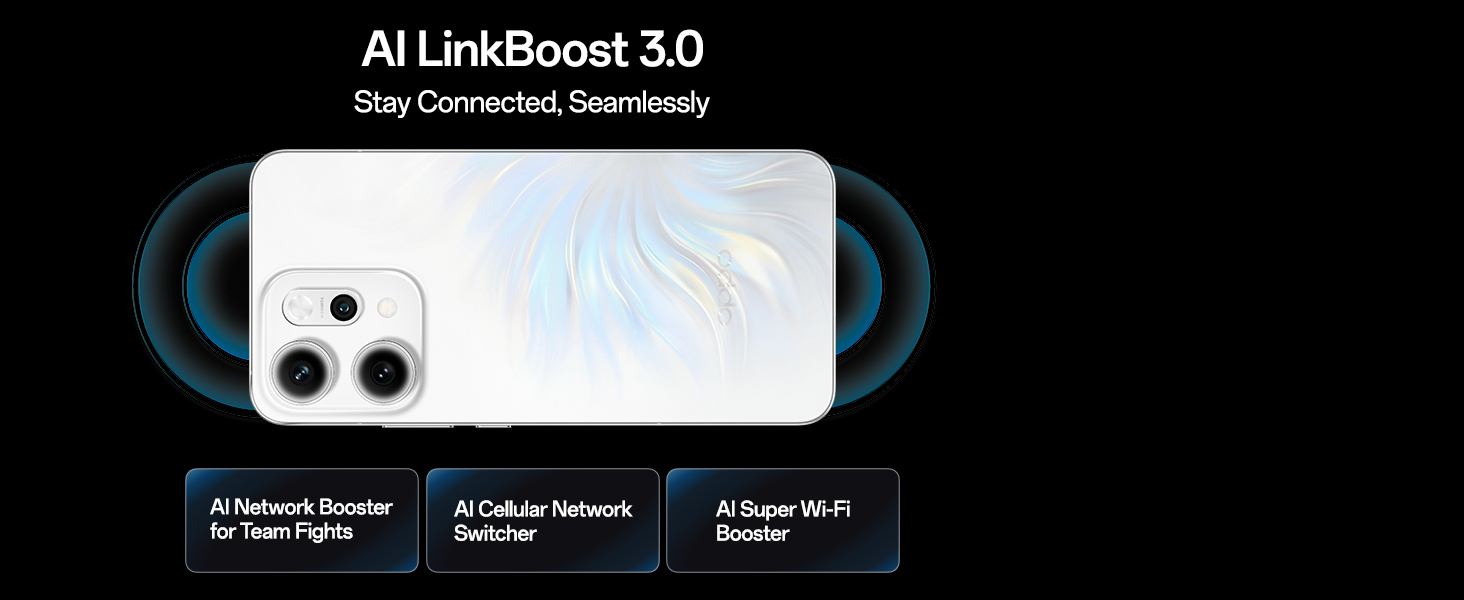
- Netværk: 5G support with OPPO SignalBoost X1 Chip for stable network performance.

Image: Visual explanation of AI LinkBoost 3.0 features including AI Network Booster, AI Cellular Network Switcher, and AI Super Wi-Fi Booster.
3.7. Operativsystem
The device runs on Android 15 with OPPO's ColorOS interface, integrated with Google Gemini for an intuitive experience.
- AI Call Translator: Enables real-time voice translation.
- Google Gemini: Provides intelligent chat and multimodal interaction.
4. Vedligeholdelse
4.1. Vand- og støvafvisende
The OPPO Reno14Pro 5G is built with IP68 & IP69 water and dust resistance, offering protection against splashes and submersion under specific conditions. While resistant, avoid intentional exposure to water or dust.

Image: The phone shown with water splashing, illustrating its IP68 and IP69 water and dust resistance.
4.2. Almen pleje
- Rengør skærmen og kabinettet med en blød, fnugfri klud.
- Undgå at udsætte enheden for ekstreme temperaturer eller direkte sollys i længere perioder.
- Brug ikke skrappe kemikalier eller slibende materialer til rengøring.
- Hold enheden væk fra stærke magnetiske felter.
5. Fejlfinding
5.1. Almindelige problemer og løsninger
- Enheden tænder ikke: Sørg for, at batteriet er opladet. Tilslut strømadapteren, og prøv igen.
- Skærmen reagerer ikke: Genstart enheden ved at holde tænd/sluk-knappen nede i cirka 10 sekunder.
- Dårligt netværkssignal: Kontrollér SIM-kortets installation. Flyt til et område med bedre netværksdækning.
- Apps der går ned: Clear the cache of the problematic app or reinstall it. Ensure your device software is up to date.
- Batteriet aflades hurtigt: Reducer skærmens lysstyrke, luk baggrundsapps eller aktiver strømsparetilstand.
For persistent issues, refer to the official OPPO support webwebsted eller kontakt kundeservice.
6. Specifikationer
| Feature | Detalje |
|---|---|
| Operativsystem | Android 15 |
| Produktdimensioner | 15.8 x 7.5 x 0.7 cm |
| Varens vægt | 189 g |
| Varemodelnummer | CPH2739 |
| Forbindelsesteknologier | Bluetooth, USB, Wi-Fi |
| GPS | ægte |
| Særlige funktioner | Fast Charging Support, Wireless Charging |
| Displayfunktioner | Trådløs |
| Primær enhedsgrænseflade | Touchskærm |
| Opløsning | 1256x2760 |
| Kamerafunktioner | Forende bagende |
| Formfaktor | Skifer |
| Farve | Perle hvid |
| Batteristyrke | 6200 mAh |
| Installeret RAM-hukommelsesstørrelse | 12 GB |
| CPU model | MediaTek 8450 |
| CPU hastighed | 3.25 GHz |
7. Garanti og support
7.1. Producentinformation
Fabrikant: OPPO Mobiles India Pvt Ltd
Adresse: 5. SAL, Tårn B, BYGNING, N-8, DLF Cyber City, DLF Fase 2, Gurugram, Haryana 122002
Kundeservice: 18001032777
7.2. Garantioplysninger
Your OPPO Reno14Pro 5G comes with a standard manufacturer's warranty. Please refer to the warranty card included in your package for specific terms and conditions. Keep your proof of purchase for warranty claims.
7.3. Online support
For additional support, FAQs, and software updates, visit the official OPPO website or the OPPO Store on Amazon: OPPO Store


