Indledning
Thank you for choosing the GOBOULT Crown Smart Watch. This manual provides essential information for the proper setup, operation, and maintenance of your device. Please read it thoroughly to ensure optimal performance and longevity of your smartwatch.
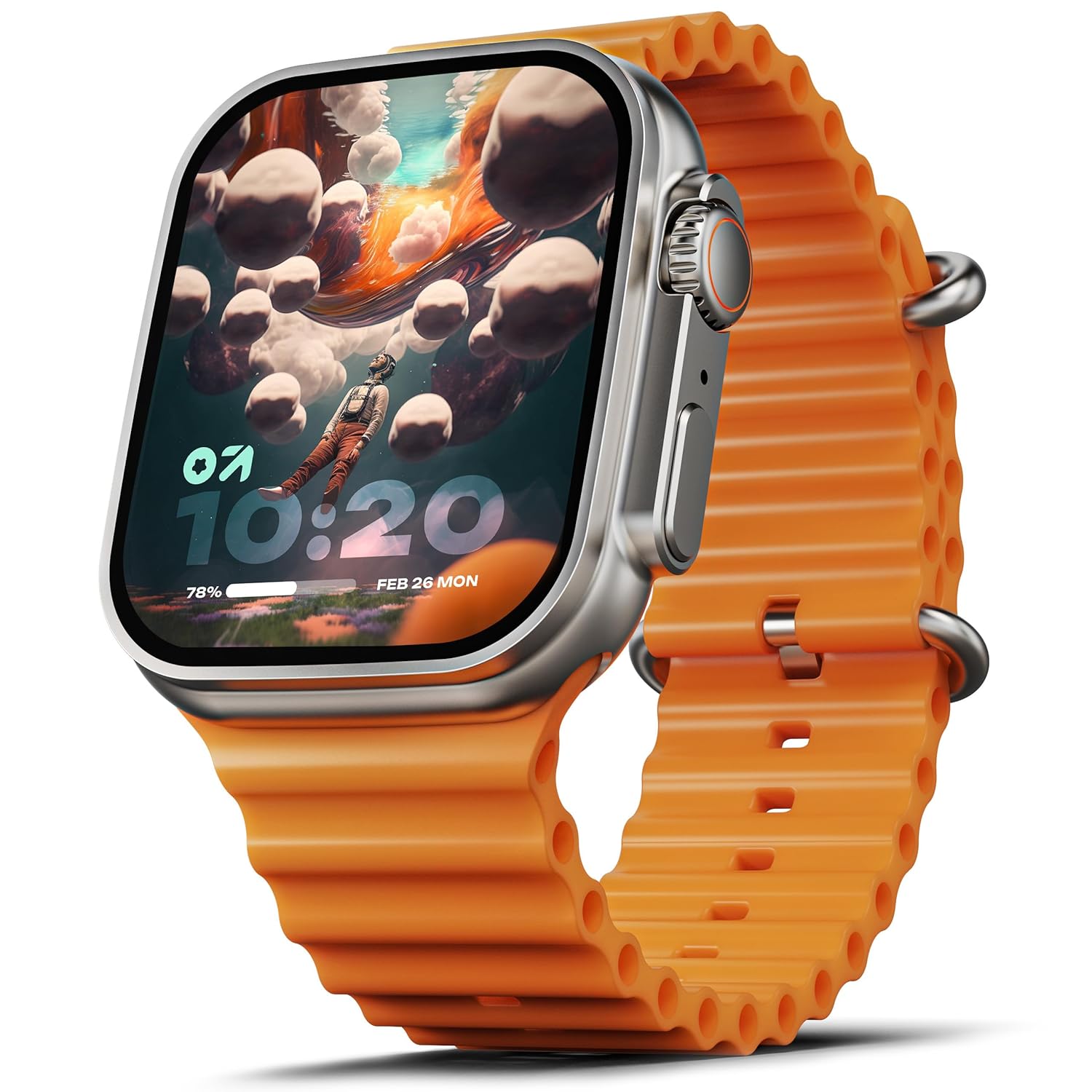
Image: The GOBOULT Crown Smart Watch, featuring a large display and an orange silicone strap.
Hvad er der i æsken
Ved udpakning skal du kontrollere, at alle følgende varer er inkluderet:
- GOBOULT Crown Smart Watch
- Ladekabel
- Brugermanual
- Garantikort
Kom godt i gang
1. Opladning af smarturet
Before initial use, fully charge your GOBOULT Crown Smart Watch. Connect the provided charging cable to the charging port on the back of the watch and to a standard USB power adapter. The watch display will indicate charging status.
2. Tænd/sluk
To power on, press and hold the side button until the GOBOULT logo appears. To power off, navigate to the settings menu on the watch, select 'Power Off', and confirm.
3. Parring med din smartphone
- Download the official GOBOULT companion app from your smartphone's app store (available for Android and iOS).
- Sørg for, at Bluetooth er aktiveret på din smartphone.
- Open the GOBOULT app and follow the on-screen instructions to search for and pair with your Crown Smart Watch.
- Bekræft parringsanmodningen på både din telefon og uret.
Betjeningsvejledning
Display og navigation

Image: Close-up of the smartwatch display, highlighting its 1.95-inch size and 900 Nits brightness for clear visibility.
- 1.95" HD-skærm: The large, high-definition screen provides clear visuals and responsive touch interaction.
- 900 nits lysstyrke: Ensures excellent visibility even in bright outdoor conditions.
- Working Rotating Crown: Use the functional rotating crown on the side of the watch to scroll through menus, zoom in/out, and switch watch faces.
Billede: En eksploderet view illustrating the internal mechanism of the working rotating crown, used for navigation and control.
Bluetooth-opkald

Image: The smartwatch screen showing an incoming call, alongside diagrams explaining Bluetooth 5.2 calling features like call answer/reject, dial pad, and contact sync.
The GOBOULT Crown Smart Watch supports Bluetooth Calling 5.2, allowing you to make and receive calls directly from your wrist. It features a built-in speaker and microphone for clear communication.
- Besvarelse/afvisning af opkald: Tap the green icon to answer or the red icon to reject an incoming call.
- Opkaldstastatur: Access the dial pad on the watch to make outgoing calls.
- Synkroniser kontakter: Sync your phone's contacts to the watch via the companion app.
Sundhedsovervågning
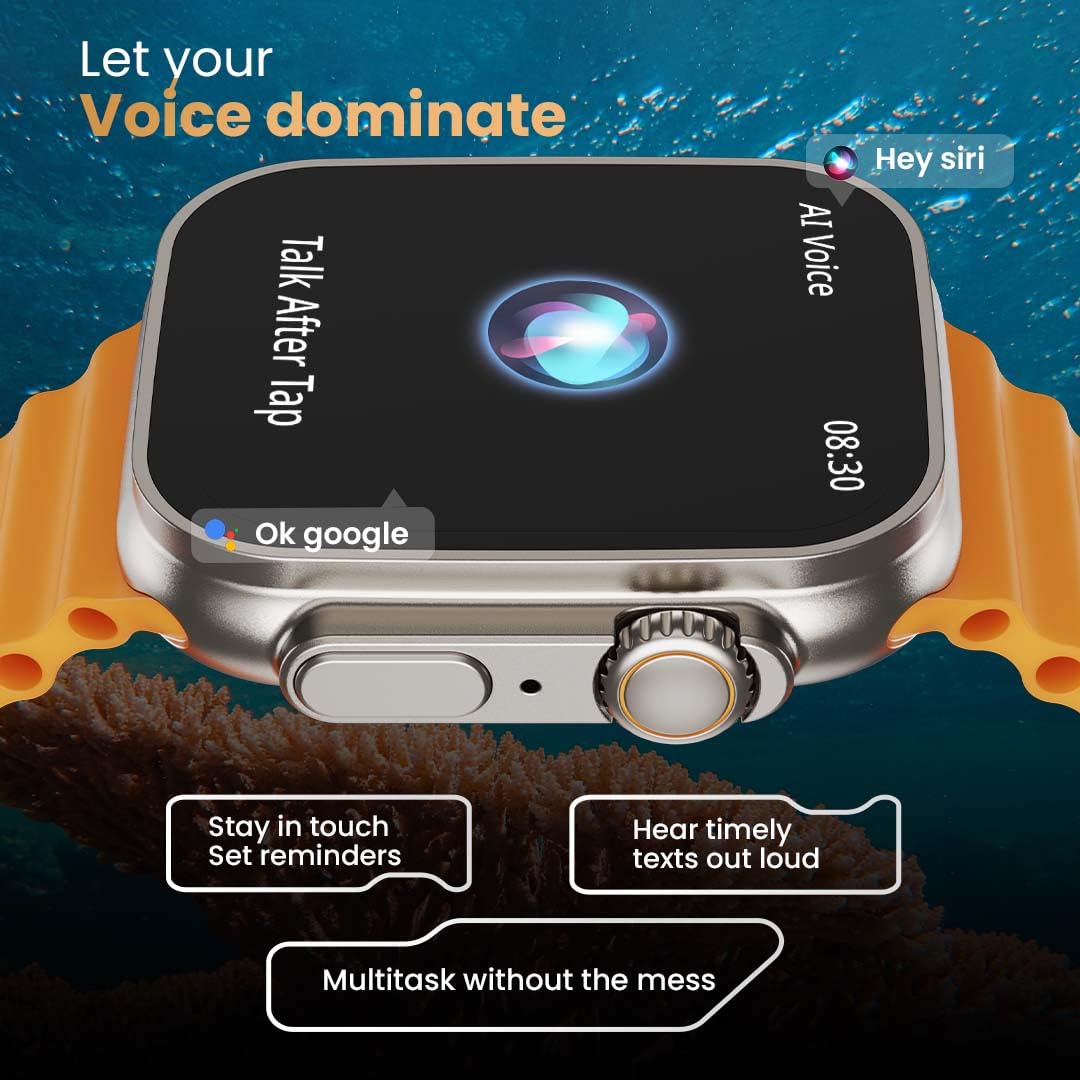
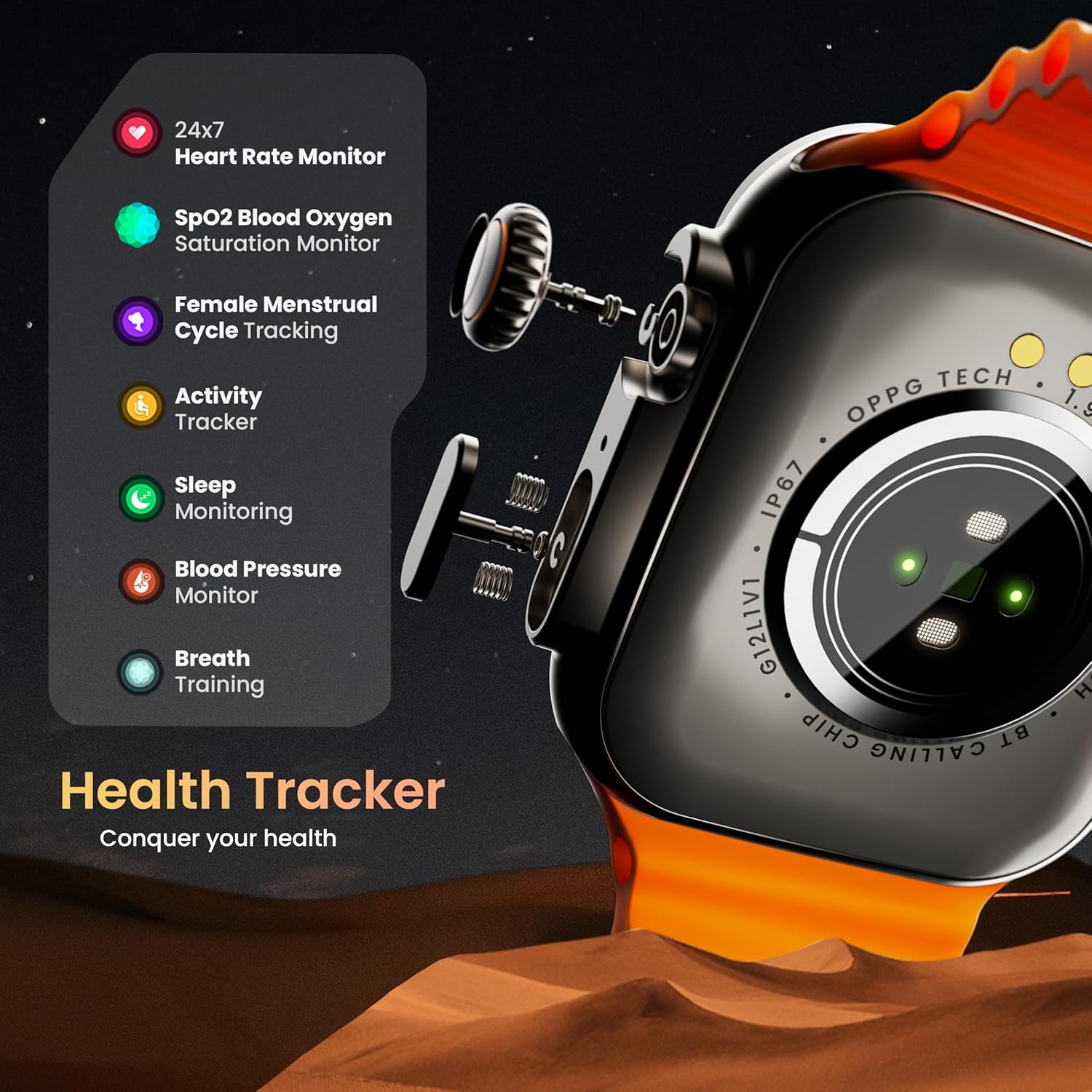
Image: The rear of the smartwatch showing its health sensors, accompanied by a list of health metrics it tracks, including heart rate, SpO2, and sleep.
The watch is equipped with an advanced health suite to help you monitor your well-being:
- 24/7 Heart Rate Monitor: Sporer kontinuerligt din puls hele dagen.
- SpO2-blodmætningsmonitor: Måler dit iltniveau i blodet.
- Søvnovervågning: Analyserer dine søvnmønstre og -kvalitet.
- Aktivitetssporing: Registrerer skridt, distance og forbrændte kalorier.
- Kvindelig menstruationscyklussporing: Giver indsigt og forudsigelser for menstruationscyklusser.
- Åndedrætstræning: Guidede åndedrætsøvelser til afslapning.
Sportstilstande
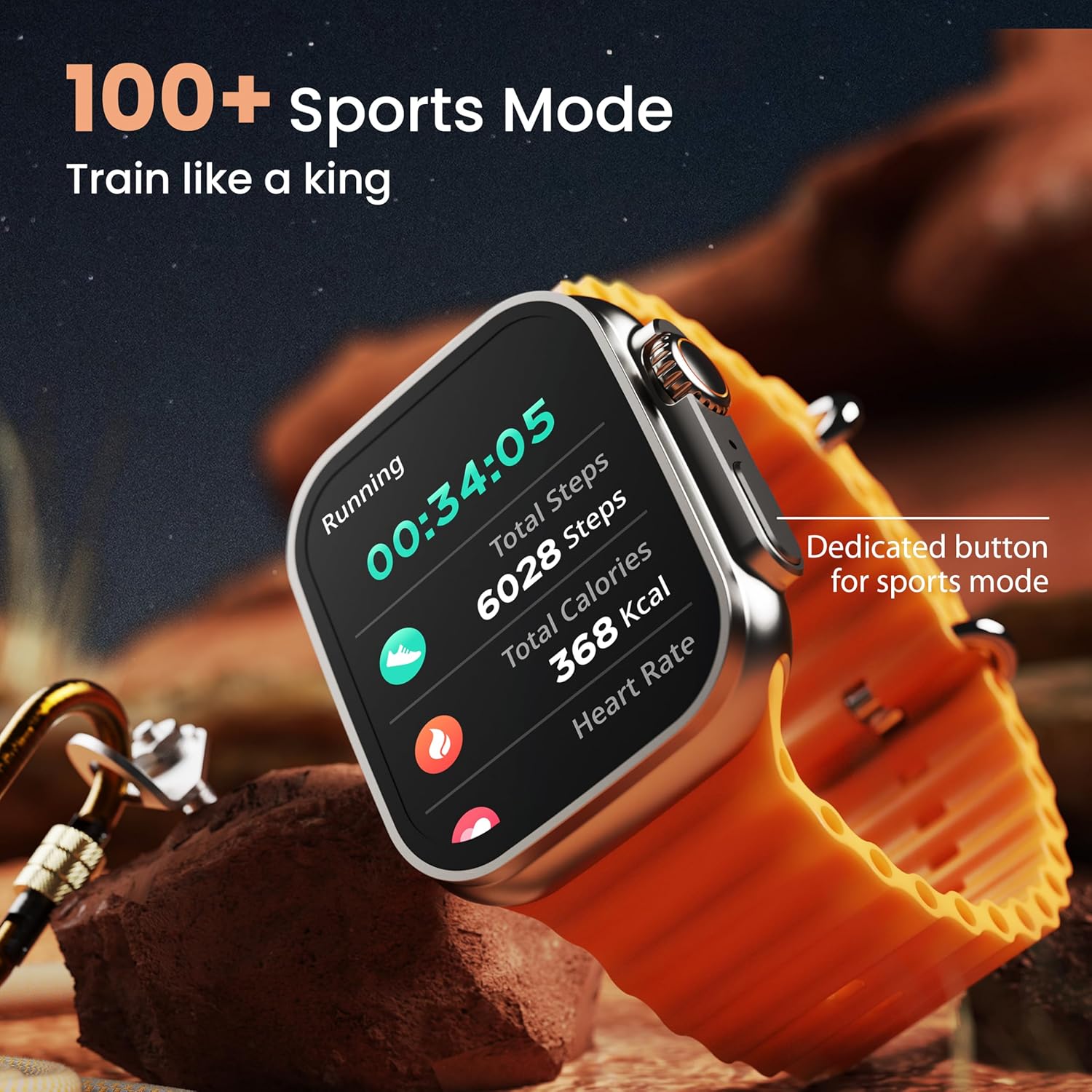
Image: The smartwatch screen showing a 'Running' sports mode with real-time metrics like duration, total steps, calories, and heart rate. A dedicated button for sports mode is also visible.
With over 120 sports modes, the GOBOULT Crown Smart Watch can track a wide range of physical activities. Select your desired sport from the watch menu to record real-time metrics, performance insights, and track your progress.
Tilpasning

Billede: En collageudstillingasing various watch faces, including custom and animated options, along with different UI styles available for personalization on the smartwatch.
Tilpas din smartwatch-oplevelse:
- 100+ Cloud-Based Watch Faces: Choose from a wide selection of watch faces available through the companion app.
- Tilpasningsmuligheder: Customize your screen with widgets, backgrounds, and layouts to match your style.
- 8 UI Styles: Select from different user interface styles for menu navigation.
Yderligere funktioner
- AI Voice Assistant: Interact with your watch using voice commands (e.g., "Hey Siri" or "Ok Google") for tasks like setting reminders or hearing texts aloud.
- Find min telefon: If your paired phone is misplaced, use this feature on your watch to make it ring/vibrate.
- Minispil: Enjoy pre-installed mini-games directly on your watch.
- Notifications & Reminders: Receive SMS, WhatsApp, social media, and mail notifications. Set goal achievement reminders.
- Lommeregner: A basic calculator function is available on the watch.
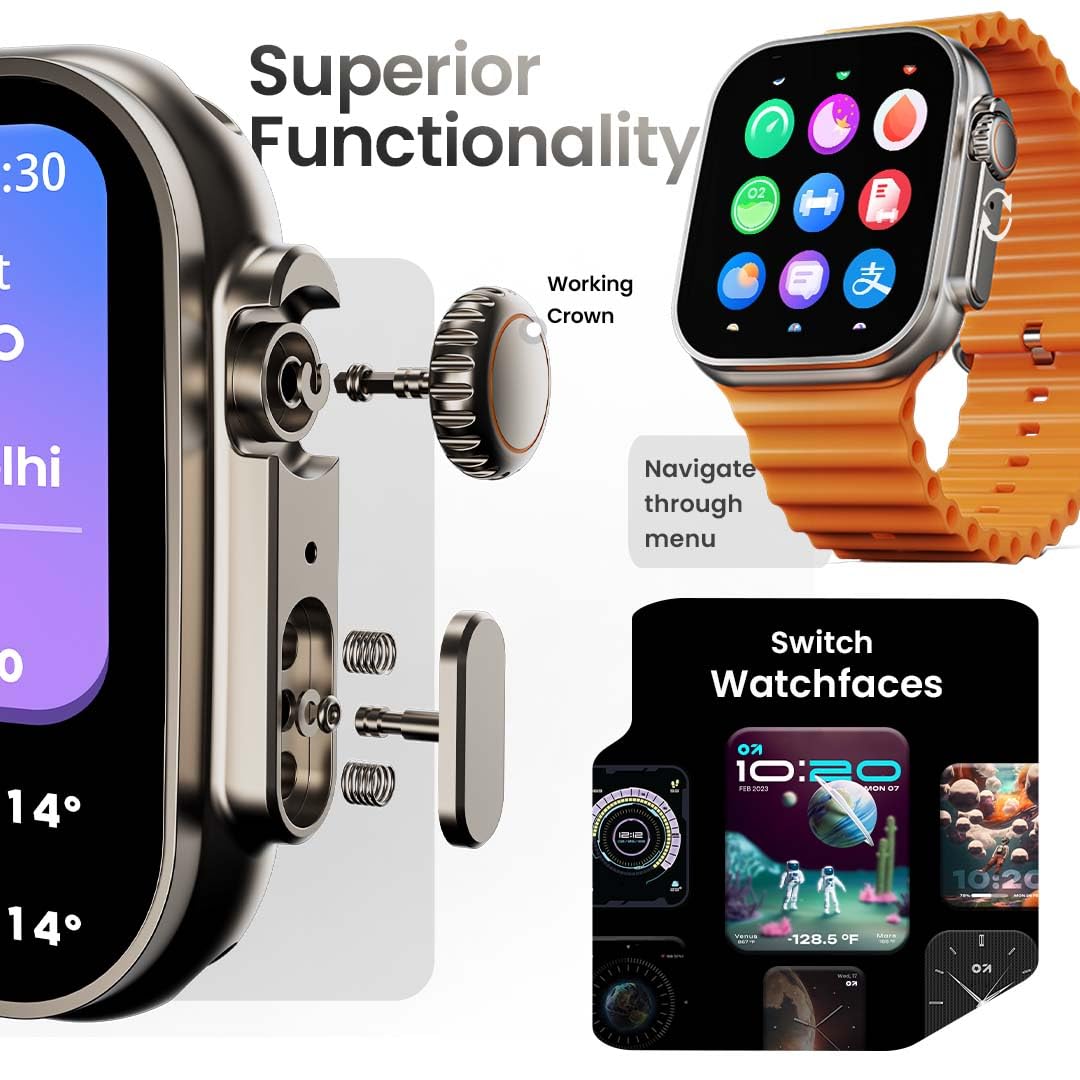
Image: The smartwatch screen showing the AI Voice Assistant interface, indicating support for voice commands like "Hey Siri" and "Ok Google".
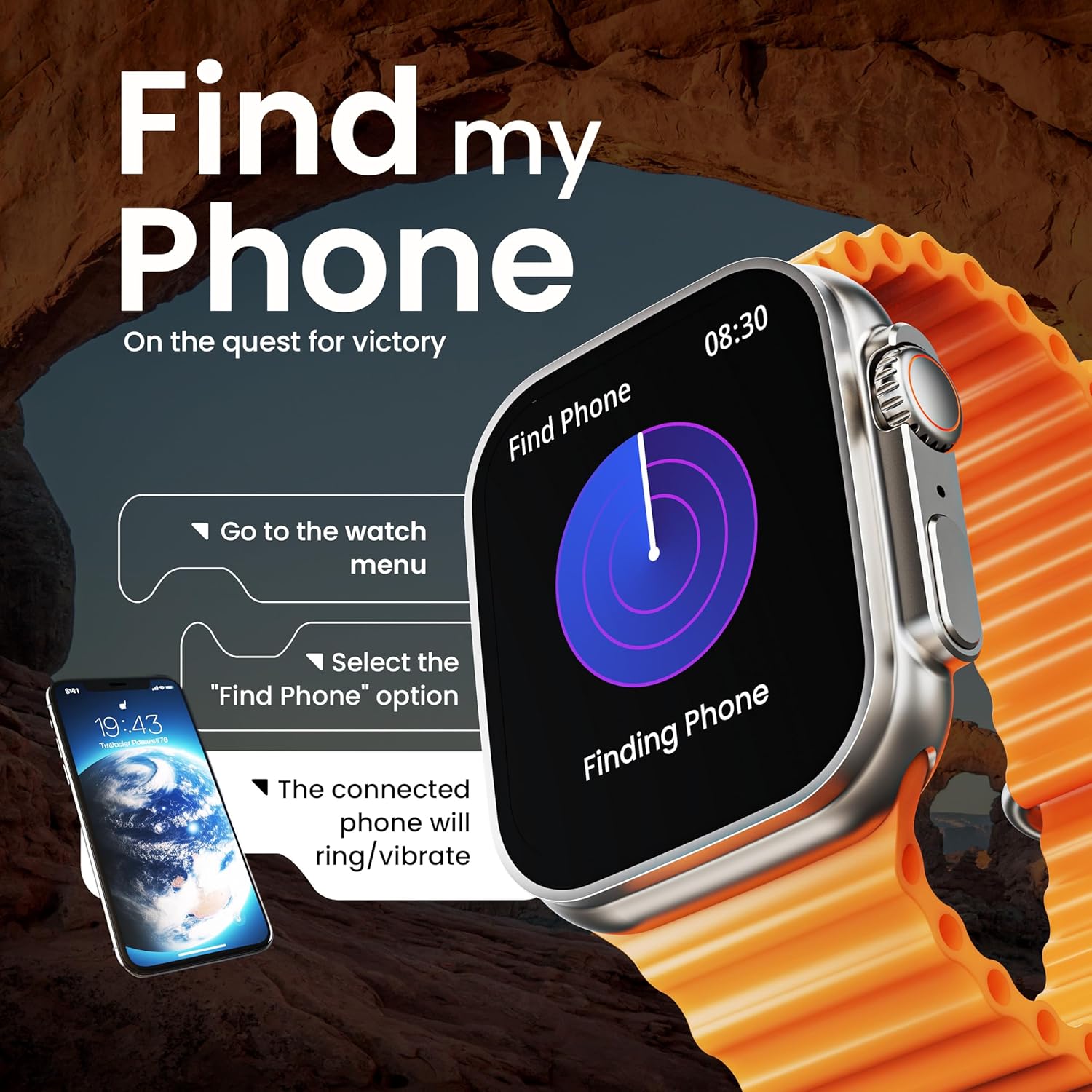
Image: The smartwatch screen illustrating the 'Find Phone' feature, with instructions on how to activate it to locate a connected smartphone.
Image: The smartwatch screen showcasing a selection of mini-games available on the device, such as 'Young Bird', 'Hamster', and 'Battleships'.

Image: The smartwatch screen showing a calculator interface, along with a pop-up notification and a list of reliable and robust features like sync notifications and reminders.
Opretholdelse
Rensning
Regularly clean your smartwatch and strap to prevent skin irritation and maintain device hygiene. Use a soft, lint-free cloth. If necessary, slightly dampSkyl kluden med vand. Undgå skrappe kemikalier eller slibende materialer.
Vandmodstand
The GOBOULT Crown Smart Watch is IP67 water resistant. This means it is protected against dust and can withstand immersion in water up to 1 meter for up to 30 minutes. It is suitable for daily use and light splashes but not recommended for swimming, showering, or diving.
Rempleje
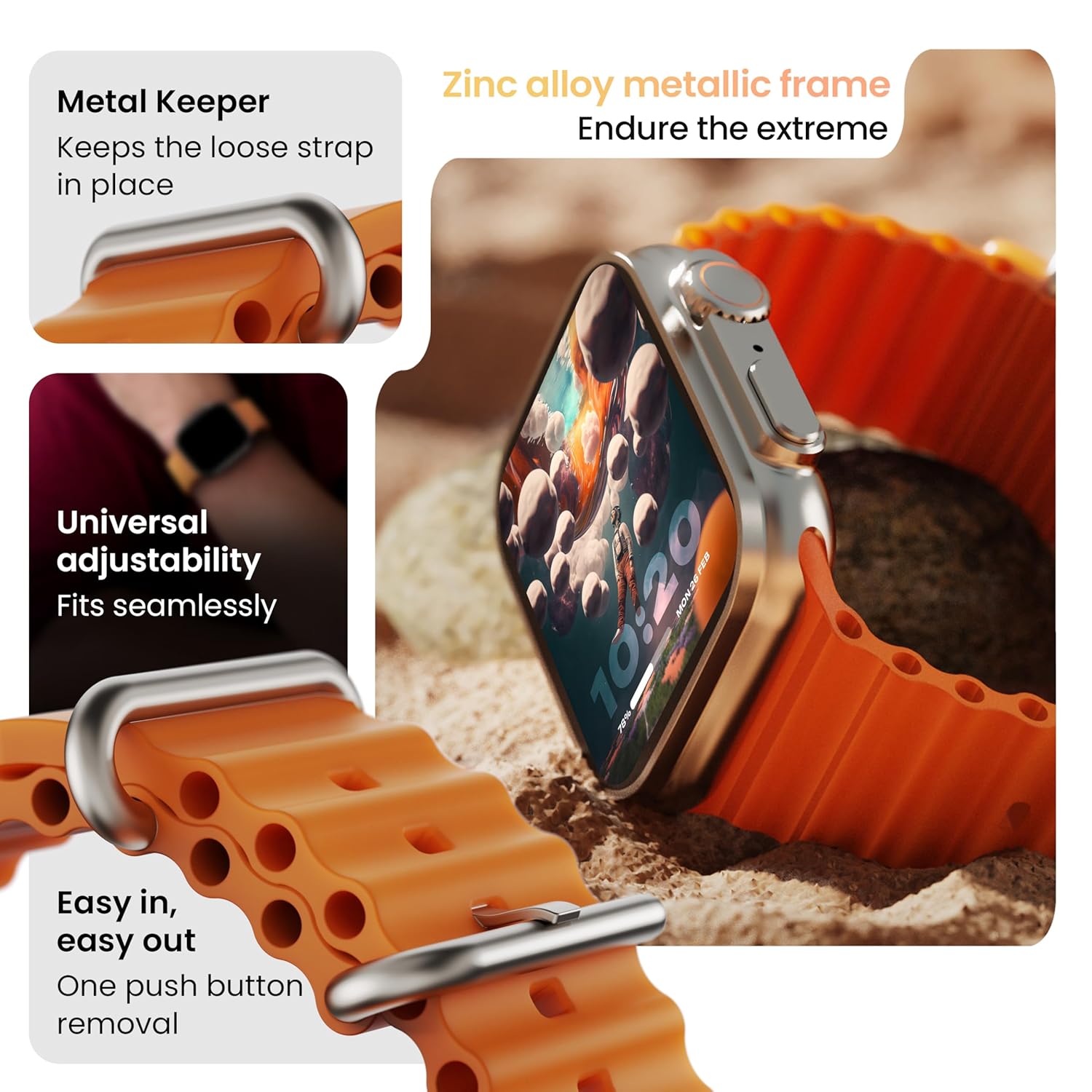
Billede: Detaljeret view of the smartwatch strap, highlighting features such as the metal keeper for securing the loose end, universal adjustability for a seamless fit, and a push-button mechanism for easy removal.
The skin-friendly silicone strap is designed for comfort. Ensure it is not too tight or too loose for accurate health tracking. Clean the strap regularly, especially after workouts, to remove sweat and dirt.
Fejlfinding
Uret tænder ikke
- Sørg for, at uret er fuldt opladet. Tilslut det til opladeren i mindst 30 minutter.
- Tryk og hold sideknappen nede i 10-15 sekunder for at forsøge en tvungen genstart.
Parringsproblemer
- Sørg for, at Bluetooth er aktiveret på din telefon og uret.
- Ensure the watch is within the Bluetooth range (approximately 10 meters).
- Genstart både din telefon og uret.
- Ryd Bluetooth-cachen på din telefon, eller glem enheden, og prøv at parre igen.
Unøjagtige sundhedsdata
- Sørg for, at uret sidder tæt på dit håndled, men ikke for stramt.
- Rengør sensorerne på bagsiden af uret.
- Avoid excessive movement during measurements for better accuracy.
Notifikationer vises ikke
- Kontroller, om uret er korrekt forbundet til din telefon via Bluetooth.
- Verify notification permissions for the GOBOULT app in your phone's settings.
- Ensure 'Do Not Disturb' mode is not active on either your phone or watch.
Specifikationer
| Feature | Detalje |
|---|---|
| Mærke | GOBOULT |
| Model | Crown Smart Watch |
| Skærmstørrelse | 1.95 tommer |
| Displayets lysstyrke | 900 nit |
| Forbindelse | Bluetooth 5.2 |
| Operativsystem | Android Wear 1.0, iOS compatible |
| Batterilevetid (gennemsnitlig) | 7 dage |
| Batteriopladningstid | 150 minutter |
| Batterikapacitet | 300 mioamp Timer |
| Vandmodstand | IP67 |
| Varens vægt | 40 g |
| Inkluderede komponenter | Smartwatch, Charging Cable, User Manual, Warranty Card |
Garanti og support
Your GOBOULT Crown Smart Watch comes with a Warranty Card included in the box. Please refer to this card for detailed information regarding warranty coverage and terms. For technical support or further assistance, please contact GOBOULT customer service through the contact information provided on the warranty card or the official GOBOULT webwebsted.


