1. Introduktion
The ULANZI QT03 is a versatile 10-in-1 docking station designed to expand connectivity and storage for various devices, including Mac mini M4, M4 Pro, Mac Studio M4, Dell, HP, Lenovo, and iPhone. It integrates multiple high-speed ports and an NVMe SSD enclosure into a compact unit, enhancing productivity and workspace organization.

Figur 1: Forside view of the ULANZI QT03 Docking Station.
Video 1: Overståetview of the ULANZI QT03 Docking Station and its features.
2. Nøglefunktioner
- 10-i-1-tilslutning: Includes 2x USB-A, 2x USB-C, SD/TF 4.0 card readers, HDMI 4K@60Hz, and a 3.5mm audio jack.
- NVMe SSD Enclosure: Supports M.2 NVMe SSDs (2280) up to 8TB for expanded storage.
- Højhastighedsdataoverførsel: Features 40Gbps USB4 for rapid file transfers (up to 3700MB/s read/write).
- Strømforsyning: PD 3.0 fast charging with 100W input and 85W output for laptops and devices.
- Advanced Chip Protection: Equipped with ASM2464PD and VL822-07T chips for stable data transfer and protection against short-circuit and over-current.
- Cross-System Compatibility: Plug-and-play functionality with macOS, Windows, Linux, Android, and HarmonyOS.
- Effektiv køling: Integrated adjustable fan (up to 8800 RPM) and aluminum bottom plate for optimal heat dissipation.

Figur 2: Detaljeret view of the ULANZI QT03 ports and their functions.

Figure 3: Illustration of the dual-chip design for high-speed and protected data transfer.
3. Pakkens indhold
Bekræft at alle varer er til stede i pakken:
- ULANZI QT03 Docking Station
- Data Cables (1x short, 1x long, including 40Gbps cable)
- SSD Screws and Installation Tool
- Thermal Pads for SSD
- Brugermanual
4. Opsætning
4.1 NVMe SSD Installation
- Loosen the screws on the bottom cover of the docking station using the provided tool.
- Carefully remove the bottom cover to expose the SSD slot.
- Insert your M.2 NVMe SSD (2280 size recommended) into the designated slot. The docking station supports various SSD sizes.
- Secure the SSD with the included screws.
- Peel off the protective film from both sides of the thermal pad and place it on top of the installed SSD.
- Replace the bottom cover and tighten the screws.
Video 2: Guide on how to install an NVMe SSD into the ULANZI QT03 Docking Station.
4.2 Integrated Installation with ULANZI QT01 Mac Mini Case (Optional)
The QT03 can be integrated with the ULANZI QT01 Mac Mini Aluminum Case (sold separately) for a unified setup.
- Remove the top panel of the QT03 docking station.
- Remove the feet from both the QT03 and the QT01 case.
- Align the grooves of the QT01 case with the base of the QT03.
- Ensure the vent side of the QT01 aligns with the matching opening on the case.
- Mount the Mac mini into the QT01 case, ensuring the power button is properly aligned.
- Use the provided short data cable to connect the QT03's hub port to a USB-C port on the Mac mini.
- Use the 40Gbps data cable to connect the QT03's SSD 40Gbps port to another USB-C/Thunderbolt port on the Mac mini.
Video 3: Instructions for integrating the ULANZI QT03 with the ULANZI QT01 Mac Mini Case.
4.3 Tilslutning til din computer
- Connect the provided 40Gbps data cable from the QT03's "SSD 40Gbps" port to a compatible USB4/Thunderbolt port on your computer for optimal SSD performance.
- Connect the second data cable from the QT03's "HUB" port to another USB-C port on your computer to enable the remaining hub functions.
- For power delivery, connect a PD-compatible power adapter (not included) to the QT03's PD port.
- The docking station is plug-and-play for most operating systems. No drivers are typically required for macOS. For Windows/Linux, driver installation may be necessary (refer to manufacturer's website for downloads).
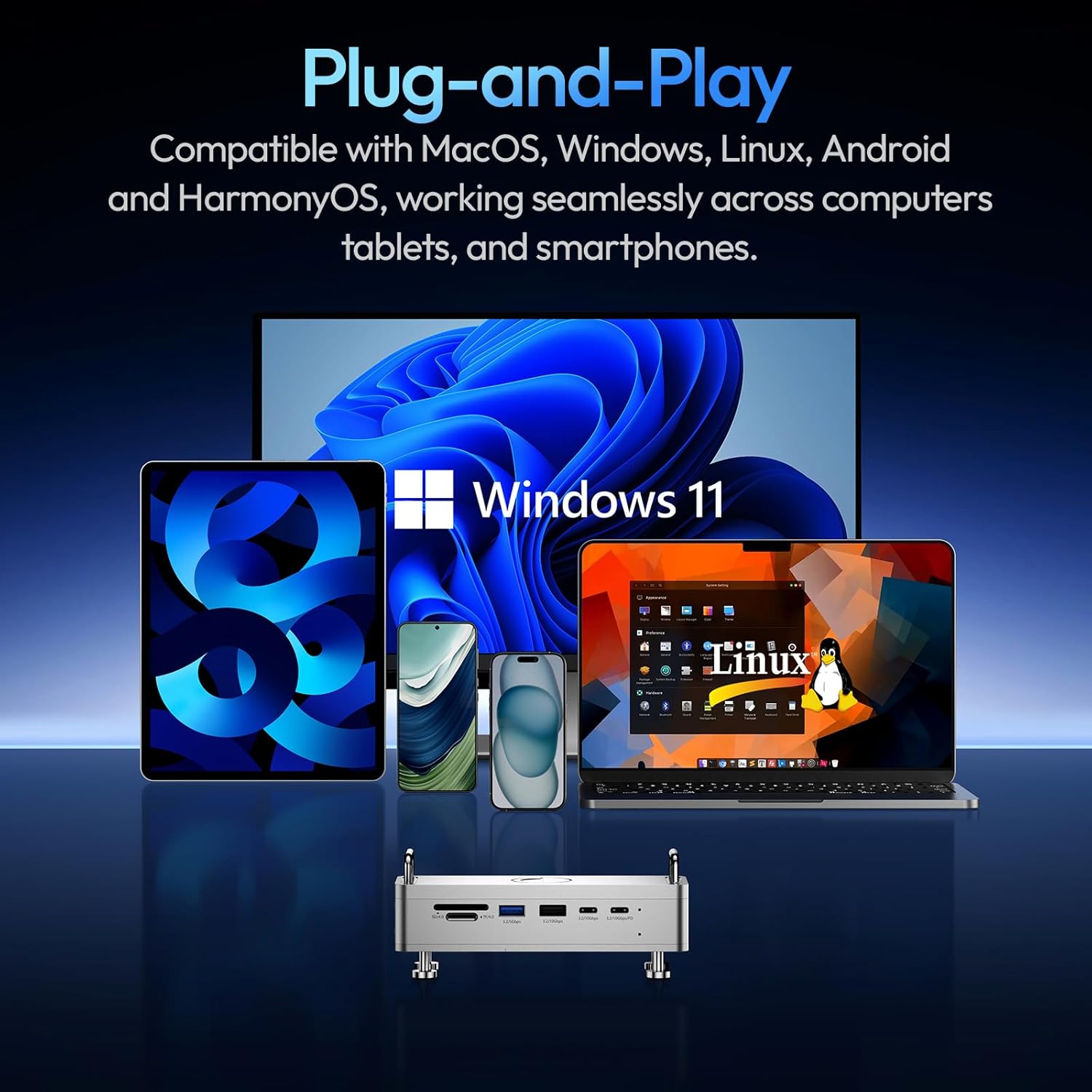
Figure 4: ULANZI QT03 demonstrating cross-system compatibility.
5. Betjeningsvejledning
5.1 Portbrug
- USB-A Ports (3.2/5Gbps, 3.2/10Gbps): Connect USB peripherals such as keyboards, mice, external hard drives, and flash drives.
- USB-C Ports (3.2/10Gbps, 3.2/10Gbps/PD): Connect USB-C devices. The PD port supports power input for charging your host device.
- SD/TF 4.0 Card Readers: Insert SD or TF (MicroSD) cards for high-speed data transfer (up to 312MB/s). Both slots can be used simultaneously.
- HDMI 4K@60Hz: Connect an external monitor or display for video output up to 4K resolution at 60Hz.
- 3.5 mm lydstik: Tilslut hovedtelefoner, højttalere eller en mikrofon.
5.2 Dataoverførsel
The 40Gbps USB4 connection to the SSD enclosure allows for extremely fast read/write speeds, enabling direct editing of large files from the installed NVMe SSD. Utilize the SD/TF 4.0 card readers for quick ingestion of media files from cameras.
Video 4: Demonstration of the ULANZI QT03's features, including port usage, SSD functionality, and cooling.
6. Specifikationer
| Feature | Detalje |
|---|---|
| Mærke | ULANZI |
| Model | QT03 |
| Produktdimensioner | 5.63 x 1.97 x 2.4 tommer (143 x 50 x 61 mm) |
| Varens vægt | 1.17 pund (721 g) |
| Materialer | CNC Aluminum Alloy, Silicone, EVA, Stainless Steel |
| Samlet USB-porte | 5 (2x USB-A, 3x USB-C including 1x PD) |
| USB-A Data Speed | 1x 5Gbps, 1x 10Gbps |
| USB-C datahastighed | 2x 10Gbps (1x also PD) |
| SSD-kabinet | M.2 NVMe (2280), up to 8TB, 40Gbps |
| Kortlæsere | SD 4.0, TF 4.0 (312MB/s) |
| HDMI udgang | 4K@60Hz |
| Lydstik | 3.5mm (input/output) |
| Strøm levering | 100W Input / 85W Output |
| Køling | Adjustable 8800 RPM fan, aluminum bottom plate |
| Kompatibel OS | macOS, Windows, Linux, Android, HarmonyOS |

Figure 5: Summary of ULANZI QT03 technical specifications.
7. Vedligeholdelse
7.1 Kølesystem
The ULANZI QT03 features an integrated adjustable fan and an aluminum bottom plate to manage heat, especially during intensive data transfer or when an SSD is installed. Ensure the ventilation holes are not obstructed to maintain optimal airflow.

Figure 6: Illustration of the cooling fan and heat dissipation design.
7.2 Generel pleje
- Opbevar enheden i et rent og tørt miljø.
- Undgå at udsætte enheden for ekstreme temperaturer eller direkte sollys.
- Rengør ydersiden med en blød, tør klud. Brug ikke flydende rengøringsmidler.
8. Fejlfinding
8.1 SSD Not Recognized
- Ensure the SSD is correctly seated in the slot and secured with screws.
- Verify that the 40Gbps data cable is connected to the correct SSD port on the docking station and a compatible port on your computer.
- Check your computer's Disk Management (Windows) or Disk Utility (macOS) to see if the SSD is detected but unformatted. Format the SSD if necessary.
- Try a different 40Gbps cable or a different port on your computer.
8.2 External Display Issues
- Ensure the HDMI cable is securely connected to both the docking station and the monitor.
- Check the input source on your monitor.
- Verify your computer's display settings to ensure the external display is detected and configured correctly.
- Some monitors may require adjusting the refresh rate to 30Hz if experiencing issues with 4K@60Hz, especially with longer HDMI cables.
8.3 Langsomme dataoverførselshastigheder
- Ensure you are using the provided 40Gbps data cable for SSD connections.
- Verify that your computer's port supports the advertised speeds (e.g., Thunderbolt 3/4 or USB4 for 40Gbps).
- Check the specifications of your SSD; actual speeds may vary based on the SSD model.
- Avoid running multiple high-bandwidth operations simultaneously.
9. Kompatibilitet
The ULANZI QT03 Docking Station is designed for broad compatibility:
- Operativsystemer: macOS (including Apple Mac mini M4 & M4 Pro), Windows, Linux, Android, HarmonyOS.
- Enheder: Mac mini, Mac Studio, laptops (Dell, HP, Lenovo, MacBook Pro), iPhones, and other devices with compatible USB-C/Thunderbolt ports.
10. Garanti og support
For warranty information, technical support, or further assistance, please refer to the official ULANZI webwebstedet eller kontakt deres kundeservice direkte. Gem din købsbevis til garantikrav.


