1. Introduktion
This manual provides essential instructions for the safe and efficient use of your OPPO A5 5G smartphone (Model CPH2751). Please read this manual thoroughly before using your device.
1.1. Hvad er der i æsken
- OPPO A5 5G smartphone
- Telefon etui
- Strømadapter
- USB kabel
- Skærmbeskytter (forudmonteret eller separat)
- SIM-bakkeudkaster
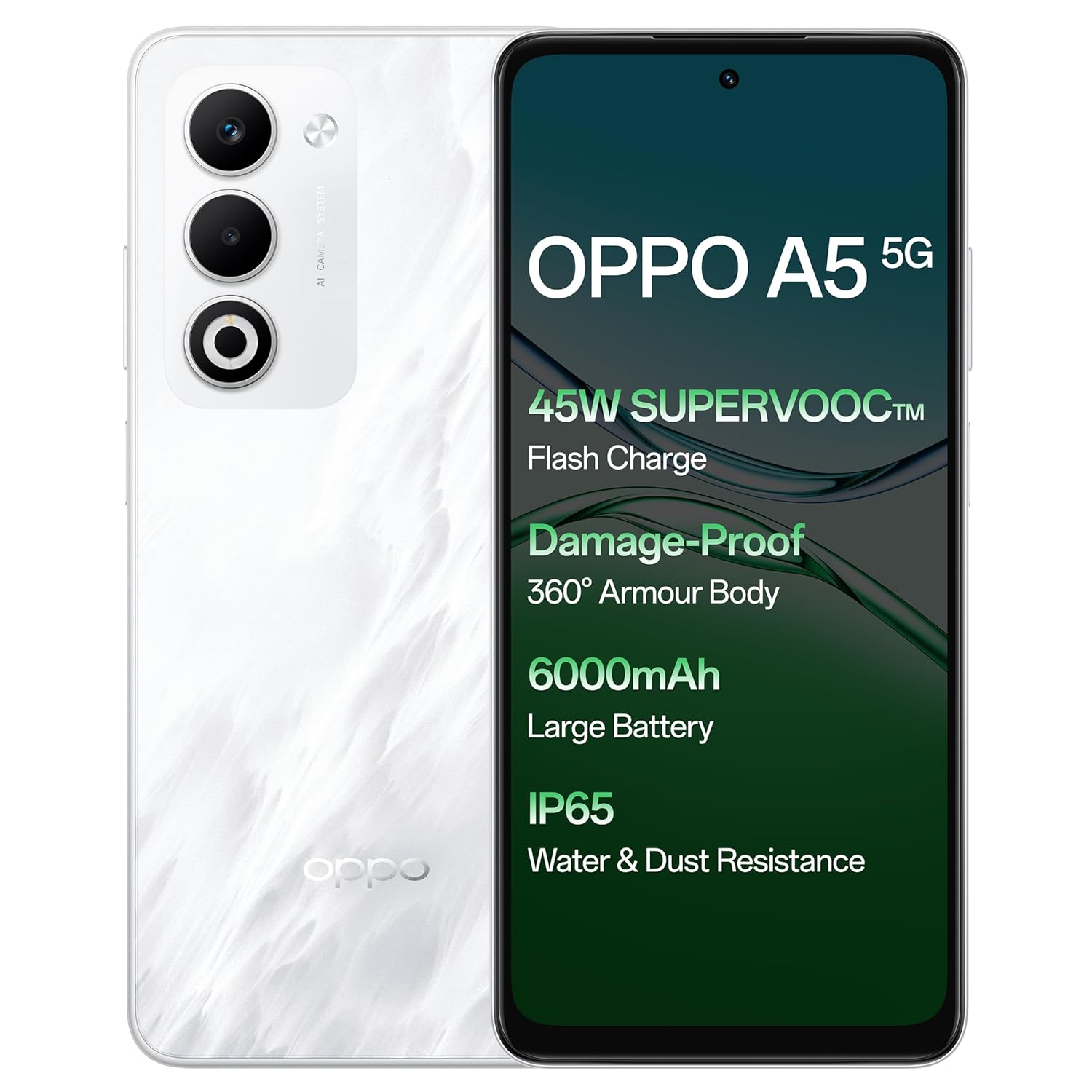
Billede: Forside og bagside view of the OPPO A5 5G smartphone, highlighting features like 45W SuperVOOC Flash Charge, Damage-Proof 360° Armour Body, 6000mAh Large Battery, and IP65 Water & Dust Resistance.
2. Indledende opsætning
2.1. SIM-kort installation
- Find SIM-kortbakken på siden af din enhed.
- Indsæt SIM-bakkens udløserværktøj i det lille hul ved siden af bakken.
- Tryk forsigtigt, indtil bakken springer ud.
- Place your Nano-SIM card(s) and/or microSD card into the tray with the gold contacts facing down. The OPPO A5 5G supports Dual 5G SIM.
- Sæt forsigtigt bakken tilbage i telefonen.

Billede: Side profile of the OPPO A5 5G smartphone, illustrating the location of the SIM card tray and volume buttons.
2.2. Tænd/sluk
- For at tænde: Tryk og hold tænd/sluk-knappen (placeret på højre side) nede, indtil OPPO-logoet vises.
- For at slukke: Tryk og hold tænd/sluk-knappen nede, og vælg derefter "Sluk" fra indstillingerne på skærmen.
- Genstart: Tryk og hold tænd/sluk-knappen nede, og vælg derefter "Genstart" fra valgmulighederne.
3. Betjening af din enhed
3.1. Display og navigation
The OPPO A5 5G features a 16.94 cm (6.67-inch) HD+ LCD 120Hz Ultra Bright Display. This display offers enhanced smoothness for touch interactions. It also includes a Splash Touch feature, allowing for smooth control even when the screen has water droplets, mist, or oil stains.

Image: The OPPO A5 5G display showcasing its 120Hz refresh rate for a bright, smooth, and satisfying visual experience.
3.2. Kamerafunktioner
Your device is equipped with an AI Dual Ultra-Clear Camera system:
- Hovedkamera: 50 MP
- Portrait Camera: 2 MP
- Selfie-kamera foran: 8 MP
Key camera features include AI Portrait Retouching, AI Clarity Enhancer, AI Reflection Remover, and AI Studio. The Dual-View Video function allows simultaneous recording from both front and rear cameras.

Image: Close-up of the OPPO A5 5G's rear camera module, featuring the dual camera setup and AI Camera System branding.
3.3. Batteri og opladning
The OPPO A5 5G has a 6000mAh large battery. It supports 45W SuperVOOC charging for fast and efficient power replenishment. The battery is designed to maintain over 80% health after 1700 charge cycles, ensuring extended durability.

Billede: En intern view of the OPPO A5 5G, highlighting the large 6000mAh battery component.
3.4. Forbindelse
The device supports Bluetooth and Wi-Fi connectivity. It is equipped with Dual 5G SIM slots for enhanced network capabilities.
3.5. Særlige funktioner
- Damage-Proof 360° Armour Protection Technology: Features a high-strength alloy framework for component safety.
- IP65 Vand- og støvbestandighed: Provides protection against water splashes and dust ingress.
- Udendørs tilstand: Boosts brightness, sound, and network performance for outdoor use.
- Glove Touch: Ensures screen responsiveness even with thick gloves or waterproof cases.

Image: The OPPO A5 5G smartphone being splashed with water, demonstrating its IP65 water and dust resistance.

Image: The OPPO A5 5G smartphone shown with a cracked ground effect, illustrating its 360° Armour Body and enhanced impact resistance.

Image: The OPPO A5 5G mounted on a motorcycle, demonstrating the Outdoor Mode for boosted performance and Glove Touch for screen responsiveness.
4. Vedligeholdelse
4.1. Pleje og rengøring
- Brug en blød, fnugfri klud til at rengøre telefonens skærm og kabinet.
- Undgå at bruge skrappe kemikalier eller slibende materialer.
- Hold enheden væk fra ekstreme temperaturer og direkte sollys.
- The device has IP65 water and dust resistance, but it is not fully waterproof. Avoid submerging it in water.
4.2. Softwareopdateringer
Regularly check for and install software updates to ensure optimal performance, security, and access to new features. You can usually find this option in the phone's settings under "About Phone" or "System Updates".
5. Fejlfinding
If you encounter issues with your OPPO A5 5G, try the following common solutions:
- Enheden reagerer ikke: Tryk og hold tænd/sluk-knappen nede i cirka 10-15 sekunder for at fremtvinge en genstart.
- Batteriet aflades hurtigt: Tjek brugen af baggrundsapps, reducer skærmens lysstyrke, deaktiver unødvendige funktioner som GPS eller Bluetooth, når de ikke er i brug.
- Problemer med netværksforbindelse: Toggle Airplane Mode on and off, restart the device, or check your SIM card installation.
- Apps der går ned: Clear the app's cache and data in settings, or reinstall the app.
- Langsom ydeevne: Luk ubrugte apps, ryd cachen eller frigør lagerplads.
Ved mere komplekse problemer henvises til den officielle OPPO-support webwebsted eller kontakt kundeservice.
6. Specifikationer
| Feature | Detalje |
|---|---|
| Modelnummer | CPH2751 |
| Operativsystem | Android 14 (ColorOS 15.0) |
| VÆDDER | 8 GB |
| Intern opbevaring | 128 GB |
| Skærmstørrelse | 16.94 cm (6.67 Inches) HD+ LCD |
| Vis opdateringshastighed | 120 Hz |
| Processor | MediaTek Dimensity 6300 |
| Hovedkamera | 50MP + 2MP (Portrait) |
| Forreste kamera | 8 MP |
| Batterikapacitet | 6000mAh |
| Opladning | 45W SuperVOOC |
| Forbindelse | Dual 5G SIM, Bluetooth, Wi-Fi |
| Vand- og støvmodstand | IP65 |
| Dimensioner (LxBxH) | 16.5 x 7.6 x 0.8 cm |
| Vægt | 195 g |
| Fabrikant | OPPO MOBILES INDIA PVT LTD. |
| Oprindelsesland | Indien |
7. Sikkerhedsoplysninger
7.1. Generel sikkerhed
- Forsøg ikke at adskille eller modificere enheden.
- Brug kun OPPO-godkendte opladere og tilbehør.
- Undgå at udsætte enheden for ekstreme temperaturer, direkte sollys eller ild.
- Hold apparatet væk fra medicinsk udstyr, da det kan forstyrre dets funktion.
- Bortskaf enheden og dens batteri på en ansvarlig måde i henhold til lokale regler.
7.2. Batterisikkerhed
- Do not puncture, drop, or expose the battery to high impact.
- Hvis batteriet ser beskadiget eller hævet ud, skal brugen straks ophøre.
- Do not place the battery in direct sunlight or near heat sources.
8. Garanti og support
For warranty information and customer support, please refer to the warranty card included with your product or visit the official OPPO website. You can also contact OPPO customer service at 18001032777.
Manufacturer: OPPO MOBILES INDIA PVT LTD., 5th FLOOR, Tower B, BUILDING, N-8, DLF Cyber City, DLF Phase 2, Gurugram, Haryana 122002.


