1. Introduktion
Thank you for choosing the KEENSTAR ICN1580 Nugget Ice Maker. This manual provides essential information for the safe operation, maintenance, and troubleshooting of your new appliance. Please read it thoroughly before use and retain it for future reference.

Image 1.1: The KEENSTAR ICN1580 Nugget Ice Maker, a compact countertop appliance designed for producing chewable nugget ice. A glass with a blue beverage and ice is shown next to the machine, which has a clear ice basket filled with ice.
2. Sikkerhedsinstruktioner
For at mindske risikoen for brand, elektrisk stød eller personskade skal du overholde følgende sikkerhedsforanstaltninger:
- Sørg for, at apparatet er tilsluttet en korrekt jordet stikkontakt.
- Nedsænk ikke netledningen, stikket eller nogen del af apparatet i vand eller andre væsker.
- Unplug the ice maker before cleaning, servicing, or when not in use.
- Do not operate the appliance with a damaged cord or plug. Contact customer service for repair.
- Keep children away from the ice maker. This appliance is not intended for use by persons with reduced physical, sensory, or mental capabilities unless supervised.
- Place the ice maker on a stable, level surface, away from direct sunlight and heat sources.
- Ensure adequate ventilation around the appliance. Maintain at least 5 inches of space from walls or other objects.
- Brug kun drikkevand i vandtanken.
- Opbevar ikke eksplosive stoffer såsom spraydåser med et brændbart drivmiddel i dette apparat.
3. Produktet er slutview
3.1 Komponenter
The KEENSTAR ICN1580 Nugget Ice Maker consists of the main unit, a removable ice basket, and an ice scoop.
3.2 Kontrolpanel
The touch screen control panel provides intuitive operation and status indicators.

Billede 3.1: Et nærbillede view of the KEENSTAR ICN1580's intelligent control panel. It features indicator lights for 'Add Water', 'Ice Full', 'Cleaning', and 'Power', alongside touch buttons for 'Selfclean', 'LED Light', and 'ON/OFF'.
- Indikatorlyszone:
- Tilsæt vand: Lyser, når vandbeholderen skal genopfyldes.
- Is fuld: Lyser, når iskurven er fuld.
- Rensning: Lyser under selvrensningscyklussen.
- Magt: Angiver, at enheden er tændt.
- Betjening Berøringszone:
- Selfclean Button: Initiates the self-cleaning function.
- LED lys knap: Styrer det interne LED-lys.
- ON/OFF knap: Tænder eller slukker for enheden.
4. Opsætning
4.1 Udpakning
- Fjern al emballage, og inspicer ismaskinen for eventuelle skader.
- Ensure all accessories (ice basket, ice scoop) are present.
4.2 Placering
- Place the ice maker on a flat, stable, and heat-resistant surface.
- Undgå at placere i nærheden af varmekilder eller i direkte sollys.
- Allow at least 5 inches of clearance around the unit for proper ventilation.
4.3 Indledende rengøring
Before first use, it is recommended to clean the ice maker.
- Tør det udvendige af med adamp klæde.
- Fjern iskurven, og vask den med et mildt rengøringsmiddel og varmt vand. Skyl grundigt.
- Perform a self-cleaning cycle as described in Section 6.1.
5. Betjeningsvejledning
5.1 Fyldning af vandbeholderen
- Åbn det øverste låg på ismaskinen.
- Pour potable water into the reservoir. Do not exceed the maximum fill line indicated inside the reservoir.
- Luk låget forsvarligt.

Image 5.1: Illustrates the process of refilling the water reservoir of the KEENSTAR ICN1580. A hand is shown pouring water into the open reservoir, with a clear indication that the water level should not exceed the maximum position.
5.2 Fremstilling af is
- Ensure the ice maker is plugged into a grounded power outlet.
- Tryk på ON/OFF button on the control panel to power on the unit. The Power indicator light will illuminate.
- The ice maker will automatically begin the ice-making cycle. The first batch of nugget ice typically takes approximately 12 minutes.
- The unit can produce up to 40 lbs of ice in 24 hours, with a 2.1L water tank capacity.

Image 5.2: This image highlights the ice production capabilities of the KEENSTAR ICN1580, showing a full ice basket and indicating a production rate of 40 lbs/24H and a 2.1L water tank. A timer graphic shows 'Fresh Ice in 12 min'.
5.3 Indikatorlys
- Tilføj vand-indikator: If this light illuminates, the water reservoir is low and needs refilling. Ice production will pause until water is added.
- Is fuld indikator: When the ice basket is full, this light will illuminate, and the ice maker will temporarily stop producing ice. Once ice is removed, production will resume automatically.
Image 5.3: Shows the 'Ice-full Reminder' feature of the KEENSTAR ICN1580. The red light above the ice basket is illuminated, indicating that the ice basket is full and ice production has paused.
Image 5.4: Depicts the 'Add Water Alert' on the KEENSTAR ICN1580. The red light on the control panel is illuminated, signaling that the water reservoir requires refilling.
6. Vedligeholdelse og rengøring
6.1 Automatisk selvrensende funktion
The ice maker features an automatic self-cleaning function to maintain hygiene.
- Sørg for, at der er vand i reservoiret.
- Tryk og hold på 'SELFCLEAN' knappen i mere end 3 sekunder.
- The cleaning cycle will begin and last for approximately 7 minutes. The 'Cleaning' indicator light will illuminate.
- Once the cycle is complete, drain the water from the unit (see Section 6.3).

Billede 6.1: En intern view of the KEENSTAR ICN1580 demonstrating the automatic self-cleaning process. Water circulates through the system, indicating dirt removal and ensuring fresh ice. The process takes 7 minutes.
6.2 Regelmæssig rengøring
- Ydre: Tør af med en blød, damp klæde. Brug ikke slibende rengøringsmidler.
- Ice Basket & Scoop: Wash with mild detergent and warm water. Rinse thoroughly.
- Indre: For thorough cleaning, unplug the unit, remove the ice basket, and wipe the interior surfaces with a soft cloth dampened with a mild cleaning solution. Rinse with clean water.
6.3 Draining the Water
To drain water from the unit, especially after cleaning or before storage:
- Tag ismaskinen ud af stikkontakten.
- Locate the drainage outlet, typically at the bottom or side of the unit.
- Place a container under the drainage outlet.
- Fjern aftapningsproppen, så vandet kan løbe ud.
- Når den er tømt, skal du sætte aftapningsproppen ordentligt på.
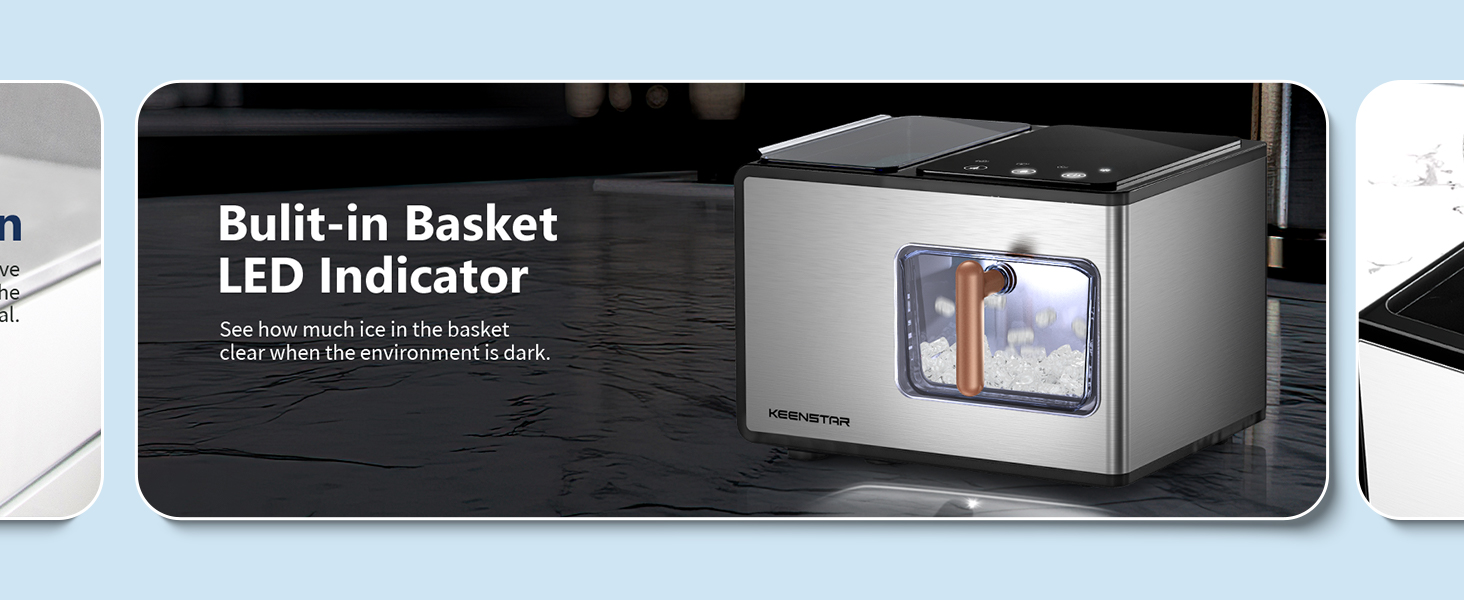
Image 6.2: Shows the KEENSTAR ICN1580 positioned next to a sink, with an arrow pointing to the drainage outlet on the side of the unit, illustrating how to easily drain water from the ice maker.
6.4 Descaling (Hard Water Areas)
If you live in an area with hard water, mineral deposits (limescale) can build up and affect performance. Descale the unit weekly or as needed.

Image 6.3: This graphic explains how hard water can affect the ice maker, showing a map of calcium carbonate concentration in water across the US and detailing how to resolve blockages caused by water scale, including cleaning the filter screen.
Sådan afkalkes:
- Stop the machine and allow any internal ice to melt.
- Remove the filter screen and clean the front and back sides.
- Fill the reservoir with a descaling solution (e.g., a mixture of water and white vinegar, or a commercial descaling agent suitable for ice makers).
- Run the self-cleaning cycle (Section 6.1).
- Drain the descaling solution completely.
- Rinse the reservoir and run two to three self-cleaning cycles with fresh, clean water to remove any residual descaling solution. Drain after each cycle.
7. Fejlfinding
If you encounter issues with your ice maker, refer to the following table:
| Problem | Mulig årsag | Løsning |
|---|---|---|
| Ismaskinen tænder ikke | Ingen strømforsyning | Check if the power cord is securely plugged in. Verify the outlet is functional. |
| "Add Water" indicator is on | Water reservoir is empty or low | Fill the water reservoir with potable water up to the max fill line. |
| "Ice Full" indicator is on | Iskurven er fuld | Fjern is fra kurven. Isproduktionen genoptages automatisk. |
| Ingen isproduktion | Lack of water, high ambient temperature, or air blockage | Ensure water reservoir is full. Place the unit in a cooler environment. Check for proper ventilation. |
| Is smager usædvanligt | First use, dirty water, or unit needs cleaning | Discard first few batches of ice. Use fresh, potable water. Perform a self-cleaning cycle. |
| Høj støj under drift | Unit not level, water scale buildup, or internal component issue | Ensure the unit is on a level surface. Perform descaling if in a hard water area. If noise persists, contact customer support. |
8. Specifikationer
| Feature | Detalje |
|---|---|
| Mærke | KEENSTAR |
| Modelnavn | ICN1580 |
| Produktmål (D x B x H) | 18.5 cm x 11.4 cm x 13.7 cm |
| Vægt | 23.72 pund |
| Isproduktionskapacitet | Op til 18 kg i døgnet |
| Vandtankkapacitet | 2.1 liter |
| Wattage | 145 watt |
| Is Type | Nugget (Pebble, Chewable) Ice |
| Kontroltype | Berøringsskærm |
| Særlige funktioner | Self-Cleaning Function, Ice Full/Add Water Indicators |
9. Garanti og support
KEENSTAR offers the following warranty and support for your ICN1580 Nugget Ice Maker:
- 30-dages pengene-tilbage-garanti: Hvis du ikke er tilfreds med dit køb, kan du returnere det inden for 30 dage for at få pengene tilbage.
- 1 års gratis udskiftning: The product is eligible for a free replacement within 1 year from the date of purchase for any manufacturing defects.
- Livstids kundeservice efter aftale: KEENSTAR provides lifetime customer support for assistance with product inquiries, troubleshooting, and general guidance.
For any defective machine received or for further assistance, please contact KEENSTAR customer service immediately. Contact information can typically be found on the product packaging or the official KEENSTAR webwebsted.