1. Introduktion
Tak for købetasing the Fisher Alarm Clock Speaker Wireless Charger. This device combines a digital alarm clock, Bluetooth speaker, RGB night light, and wireless charging pad into a single unit, designed to enhance your bedside experience. Please read this manual carefully to ensure proper use and optimal performance.
2. Pakkens indhold
- Fisher Alarm Clock Speaker Wireless Charger (Model: FAL288W)
- USB strømkabel
- Brugermanual
3. Produktet er slutview
Familiarize yourself with the device's components and controls.

Figur 3.1: Front view of the Fisher Alarm Clock Speaker Wireless Charger, showing the digital time display and RGB light panel.

Figur 3.2: Bund view of the device, illustrating the control buttons and speaker grilles. The buttons are labeled: Volume Down, Volume Up, Set, Alarm, and Power.
Kontrolknapper:
- Skrue ned for lyden (-): Decreases speaker volume.
- Lydstyrke op (+): Increases speaker volume.
- Sæt: Enters time/alarm setting mode.
- Alarm: Activates/deactivates alarm, enters alarm setting mode.
- Magt: Turns the device on/off, controls display brightness.
4. Opsætning
4.1 Strømtilslutning
- Connect the provided USB power cable to the DC 5V input port on the back of the alarm clock.
- Plug the other end of the USB cable into a compatible USB power adapter (not included) and then into a wall outlet.
- Displayet lyser op, hvilket indikerer, at enheden er tændt.
4.2 Tidsindstilling
The device is designed to automatically sync time when paired via Bluetooth. If manual adjustment is needed:
- Tryk og hold på Sæt button (located on the bottom of the unit) until the hour digits begin to flash.
- Brug Lydstyrke op (+) or Skrue ned (-) knapper for at justere timen.
- Tryk på Sæt knappen igen for at bekræfte timeindstillingen og gå videre til minutjustering.
- Brug Lydstyrke op (+) or Skrue ned (-) knapper for at justere minutterne.
- Tryk på Sæt button a third time to confirm the minutes.
- For at skifte mellem 12-timers og 24-timers formater skal du kort trykke på Magt button while the time is displayed.
5. Betjeningsvejledning
5.1 Alarmfunktion
- Indstilling af alarm: Tryk og hold på Alarm button until the alarm hour digits flash. Use Lydstyrke op (+) or Skrue ned (-) for at indstille timen. Trykke Alarm again to set minutes, then use Lydstyrke op (+) or Skrue ned (-). Trykke Alarm en tredje gang for at bekræfte.
- Aktivering/deaktivering af alarm: Tryk kort på Alarm button to toggle the alarm on or off. An alarm icon will appear/disappear on the display.
- Snooze-funktion: When the alarm sounds, briefly press any button (except Power) to activate snooze. The alarm will sound again after 9 minutes.
- Stop af alarmen: To turn off the alarm for the day, press and hold the Alarm button when it is sounding.
5.2 Bluetooth højttaler
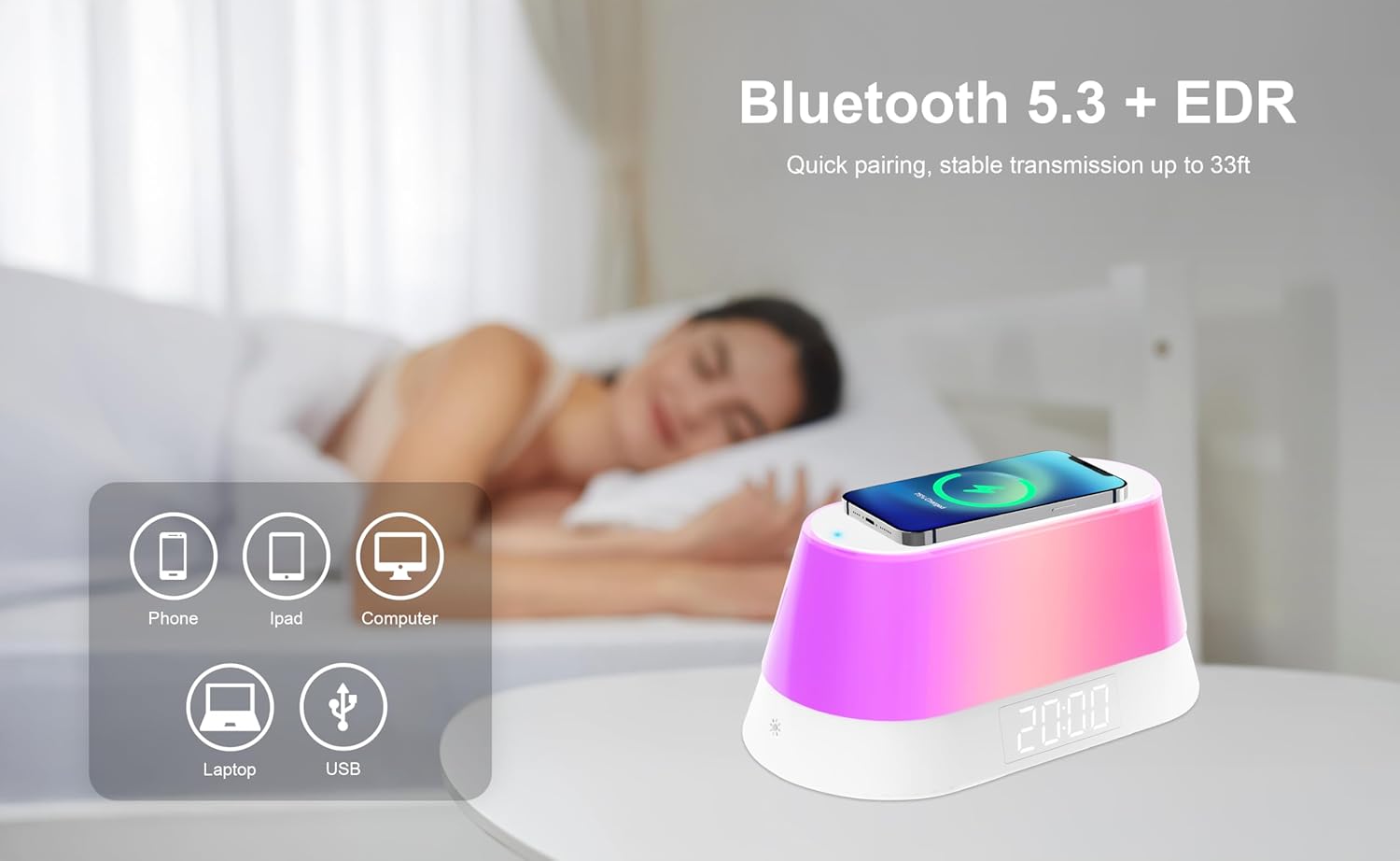
Figur 5.1: The device supports Bluetooth 5.3 for quick pairing and stable transmission with phones, tablets, and computers.
- Parring: The device automatically enters Bluetooth pairing mode when powered on. Look for 'FAL288W' or 'Fisher Alarm Clock' in your device's Bluetooth settings.
- Tilslutter: Select the device name to connect. A confirmation sound will indicate successful pairing.
- Afspilning af lyd: Once connected, you can play audio from your paired device. Use the Lydstyrke op (+) og Skrue ned (-) buttons on the alarm clock or your paired device to adjust the volume.
5.3 RGB Night Light
The device features an RGB light with multiple lighting modes.
- Activating Light: Briefly press the light icon button (located on the front, lower left) to turn on the night light.
- Changing Modes/Colors: Continue pressing the light icon button to cycle through various static colors and dynamic lighting modes.
- Turning Off Light: Cycle through all modes until the light turns off, or press and hold the light icon button.
5.4 Trådløs opladning

Figur 5.2: A smartphone placed on the top surface of the alarm clock, indicating active wireless charging.
- Place your Qi-enabled smartphone or other compatible device directly onto the wireless charging pad located on the top surface of the alarm clock.
- Ensure the device is centered on the charging pad for optimal contact.
- A charging indicator (usually an LED light) on the alarm clock will illuminate to confirm charging has begun. Your device's screen will also show its charging status.
- Fjern din enhed, når den er fuldt opladet.
5.5 Justering af displayets lysstyrke

Figur 5.3: The alarm clock display can be adjusted from bright to total darkness to suit user preference for sleep.
Tryk kort på Magt button to cycle through different display brightness levels, including total darkness.
6. Vedligeholdelse
- Rengør enheden med en blød, tør klud. Brug ikke slibende rengøringsmidler eller opløsningsmidler.
- Keep the device away from water, moisture, and direct heat sources.
- Undgå at tabe enheden eller udsætte den for kraftige stød.
7. Fejlfinding
| Problem | Mulig årsag | Løsning |
|---|---|---|
| Enheden tænder ikke. | Power cable not connected properly or power source issue. | Ensure the USB power cable is securely connected to both the device and a working power outlet. Try a different USB adapter or outlet. |
| Kan ikke indstille tid/alarm. | Incorrect button sequence or unfamiliarity with controls. | Refer to Section 4.2 (Time Setting) and 5.1 (Alarm Function) for detailed instructions. Ensure you are pressing and holding buttons for the correct duration. |
| Bluetooth-enheden kan ikke oprette forbindelse. | Device not in pairing mode or too far away. | Ensure the alarm clock is powered on and within 33 feet (10 meters) of your Bluetooth device. Check your device's Bluetooth settings and try re-pairing. |
| Trådløs opladning er langsom eller virker ikke. | Device not properly aligned, case interference, or device not Qi-enabled. | Ensure your device is centered on the charging pad. Remove thick phone cases. Verify your device supports Qi wireless charging. Note that some devices may generate heat during wireless charging; this is normal. |
| Display is too bright even at lowest setting. | User preference for extreme darkness. | Cycle through brightness settings using the Magt button. The device offers a 'total darkness' option. If still too bright, consider repositioning the clock or using an external light block. |
8. Specifikationer
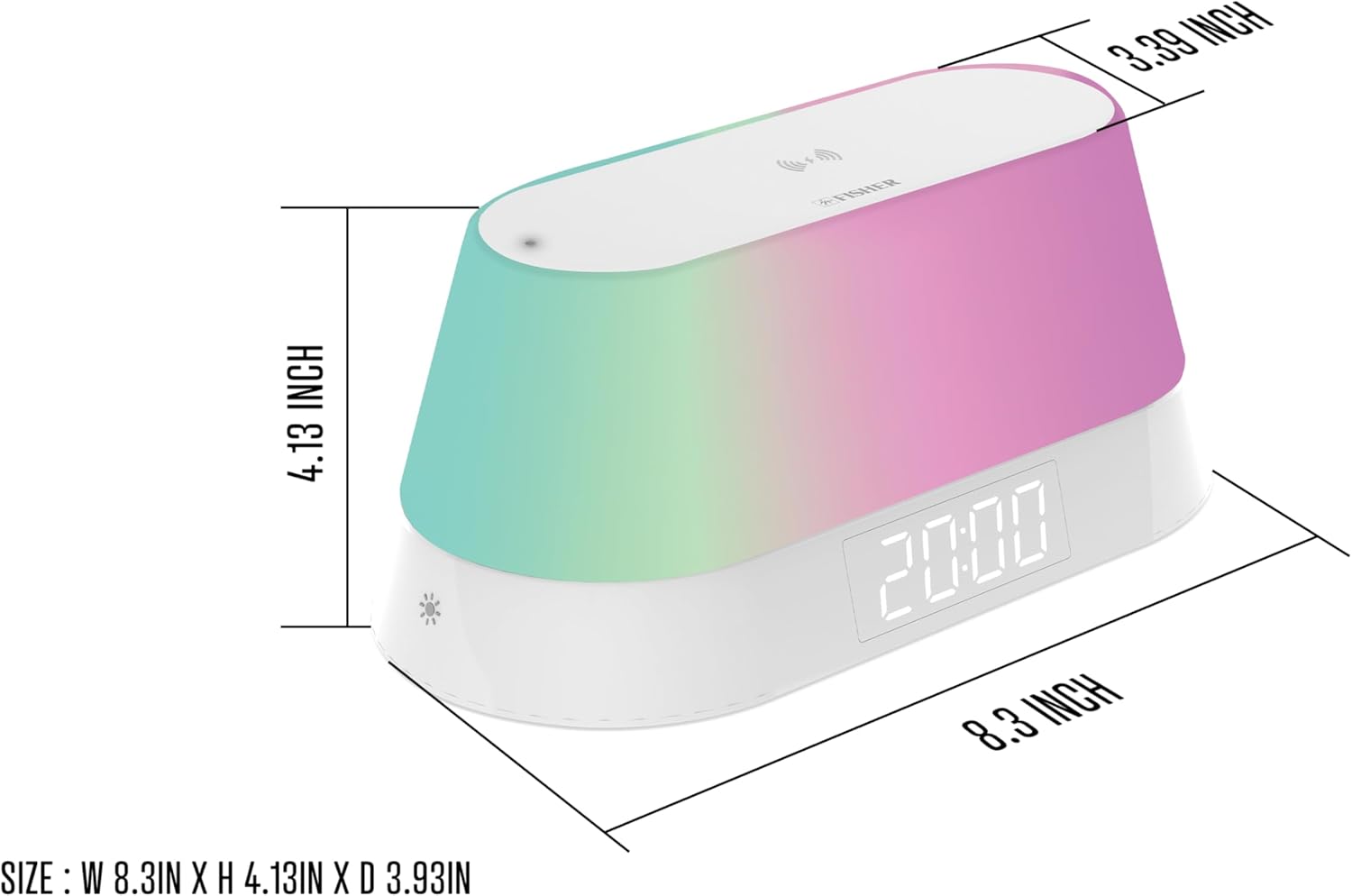
Figur 8.1: Diagram showing the dimensions of the alarm clock: 8.3 inches (width) x 4.13 inches (height) x 3.39 inches (depth).
- Mærke: Fisher
- Model: FAL288W
- Skærmtype: LED-baggrundsbelyst
- Strømkilde: Corded Electric (DC 5V, 3A)
- Trådløs opladningsudgang: 5 W/7.5 W/10 W/15 W Maks
- Bluetooth version: 5.3
- Produktdimensioner: 8.3 cm B x 4.13 cm H x 3.39 cm D
- Varens vægt: 10.9 ounce
- Rammemateriale: Plast
- Værelsestype: Bedroom, Home Office, Kitchen, Living Room
- UPC: 721702325115
9. Garanti og support
For warranty information and customer support, please refer to the documentation included with your purchase or contact Fisher customer service through their official webwebstedet eller forhandleren, hvor produktet blev købt. Gem venligst din købsbevis i tilfælde af garantikrav.


