DIERYA M1 Trådløs Gamingmus Brugermanual
Model: M1
Indledning
Thank you for choosing the DIERYA M1 Wireless Gaming Mouse. This manual provides detailed instructions on setting up, operating, maintaining, and troubleshooting your new mouse. The M1 offers flexible tri-mode connectivity, a high-precision optical sensor, customizable RGB lighting, and an ergonomic design for optimal performance in both gaming and professional environments.
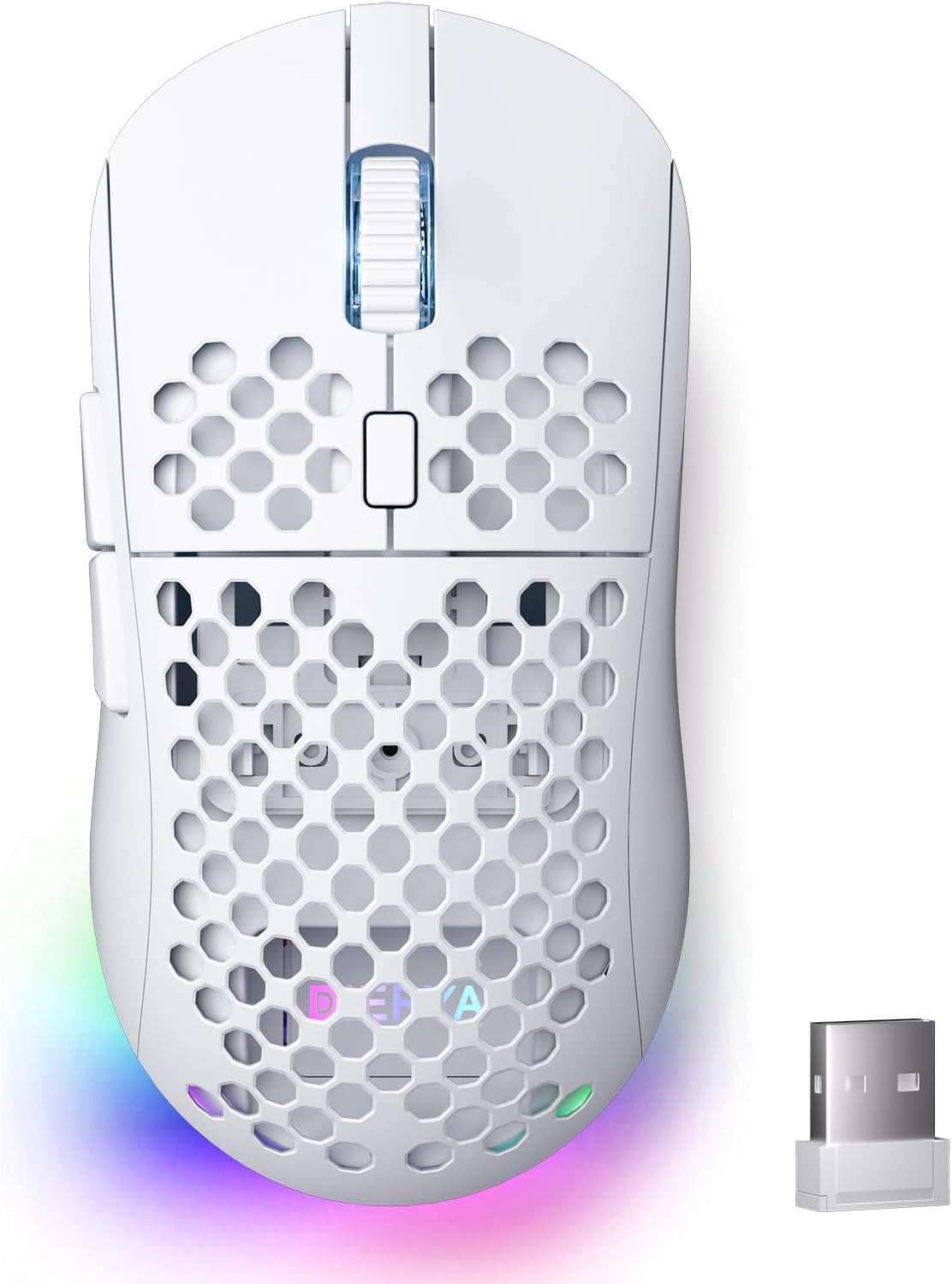
Figure 1: DIERYA M1 Wireless Gaming Mouse
Pakkens indhold
- M1 Wireless Mouse x1
- Nylon USB-A to C Cable x1
- Brugervejledning x1
Produkt overview
Familiarize yourself with the various components of your DIERYA M1 mouse:
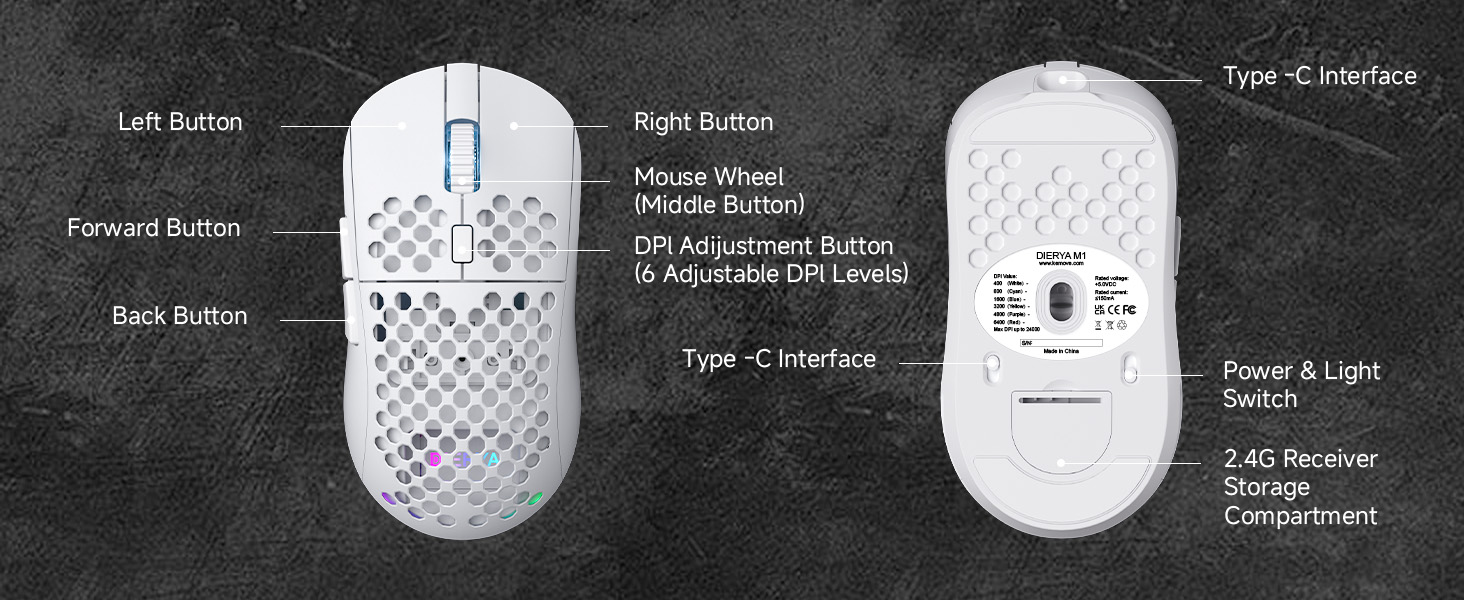
Figure 2: DIERYA M1 Mouse Components
- Venstre knap: Standard venstreklikfunktion.
- Højre knap: Standard højreklikfunktion.
- Musehjul (midterste knap): Scroll up/down, click for middle-button function.
- DPI-justeringsknap: Skifter gennem forudindstillede DPI-niveauer.
- Frem-knap: Navigerer fremad i web browsere eller applikationer.
- Tilbage knap: Navigerer baglæns i web browsere eller applikationer.
- Type-C interface: Til kabelforbindelse og opladning.
- Strøm- og lyskontakt: Turns the mouse on/off and controls RGB lighting.
- 2.4G-modtageropbevaringsrum: Stores the USB receiver when not in use.
Opsætning
Oplader musen
Connect the provided USB-A to C cable to the mouse's Type-C interface and a USB power source (e.g., computer USB port, wall adapter). The mouse features a 1000mAh rechargeable battery. A full charge takes approximately 1 hour.
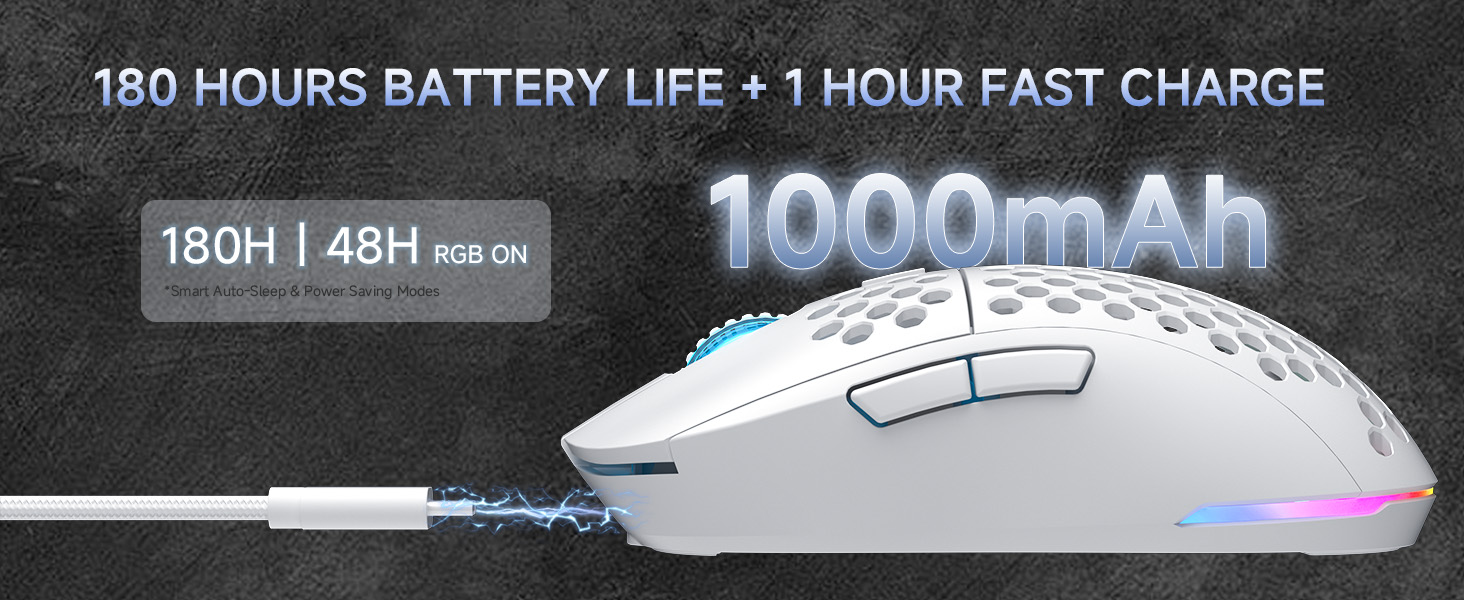
Figur 3: Opladning og batterilevetid
Connecting the Mouse (Tri-Mode Connectivity)
The DIERYA M1 mouse supports three connection modes: 2.4GHz wireless, Bluetooth 5.2, and USB-C wired. Use the switch on the bottom of the mouse to select your desired mode.
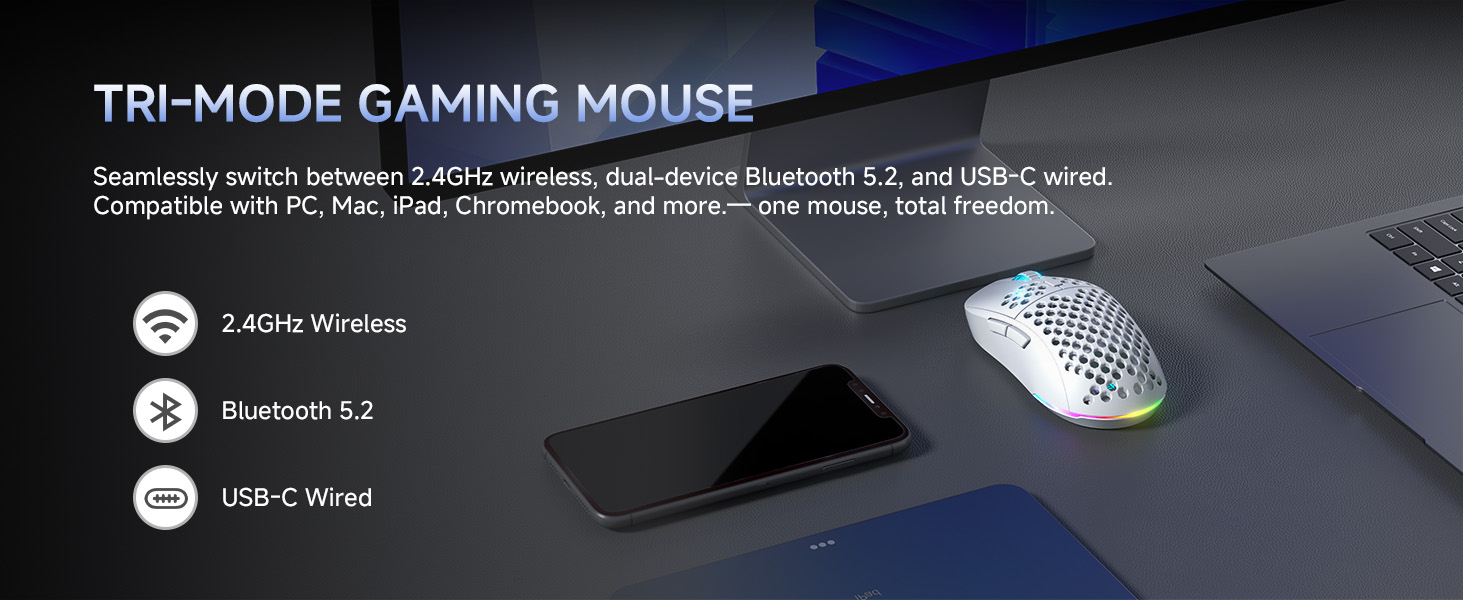
Figur 4: Tri-Mode-tilslutningsmuligheder
2.4 GHz trådløs tilstand
- Take out the 2.4G USB receiver from the storage compartment on the bottom of the mouse.
- Sæt USB-modtageren i en ledig USB-port på din computer.
- Set the switch on the bottom of the mouse to the '2.4G' position.
- Musen opretter automatisk forbindelse til din computer.
Bluetooth 5.2-tilstand
- Set the switch on the bottom of the mouse to the 'BT' position.
- Åbn Bluetooth-indstillingerne på din computer eller enhed, og søg efter nye enheder.
- Select 'DIERYA M1' from the list of available devices to pair. The mouse supports dual-device pairing in Bluetooth mode.
USB-C kablet tilstand
- Connect the provided USB-A to C cable to the mouse's Type-C interface and to a USB port on your computer.
- Musen skifter automatisk til kablet tilstand og begynder at oplade.
Betjeningsvejledning
DPI justering
The mouse features a 24,000 DPI sensor with six preset levels. Press the DPI adjustment button (located behind the scroll wheel) to cycle through the following DPI settings:
- 400 DPI
- 800 DPI
- 1600 DPI
- 3200 DPI
- 4800 DPI
- 6400 DPI
The scroll wheel LED and RGB lighting strip provide instant color-coded feedback to indicate the current DPI level.
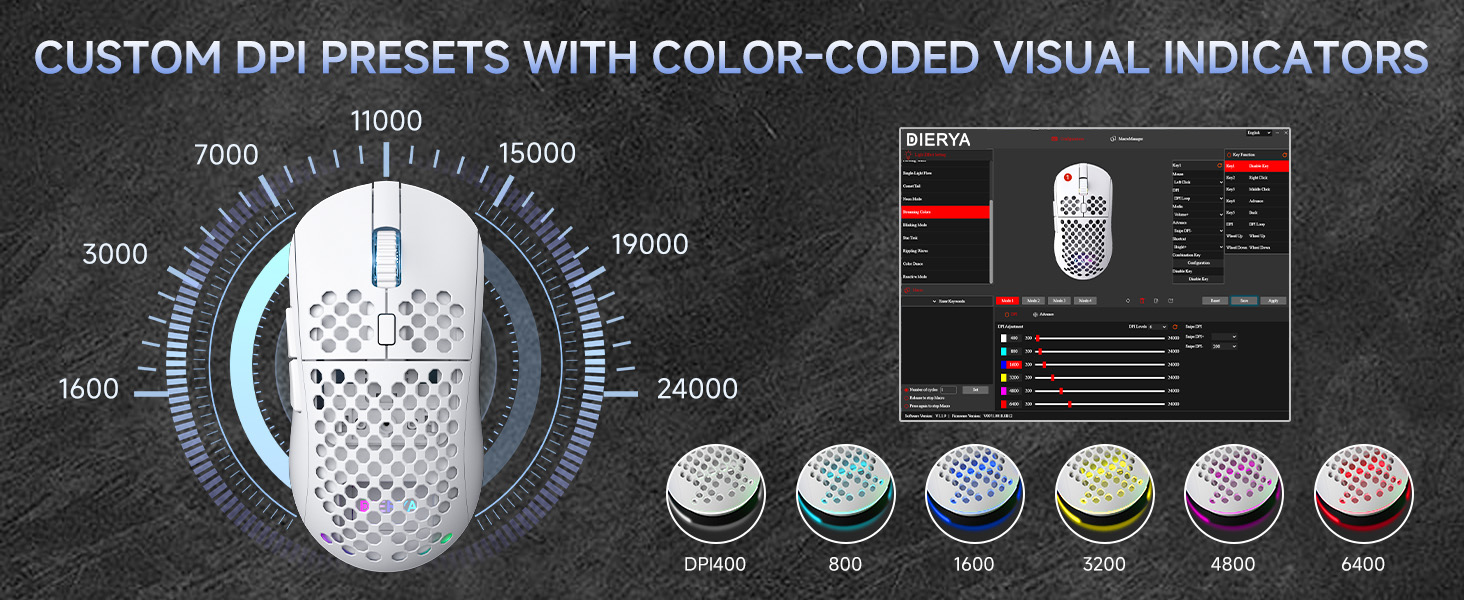
Figure 5: Custom DPI Presets and Color Indicators
Programmerbare knapper
The DIERYA M1 mouse features 6 programmable buttons. To customize button functions, create macros, or remap controls, download and install the dedicated driver software from the official DIERYA webwebsted.

Figure 6: Driver Software Interface for Customization
RGB lysstyring
The mouse features vibrant 16.8 million color RGB lighting with 13 different effects (e.g., Breath, Static, Flow, Starlight). Lighting effects can be customized and controlled via the dedicated driver software.
Strømstyring
The M1 mouse is designed for efficient power consumption. It features intelligent sleep modes that activate after 1 and 5 minutes of inactivity to conserve battery life. You can quickly resume use by moving or clicking the mouse. Sleep timers can be customized through the driver software.
Opretholdelse
- Rensning: Brug en blød, tør klud til at tørre musen af. Ved genstridigt snavs, tør let afampRengør kluden med vand eller en mild rengøringsopløsning. Undgå skrappe kemikalier eller slibende materialer.
- Opbevaring: Opbevar musen et køligt, tørt sted væk fra direkte sollys og ekstreme temperaturer.
- Batteripleje: For at forlænge batteriets levetid, undgå at aflade musen helt ofte. Oplad den, når batteriindikatoren er lav.
Fejlfinding
- Musen svarer ikke: Ensure the mouse is charged. Check the power switch on the bottom of the mouse. Re-plug the USB receiver (for 2.4GHz) or re-pair Bluetooth. Try wired mode to confirm functionality.
- DPI ændrer sig ikke: Ensure the mouse is powered on. Press the DPI button firmly. If using custom profiles, check settings in the driver software.
- RGB-belysning virker ikke: Check the power & light switch on the bottom of the mouse. Ensure the mouse is not in ECO mode (which may disable RGB). Adjust settings in the driver software.
- Forsinkelse eller afbrydelser i trådløs tilstand: Ensure the USB receiver is not obstructed and is close to the mouse. Avoid interference from other wireless devices. Try a different USB port.
- Knapperne virker ikke som forventet: Check the button assignments in the driver software. Reset to default settings if necessary.
Specifikationer
| Feature | Detalje |
|---|---|
| Produktdimensioner | 4.39 x 2.48 x 0.1 tommer (125 x 63 x 41 mm) |
| Varens vægt | 5.6 ounce (90 gram) |
| Forbindelsesteknologi | 2.4 GHz trådløs, Bluetooth 5.2, USB-C kablet |
| DPI rækkevidde | 200 - 24,000 DPI (6 preset levels: 400/800/1600/3200/4800/6400) |
| Afstemningsfrekvens | 125-1000Hz (2.4G/USB-C), 125Hz (Bluetooth) |
| Sporingshastighed | 300 IPS |
| Acceleration | 35G |
| Batterikapacitet | 1000mAh |
| Batterilevetid | Op til 180 timer (ECO-tilstand), 48 timer (RGB tændt) |
| Afbrydere | Huano mikroswitche (20 millioner klik) |
| Programmerbare knapper | 6 |
| RGB belysning | 16.8 millioner farver, 13 effekter |
| Kompatible systemer | PC, Mac, Laptop (Windows, macOS, Chrome OS, iPadOS) |
Garanti og support
For warranty information and technical support, please refer to the warranty card included in your product packaging or visit the official DIERYA website. You can also contact DIERYA customer service for assistance with any product-related inquiries or issues.


