1. Vigtige sikkerhedsinstruktioner
Please read all instructions carefully before using your Xlife Cordless Vacuum Cleaner P12. Retain this manual for future reference.
Generel sikkerhed
- Må ikke bruges udendørs eller på våde overflader.
- Må ikke bruges som legetøj. Omhyggelig opmærksomhed er nødvendig, når den bruges af eller i nærheden af børn.
- Brug kun som beskrevet i denne manual. Brug kun producentens anbefalede tilbehør.
- Må ikke bruges med beskadiget ledning eller stik. Hvis apparatet ikke fungerer, som det skal, er blevet tabt, beskadiget, efterladt udendørs eller tabt i vand, skal det returneres til et servicecenter.
- Undlad at trække eller bære i snoren, bruge snoren som håndtag, lukke en dør på snoren eller trække snoren rundt om skarpe kanter eller hjørner. Kør ikke apparatet over ledningen. Hold ledningen væk fra opvarmede overflader.
- Tag ikke stikket ud ved at trække i ledningen. For at tage stikket ud skal du tage fat i stikket, ikke i ledningen.
- Håndter ikke stikket eller apparatet med våde hænder.
- Stik ikke genstande ind i åbninger. Må ikke bruges med blokerede åbninger; holdes fri for støv, fnug, hår og alt, hvad der kan reducere luftstrømmen.
- Hold hår, løstsiddende tøj, fingre og alle dele af kroppen væk fra åbninger og bevægelige dele.
- Sluk for alle knapper, før du trækker stikket ud.
- Vær ekstra forsigtig ved rengøring på trapper.
- Må ikke bruges til at opsamle brændbare eller brændbare væsker, såsom benzin, eller brug i områder, hvor de kan være til stede.
- Tag ikke noget op, der brænder eller ryger, såsom cigaretter, tændstikker eller varm aske.
Batteri- og opladningssikkerhed
- Genoplad kun med den oplader, der er specificeret af producenten. En oplader, der er egnet til én type batteripakke, kan skabe en brandrisiko, når den bruges sammen med en anden batteripakke.
- Brug kun apparater med specifikt udpegede batteripakker. Brug af andre batteripakker kan skabe risiko for skader og brand.
- Når batteripakken ikke er i brug, skal den holdes væk fra andre metalgenstande, såsom papirclips, mønter, nøgler, søm, skruer eller andre små metalgenstande, der kan oprette forbindelse fra en terminal til en anden. Kortslutning af batteripolerne kan forårsage forbrændinger eller brand.
- Under dårlige forhold kan der komme væske ud af batteriet; undgå kontakt. Hvis der kommer kontakt ved et uheld, skylles med vand. Hvis væske kommer i kontakt med øjnene, søg desuden lægehjælp. Væske, der kommer ud af batteriet, kan forårsage irritation eller forbrændinger.
2. Produktet er slutview
The Xlife P12 Cordless Vacuum Cleaner is designed for efficient and versatile cleaning across various surfaces. Familiarize yourself with its components and key features.
Inkluderede komponenter
- Adjustable Extension Stick
- Vacuum Head (Main Brush)
- HEPA-filter (forinstalleret)
- 2-in-1 Tool (Crevice and Brush)
- Lang spalteværktøj
- Vægmontering
- Strømadapter
- Brugermanual

Figur 2.1: Xlife P12 Cordless Vacuum Cleaner with all components, including the main unit, extension wand, floor brush, and various attachments.
Nøglefunktioner
- 4-Smart Suction Modes & 48KPa HyperPower: Customize cleaning with Eco, Normal, Sport, and Turbo modes for different floor types and debris levels.
- 50min Extended Runtime & Swappable Battery: Provides up to 50 minutes of continuous cleaning on standard mode, with a detachable battery for convenient charging and potential unlimited runtime with spare batteries.
- GreenLight Dust Reveal Technology: A patented green beam illuminates invisible particles on floors, aiding in thorough cleaning, especially for pet owners and allergy sufferers.
- V-Shape Anti-Tangle Roller System: Designed to repel pet and human hair wrap, reducing maintenance time.
- 180° Agile Swivel & Height-Adjustable Tube: The pivoting head allows easy maneuverability under furniture, and the extendable handle adjusts for user comfort.
- One-Touch Hygienic Dustbin Emptying: Allows for sealed-container ejection of debris directly into the trash without hand contact.
- 7-Stage HEPA Medical-Grade Filtration: Traps 99.97% of particles down to 0.3µm, including pollen, mold, and pet dander, for improved air quality.
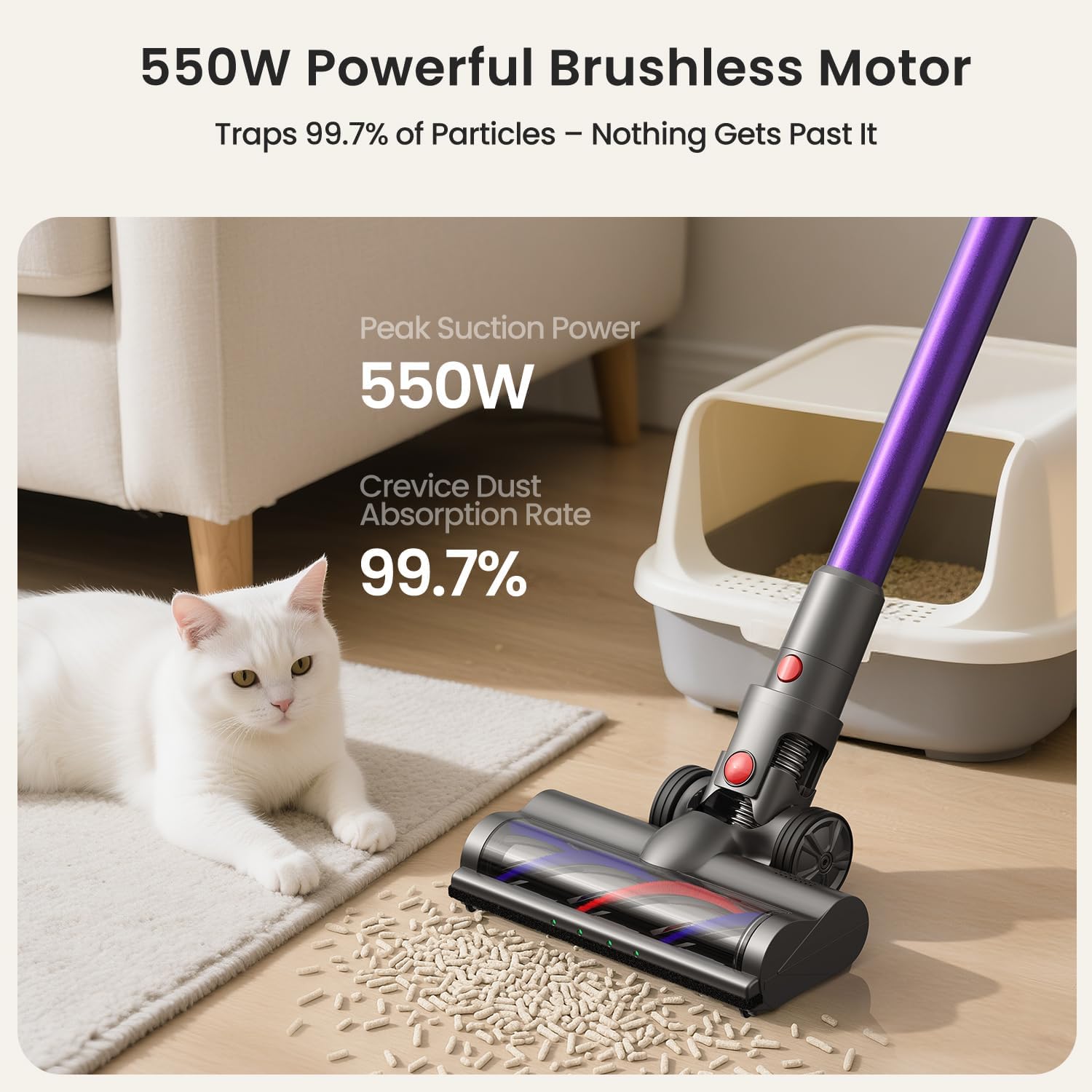
Figur 2.2: The 550W powerful brushless motor ensures efficient dust absorption.
3. Opsætning
Follow these steps to assemble and prepare your Xlife P12 Cordless Vacuum Cleaner for first use.
Forsamling
- Attach the Extension Stick: Insert the adjustable extension stick into the main vacuum body until it clicks securely into place.
- Attach the Vacuum Head: Connect the vacuum head (main brush) to the bottom of the extension stick, ensuring it locks firmly.
- Installer batteri: Ensure the battery pack is fully inserted into the main vacuum body until it clicks.
Indledende opladning
Before first use, fully charge the battery. The battery charges in approximately 4.5 hours.
- Connect the power adapter to the charging port on the battery or the wall mount.
- Sæt adapteren i en stikkontakt.
- The battery indicator lights will show charging status. Once fully charged, the lights will indicate completion.
Vægmontering (valgfrit)
The included wall mount provides a convenient storage and charging solution.
- Vælg et passende sted i nærheden af en stikkontakt.
- Marker borepunkterne til vægbeslaget.
- Bor huller og isæt vægankre om nødvendigt.
- Secure the wall mount to the wall using the provided screws.
- Hang the vacuum cleaner on the wall mount for storage and charging.

Figur 3.1: The vacuum features one-touch dust emptying and a convenient wall-mountable charging station.
4. Betjening af støvsugeren
Learn how to effectively use your Xlife P12 for various cleaning tasks.
Tænd/sluk
- To turn on, press the power button located on the main unit handle.
- Tryk på tænd/sluk-knappen igen for at slukke.
Selecting Suction Modes
The Xlife P12 offers four suction modes to optimize cleaning for different needs:
- Eco Mode (Low): Ideal for light dust on hardwood or tile floors, maximizing runtime up to 50 minutes.
- Normal Mode (Medium): Balances power and runtime for low-pile carpets and general debris.
- Sport Mode (High): Provides deeper cleaning for carpets, effective against ground-in dirt.
- Turbotilstand (maks.): Delivers 48KPa cyclone force for embedded pet hair and stubborn dirt, with a runtime of approximately 15 minutes.
Press the mode selection button on the display to cycle through the available suction modes.

Figur 4.1: The vacuum's green light illuminates dust, and the display shows current suction power.
Adjustable Stick and Maneuverability
The adjustable extension stick allows you to customize the vacuum's height for comfortable use, accommodating users up to 6'4". The 180° pivoting head enables seamless cleaning under furniture and around obstacles.

Figur 4.2: Flexible maneuverability and green light detection help reach every corner.
Brug af vedhæftede filer
The Xlife P12 comes with versatile attachments for different cleaning scenarios:
- 2-i-1-værktøj: Use the brush for dusting surfaces like shelves and upholstery, and the crevice tool for tight spaces.
- Lang fugemundstykke: Ideal for reaching narrow gaps, corners, and car interiors.
To attach, simply remove the extension stick or main vacuum head and insert the desired attachment until it clicks.
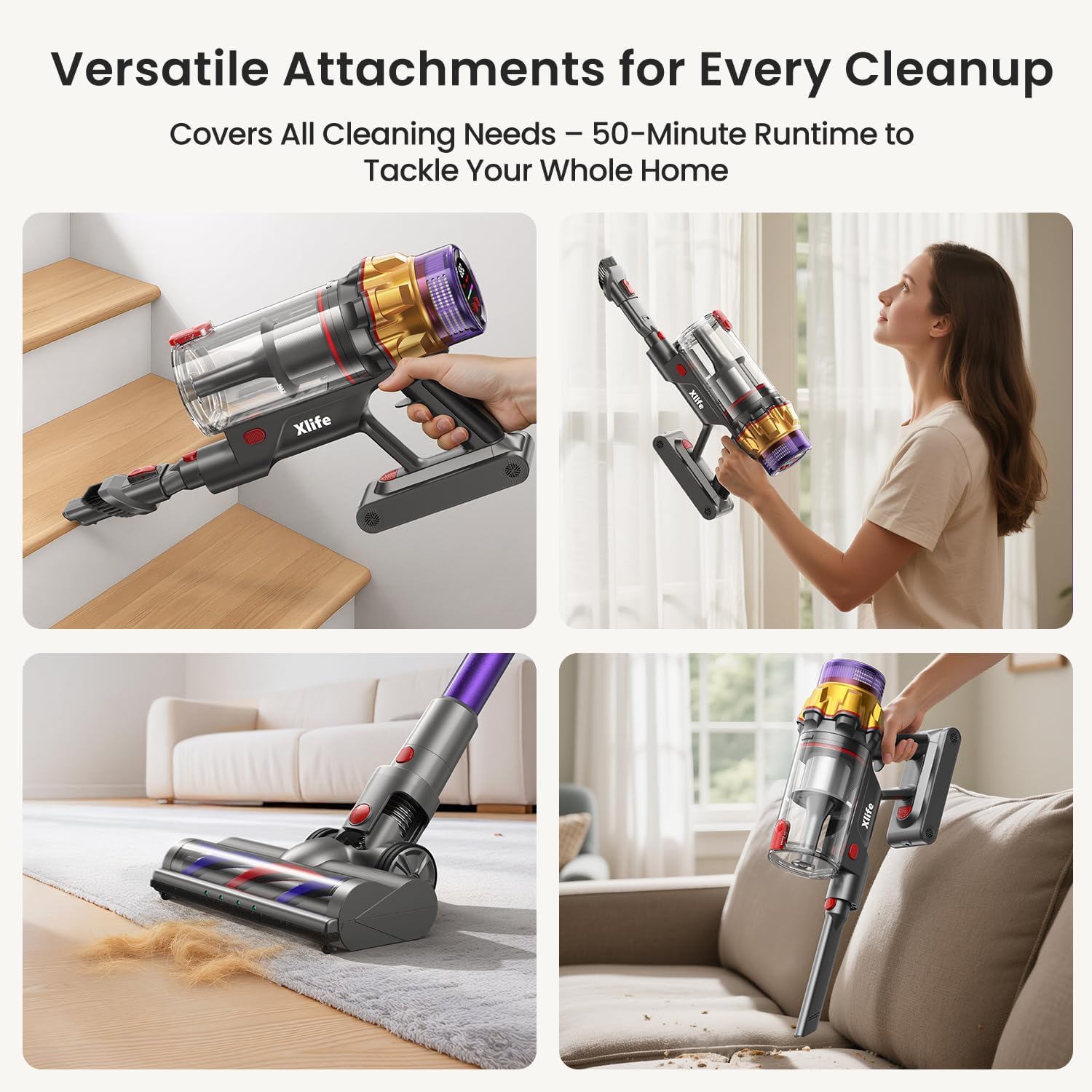
Figur 4.3: The vacuum can be configured for various cleaning tasks, including handheld for stairs and upholstery.
5. Vedligeholdelse
Regular maintenance ensures optimal performance and extends the lifespan of your Xlife P12 Cordless Vacuum Cleaner.
Tømning af skraldespanden
Empty the 0.8L dustbin regularly, especially when it reaches the MAX fill line, to maintain suction power.
- Hold the main unit over a trash can.
- Press the one-touch release button on the dustbin. The bottom flap will open, allowing debris to fall out without direct hand contact.
- Close the dustbin flap securely after emptying.
Rengøring af filteret
7-ernetage HEPA filtration system requires periodic cleaning to prevent loss of suction and maintain air quality.
- Twist and remove the dustbin from the main unit.
- Carefully remove the HEPA filter and pre-filter components.
- Bank filtrene forsigtigt over en skraldespand for at fjerne løst støv.
- If necessary, rinse the filters under cold running water. Ensure they are completely dry (allow 24-48 hours) before reassembling. Do not use detergent or hot water.
- Reassemble the filters and dustbin in reverse order.
Rengøring af børsterullen
The V-shape anti-tangle roller system minimizes hair wrap, but occasional cleaning may still be necessary.
- Turn off the vacuum and detach the main vacuum head.
- Locate the brush roller release mechanism (usually a latch or button) on the side of the vacuum head.
- Fjern børstevalsen.
- Use scissors or a cleaning tool to cut and remove any tangled hair or debris from the brush roller.
- Reinsert the brush roller and secure the release mechanism.

Figur 5.1: The V-shaped brush design helps prevent hair tangles, reducing maintenance.
Batteripleje
- Always use the original Xlife charger.
- Udsæt ikke batteriet for ekstreme temperaturer.
- If storing the vacuum for an extended period, charge the battery to about 50% and store in a cool, dry place.
6. Fejlfinding
Se dette afsnit for almindelige problemer og deres løsninger.
| Problem | Mulig årsag | Løsning |
|---|---|---|
| Støvsugeren tænder ikke. | Batteriet er ikke opladet eller ikke korrekt installeret. | Sørg for, at batteriet er fuldt opladet og klikket sikkert på plads. |
| Lav sugeevne. | Dustbin is full. Filter is clogged. Obstruction in nozzle or hose. | Empty dustbin. Clean HEPA filter. Check for and remove any blockages. |
| Brush roller not spinning. | Hair or debris tangled in brush. Brush roller not properly installed. | Clean brush roller of tangled hair. Ensure brush roller is correctly reinserted. |
| Kort løbetid. | Battery not fully charged. Using Turbo mode excessively. | Fully charge battery. Use lower suction modes for longer cleaning sessions. |
| Støvsugeren laver usædvanlige lyde. | Obstruction in airflow path. Damaged component. | Kontroller for og fjern eventuelle blokeringer. Kontakt kundesupport, hvis støjen fortsætter. |
7. Specifikationer
Detailed technical specifications for the Xlife P12 Cordless Vacuum Cleaner.
| Specifikation | Detalje |
|---|---|
| Mærke | Xlife |
| Modelnavn | Cordless Stick Vacuum P12 |
| Wattage | 550 watt |
| Sugekraft | Up to 48KPa (Turbo Mode) |
| Runtime | Op til 50 minutter (Øko-tilstand) |
| Opladningstid | Ca. 4.5 timer |
| Skraldespandskapacitet | 0.8 liter |
| Filtertype | 7-Stage HEPA-filter |
| Støjniveau | 68 dB |
| Produktdimensioner | 11 cm L x 7.28 cm B x 45.9 cm H |
| Varens vægt | 5.5 pund |
| Batteritype | Lithium-ion |
| Antal hastigheder | 4 |
| Særlige funktioner | Cordless, High Power, Lightweight, Pet Hair Tool, Green Light Dust Detection, Adjustable Stick |

Figur 7.1: Battery runtime and charging duration details.
8. Garanti og support
For warranty information and customer support, please refer to the official Xlife webhjemmeside eller kontakt deres kundeservice direkte.
You can also find a downloadable PDF version of this user manual here: Xlife P12 User Manual (PDF)


