1. Introduktion
The EUQQ YYK-Q10 AI Translation Earbuds are advanced wireless headphones designed to facilitate communication across language barriers, provide high-fidelity audio, and offer effective noise control. This manual provides essential information for setting up, operating, and maintaining your earbuds.

Figure 1: EUQQ YYK-Q10 AI Translation Earbuds in their charging case.
2. Pakkens indhold
Sørg for, at alle varer er til stede i din pakke:
- 2 x AI-sprogoversættelsesøretelefoner
- 1 x opladningsetui
- 1 x ladekabel (USB-C)
- 3 x S/M/L Ear Caps (one set pre-installed)
- 1 x brugermanual
3. Opsætning
3.1 Opladning af øretelefoner og etuiet
Oplad ørepropperne og opladningsetuiet helt inden første brug.
- Placer ørepropperne i opladningsetuiet. Sørg for, at de er korrekt isat.
- Tilslut det medfølgende USB-C-opladerkabel til opladningsporten på etuiet og til en kompatibel USB-strømkilde.
- LED-displayet på opladningsetuiet viser batteriprocententage of the case and individual charging status of the left (L) and right (R) earbuds.
- A full charge for the earbuds takes approximately 1 hour. The case provides up to 36 hours of total playtime.
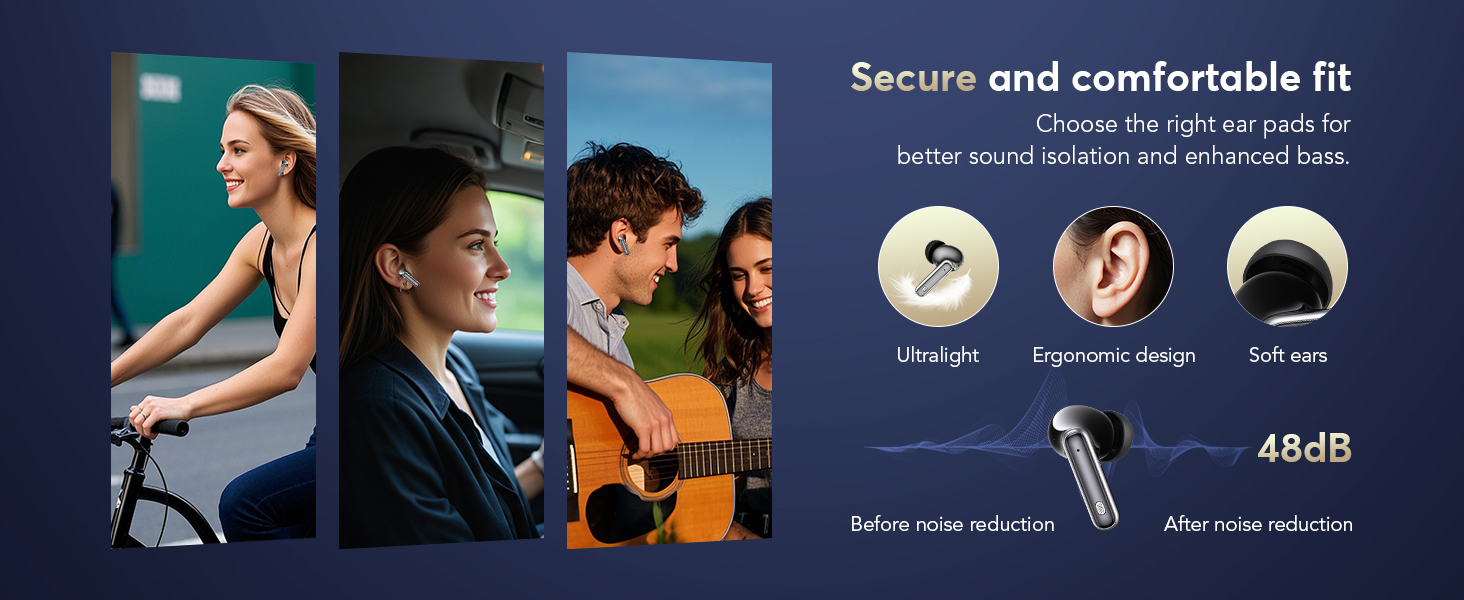
Figure 2: Earbuds and charging case displaying battery levels and USB-C charging port.
3.2 App download og installation
To utilize the translation features, download the companion application:
- Scan the QR code provided in the user manual or visit the official app download page: https://bitdynamic.ai/app/download.html
- Install the application on your smartphone (compatible with Android and iOS devices).
- Follow the on-screen instructions to sign up or log in to the app.

Figure 3: Step-by-step guide for app setup and initial use.
3.3 Bluetooth -parring
Pair your earbuds with your smartphone via Bluetooth 5.4 technology for a stable connection up to 15 meters.
- Åbn opladningsetuiet. Ørepropperne går automatisk i parringstilstand.
- Gå til Bluetooth-indstillinger på din smartphone, og aktiver Bluetooth.
- Vælg "YYK-Q10" fra listen over tilgængelige enheder, der skal oprettes forbindelse til.
- Once connected, a confirmation message will appear in the app.
Video 1: Demonstration of AI Language Translation Earbuds and Bluetooth 5.4 pairing.
4. Betjeningsvejledning
4.1 Tryk på kontrolelementer
Ørepropperne har intuitive berøringsknapper til forskellige funktioner:
- Click MFB key: Pause/Play music.
- Double-click left/right MFB buttons: Spring spor over.
- Click MFB button: Besvar/afslut opkald.
- Long press MFB button: Afvis opkald.
- Press and hold right MFB button for 2 seconds: Call Siri/Voice Assistant.
- Press and hold left MFB button for 2 seconds: Switch to ANC mode.

Figure 4: Smart Touch Control functions on the earbuds.
4.2 Støjkontroltilstande
The earbuds offer three versatile modes to tailor your audio experience:
- Aktiv støjreduktion (ANC): Blocks out distractions for an immersive sound experience.
- Normal tilstand: Standard lydafspilning uden aktiv støjreduktion eller gennemsigtighed.
- Gennemsigtighedstilstand: Giver dig mulighed for at høre dine omgivelser uden at fjerne ørepropperne, hvilket balancerer omgivende lyde for sikkerhed og interaktion.
To switch between modes, press and hold the left MFB button for 2 seconds.
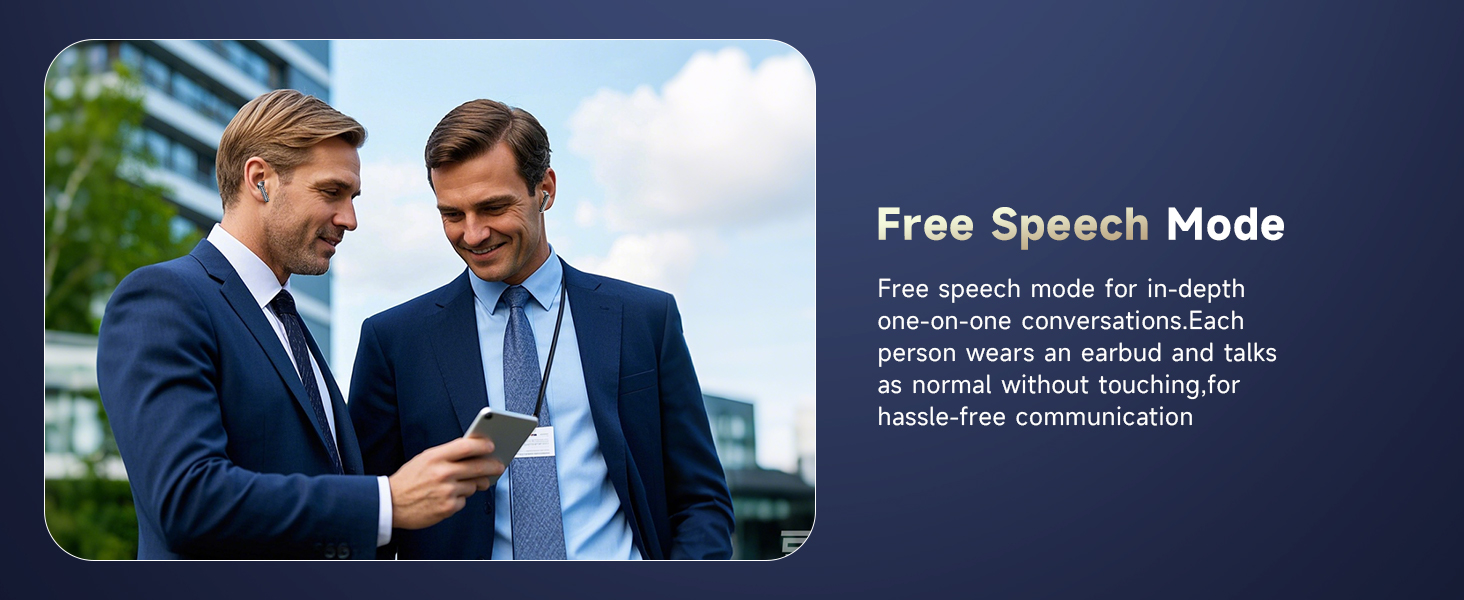
Figure 5: Seamless switching between noise control modes.
4.3 Real-Time Translation Modes
The companion app provides various translation modes to optimize communication:
- Fri tale-tilstand: For in-depth one-on-one conversations. Each person wears an earbud and speaks normally without touching, allowing for hassle-free communication.
- Berøringstilstand: For fluent conversation. Each person wears an earbud. Touch the earbud before speaking; the other person will hear the translation in their earbud.
- Højttalertilstand: For directions or ordering food. Wear the earbud yourself and speak; the results will be played through the phone's speaker.
- Simultantolkning: Real-time translation with voice, ideal for international conferences.
- Oversættelse ansigt til ansigt (hovedtelefoner + mobiltelefon): Two-way translation with voice for global negotiations or travel.
- Face-to-Face Translation (Dual-Ear Mode): Share earbuds with another person, allowing both to speak and receive translations simultaneously.
Figur 6: Overview of real-time translation modes.
Video 2: Real-time AI translation demonstration.
Video 3: Features of the 144-language translator earbuds.
5. Funktioner
5.1 High-Fidelity Sound Quality
Experience clear and balanced audio with 13mm dynamic drivers and volume-optimized active EQ, ensuring high-fidelity sound at any volume.

Figure 7: Internal components for Hi-Fi Sound Quality.
5.2 Avanceret Bluetooth 5.4-teknologi
Benefit from lightning-fast data transfer, ultra-stable connection, and an extended range of up to 15 meters with Bluetooth 5.4. This technology ensures minimal latency for music, calls, and real-time translation, even in high-interference environments.
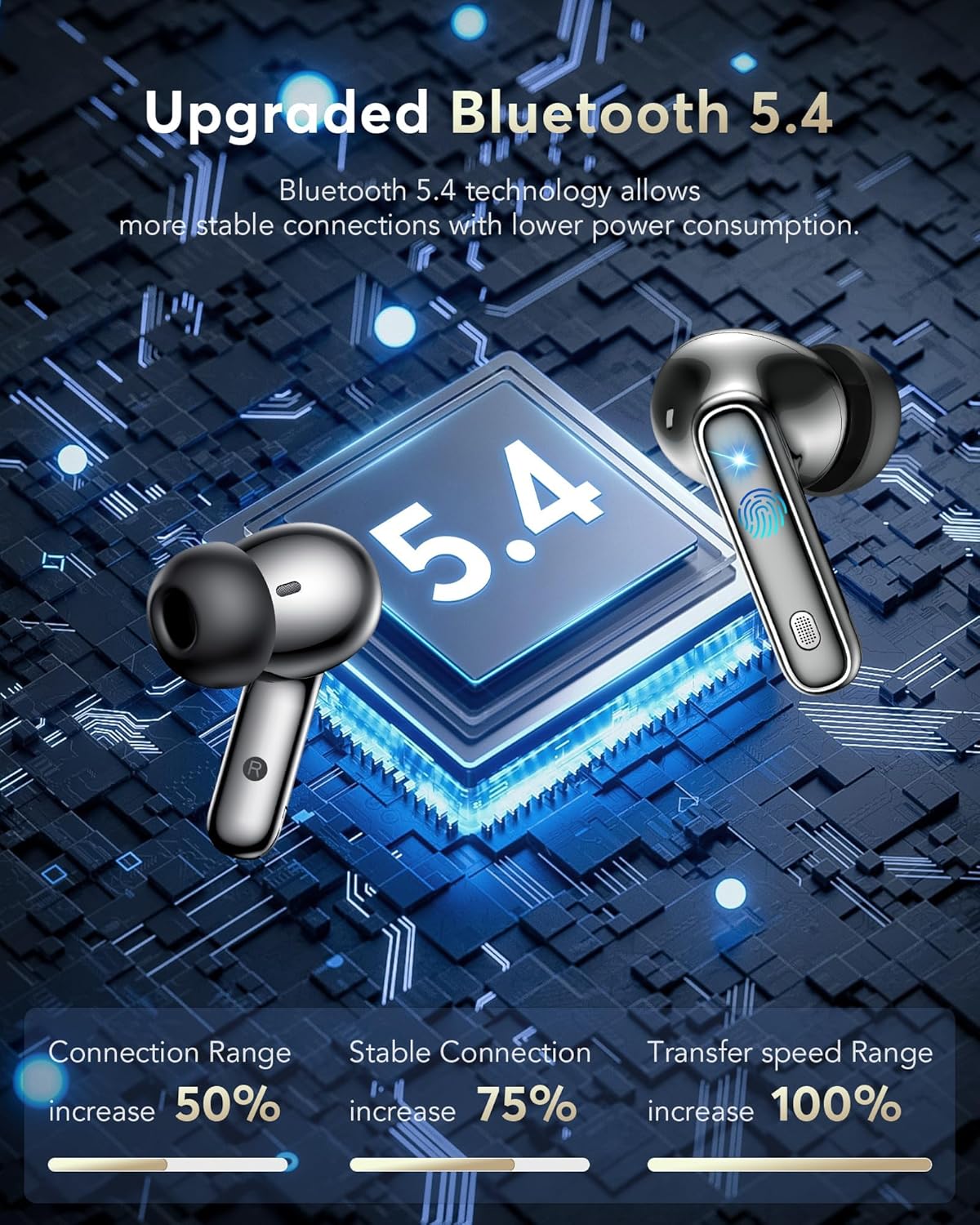
Figur 8: Advantages of Bluetooth 5.4 technology.
5.3 IPX7 vandtæthedsklassificering
The earbuds are IPX7 waterproof, making them resistant to sweat and splashes, suitable for various activities including sports and travel.
Video 4: IPX7 Waterproof feature demonstration.
5.4 Lang batterilevetid
Enjoy 6-7 hours of continuous playtime on a single charge. The charging case extends this to a total of 36 hours, ensuring your earbuds are ready for extended use.

Figure 9: Battery life and fast charging capabilities.
5.5 Komfort og pasform
The lightweight and ergonomic design ensures a secure and comfortable fit for extended wear, making them suitable for various activities.
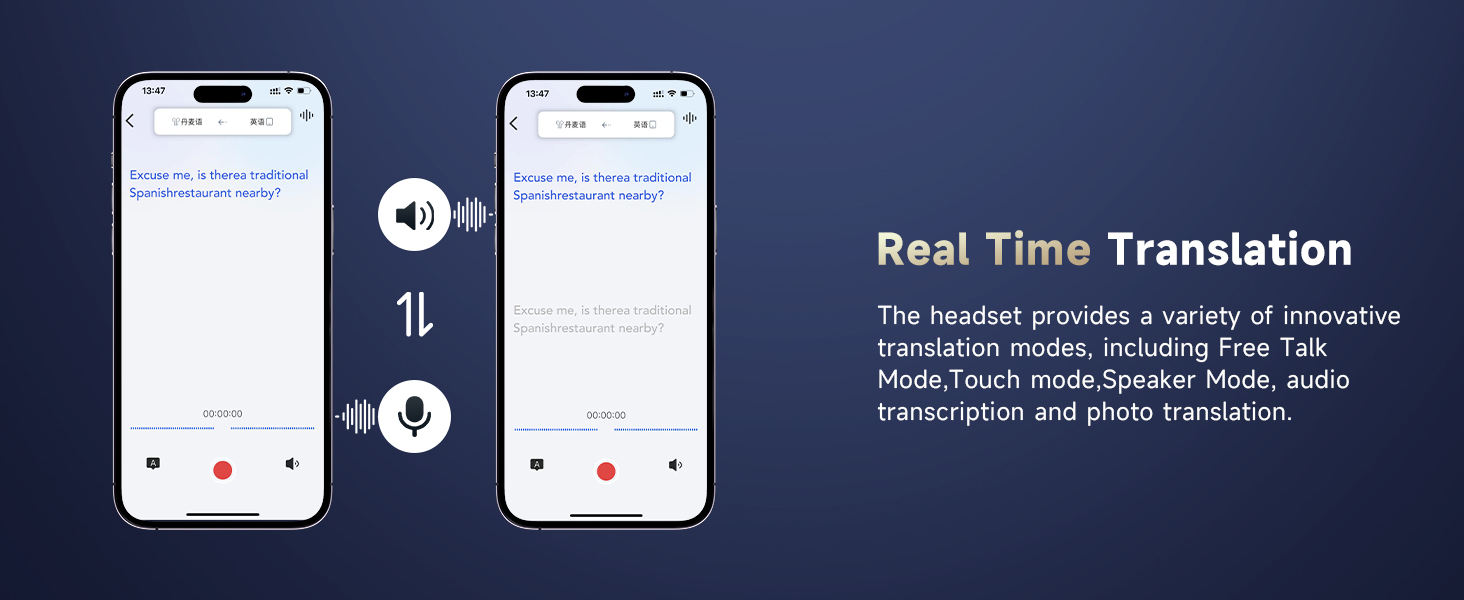
Figure 10: Ergonomic design for secure and comfortable fit.
5.6 Additional App Features
The companion app also includes features to enhance your daily life:
- Søvnhjælp: Built-in white noise features like rain and ocean waves to help you fall asleep.
- Audio and Video Call: Online calls with real-time translation, no app needed for the other party.
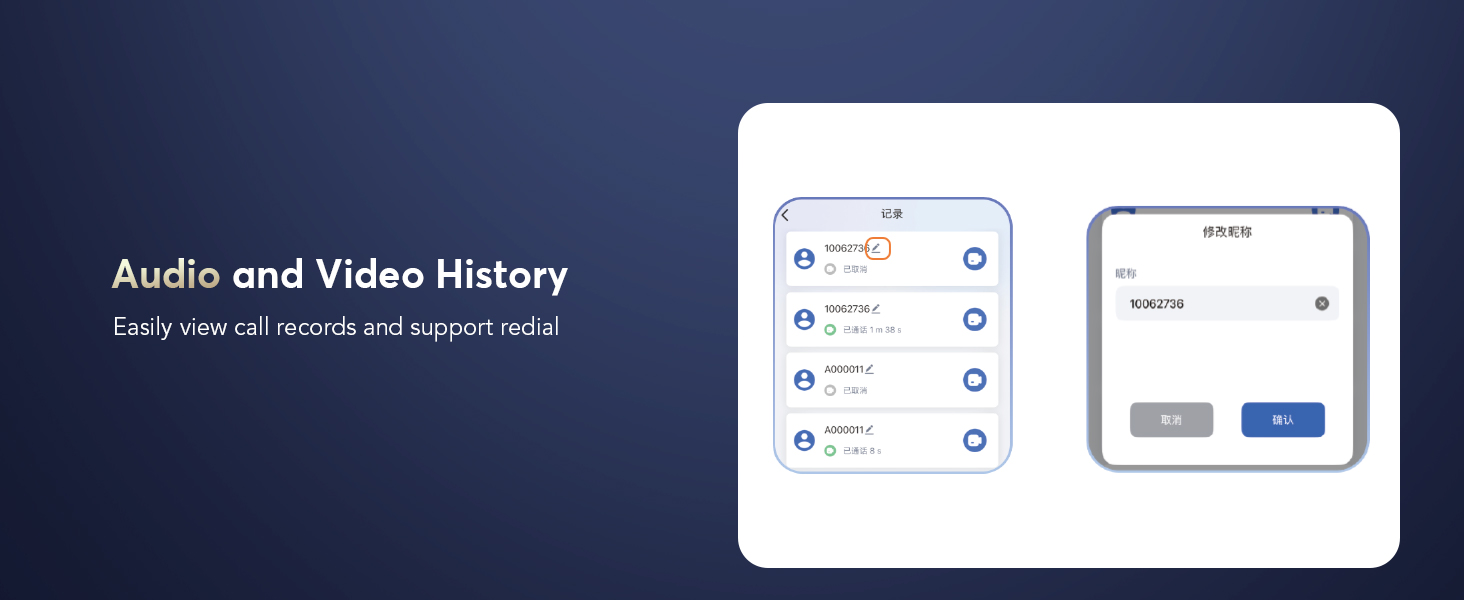
- Audio and Video History: Nemt view call records and support redial.
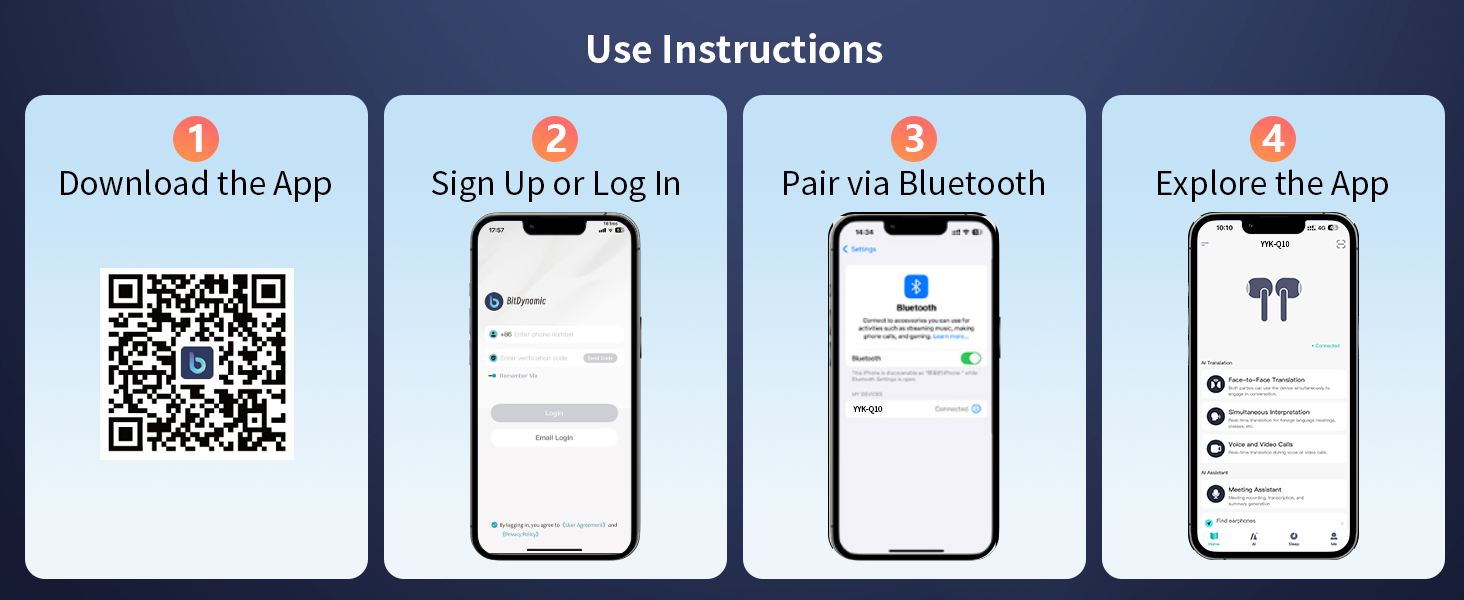
Figure 11: Sleep Aid feature in the app.

Figure 12: Audio and Video Call with real-time translation.
6. Vedligeholdelse
- Rengør ørepropperne og opladningsetuiet regelmæssigt med en blød, tør klud.
- Undgå at bruge slibende materialer eller skrappe kemikalier.
- Keep the charging contacts on the earbuds and inside the case clean and dry to ensure proper charging.
- Opbevar øretelefonerne i deres opladningsetui, når de ikke er i brug, for at beskytte dem og bevare batteriets levetid.
- Replace ear caps as needed with the provided spares for optimal fit and hygiene.
7. Fejlfinding
| Problem | Mulig årsag | Løsning |
|---|---|---|
| Øretelefoner parrer ikke | Bluetooth is off on device; earbuds not in pairing mode; out of range. | Ensure Bluetooth is on; open case to activate pairing; move device closer to earbuds. |
| Ingen lyd | Lydstyrken er for lav; ørepropperne er ikke tilsluttet; medierne er sat på pause. | Increase volume; re-pair earbuds; check media playback. |
| Oversættelsen virker ikke | App not open; incorrect language settings; poor microphone input. | Open and configure app; verify language settings; speak clearly into microphone. |
| Øretelefoner oplader ikke | Charging contacts dirty; cable faulty; power source issue. | Clean contacts; try different cable/power source; ensure earbuds are seated correctly. |
8. Specifikationer
- Modelnavn: YYK-Q10
- Mærke: EUQQ
- Forbindelse teknologi: Trådløs (Bluetooth 5.4)
- Bluetooth Range: 15 meter
- Støjkontrol: Aktiv støjafbrydelse (ANC)
- Lyddrivertype: Dynamisk driver (13 mm)
- Batterilevetid (øretelefoner): 6-7 Hours (continuous playtime)
- Batterilevetid (med opladningsetui): Op til 36 timer
- Opladningstid: 1 Hour (earbuds)
- Opladningsgrænseflade: USB-C
- Vandmodstandsniveau: IPX7 (vandtæt)
- Kontroltype: Tryk på kontrol
- Materiale: Acrylonitril Butadien Styren (ABS)
- Varens vægt: 12 gram
- Understøttede sprog: 144 Languages and Accents
9. Garanti og support
For warranty information and customer support, please refer to the documentation included in your product packaging or visit the official EUQQ webwebsted. Gem din købskvittering for garantikrav.


