Indledning
Welcome to the user manual for your 4DRC M5 RC Helicopter. This guide provides essential information for safe operation, setup, flight, and maintenance of your new remote control helicopter. Designed for kids aged 8 and up and beginners, the M5 features easy controls, durable construction, and stable flight capabilities.
Sikkerhedsforanstaltninger
- Always operate the helicopter in open spaces, away from people, animals, and obstacles.
- Flyv ikke i nærheden af højvolumentage lines, trees, or water.
- Adult supervision is recommended for children.
- Ensure batteries are charged correctly and handled safely.
- Rør ikke ved roterende knive.
- Turn off the helicopter and remote control when not in use.
Hvad er der i æsken
- 4DRC M5 RC Helicopter (with one shell installed)
- Fjernbetjening
- 2 x modulære batterier
- USB opladningskabel
- Spare Helicopter Shell (e.g., blue)
- Spare Propeller Blades
- Skruetrækker
- Brugervejledning (dette dokument)

The 4DRC M5 RC Helicopter package includes the helicopter, remote control, two modular batteries, a USB charging cable, and an additional helicopter shell for customization.
Opsætning
1. Opladning af batterierne
The 4DRC M5 helicopter comes with two modular batteries.
- Tilslut USB-opladningskablet til batteriet.
- Plug the USB end into a 5V/1A USB power adapter (not included) or a computer USB port.
- The indicator light on the charging cable will illuminate during charging and turn off when fully charged.
- Charging time is approximately 60-90 minutes per battery. Each fully charged battery provides about 10-15 minutes of flight time.
2. Installing Helicopter Battery
Insert a fully charged modular battery into the battery compartment on the underside of the helicopter. Ensure it clicks securely into place.
3. Installation af fjernbetjeningsbatterier
Fjernbetjeningen kræver 3 x AAA-batterier (medfølger ikke).
- Åbn batterirummet på bagsiden af fjernbetjeningen.
- Isæt batterierne, og overhold den korrekte polaritet (+/-).
- Luk batterirummet.
4. Tænd og parring
- Placer helikopteren på en flad, jævn overflade.
- Turn on the helicopter's power switch (usually located on the underside or side). The helicopter's indicator lights will flash.
- Turn on the remote control's power switch. The remote control's indicator light will flash.
- To pair, push the left joystick (throttle) all the way up, then pull it all the way down. The helicopter's lights will stop flashing and remain solid, indicating successful pairing.
Vigtig:
Always pair the helicopter and remote control on a flat surface to ensure proper gyroscope calibration.
Operating Your Helicopter
Grundlæggende kontrol
| Kontrollere | Handling | Fungere |
|---|---|---|
| Left Joystick (Throttle) | Tryk op/ned | Stig op/ned |
| Left Joystick (Throttle) | Skub til venstre/højre | Rotate Left/Right (Yaw) |
| Højre joystick | Tryk op/ned | Fly Forward/Backward (Pitch) |
| Højre joystick | Skub til venstre/højre | Fly Left/Right (Roll) |
| One Key Take-Off/Landing Button | Trykke | Automatic Take-Off/Landing |
| Knap til hastighedstilstand | Trykke | Switch between Low/High Speed |
| Trim knapper | Trykke | Adjust for drifting (forward/backward/left/right) |

The remote control features intuitive joysticks and dedicated buttons for easy operation, including one-key functions and speed adjustments.
Start/landing med én nøgle
After successful pairing, press the One Key Take-Off/Landing button. The helicopter will automatically ascend to a stable hovering height. Press it again to initiate an automatic gentle landing.

The One Key Take-Off/Landing feature simplifies flight initiation and termination, allowing the helicopter to automatically ascend or descend with a single button press.
Højde Hold funktion
The M5 helicopter is equipped with advanced barometric pressure technology, allowing it to maintain a stable altitude automatically once it reaches a certain height. This feature makes it easier for beginners to control.

The Altitude Hold function enables the helicopter to maintain a consistent height, providing stable flight and easier control for new pilots.
Hastighedstilstande
The helicopter offers two speed modes: Low and High. Press the Speed Mode button on the remote control to switch between them. Low speed is recommended for beginners and indoor flight, while High speed provides more agility for experienced pilots or outdoor use.
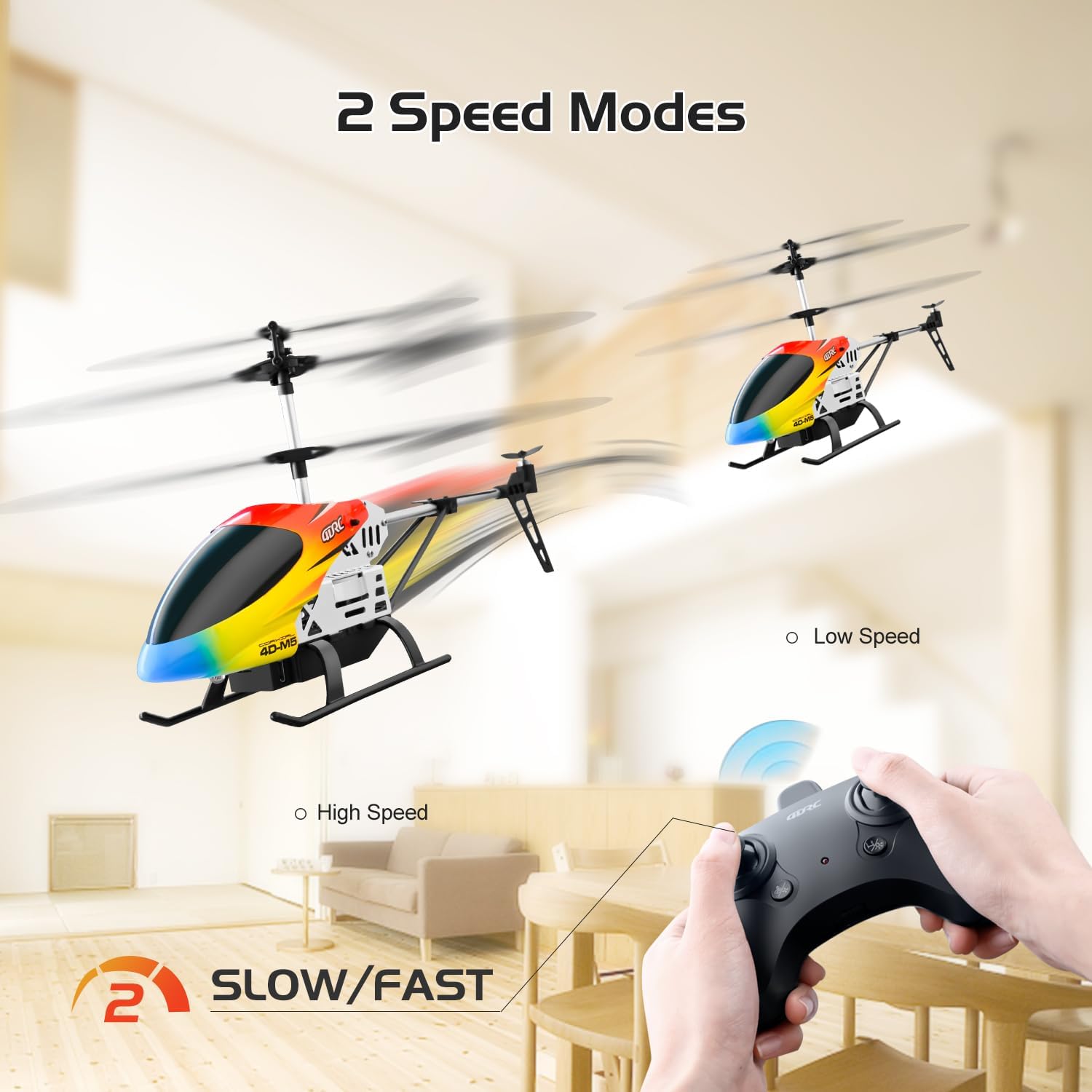
Switch between Low and High speed modes to match your skill level and flying environment, offering versatility for both beginners and more experienced users.
Trimjustering
If the helicopter drifts in any direction without input, use the trim buttons on the remote control to correct its flight path. For example, if it drifts forward, press the backward trim button until it hovers steadily.
LED lys
The helicopter features bright LED lights, allowing for visibility and flight even in low-light conditions.
Opretholdelse
- Rensning: Wipe the helicopter with a clean, dry cloth. Do not use water or chemical cleaners.
- Batteripleje:
- Always remove batteries from the helicopter and remote control when not in use.
- Opbevar batterier på et køligt, tørt sted.
- Undlad at overoplade eller overaflade batterier.
- If the helicopter will not be used for an extended period, charge the batteries to about 50% before storage.
- Udskiftning af knive: In case of damage, replace propeller blades with genuine 4DRC M5 spare parts. Refer to the diagram for correct installation.

The helicopter's durable construction includes easily replaceable parts like propeller blades, ensuring longevity and ease of maintenance.
- Shell Replacement: The helicopter comes with two interchangeable shells. To change the shell, carefully detach the current one and snap the new one into place.

Customize your helicopter's appearance by easily swapping between the two included body shells.
Fejlfinding
| Problem | Mulig årsag | Løsning |
|---|---|---|
| Helikopter reagerer ikke | Not paired; Low battery (helicopter/remote); Power switch off | Re-pair; Charge/replace batteries; Turn on power |
| Helicopter drifts | Not trimmed; Uneven surface during pairing | Use trim buttons; Re-pair on flat surface |
| Weak flight/Short flight time | Low battery; Damaged blades | Fully charge batteries; Replace damaged blades |
| Bladene roterer ikke | Obstruction; Motor issue | Check for obstructions; Contact support |
| Fjernbetjening virker ikke | Low battery; Not paired | Replace batteries; Re-pair |
Specifikationer
- Model: M5
- Mærke: 4DRC
- Dimensioner: 6.2 x 3.5 x 12 tommer
- Vægt: 10.5 ounce
- Kontrolfrekvens: 2.4 GHz
- Kontrolafstand: Cirka 80 meter
- Flyvetid: 10-15 minutes per battery (2 batteries included)
- Batteritype: Modular (included)
- Batterier til fjernbetjening: 3 x AAA (medfølger ikke)
- Anbefalet alder: 8 år og opefter
- Funktioner: Altitude Hold, One Key Take-Off/Landing, 2 Speed Modes, LED Lights, Durable Alloy Body, Interchangeable Shells.
Garanti og support
For warranty information, technical support, or replacement parts, please contact 4DRC customer service. Refer to the product packaging or the official 4DRC webwebsted for kontaktoplysninger.


