1. Introduktion
Thank you for choosing the CUIFATI 5G WiFi 6 Mobile Hotspot. This device provides high-speed wireless internet access, allowing you to connect multiple devices simultaneously. With its portable design and long-lasting battery, it is an ideal solution for travel, business, and home use. This manual will guide you through the setup, operation, and maintenance of your new mobile hotspot.
2. Sikkerhedsoplysninger
- Udsæt ikke enheden for ekstreme temperaturer, direkte sollys eller høj luftfugtighed.
- Undgå at tabe eller udsætte enheden for kraftige stød.
- Use only the original or certified charger and cables provided with the device.
- Forsøg ikke selv at adskille, reparere eller ændre enheden. Kontakt kvalificeret servicepersonale.
- Hold enheden væk fra vand og andre væsker.
- Bortskaf enheden og dens batteri på en ansvarlig måde i henhold til lokale regler.
3. Pakkens indhold
Tjek venligst pakken for følgende varer:
- CUIFATI 5G WiFi 6 Mobile Hotspot
- USB opladningskabel
- SIM Ejector Tool
- Brugervejledning (dette dokument)
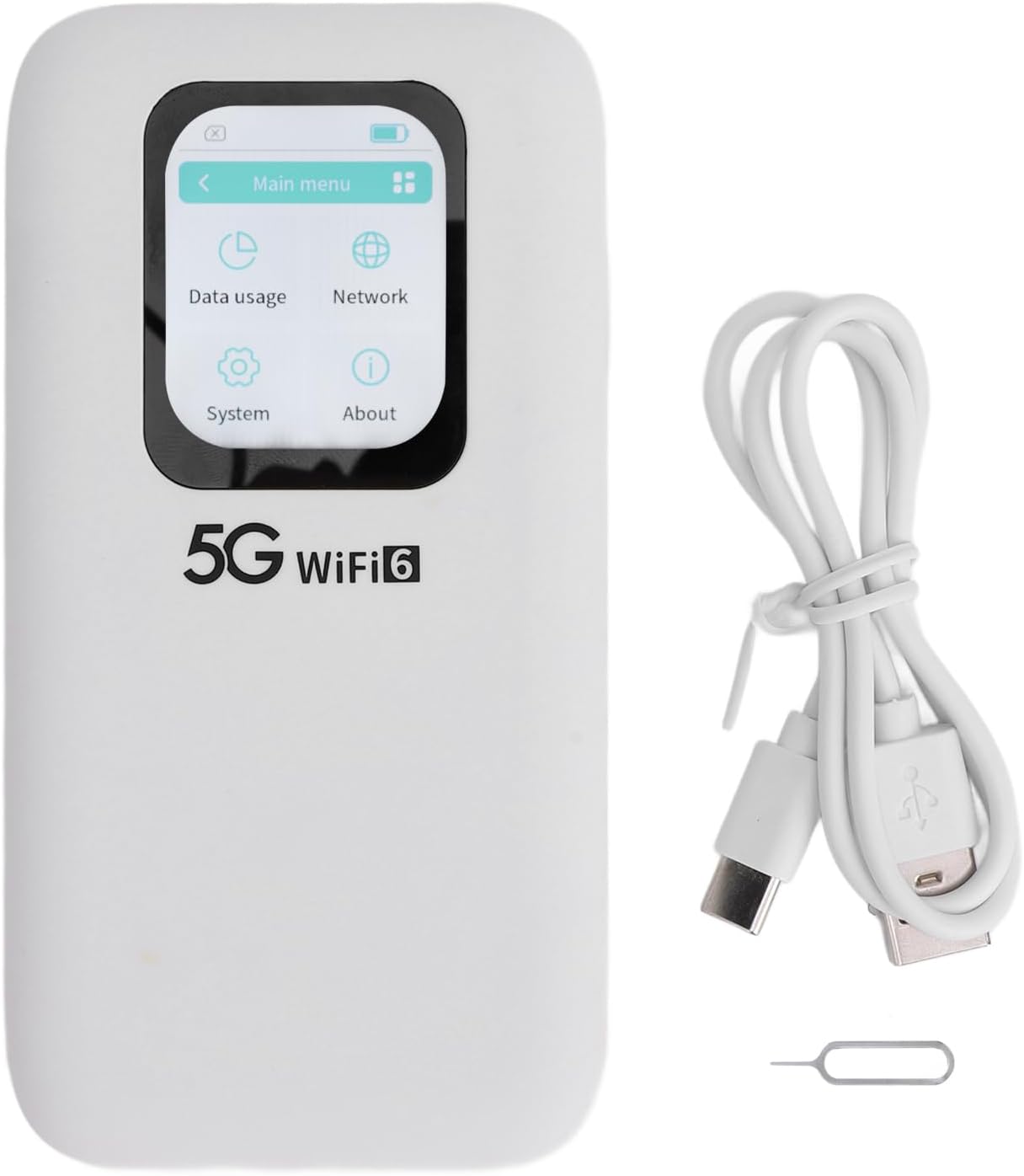
Image: Contents of the CUIFATI 5G WiFi 6 Mobile Hotspot package, including the device, USB charging cable, and SIM ejector tool.
4. Produktet er slutview
Familiarize yourself with the physical components of your mobile hotspot.
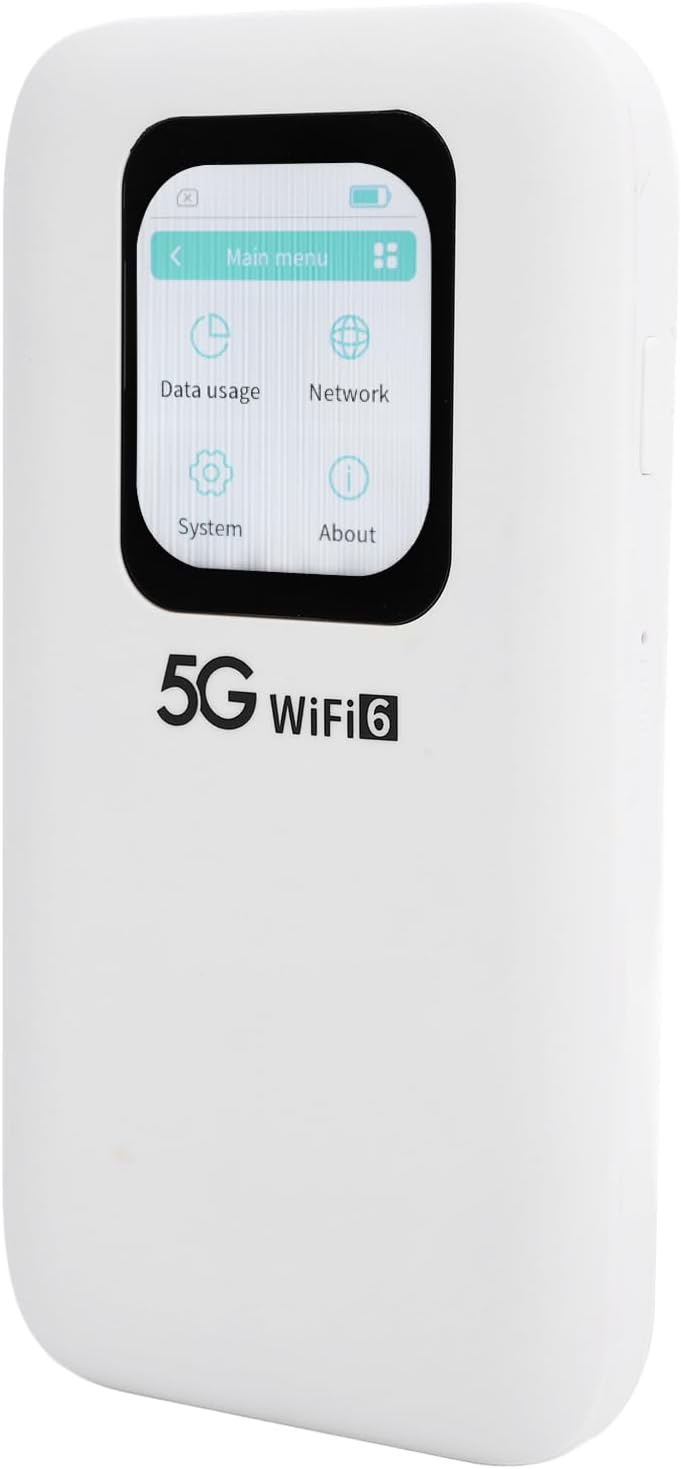
Billede: Forside view of the CUIFATI 5G WiFi 6 Mobile Hotspot, highlighting its 2.01-inch touch screen display.

Billede: Side view of the CUIFATI 5G WiFi 6 Mobile Hotspot, illustrating the location of the power button and reset pinhole.

Billede: Bagside view of the CUIFATI 5G WiFi 6 Mobile Hotspot, displaying the product label with default Wi-Fi network names (SSID) and password (WiFi Key).
Enhedskomponenter
| Komponent | Beskrivelse |
|---|---|
| Touch Screen Display | 2.01-inch screen for monitoring status, data usage, and managing settings. |
| Power knap | Press and hold to power on/off the device. Short press to wake/sleep the screen. |
| USB-C-port | Til opladning af enheden og tilslutning til en computer. |
| Nano SIM-kortplads | Insert your Nano SIM card here for cellular data connectivity. |
| Nulstil Pinhole | Use the SIM ejector tool to press and hold for factory reset. |
5. Opsætning
5.1 Inserting the Nano SIM Card
- Sørg for, at enheden er slukket.
- Find SIM-kortstikket på siden af enheden.
- Use the provided SIM ejector tool to gently press into the small hole next to the SIM tray until the tray pops out.
- Place your Nano SIM card into the tray with the gold contacts facing down, ensuring it is correctly oriented.
- Carefully push the SIM tray back into the slot until it clicks into place.
5.2 Opladning af enheden
- Connect the USB charging cable to the USB-C port on the device.
- Tilslut den anden ende af kablet til en kompatibel USB-strømadapter (medfølger ikke) eller en computers USB-port.
- The battery indicator on the screen will show the charging status. A full charge typically takes several hours.
5.3 Tænd/sluk
- For at tænde: Press and hold the Power Button for approximately 3 seconds until the screen lights up.
- For at slukke: Press and hold the Power Button for approximately 3 seconds. A power-off confirmation prompt will appear on the screen. Select 'Power Off' to shut down the device.
- Skærm til/fra: A short press of the Power Button will turn the screen on or off without powering down the device.
6. Betjening
6.1 Tilslutning af enheder til Wi-Fi
- Ensure the mobile hotspot is powered on.
- Åbn Wi-Fi-indstillingerne på din Wi-Fi-aktiverede enhed (f.eks. smartphone, bærbar computer, tablet).
- Søg efter available Wi-Fi networks. The default network names (SSID) for your hotspot are typically found on the back label of the device (e.g., 'stoneoim_5C16_5G' or 'stoneoim_5C16_2.4G').
- Select the desired Wi-Fi network (SSID).
- Enter the Wi-Fi Key (password) displayed on the device's back label or screen.
- Your device should now be connected to the internet via the mobile hotspot.
6.2 Brug af berøringsskærmens grænseflade
The 2.01-inch touch screen allows for easy navigation and configuration of your hotspot. Swipe left/right or tap icons to access different menus.
- Hovedmenu: Displays icons for Data Usage, Network, System, and About.
- Dataforbrug: Overvåg dit nuværende dataforbrug.
- Netværk: View network status, signal strength, and configure Wi-Fi settings (e.g., change SSID, password, band).
- System: Access device information, update firmware, and perform factory resets.
- Om: Displays device model, software version, and other relevant information.
7. Vedligeholdelse
7.1 Rengøring
- Brug en blød, tør og fnugfri klud til at rengøre enheden.
- Brug ikke flydende rengøringsmidler, aerosoler eller opløsningsmidler.
7.2 Pleje af batterier
- For at forlænge batteriets levetid bør du undgå at aflade batteriet helt ofte.
- Opbevar enheden et køligt og tørt sted, når den ikke er i brug i længere perioder.
- Hvis enheden ikke skal bruges i længere tid, skal den oplades til ca. 50%, før den opbevares.
7.3 firmwareopdateringer
- Periodically check for firmware updates through the device's touch screen interface (under 'System' or 'About' menu) or the manufacturer's webwebsted.
- Ensure the device has sufficient battery life (at least 50%) and a stable internet connection before performing an update.
8. Fejlfinding
| Problem | Mulig årsag | Løsning |
|---|---|---|
| Enheden vil ikke tænde. | Lavt batteri; defekt tænd/sluk-knap. | Oplad enheden i mindst 30 minutter. Kontakt support, hvis den stadig ikke reagerer. |
| Ingen internetforbindelse. | No SIM card; incorrect APN settings; no signal; data limit reached. | Ensure SIM is inserted correctly. Check signal strength on screen. Verify APN settings (consult your carrier). Check data plan. |
| Kan ikke oprette forbindelse til Wi-Fi. | Incorrect Wi-Fi password; device too far from hotspot. | Double-check Wi-Fi password. Move closer to the hotspot. Restart both devices. |
| Langsom internethastighed. | Weak signal; network congestion; too many connected devices. | Move to an area with better signal. Disconnect unnecessary devices. |
| Enheden fryser eller reagerer ikke. | Softwarefejl. | Press and hold the power button for 10 seconds to force restart. If persistent, perform a factory reset (data will be lost). |
9. Specifikationer
Detailed technical specifications for the CUIFATI 5G WiFi 6 Mobile Hotspot.
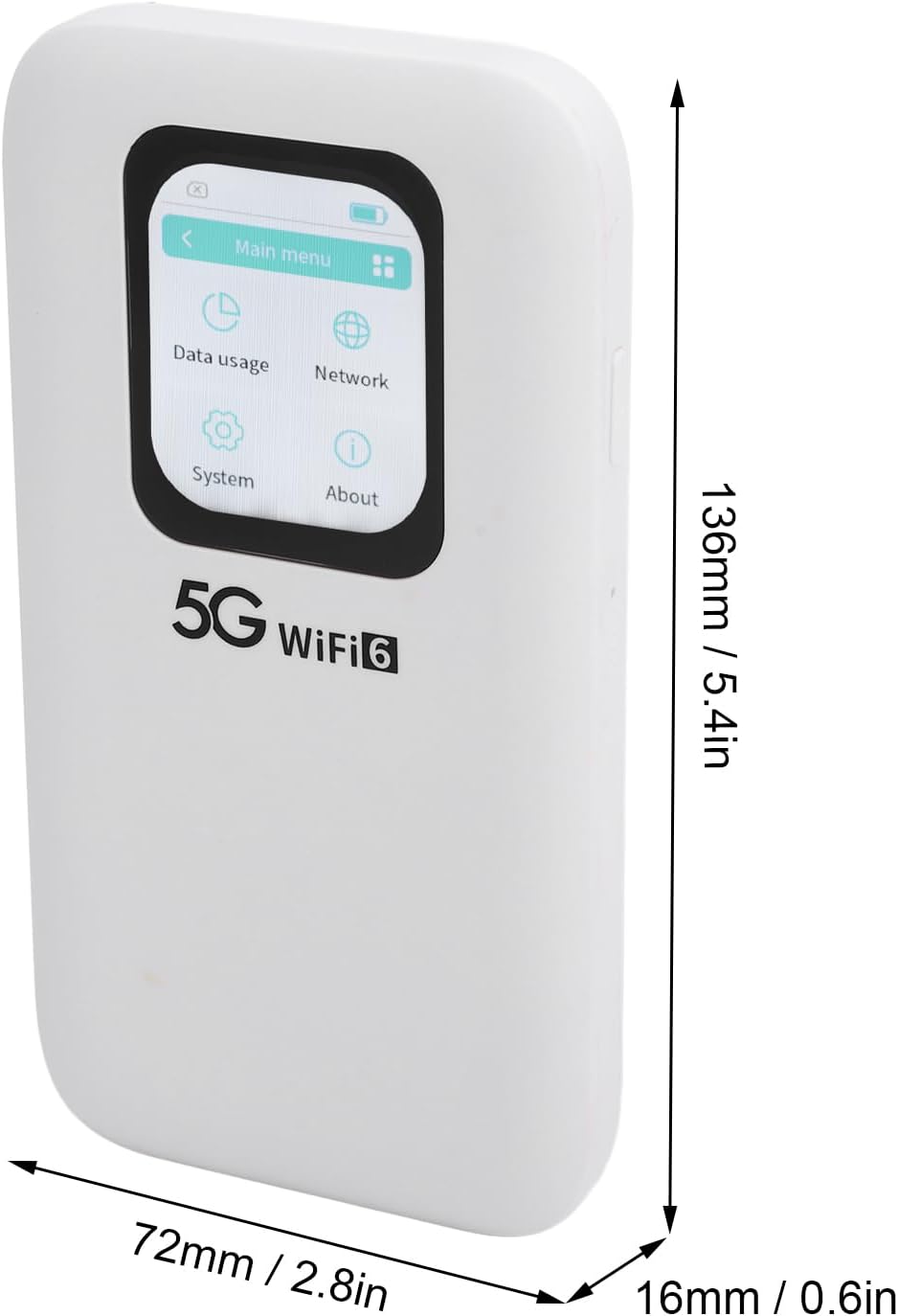
Image: Physical dimensions of the CUIFATI 5G WiFi 6 Mobile Hotspot.
| Feature | Detalje |
|---|---|
| Modelnummer | CUIFATIpbi51wg9sz |
| Forbindelsesteknologi | 5G NR, 4G LTE (FDD/TDD), 3G |
| Wi-Fi-standard | WiFi 6 (802.11a/b/g/n/ac/ax) |
| Frekvensbånd | 2.4GHz, 5.8GHz (Dual Band) |
| Maks downloadhastighed | Op til 2.77 Gbps |
| Maks uploadhastighed | Op til 1.25 Gbps |
| Batterikapacitet | 7100mAh Polymer batteri |
| Vise | 2.01-tommer berøringsskærm |
| SIM-korttype | Nano SIM |
| Max tilsluttede enheder | Op til 16 enheder samtidigt |
| Dimensioner (L x B x H) | 6.69 x 4.33 x 1.57 tommer (ca. 170 x 110 x 40 mm) |
| Varens vægt | 10.8 ounce (ca. 306 gram) |
| Ingress Protection (IP) Rating | IP67 (Reinforced design for drop and water resistance) |
10. Garanti og support
The CUIFATI 5G WiFi 6 Mobile Hotspot comes with a standard manufacturer's warranty. Please refer to the warranty card included in your package or visit the official Cuifati webhjemmeside for detaljerede garantivilkår.
For technical support, troubleshooting assistance, or any inquiries regarding your device, please contact Cuifati customer service. Contact information can typically be found on the manufacturer's webwebstedet eller på produktemballagen.
Online support: Visit the Cuifati official webwebsted med ofte stillede spørgsmål, driverdownloads og supportressourcer.
E-mail support: Se din produktdokumentation for at finde e-mailadressen til kundesupport.