1. Introduktion
Welcome to the user manual for your Gracioso Bluetooth Cassette Player Model 311. This device combines the classic experience of cassette playback with modern Bluetooth connectivity, allowing you to enjoy your favorite tapes through wireless headphones or speakers. This manual provides detailed instructions for setup, operation, maintenance, and troubleshooting to ensure optimal use of your player.
Læs venligst denne manual grundigt, inden du bruger enheden, og gem den til senere brug.
2. Produktet er slutview
The Gracioso Model 311 is a compact and portable cassette player featuring Bluetooth 5.2 for audio output, a 3.5mm headphone jack, and an integrated 1100 mAh rechargeable battery. Its transparent casing allows you to view the cassette in operation, and a rear clip provides convenient portability.
Nøglefunktioner:
- Kassetteafspilning: Enjoy your classic audio cassette collection.
- Bluetooth 5.2 Output: Wirelessly stream audio to Bluetooth headphones or speakers.
- 3.5 mm lydudgang: Connect standard wired headphones.
- Genopladeligt batteri: Built-in 1100 mAh battery provides up to 10 hours of playback.
- Kompakt og bærbar: Lightweight design with a rear clip for easy carrying.
- Note: This device does not have an integrated speaker and Bluetooth is for output only. It cannot connect to mobile phones or car systems for input.

The Gracioso Bluetooth Cassette Player Model 311, shown with included earphones, highlighting its compact design and transparent cassette window.
3. Opsætning
3.1 Udpakning og første inspektion
Fjern forsigtigt alle komponenter fra emballagen. Sørg for, at følgende dele er til stede:
- Gracioso Bluetooth Cassette Player Model 311
- Høretelefoner
- USB Type-C opladerkabel
- Brugervejledning (dette dokument)
Inspect the device for any visible damage. If any components are missing or damaged, please contact customer support.
3.2 Opladning af batteriet
Before first use, fully charge the device. The integrated 1100 mAh lithium polymer battery takes approximately 2 hours to fully charge and provides up to 10 hours of playback.
- Connect the small end of the USB Type-C charging cable to the DC 5V port on the side of the cassette player.
- Tilslut standard USB-enden af kablet til en USB-strømadapter (medfølger ikke) eller en computers USB-port.
- The charging indicator light will illuminate during charging and turn off or change color when fully charged (refer to device for specific indicator behavior).

Visual guide for charging the Gracioso Cassette Player. It shows connection via a Type-C cable to a power adapter, with indicators for charging time (2 hours) and usage duration (10 hours).
4. Betjeningsvejledning
4.1 Isætning af et kassettebånd
- Locate the cassette compartment door on the player.
- Gently slide the release latch or press the 'OPEN' button (if present) to open the compartment door.
- Insert your cassette tape with the open magnetic tape side facing downwards and the desired side (A or B) facing you.
- Luk lågen til rummet godt, indtil den klikker på plads.
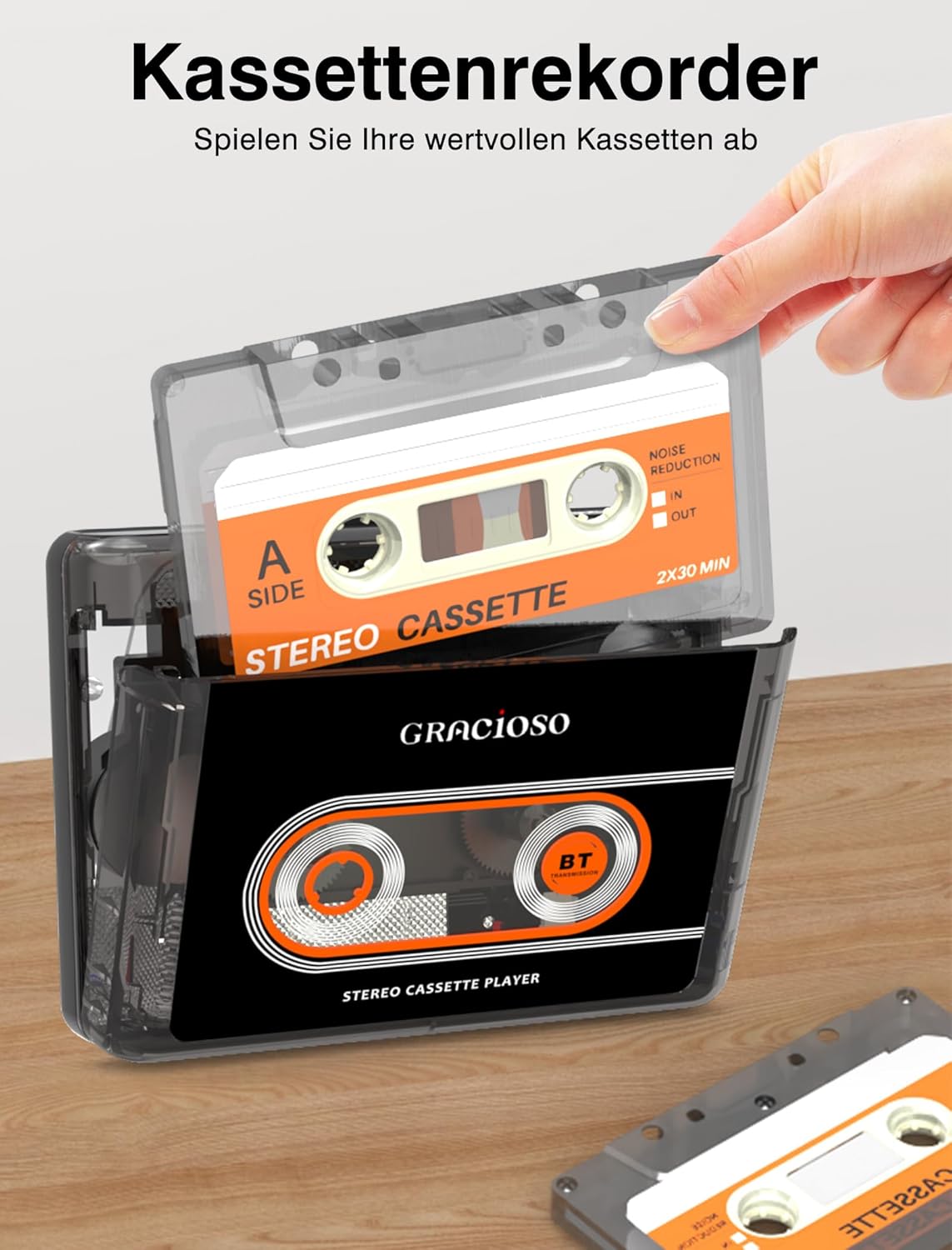
A hand inserting a cassette tape into the Gracioso Cassette Player, demonstrating the loading process.
4.2 Kassetteafspilning
Once a cassette is inserted and the device is powered on:
- Tryk på SPIL knappen for at starte afspilning.
- Brug STOP knappen for at stoppe afspilningen.
- Tryk på FF (Spol frem) button to quickly advance the tape.
- Tryk på REW (spol tilbage) button to quickly rewind the tape.
- Adjust the volume using the dedicated volume control dial/buttons on the player.
4.3 Connecting Bluetooth Devices (Output Only)
The Gracioso Model 311 can transmit audio to Bluetooth headphones or speakers. It cannot receive audio from other devices (e.g., smartphones) via Bluetooth.
- Ensure your Bluetooth headphones or speaker are in pairing mode. Refer to your Bluetooth device's manual for instructions.
- Turn on the Gracioso Cassette Player. The Bluetooth indicator light will begin to flash, indicating it is searching for devices.
- Når der er oprettet forbindelse, lyser Bluetooth-indikatoren konstant.
- Start cassette playback. Audio will now be transmitted to your paired Bluetooth device.

Illustration demonstrating the Gracioso Cassette Player's Bluetooth sender function, allowing connection to external Bluetooth headphones or speakers. Note: Cannot connect to mobile phones or car systems.
4.4 Using Wired Headphones
For a direct audio experience, use the included 3.5mm earphones or any standard 3.5mm headphones.
- Plug the 3.5mm jack of your headphones into the headphone port on the side of the player.
- Start cassette playback.
- Juster lydstyrken til et behageligt niveau.

A user enjoying music from the Gracioso Cassette Player using standard 3.5mm wired headphones, emphasizing comfortable listening.
4.5 Using the Rear Clip
The Gracioso Model 311 features a convenient rear clip for attaching the player to your belt, pocket, or bag, enhancing its portability.
- To attach, simply slide the clip onto the edge of your clothing or bag strap.
- Ensure the clip is securely fastened to prevent the player from falling.

The Gracioso Cassette Player attached to a belt using its integrated rear clip, illustrating its portability and ease of transport.
5. Vedligeholdelse
5.1 Rengøring af enheden
To maintain the appearance and functionality of your player:
- Tør ydersiden af med en blød, tør klud.
- Brug ikke slibende rengøringsmidler, opløsningsmidler eller stærke kemikalier, da disse kan beskadige overfladen.
- Keep the device away from dust and moisture.
5.2 Pleje af batterier
For at forlænge batterilevetiden:
- Undgå at aflade batteriet helt ofte.
- Oplad enheden regelmæssigt, selvom den ikke er i brug i længere perioder (f.eks. hver 3. måned).
- Opbevar enheden på et køligt, tørt sted.
5.3 Rengøring af kassettehoved
Over time, dust and tape residue can accumulate on the playback head, affecting sound quality. It is recommended to clean the playback head periodically:
- Åbn kassetterummet.
- Gently clean the playback head and pinch rollers with a cotton swab lightly dampafsluttet med isopropylalkohol.
- Allow components to dry completely before inserting a cassette.
6. Fejlfinding
| Problem | Mulig årsag | Løsning |
|---|---|---|
| Ingen lyd under afspilning. | Volume too low; headphones/speakers not connected; cassette inserted incorrectly; dirty playback head. | Increase volume; ensure headphones are plugged in or Bluetooth device is paired; re-insert cassette correctly; clean playback head. |
| Bluetooth-enhed parres ikke. | Bluetooth device not in pairing mode; too far from player; player's Bluetooth off. | Ensure Bluetooth device is in pairing mode; bring devices closer; ensure player's Bluetooth indicator is flashing. |
| Batteriet oplades ikke. | Charging cable not connected properly; faulty cable/adapter; power source issue. | Check cable connections; try a different USB cable or power adapter; ensure power source is active. |
| Dårlig lydkvalitet. | Dirty playback head; worn-out cassette tape; low battery. | Clean playback head; try a different cassette; charge the battery. |
If you encounter issues not listed here or if the suggested solutions do not resolve the problem, please contact customer support for further assistance.
7. Specifikationer
| Feature | Specifikation |
|---|---|
| Mærke | Gracioso |
| Model | 311 |
| Fabrikant | Dingmi |
| Bluetooth version | 5.2 (Output only) |
| Batteritype | Lithium polymer |
| Batterikapacitet | 1100 mAh |
| Opladningstid | Ca. 2 timer |
| Afspilningstid | Op til 10 timer |
| Opladningsport | USB Type-C (DC 5V) |
| Lydudgang | 3.5 mm hovedtelefonstik |
| Produktdimensioner | 16.31 x 9.8 x 5 cm (6.42 x 3.86 x 1.97 tommer) |
| Produktets vægt | 213.19 gram (0.47 lbs) |
8. Garanti og support
This Gracioso product is covered by a manufacturer's warranty. For specific warranty terms and conditions, please refer to the documentation provided with your purchase or contact the seller directly.
For technical support, troubleshooting assistance, or inquiries regarding your product, please contact the retailer or manufacturer's customer service department. Please have your model number (311) and purchase information ready when contacting support.


