Indledning
This manual provides detailed instructions for the installation, operation, and maintenance of your Ctronics 4K Hybrid Zoom WLAN Outdoor Security Camera, Model 930C-4K. Please read this manual thoroughly before using the product to ensure proper functionality and safety.
The Ctronics 4K Hybrid Zoom WLAN Outdoor Security Camera features a dual-lens system, 10x hybrid zoom (6x optical + 4x digital), automatic zoom tracking, human recognition, 4K full-color night vision, two-way audio, and IP66 weather resistance for reliable outdoor surveillance.

Figure 1: Ctronics 4K Hybrid Zoom WLAN Outdoor Security Camera (Model 930C-4K)
Pakkens indhold
Bekræft at alle varer er til stede i pakken:
- Ctronics 4K Hybrid Zoom WLAN Outdoor Security Camera
- Strømadapter
- Monteringsskruer og vægdyvler
- Waterproof Kit for Network Cable
- Bor skabelon
- Brugermanual
Sikkerhedsforanstaltninger
- Ensure the power supply matches the camera's requirements (12V).
- Udsæt ikke kameraet for ekstreme temperaturer eller fugtighed uden for dets driftsområde.
- Undgå direkte eksponering for stærke lyskilder, da dette kan påvirke billedkvaliteten.
- Håndter kameraet forsigtigt for at undgå fysisk skade.
- Consult a professional for installation if you are unsure about electrical wiring or mounting procedures.
Opsætning
1. Fysisk installation
The camera supports both wall and ceiling mounting. Choose a location that provides optimal coverage and a stable Wi-Fi signal.
- Vælg monteringssted: Identify a suitable outdoor location, ensuring it is within range of your Wi-Fi network and has access to a power outlet.
- Marker borehuller: Use the provided drill template to mark the positions for drilling on the wall or ceiling.
- Bore huller: Bor huller på de markerede steder, og isæt vægdyvlerne.
- Monter kamera: Secure the camera bracket to the wall or ceiling using the provided screws.
- Tilslut strøm: Connect the power adapter to the camera and plug it into a power outlet. Ensure the connection is waterproof using the provided kit if applicable.

Figure 2: Camera mounting options (wall-mounted and ceiling-mounted) demonstrating IP66 weather resistance.
2. Netværksforbindelse
The camera supports stable and fast dual-band Wi-Fi (2.4GHz and 5GHz).
- Download app: Download the "Ctronics Pro" app from your smartphone's app store (iOS or Android).
- Registrer konto: Åbn appen, og opret en ny konto, eller log ind, hvis du allerede har en.
- Tilføj kamera: Følg instruktionerne i appen for at tilføje dit kamera. Dette involverer typisk at scanne en QR-kode på kameraet eller manuelt indtaste dets ID.
- Opret forbindelse til Wi-Fi: Select your Wi-Fi network (2.4GHz or 5GHz) and enter the password. The camera will connect to your network.
- Indledende opsætning: Complete any initial setup steps prompted by the app, such as setting a device password and time zone.

Figure 3: Ctronics Pro app interface for camera management.

Figure 4: Illustration of the camera's stable dual-band Wi-Fi connectivity (2.4GHz and 5GHz).
Betjening af kameraet
1. Lev View og PTZ-styring
- Open the Ctronics Pro app and select your camera to access the live view.
- Use the on-screen controls to pan (355°) and tilt (90°) the camera to adjust its viewvinkel.
- Utilize the 10x hybrid zoom feature (6x optical + 4x digital) to get a closer look at specific areas.

Figure 5: The camera's 10x hybrid zoom capability, showing a zoomed-in view of a child in a backyard.

Figure 6: Illustration of the dual-lens system providing both narrow (50° view, 8mm) and wide (90° view, 3.6mm) perspectives.
2. Motion Detection and Auto-Tracking
- Access the camera settings in the app to configure motion detection zones and sensitivity.
- Enable human recognition to filter out false alarms caused by animals or inanimate objects.
- Activate auto-tracking zoom, which allows the camera to automatically follow detected human movement and zoom in for clearer details.
- Set up preset points for quick navigation to frequently monitored areas.
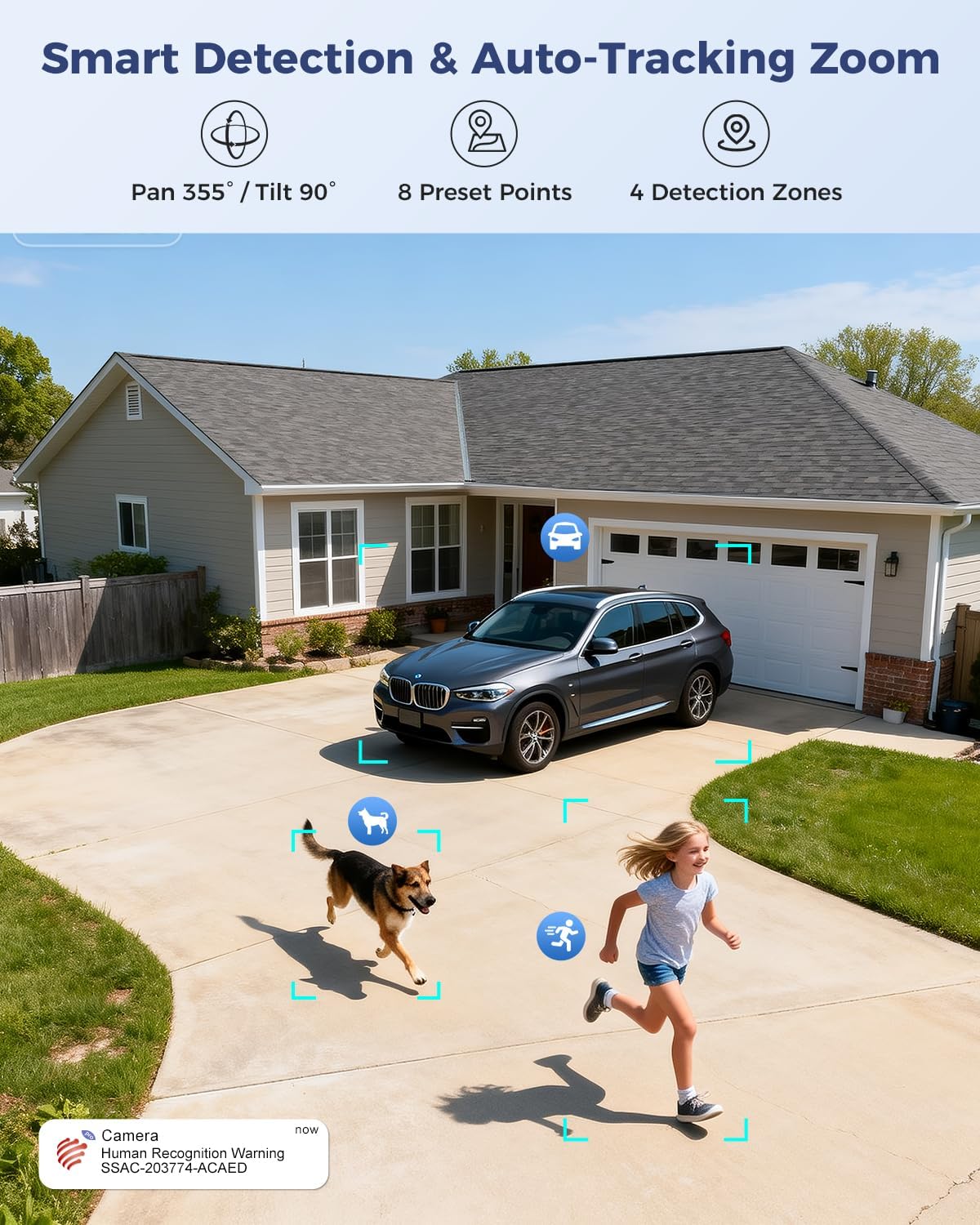
Figure 7: Visual representation of smart detection features including pan/tilt, preset points, detection zones, and human recognition with auto-tracking.
3. Nattesyn
The camera features a starlight lens for 4K full-color night vision, providing clear images even in low-light conditions.
- The camera automatically switches to night vision mode when ambient light is insufficient.
- The starlight lens (F/1.6 aperture) enhances low-light performance, offering a night vision range of up to 30 meters.

Figure 8: Comparison of starlight lens night vision (top) providing full-color clarity versus a normal lens (bottom) in low light conditions.
4. Tovejslyd
Use the two-way audio feature to communicate with visitors or deter intruders.
- I live view, tryk på mikrofonikonet for at tale gennem kameraets højttaler.
- Kameraets indbyggede mikrofon giver dig mulighed for at høre lyd fra kameraets omgivelser.
5. Optagelse og lagring
The camera offers multiple storage options for recorded footage:
- MicroSD-kort: Understøtter op til 256 GB microSD-kort (medfølger ikke) til lokal lagring.
- Cloud Storage: Optional 30-day cloud storage service (subscription may be required).
- NVR: Supports Network Video Recorder (NVR) for 24/7 continuous recording.
- FTP: Supports FTP for uploading recordings to an FTP server.

Figur 9: Overview of the camera's four storage options: MicroSD card (up to 256GB), 30-day Cloud, NVR (7/24 Recording), and FTP support.
6. Enhedskompatibilitet
Access and manage your camera from various devices and platforms:
- Mobil app: Ctronics Pro (iOS, Android)
- PC-klient: HiP2P Client (Windows, Mac OS)
- Web Browser: Adgang via web browser for live view og indstillinger.

Figure 10: The camera's broad device compatibility, showing access from smartphones, tablets, laptops, and desktop computers.
Opretholdelse
- Rensning: Rengør kameralinsen regelmæssigt med en blød, tør klud for at sikre en klar billedkvalitet. Brug ikke skrappe kemikalier.
- Firmwareopdateringer: Check the Ctronics Pro app periodically for available firmware updates. Keeping the firmware updated ensures optimal performance and security.
- Strømforsyning: Sørg for, at strømadapteren og kablet er fri for skader.
Fejlfinding
| Problem | Mulig årsag | Løsning |
|---|---|---|
| Kamera offline | No power; Wi-Fi signal weak or disconnected; incorrect Wi-Fi password. | Check power connection; move camera closer to router or use a Wi-Fi extender; re-enter Wi-Fi password in app. |
| Dårlig billedkvalitet | Beskidt linse; utilstrækkelig belysning; problemer med netværksbåndbredde. | Clean the lens; ensure adequate lighting for optimal night vision; check network speed. |
| Bevægelsesdetektion virker ikke | Detection sensitivity too low; detection zones not configured; human recognition disabled. | Adjust sensitivity in app; configure detection zones; enable human recognition. |
| Problemer med tovejslyd | Microphone/speaker muted in app; network latency. | Ensure audio is enabled in app; check network connection. |
Specifikationer
| Feature | Detalje |
|---|---|
| Modelnummer | 930C-4K |
| Video opløsning | 4K (3840 pixels) |
| Zoom | 10x Hybrid Zoom (6x Optical + 4x Digital) |
| Pan/tilt rækkevidde | Panorer 355°, vip 90° |
| Linsetype | Dual Lens (Narrow 50°/8mm, Wide 90°/3.6mm) |
| Nattesyn | 4K Full-Color Starlight Night Vision (F/1.6), up to 30 meters |
| Lyd | To-vejs lyd |
| Forbindelse | Dual-Band Wi-Fi (2.4GHz, 5GHz), Wired Ethernet |
| Opbevaringsmuligheder | MicroSD (up to 256GB), Cloud, NVR, FTP |
| Vejrbestandighed | IP66 |
| Strømforsyning | 12 volt, 12 watt |
| Dimensioner (L x B x H) | 25 x 13 x 20 cm |
| Materiale | Metal |
| Monteringstype | Wall- and Ceiling-mount |
| Kompatible enheder | Stationær computer, bærbar computer, smartphone, tablet |
Garanti og support
Garantioplysninger
This product typically comes with a standard manufacturer's warranty. For specific warranty terms and conditions, please refer to the documentation included with your purchase or contact Ctronics customer support. Amazon's return policy for this product is 30 days for refund/replacement.
Kundesupport
If you encounter any issues or have questions regarding your Ctronics camera, please contact Ctronics customer support through their official website or the contact information provided in the product packaging. You can also refer to the FAQ section within the Ctronics Pro app for common solutions.


