1. Introduktion
Welcome to the user manual for your JLab JBuds Party Portable Bluetooth Speaker. This guide provides essential information for setting up, operating, maintaining, and troubleshooting your speaker. The JBuds Party speaker delivers powerful audio with dual full-range drivers and passive woofers, features customizable RGB lighting, and offers multi-speaker connectivity via LabSync technology. Its IP56 waterproof rating ensures durability for various environments.

Image: The JLab JBuds Party Portable Bluetooth Speaker in Cyan, showcasindens design.
2. Hvad er inkluderet
Kontroller venligst pakkens indhold for at sikre, at alle varer er til stede:
- JLab JBuds Party Bluetooth Speaker
- USB-C ladekabel
- Brugervejledning
3. Kontrol og funktioner
Gør dig bekendt med højttalerens komponenter og betjeningselementer:

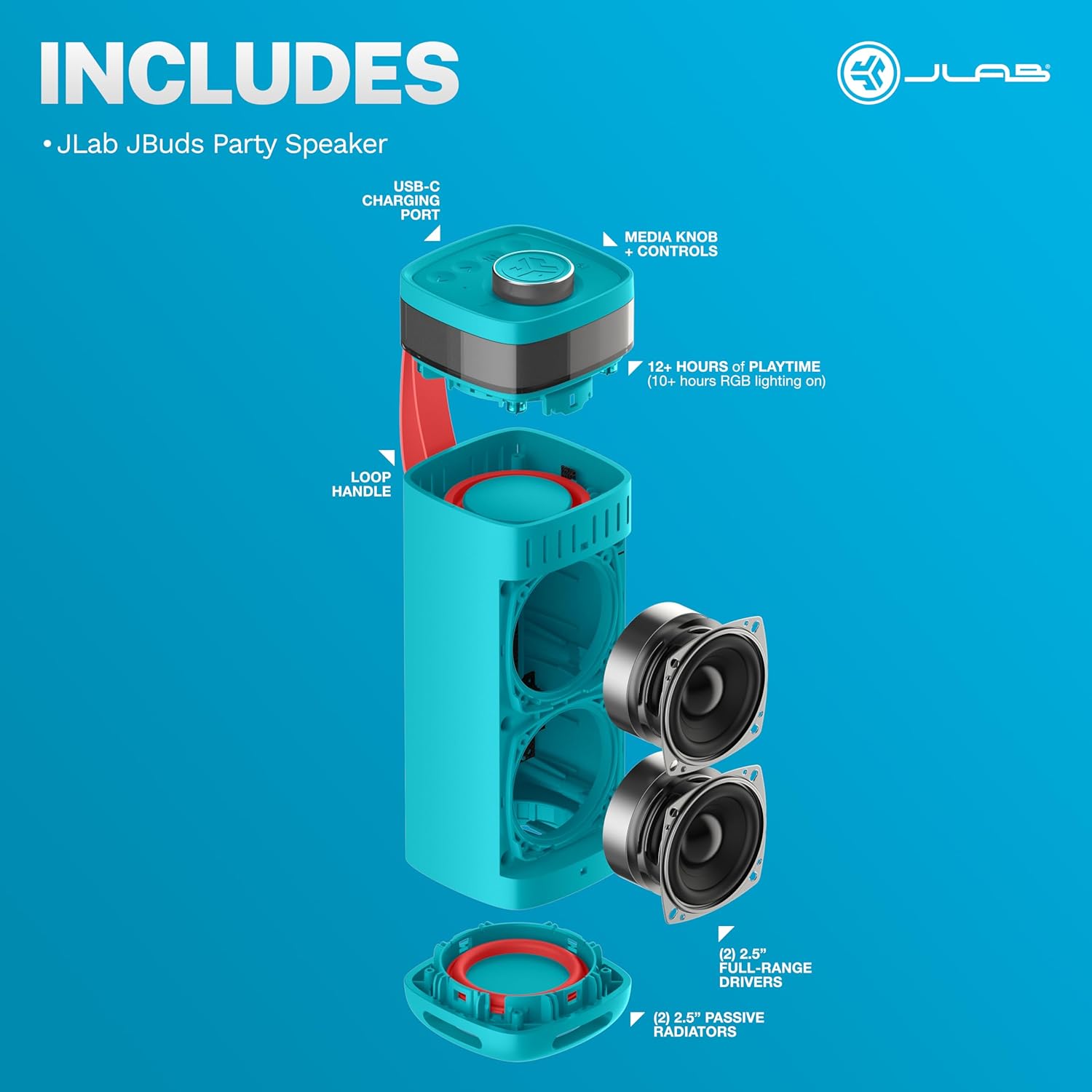
Image: An exploded diagram of the JLab JBuds Party speaker, highlighting its internal components such as the USB-C charging port, media knob and controls, loop handle, 2.5-inch full-range drivers, and 2-inch passive radiators.
- Media Knob + Controls: Located on the top panel for power, volume, playback, and other functions.
- USB-C opladningsport: Til opladning af højttalerens interne batteri.
- Loop Handle: Integrated for easy transport and hanging.
- Full-Range Drivers (2x 2.5"): Deliver clear and powerful audio.
- Passive Radiators (2x 2"): Forbedre basgengivelsen.
- RGB belysning: Customizable lighting effects around the top of the speaker.
4. Opsætning
4.1 Opladning
Before first use, fully charge your JBuds Party speaker. Connect the provided USB-C charging cable to the speaker's charging port and a compatible USB power source. The charging indicator will show the charging status.
4.2 Bluetooth -parring
- Power on the JBuds Party speaker by pressing and holding the power button.
- The speaker will automatically enter Bluetooth pairing mode, indicated by a flashing light.
- Gå til Bluetooth-indstillingerne på din enhed (smartphone, tablet, bærbar computer).
- Select "JBuds Party" from the list of available devices.
- Once connected, the speaker will confirm with an audible prompt, and the light indicator will become solid.
4.3 JLab App Integration
For enhanced control and customization, download the JLab App from the App Store or Google Play Store. The app allows you to customize RGB lighting, adjust sound settings (EQ4 presets), and receive software updates.

Image: A hand interacting with the JLab App on a smartphone, showing options to customize the RGB lighting of the JBuds Party speaker.
5. Betjening af højttaleren
5.1 Grundlæggende afspilning
After successful Bluetooth pairing, you can play audio from your connected device. Use the media knob on the speaker or your device's controls to adjust volume, play/pause, and skip tracks.
5.2 RGB-belysning
The JBuds Party speaker features integrated RGB lighting. You can customize the color, pattern, and frequency of these lights using the JLab App to match your preference.
Billede: En person viewing their JLab JBuds Party speaker while customizing its sound and RGB lighting settings through the JLab App on their smartphone.
5.3 LabSync Multi-Speaker Connectivity
LabSync allows you to connect up to 100 JLab Party speakers for synchronized sound and lighting. Refer to the JLab App for detailed instructions on initiating and managing LabSync connections.

Image: Two JLab JBuds Party speakers shown side-by-side, illustrating the LabSync feature for synchronizing sound and lights across multiple units.
5.4 LabSync Stereo Pairing
For a more immersive audio experience, you can use LabSync to designate two JLab Party speakers as left and right channels, creating a powerful 2-channel stereo system. This feature is managed through the JLab App.
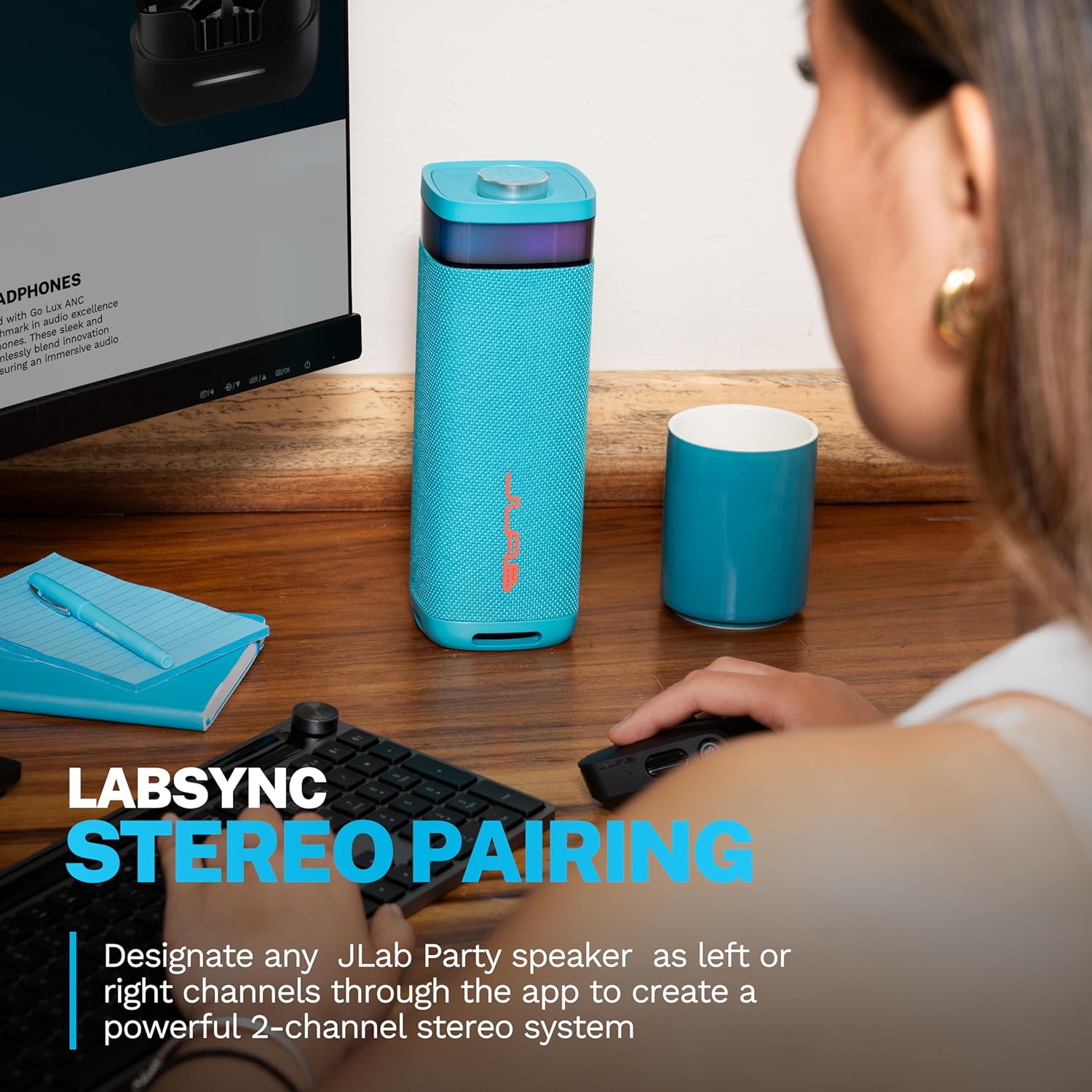
Image: A JLab JBuds Party speaker positioned on a desk next to a computer, demonstrating its use in a stereo pairing setup for an enhanced audio experience.
5.5 Vandtæthedsklassificering (IP56)
The JBuds Party speaker is IP56 rated, meaning it is protected against dust ingress and high-pressure water jets from any direction. This makes it suitable for outdoor use and resistant to splashes or light rain. Do not submerge the speaker in water.
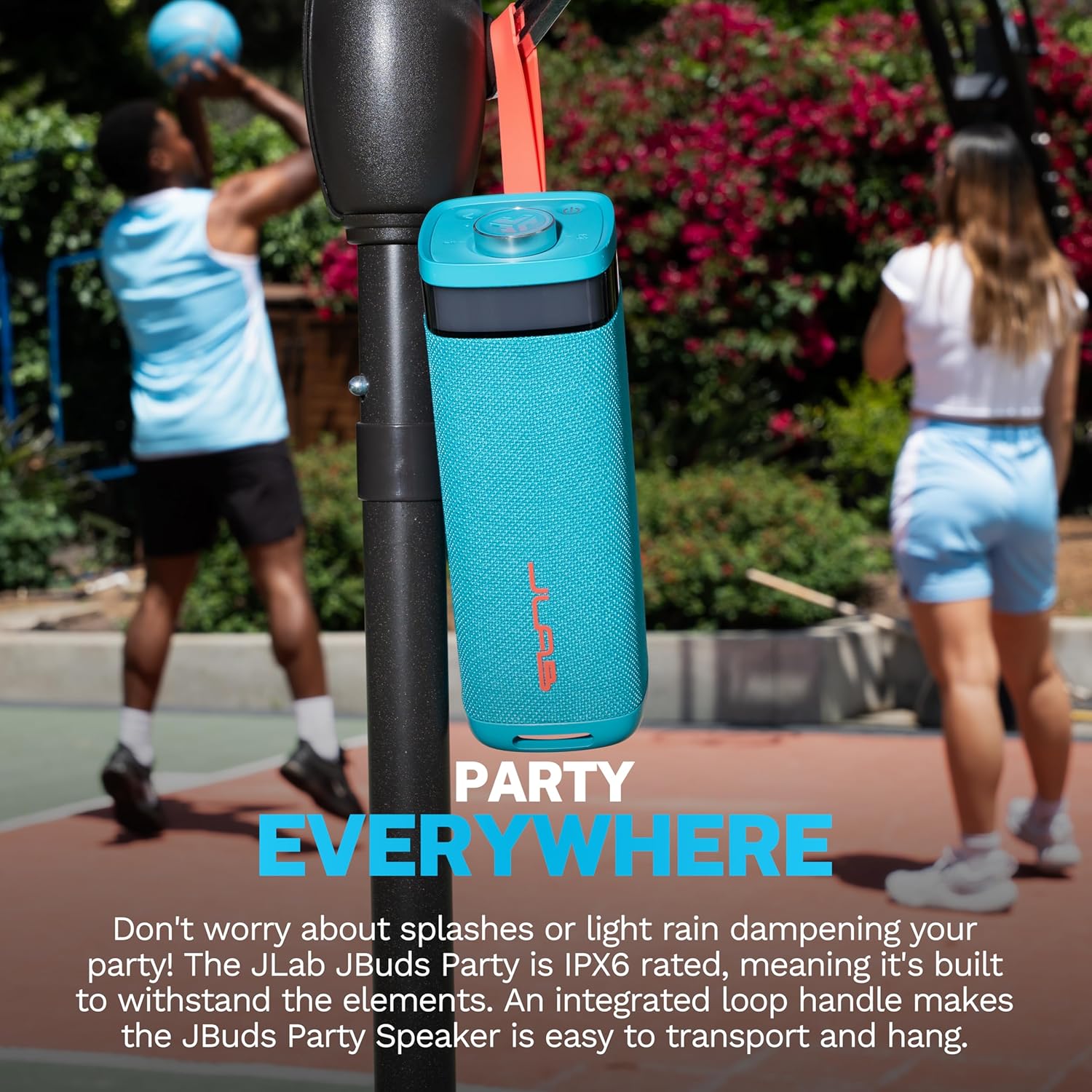
Image: A JLab JBuds Party speaker, equipped with its loop handle, hanging from a basketball hoop outdoors, demonstrating its portability and suitability for various environments.
6. Vedligeholdelse
- Rensning: Tør højttaleren af med en blød, damp klæde. Undgå at bruge skrappe kemikalier eller slibende rengøringsmidler.
- Opbevaring: Opbevar højttaleren på et køligt, tørt sted, når den ikke er i brug.
- Vandeksponering: While IP56 rated, ensure the charging port cover is securely closed before exposure to water. After exposure, dry the speaker thoroughly before charging.
7. Fejlfinding
| Spørgsmål | Mulig løsning |
|---|---|
| Højttaleren tændes ikke | Sørg for, at højttaleren er opladet. Tilslut den til en strømkilde med USB-C-kablet. |
| Ingen lyd | Check if the speaker is paired correctly. Increase volume on both the speaker and your connected device. Ensure the audio source is playing. |
| Bluetooth-parring mislykkes | Ensure the speaker is in pairing mode. Turn off and on Bluetooth on your device. Move the speaker closer to your device. Forget "JBuds Party" from your device's Bluetooth list and try pairing again. |
| LabSync connection issues | Ensure all speakers are within range and powered on. Check the JLab App for connection status and troubleshooting steps specific to LabSync. |
8. Specifikationer
| Feature | Detalje |
|---|---|
| Modelnavn | JBuds Party |
| Varemodelnummer | SBJBUDSCYA12WEB |
| Højttaler type | Bærbar højttaler |
| Forbindelsesteknologi | Bluetooth |
| Trådløs kommunikationsteknologi | Bluetooth |
| Lydudgangstilstand | Stereoanlæg |
| Surround Sound Kanalkonfiguration | 2.0 |
| Højttaler Maksimal udgangseffekt | 30 watt |
| Højttaler størrelse | 2.5 tommer (fuldtone-drivere) |
| Bashøjttaler diameter | 2 Inches (Passive Woofers) |
| Strømkilde | Batteridrevet |
| Batterier | 2 ikke-standardbatterier kræves (inkluderet) |
| Spilletid | 12 Hours (10+ hours with RGB lighting) |
| Vandmodstandsniveau | IP56 (Vandtæt) |
| Kontrolmetode | Tryk på knap, berør |
| Produktdimensioner | 3.35" D x 3.35" B x 9.76" H |
| Varens vægt | 3.56 pund |
| Kompatible enheder | Bærbar computer, MP3-afspiller, smartphone, tablet |
| UPC | 810119074768 |
9. Garanti og support
9.1 Garantioplysninger
The JLab JBuds Party Portable Bluetooth Speaker comes with a Full Warranty. Please refer to the official JLab website or your purchase documentation for specific terms and conditions of the warranty.
9.2 Kundesupport
For further assistance, technical support, or warranty claims, please visit the official JLab support website or contact their customer service department. Contact information can typically be found on the JLab webwebstedet eller i din produktemballage.


