1. Introduktion
This manual provides essential information for the safe and efficient use of your Azeyou A733 Android 15 Tablet. Please read this manual thoroughly before operating the device to ensure proper functionality and to prevent damage. Keep this manual for future reference.

Image: The Azeyou A733 Android 15 Tablet, showcasing its 12-inch display and core specifications.
2. Sikkerhedsoplysninger
- Udsæt ikke tabletten for ekstreme temperaturer, direkte sollys eller høj luftfugtighed.
- Undgå at tabe tabletten eller udsætte den for hårde stød.
- Brug kun producentgodkendte opladere og tilbehør.
- Do not attempt to disassemble or repair the tablet yourself. Refer to authorized service personnel.
- Keep the tablet away from children and pets to prevent accidental damage or injury.
3. Pakkens indhold
Bekræft, at alle varer er til stede i din produktpakke:
- Azeyou A733 Android 15 Tablet
- USB Type-C opladerkabel
- Strømadapter (20W hurtigoplader)
- Brugervejledning (dette dokument)
- SIM Ejector Tool (if applicable for models with cellular support)
4. Enhed overview
Gør dig bekendt med de fysiske komponenter på din tablet.

Billede: Side view of the Azeyou A733 tablet, illustrating the placement of buttons and ports.
- Power knap: Placeret på siden, bruges til at tænde/slukke tabletten eller vække/sætte skærmen i dvaletilstand.
- Lydstyrkeknapper: Juster lydstyrken.
- USB Type-C-port: Til opladning og dataoverførsel.
- Højttalergitter: Located on the sides for audio output.
- Forreste kamera: Til videoopkald og selfies (5MP).
- Bagkamera: Til optagelse af billeder og videoer (13MP).
- Mikrofon: Til stemmeinput.
- TF-kortslot: Til udvidelig lagring op til 1 TB.
5. Opsætning
5.1 Indledende opladning
Before first use, fully charge your tablet. Connect the provided USB Type-C cable to the tablet's Type-C port and the power adapter, then plug the adapter into a wall outlet. The tablet supports 20W fast charging.
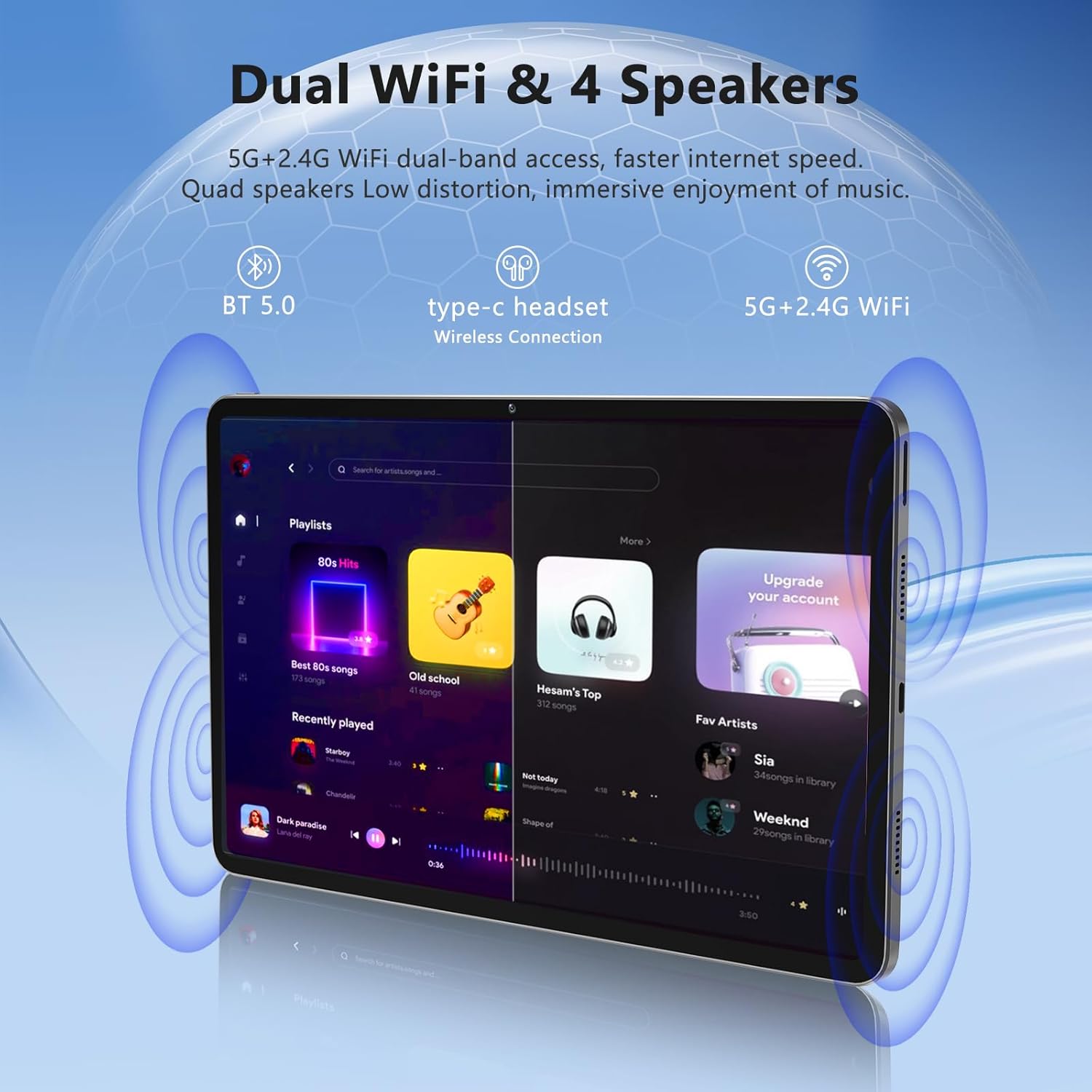
Image: The Azeyou A733 tablet connected to a charger, illustrating its fast charging feature.
5.2 Tænd/sluk
- For at tænde: Tryk på tænd/sluk-knappen, og hold den nede, indtil Azeyou-logoet vises.
- For at slukke: Press and hold the Power button until the power options appear on screen, then select "Power off."
- For at genstarte: Press and hold the Power button until the power options appear, then select "Restart."
5.3 Guide til indledende opsætning
Når tabletten tændes første gang, vil den guide dig gennem en indledende opsætningsproces:
- Vælg dit foretrukne sprog.
- Opret forbindelse til et Wi-Fi-netværk.
- Log ind med din Google-konto, eller opret en ny.
- Review og accepterer vilkårene og betingelserne.
- Konfigurer skærmlås (pinkode, mønster eller adgangskode).
5.4 Udvidelig lagerplads
To expand storage, insert a TF (microSD) card into the designated slot. The tablet supports up to 1TB expansion.

Image: Visual representation of the tablet's memory configuration, including 20GB RAM, 128GB ROM, and 1TB expandable storage.
6. Betjening af tabletten
6.1 Grundlæggende navigation
The Azeyou A733 tablet uses touch gestures for navigation:
- Tryk på: Vælg et element, eller åbn en app.
- Stryg: Rul gennem skærme eller lister.
- At klemme: Zoom ind eller ud på billeder og web sider.
- Langt tryk: Få adgang til kontekstmenuer eller flyt ikoner.
6.2 Wi-Fi-forbindelse
Sådan opretter du forbindelse til et Wi-Fi-netværk:
- Gå til Indstillinger > Netværk og internet > Wi-Fi.
- Slå Wi-Fi til/fra On.
- Vælg det ønskede netværk fra listen.
- Indtast adgangskoden, hvis du bliver bedt om det, og tryk derefter på Forbinde.
The tablet supports Wi-Fi 6 for faster and more stable connections.

Billede: Tablet-showetasing its dual Wi-Fi capabilities and quad speakers for enhanced audio experience.
6.3 Bluetooth-forbindelse
To pair with a Bluetooth device (e.g., headphones, keyboard, mouse):
- Gå til Indstillinger > Tilsluttede enheder > Bluetooth.
- Slå Bluetooth til/fra On.
- Sørg for, at din Bluetooth-enhed er i parringstilstand.
- Select the device from the list and follow any on-screen prompts to complete pairing.
6.4 App-administration
Your Azeyou A733 tablet is GMS certified, allowing full access to the Google Play Store for downloading and managing applications.
- Installer apps: Open the Play Store app, search for your desired app, and tap Installere.
- Afinstaller apps: Long-press an app icon on the home screen or app drawer, then drag it to "Uninstall" or select "App info" and choose "Uninstall."
6.5 Kamerabrug
Tabletten har et 5MP frontkamera og et 13MP bagkamera.
- Åbn Kamera app.
- Tryk på ikonet for kameraskift for at skifte mellem forreste og bageste kamera.
- Tryk på udløserknappen for at tage et billede eller starte/stoppe videooptagelse.
Billede: Detaljeret view of the tablet's 13MP rear camera and 5MP front camera, illustrating their positions and use.
6.6 Opdelt skærmfunktion
To use two apps simultaneously:
- Åbn den første app.
- Tap the recent apps button (usually a square icon).
- Long-press the icon of the first app at the top of its card.
- Select "Split screen."
- Vælg den anden app fra listen over seneste apps eller appskuffen.
6.7 AI Air Gesture
The tablet supports AI Air Gesture for hands-free control. Specific gestures and their functions can be configured in Indstillinger > Smart kontrol (or similar menu name).
6.8 Sitting Posture Detection
This feature helps users maintain a healthy sitting posture by providing alerts or guidance. Access and configure this feature in Indstillinger > Digital velvære og forældrekontrol or a dedicated health/posture app.

Image: Demonstrations of AI air gesture for tablet control and the sitting posture detection system.
6.9 Medieafspilning (Widevine L1)
The tablet is Widevine L1 certified, enabling high-definition (HD) content streaming on platforms such as Netflix, Amazon Prime Video, Hulu, and HBO.

Image: The tablet displaying logos of popular streaming services, signifying its Widevine L1 certification for HD playback.
7. Vedligeholdelse
7.1 Rengøring
Use a soft, lint-free cloth to clean the tablet screen and body. Avoid using harsh chemicals or abrasive materials.
7.2 Pleje af batterier
8000mAh-batteriet giver længere tids brug. For at forlænge batterilevetiden:
- Undgå at aflade batteriet helt ofte.
- Do not leave the tablet charging for excessively long periods after it's full.
- Keep the tablet within a moderate temperature range.

Image: An infographic detailing the 8000mAh battery and its estimated performance across various activities.
7.3 Softwareopdateringer
Søg regelmæssigt efter og installer softwareopdateringer for at sikre optimal ydeevne og sikkerhed. Gå til Indstillinger > System > Systemopdatering.
7.4 Lagerstyring
To manage your 128GB internal storage (expandable to 1TB):
- Gå til Indstillinger > Opbevaring til view brug og frigør plads.
- Regularly clear cache data from apps.
- Flyt stort files til et isat TF-kort.
8. Fejlfinding
8.1 Fælles problemer
- Tabletten tænder ikke: Sørg for, at batteriet er opladet. Tilslut det til opladeren i mindst 30 minutter, før du forsøger at tænde det.
- Apps der går ned eller fryser: Close and reopen the app. If the issue persists, clear the app's cache (Settings > Apps > [App Name] > Storage & cache > Clear cache). Restart the tablet.
- Problemer med Wi-Fi-forbindelse: Genstart din Wi-Fi-router og tabletten. Glem netværket i tabletindstillingerne, og genopret forbindelsen.
- Langsom ydeevne: Luk unødvendige baggrundsapps. Ryd cache og midlertidige files. Consider performing a factory reset if performance issues persist after other troubleshooting steps.
8.2 Fabriksindstilling
En fabriksnulstilling sletter alle data fra din tablet og gendanner den til dens oprindelige fabriksindstillinger. Sikkerhedskopier vigtige data, før du fortsætter.
- Gå til Indstillinger > System > Nulstil muligheder.
- Vælge Slet alle data (gendan fabriksindstillinger).
- Bekræft din beslutning, og følg instruktionerne på skærmen.
9. Specifikationer

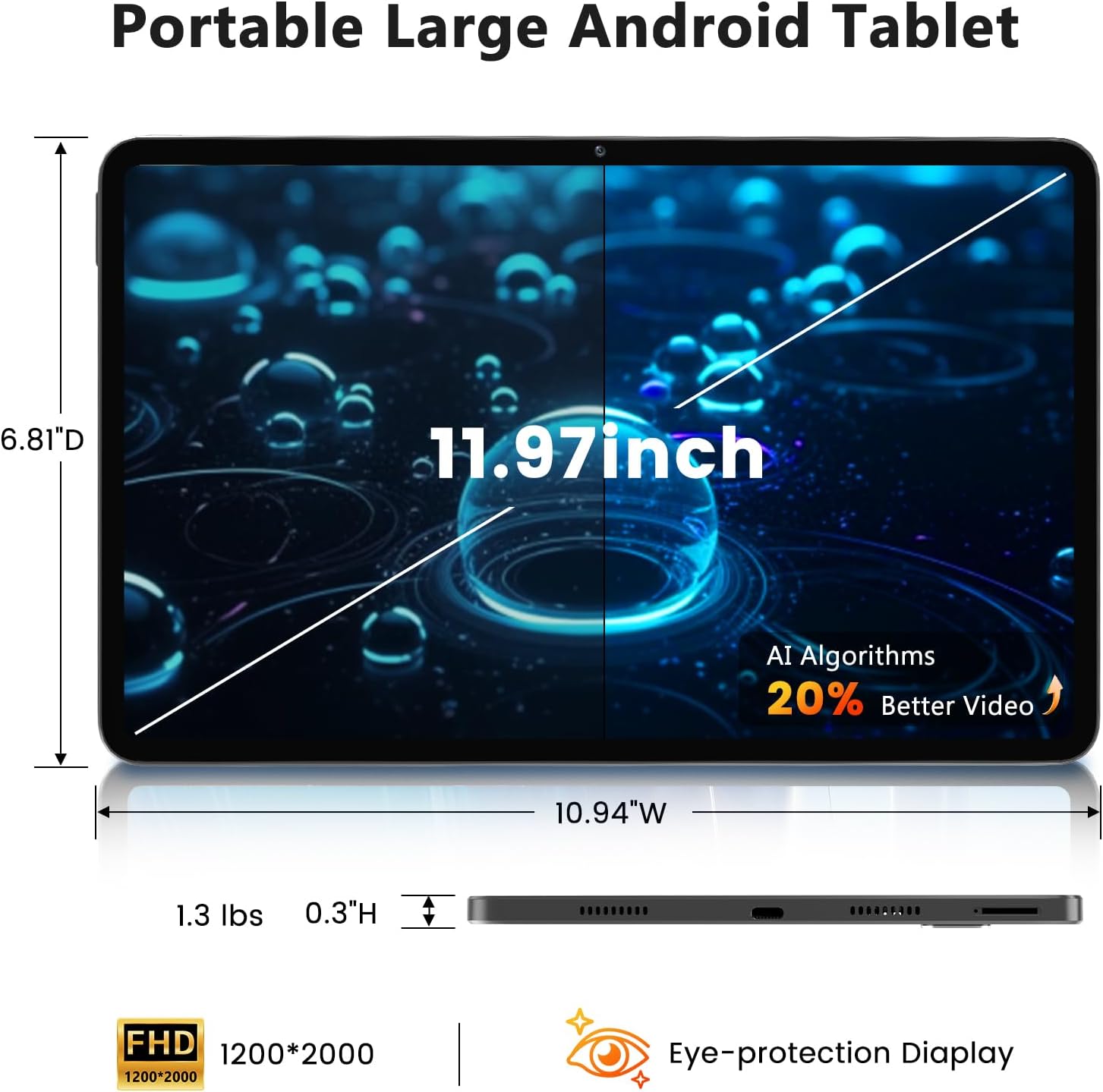
Image: A visual representation of the tablet's physical dimensions and weight.
| Feature | Specifikation |
|---|---|
| Mærke | Azeyou |
| Model | A733 |
| Operativsystem | Android 15 |
| Processor | A733 Octa-Core |
| VÆDDER | 20 GB (6 GB fysisk + 14 GB virtuel) |
| Internt lager (ROM) | 128 GB |
| Udvidelig opbevaring | Op til 1 TB via TF-kort (medfølger ikke) |
| Skærmstørrelse | 11.97 tommer |
| Skærmopløsning | 1200 x 2000 Pixels (2K Display) |
| Bagkamera | 13 MP |
| Forreste kamera | 5 MP |
| Batterikapacitet | 8000mAh |
| Opladning | 20W Fast Charge, Type-C Port |
| Trådløs forbindelse | Wi-Fi 6 (802.11ax), Bluetooth 5.0 |
| Dimensioner (LxBxH) | 11.97 x 6.81 x 0.3 tommer |
| Varens vægt | 3.15 pund |
| Særlige funktioner | GMS Certified, Widevine L1, Dual Speakers, AI Air Gesture, Sitting Posture Detection, Split-screen function |
10. Garanti og support
Your Azeyou A733 Tablet comes with a standard manufacturer's warranty. Please refer to the warranty card included in your package for specific terms and conditions, including warranty duration and coverage details.
For technical support, troubleshooting assistance, or warranty claims, please contact Azeyou customer service through the retailer where the product was purchased or visit the official Azeyou support webwebsted (hvis tilgængeligt).
Please have your product model number (A733) and purchase information ready when contacting support.


