1. Introduktion
This manual provides essential information for the proper setup, operation, and maintenance of your KOORUI E2711K 27 Inch 144Hz FHD IPS Monitor. Please read this manual thoroughly before using the product and retain it for future reference.
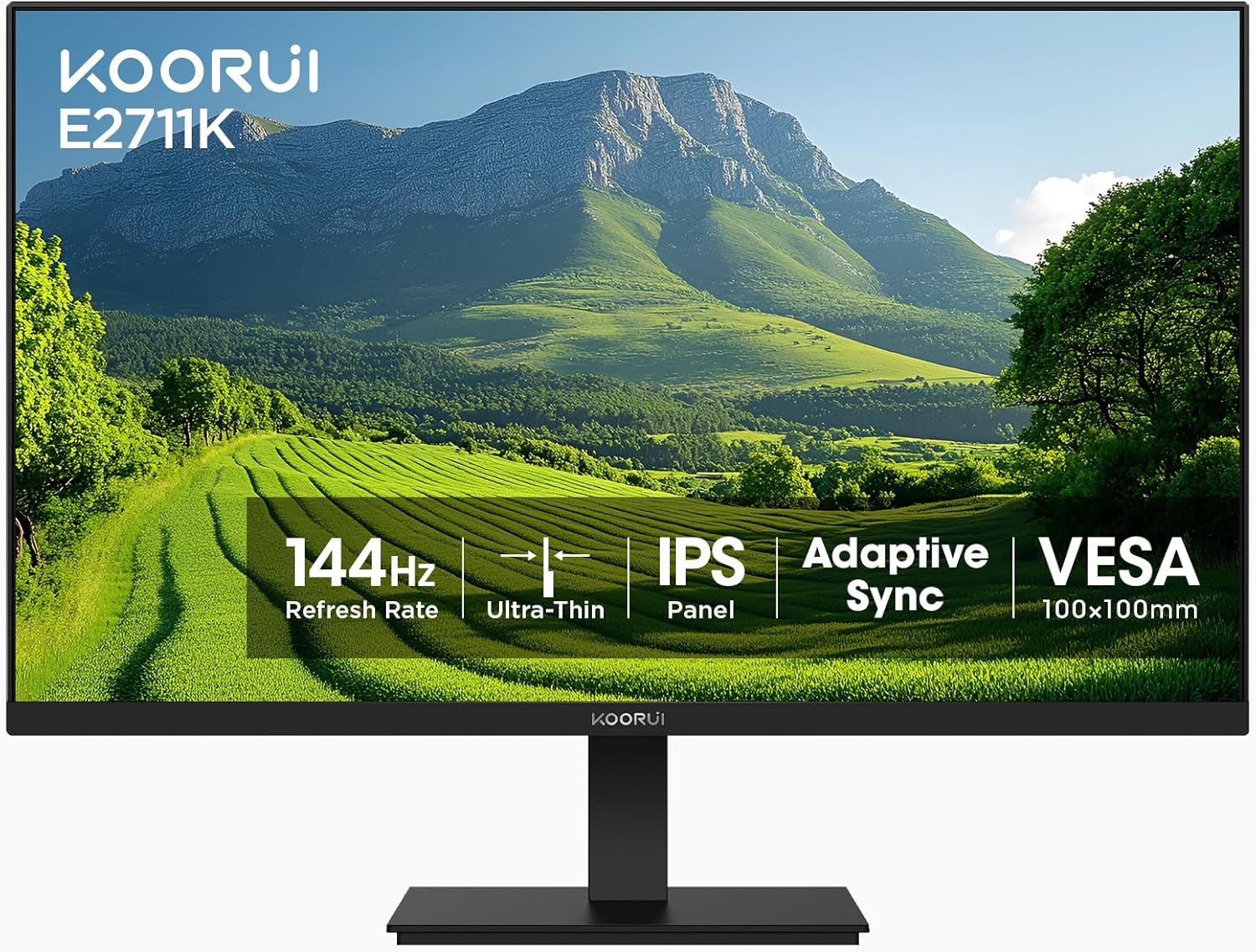
Billede 1.1: Forside view of the KOORUI E2711K 27 Inch Monitor, showcasing dens slanke rammer og stativ.
2. Pakkens indhold
Bekræft at alle varer er til stede i pakken:
- 27 tommer skærm
- Strømkabel
- HDMI kabel
- Brugermanual
3. Opsætningsvejledning
3.1 Montering af stativ
- Tag forsigtigt skærmens og stativets komponenter ud af emballagen.
- Fastgør stativets base til stativets hals, og fastgør den med den medfølgende skrue.
- Juster den samlede stander med monteringshullet på bagsiden af skærmen, og skub den ind, indtil den klikker på plads. Sørg for, at den er forsvarligt fastgjort.
3.2 VESA-montering
The monitor supports VESA 100x100mm mounting for alternative installation options such as wall mounts or monitor arms. Remove the stand before attaching a VESA-compatible mount.

Billede 3.1: Bagside view of the monitor showing the VESA 100x100mm mounting points for attaching to a monitor arm or wall mount.
3.3 Tilslutning til enheder
Connect the monitor to your computer or other devices using the available ports:
- HDMI: Use the provided HDMI cable to connect to an HDMI port on your device. The HDMI port supports a 144Hz refresh rate.
- VGA: Use a VGA cable (not included) to connect to a VGA port on your device. The VGA port supports a 60Hz refresh rate.
- Lydudgang: Connect external speakers or headphones to the 3.5mm audio output jack.
- Jævnstrøm: Connect the power cable to the DC input on the monitor and then to a power outlet.

Image 3.2: Close-up of the monitor's rear panel, highlighting the HDMI, VGA, Audio Output, and DC power ports, along with an illustration of the tilt adjustment range.
4. Betjeningsvejledning
4.1 Tænd/sluk
Tryk på tænd/sluk-knappen på skærmen for at tænde eller slukke den. Strømindikatorlampen lyser, når skærmen er aktiv.
4.2 On-Screen Display (OSD) menu
The OSD menu allows you to adjust various monitor settings. Use the vertical buttons on the back of the monitor to navigate and select options within the OSD menu.

Billede 4.1: Side view of the monitor emphasizing its slim design and the location of the vertical control buttons for OSD navigation.
4.3 Skærmindstillinger
- Opløsning: The monitor supports a native Full HD (1920 x 1080) resolution for clear and detailed images.
- Opdateringshastighed: Enjoy smooth visuals with a 144Hz refresh rate, reducing motion blur in fast-paced content.
- Adaptive Sync (FreeSync): This technology synchronizes the monitor's refresh rate with your graphics card's frame rate, eliminating screen tearing and stuttering for a fluid experience.
- HDR10: High Dynamic Range 10 provides enhanced contrast and color depth for compatible content.
- Farveskala: The monitor covers 99% sRGB color gamut, offering accurate and vibrant color reproduction.

Image 4.2: A comparison demonstrating sharper text and clearer motion at 144Hz refresh rate compared to 75Hz, highlighting reduced eye fatigue.

Image 4.3: A visual representation of the monitor's 99% sRGB color gamut, indicating its ability to display a wide range of accurate colors.
4.4 Øjenplejefunktioner
The monitor incorporates features designed to reduce eye strain during extended use:
- Flimmerfri: Eliminerer skærmflimmer, hvilket kan forårsage øjentræthed.
- Blåt lys filter: Reduces harmful blue light emissions to protect your eyes.
- Anti genskin: The matte screen surface minimizes reflections, improving visibility in various lighting conditions.
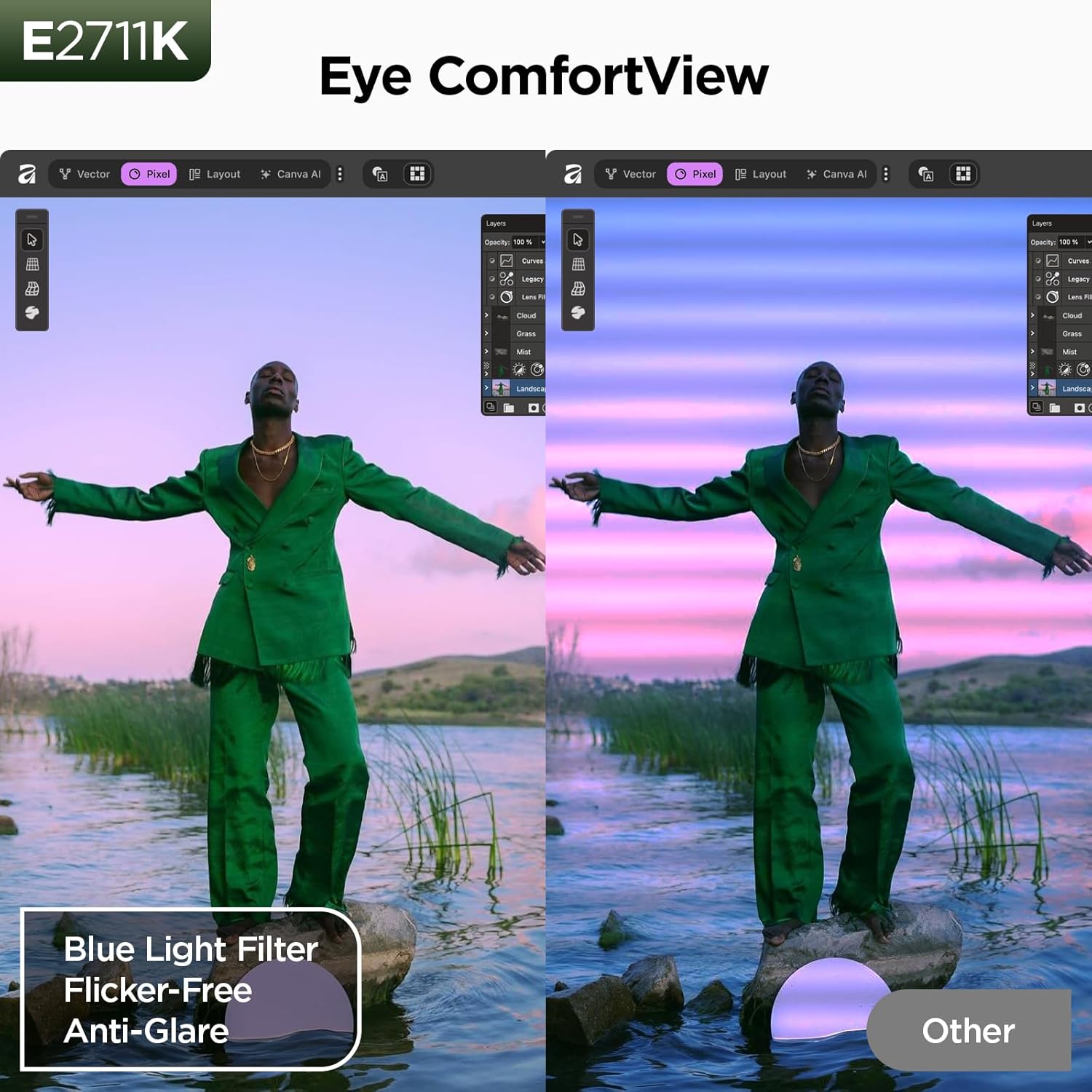
Image 4.4: A split-screen comparison illustrating the benefit of Eye ComfortView features, showing reduced blue light and glare compared to a standard display.
4.5 Ergonomiske justeringer
Skærmstativet giver mulighed for hældningsjustering for at optimere dine viewing comfort. You can tilt the screen from -5 degrees forward to 15 degrees backward.

Image 4.5: A visual demonstration of the 178-degree wide viewing angle provided by the IPS panel, ensuring consistent image quality from various perspectives.
5. Vedligeholdelse
5.1 Rengøring af monitoren
For at rengøre skærmen skal du forsigtigt tørre den af med en blød, fnugfri klud. Tør den forsigtigt af med en blød, fnugfri klud, hvis du har genstridige mærker.ampRengør kluden med vand eller et mildt, ikke-slibende skærmrensemiddel. Undgå at bruge skrappe kemikalier eller slibende materialer.
5.2 Opbevaring
When storing the monitor, ensure it is powered off and disconnected from all cables. Store it in a cool, dry place, preferably in its original packaging, to protect it from dust and physical damage.
6. Fejlfinding
Hvis du støder på problemer med din skærm, kan du se følgende almindelige problemer og løsninger:
- Ingen strøm: Sørg for, at strømkablet er tilsluttet korrekt til både skærmen og en fungerende stikkontakt.
- Intet signal: Verify that the video cable (HDMI or VGA) is correctly connected to both the monitor and your device. Check that the correct input source is selected on the monitor.
- Problemer med billedkvalitet: Adjust resolution and refresh rate settings on your computer. Check for driver updates for your graphics card.
- Skærmhakken/-rivning: Ensure Adaptive Sync (FreeSync) is enabled in both your monitor's OSD settings and your graphics card control panel.
7. Specifikationer
| Feature | Specifikation |
|---|---|
| Modelnummer | MB27V29Q |
| Skærmstørrelse | 27 tommer |
| Opløsning | 1920 x 1080 (FHD 1080p) |
| Opdateringshastighed | 144Hz (via HDMI) |
| Paneltype | IPS |
| Aspektforhold | 16:9 |
| Billedlysstyrke | 250 Candela |
| Kontrastforhold | 20,000,000:1 (dynamisk) |
| Farveskala | 99 % sRGB |
| Viewi vinkel | 178° |
| Forbindelse | HDMI 1.4, VGA, Audio Output |
| VESA-kompatibilitet | 100x100 mm |
| Tilt justering | -5° til 15° |
| Produktdimensioner | 24.13 x 7.28 x 18.15 tommer |
| Varens vægt | 10.68 pund |
8. Produktvideo overview
Watch this video for a visual guide on the features and benefits of the KOORUI E2711K monitor.
Video 8.1: En officiel produktvideoasing the KOORUI 27 inch 144hz monitor E2711K, demonstrating its design, features, and connectivity options.
9. Garanti og support
KOORUI provides a 3 års begrænset garanti for this product. For technical assistance, troubleshooting, or warranty claims, please contact KOORUI customer support. Refer to the contact information provided in your product packaging or on the official KOORUI webwebsted.


