1. Produktet er slutview
This manual provides instructions for the Blaupunkt CAMDEN 450 7-inch Touchscreen Double DIN Bluetooth AM/FM Digital Multimedia Receiver and the accompanying Blaupunkt BPS-E653 6-inch 3-Way Car Speakers with speaker wire. This system is designed to enhance your in-car audio and entertainment experience.
The CAMDEN 450 receiver features a high-resolution touchscreen, multiple audio input options, and Bluetooth connectivity for hands-free calling and audio streaming. The BPS-E653 speakers are engineered for clear and dynamic sound reproduction.
2. Hvad er der i æsken
- Blaupunkt CAMDEN 450 7-inch Touchscreen Double DIN Digital Multimedia Receiver
- 2x Blaupunkt BPS-E653 6-inch 3-Way Car Speakers
- 50 meter højttalerkabel af 16 gauge
- Fjernbetjening
- Rear Microphone Input
- Ledningsnet
- Instruktionsbog
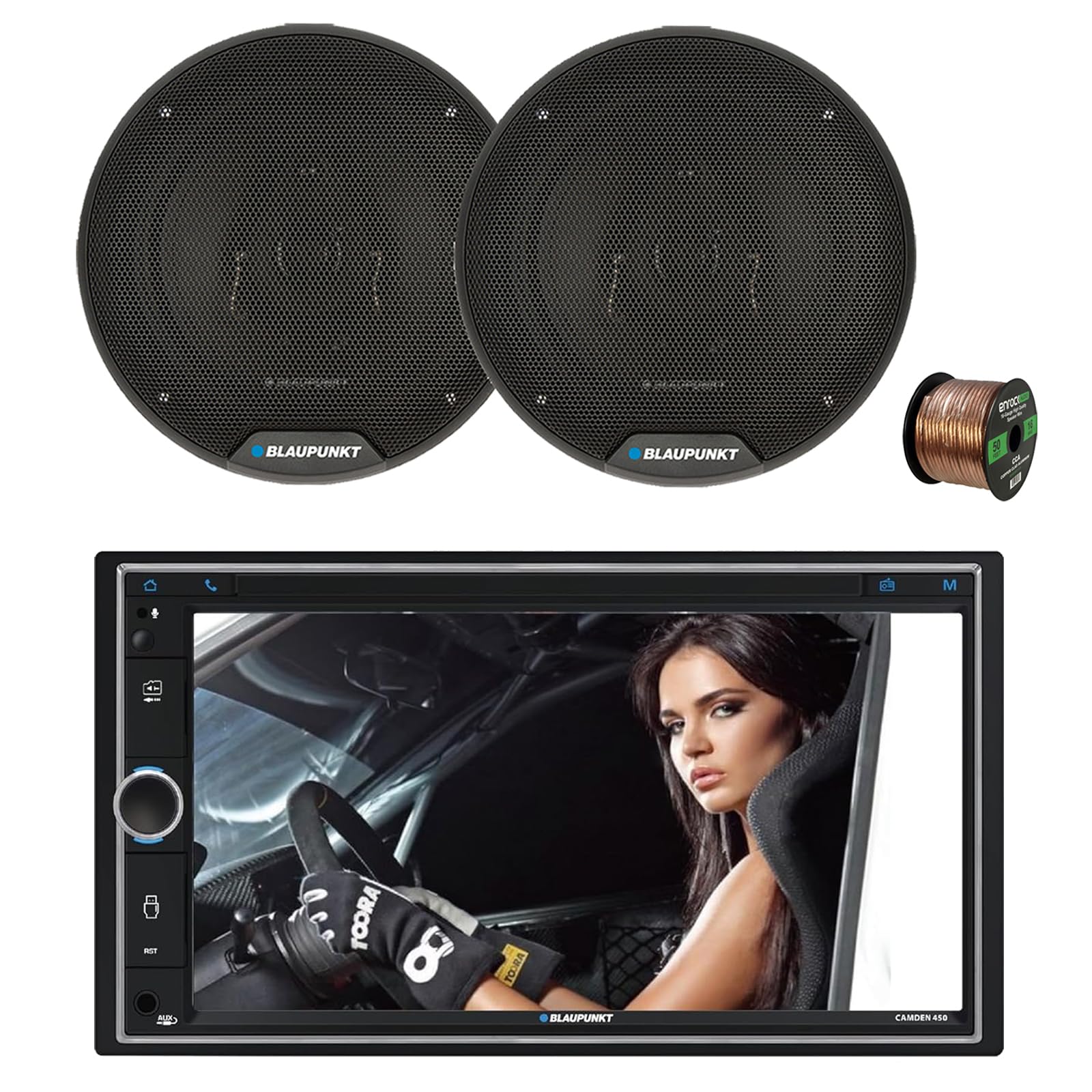
Image 2.1: Blaupunkt CAMDEN 450 Digital Multimedia Receiver with included remote control.

Image 2.2: Two Blaupunkt BPS-E653 6-inch 3-Way Car Speakers.

Image 2.3: Roll of 16-gauge speaker wire.
3. Opsætning og installation
3.1 Installation af modtager
- Forberedelse: Sørg for, at køretøjets batteri er frakoblet, før installationen påbegyndes.
- Montering: The CAMDEN 450 is a Double DIN unit. Install it into the vehicle's dashboard opening using appropriate mounting hardware (not included, typically part of a vehicle-specific installation kit).
- Ledningsnettet: Connect the provided wiring harness to the receiver and then to the vehicle's wiring. Ensure all connections are secure and correctly matched (power, ground, speaker outputs, accessory).
- Mikrofon: Connect the rear microphone to the designated input on the receiver. Route the microphone cable to a suitable location (e.g., sun visor, A-pillar) for optimal voice pickup during hands-free calls.
- Antenne: Connect the vehicle's AM/FM antenna to the receiver.
- Valgfri tilslutninger: Connect any optional accessories such as front/rear cameras, external amplifiers (via RCA pre-outs), or steering wheel control interfaces (adapter sold separately).
3.2 Højttalerinstallation
- Montering: Install the BPS-E653 6-inch speakers into the vehicle's speaker locations. Ensure a secure fit.
- Ledningsføring: Use the provided 16-gauge speaker wire to connect the speakers to the receiver's speaker outputs. Pay attention to positive (+) and negative (-) terminals to ensure correct phasing.
3.3 Indledende opstart
Reconnect the vehicle's battery. Turn on the vehicle's ignition and then power on the CAMDEN 450 receiver. Follow any on-screen prompts for initial setup.
4. Betjeningsvejledning
4.1 Power On/Off & Source Selection
- Magt: Tryk på KILDE knappen for at tænde eller slukke for enheden.
- Kildevalg: Tryk kort på KILDE button to cycle through available audio sources: AM/FM Radio, Bluetooth Audio, USB, MicroSD, AUX, Mirror Link.
4.2 Lydstyrkekontrol
- Juster lydstyrken: Rotate the central rotary knob clockwise to increase volume and counter-clockwise to decrease volume.
4.3 Radiobetjening (AM/FM)
- tuning: In Radio mode, use the Søg op/ned buttons on the touchscreen or remote to tune to stations.
- Presets: The unit supports 30 station presets. To save a station, tune to the desired frequency, then press and hold one of the preset buttons (1-6) on the touchscreen until you hear a beep. To recall a preset, simply press the corresponding button.
4.4 Bluetooth-forbindelse
- Parring: On your mobile device, search for Bluetooth devices and select "CAMDEN 450". Enter the PIN (usually "0000") if prompted.
- Lydstreaming: Once paired, you can stream audio from your device to the receiver.
- Håndfri opkald: Use the dedicated phone button on the receiver or remote to answer/end calls. The external microphone ensures clear communication.
4.5 USB/MicroSD-afspilning
- Insert a USB drive or MicroSD card into the respective slot. The unit will automatically switch to USB/MicroSD mode and begin playback of compatible audio/video files.
4.6 AUX-indgang
- Connect an external audio device (e.g., MP3 player) to the 3.5mm AUX input jack on the front panel using a stereo audio cable. Select AUX as the source.
4.7 Spejllink
- Connect your Android or Apple smartphone via USB to enable Mirror Link functionality (Android Auto & Apple CarPlay). This allows for screen mirroring and control of compatible apps directly from the receiver's touchscreen.
4.8 kamerastøtte
- The receiver supports front and rear cameras (sold separately). Connect cameras to the designated video inputs for enhanced visibility.
5. Features & Controls
- 7-inch Touchscreen (1024 x 600): High-resolution display for intuitive control and media viewing.
- AM/FM radio: Enjoy your favorite radio stations with 30 programmable presets.
- Bluetooth: Wireless audio streaming and hands-free calling with rear microphone input.
- USB-afspilning: Connect USB devices for media playback and charging.
- MicroSD -kortplads: Play media directly from a MicroSD card.
- AUX-indgang: 3.5mm front auxiliary input for external audio devices.
- Mirror Link: Compatible with Android Auto and Apple CarPlay for seamless smartphone integration.
- Built-In EQ: Tilpas din lydoplevelse med den integrerede equalizer.
- Front & Rear Camera Support: Connect external cameras for improved safety and parking.
- RGB belysning: Customizable display and button lighting.
6. Specifikationer
6.1 Blaupunkt CAMDEN 450 Receiver
- Vise: 7-tommer berøringsskærm (1024 x 600 opløsning)
- Formfaktor: Double DIN Mechless Receiver
- Radio: AM/FM with 30 station presets
- Forbindelse: Bluetooth, USB playback, AUX input, MicroSD card slot, Mirror Link (Android Auto & Apple CarPlay)
- Kamerasupport: For- og bagkameraer
- Varens vægt: 15 ounce
- ASIN: B0FB59PBTL
- UPC: 840440916369
6.2 Blaupunkt BPS-E653 6-inch 3-Way Car Speakers
- Størrelse: 6.5 tommer
- Type: 3-vejs koaksiale højttalere
- Strømhåndtering: 60 Watt Max (per pair), 30 Watt RMS (per pair)
- Woofer: Polypropylen kegle med gummi omslutning
- Diskanthøjttaler: PET dome tweeter with neodymium magnet, Ceramic w/PET Diaphragm Super tweeter
- Impedans: 4 Ohm
- Frekvensrespons: 65Hz - 20KHz
- Følsomhed: 84.5dB
- Design: Slim design, Steel Basket, Zero tweeter protrusion
- Inkluderet: Grilles, Screw Kits, Speaker Wires
7. Fejlfinding
7.1 Ingen strøm
- Tjek sikringer: Verify the vehicle's fuse box and the receiver's inline fuse (typically 10A) are intact.
- Ledningsforbindelser: Ensure all power and ground wires are securely connected to the vehicle's electrical system.
- Tænding: Confirm the vehicle's ignition is on and providing power to the accessory wire.
7.2 Ingen lyd
- Lydstyrke: Increase the volume on the receiver and your connected device.
- Kildevalg: Ensure the correct audio source (Bluetooth, USB, AUX, Radio) is selected.
- Højttalerforbindelser: Check that all speaker wires are correctly connected to both the receiver and the speakers, observing polarity.
- Mute-funktion: Verify the unit is not in mute mode.
7.3 Problemer med Bluetooth-forbindelse
- Enhedsparring: Ensure your mobile device is in pairing mode and within range. Delete previous pairings on both devices and attempt to re-pair.
- Enhedskompatibilitet: Confirm your device supports Bluetooth audio profiles.
- Nulstil: Try resetting the receiver to factory settings (refer to the owner's manual for specific steps).
7.4 Poor Radio Reception
- Antenneforbindelse: Check that the antenna cable is securely connected to the receiver.
- Antennetilstand: Inspect the vehicle's antenna for damage or obstructions.
- Local/Distant Setting: Adjust the local/distant reception setting in the radio menu if available.
8. Garanti og support
Blaupunkt products are manufactured to high-quality standards and are backed by a manufacturer's warranty. For specific warranty details, including coverage period and terms, please refer to the warranty card included with your product or visit the official Blaupunkt webwebsted.
For technical assistance, troubleshooting beyond this manual, or warranty claims, please contact Blaupunkt customer support directly. Keep your purchase receipt and product model/serial numbers handy when contacting support.


