1. Introduktion
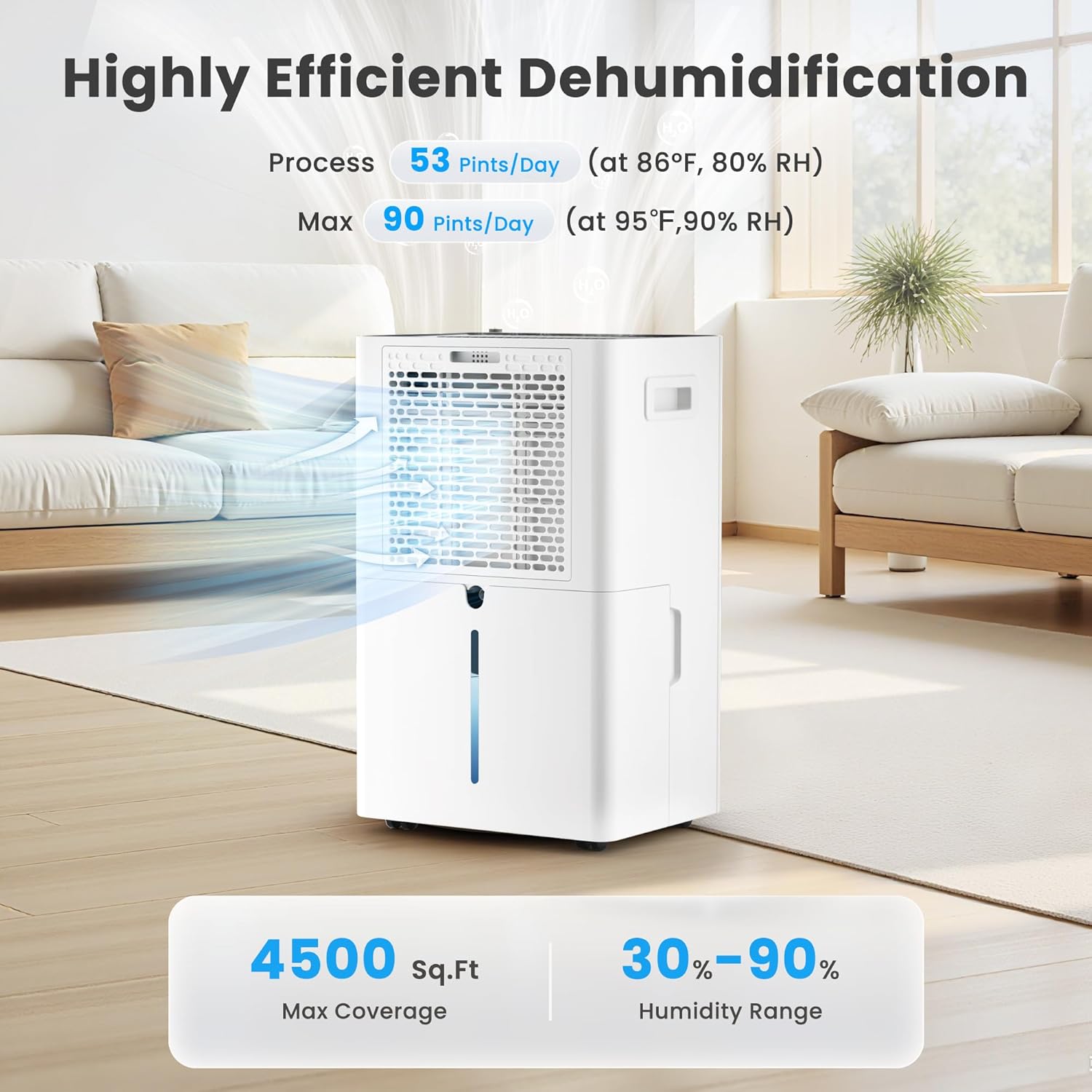
Thank you for choosing the Candy 53 Pints Dehumidifier. This manual provides essential information for the safe operation, installation, maintenance, and troubleshooting of your new appliance. Please read it thoroughly before use and retain it for future reference. This dehumidifier is designed to effectively reduce humidity in spaces up to 4500 square feet, helping to prevent issues such as mold, mildew, and musty odors.


2. Sikkerhedsoplysninger
For at mindske risikoen for brand, elektrisk stød eller personskade skal du altid følge disse grundlæggende sikkerhedsforanstaltninger:
- Læs alle instruktioner før brug af apparatet.
- Sørg for, at strømforsyningen matcher voltage angivet på mærkatet.
- Brug ikke affugteren med en beskadiget ledning eller stik.
- Placer altid enheden på en fast, plan overflade for at forhindre vandspild.
- Maintain at least 8 inches (20 cm) of clearance around the unit for proper airflow.
- Stik ikke genstande ind i luftindtaget eller -udtaget.
- Tag stikket ud af enheden, før du rengør eller udfører vedligeholdelse.
- Hold apparatet væk fra varmekilder og direkte sollys.
- Dette apparat er ikke beregnet til brug af personer (inklusive børn) med nedsatte fysiske, sensoriske eller mentale evner, eller mangel på erfaring og viden, medmindre de har fået opsyn eller instruktion i brugen af apparatet af en person, der er ansvarlig for deres sikkerhed.
3. Produktet er slutview
The Candy 53 Pints Dehumidifier is designed for efficient moisture removal, covering areas up to 4500 square feet. It features smart controls and flexible drainage options.
3.1 nøglekomponenter
- Affugterenhed
- Removable Water Tank (1.35 Gallon capacity)
- Drain Hose (6.67 ft for continuous drainage)
- Vaskbart luftfilter
- Strømledning

3.2 Funktioner
- Høj effektivitet: Fjerner op til 53 pints fugt om dagen (ved 86 °C, 80 % relativ luftfugtighed).
- Bred dækning: Suitable for areas up to 4500 sq. ft.
- Smart kontrol: Wi-Fi enabled for control via Candy Home App, Google Home, or Alexa.
- Flere tilstande: Continuous, Auto, and Sleep modes.
- Justerbar luftfugtighed: Target humidity range from 30% to 90%.
- Blæserhastigheder: Three fan speed settings (Low, Medium, High).
- Dual Drainage: Manual (1.35 Gal tank) or Continuous (drain hose).
- Praktisk design: Ergonomic handle, universal smooth wheels, anti-spill tank, washable filter, auto defrost, 24-hour timer, child lock.
- Stille drift: Fungerer ved cirka 43 dB.

4. Opsætning
4.1 Udpakning
Carefully remove the dehumidifier from its packaging. Inspect the unit for any shipping damage. Retain the packaging materials for future storage or transport.
4.2 Placering
Place the dehumidifier on a smooth, level floor in a location where the humidity is highest. Ensure there is at least 8 inches (20 cm) of space on all sides of the unit to allow for proper air circulation. Avoid placing it near heat-generating appliances or in direct sunlight. For optimal performance, close all doors and windows in the room where the dehumidifier is operating.

5. Betjeningsvejledning
5.1 Kontrolpanel overview
The dehumidifier features an intuitive touch control panel with an LED display. Familiarize yourself with the buttons and indicators:

5.2 Tænd/sluk
Tryk på Magt button (usually indicated by a power symbol) to turn the unit on or off. Hold for 3 seconds to connect to Wi-Fi.
5.3 Indstilling af ønsket luftfugtighed
In AUTO tilstand, tryk på INDSTILLING AF FUGTIGHED button to adjust the desired humidity level between 30% and 90% in 5% increments. The unit will operate until the set humidity is reached, then pause, restarting when humidity rises.
5.4 Valg af ventilatorhastighed
Tryk på HASTIGHED button to cycle through Low, Medium, and High fan speeds. The corresponding speed icon will illuminate on the display.

5.5 driftstilstande
Tryk på MODE button to select from the following:
- AUTO-tilstand: The unit automatically maintains the set humidity level, pausing when reached and restarting when needed.
- KONTINUERLIG tilstand: The dehumidifier operates continuously at high fan speed, regardless of the humidity level, for rapid moisture removal.
- Sove mode: Operates at ultra-quiet, low fan speed with dimmed display lights for undisturbed nighttime use.

5.6 Timer funktion
Tryk på TIMER button to set a 24-hour timer for automatic power on or off. Each press increases the time by one hour. The timer can be set from 1 to 24 hours.

5.7 Børnelås
To prevent unintentional changes to settings, press and hold the LÅSE button for 3 seconds to activate or deactivate the child lock function. This ensures safety around children and pets.

5.8 Wi-Fi og app-styring
The dehumidifier can be controlled remotely via the Candy Home App (available for iOS/Android), Google Home, or Alexa. Follow the app's instructions to connect your device to your home Wi-Fi network. This allows you to adjust settings, monitor humidity, and receive notifications from anywhere.
- Download the Candy Home App from your device's app store.
- Follow the in-app instructions to pair your dehumidifier.
- Once connected, you can control power, mode, humidity settings, and fan speed.


6. Dræningsmuligheder
Your Candy dehumidifier offers two methods for water removal:
6.1 Manuel tømning (vandtank)
The unit collects condensed water in its internal 1.35-gallon water tank. When the tank is full, the dehumidifier will automatically shut off and an indicator light will illuminate. Carefully remove the tank, empty the water, and reinsert it securely to resume operation.
6.2 Kontinuerlig dræning (afløbsslange)
For continuous, hands-free operation, attach the included 6.67 ft drain hose to the designated outlet on the back of the unit. Route the hose to a suitable floor drain or pump. Ensure the hose is sloped downwards to allow gravity drainage and prevent kinks.

7. Vedligeholdelse
Regelmæssig vedligeholdelse sikrer optimal ydeevne og levetid for din affugter.
7.1 Rengøring af luftfilteret
The washable air filter should be cleaned every two weeks or more frequently depending on usage and air quality. A dirty filter can reduce efficiency and airflow.
- Tag stikket til affugteren ud af stikkontakten.
- Åbn luftindtagsgitteret.
- Fjern luftfilterelementet.
- Vask filteret med varmt sæbevand. Skyl grundigt.
- Lad filteret lufttørre helt, før det sættes i igen.
- Place the filter back into the air intake grille and close it.

7.2 Water Tank Cover Installation
Ensure the water tank cover is correctly installed after emptying or cleaning to prevent leaks and ensure proper operation.
- Place the water tank cover at an angle under the water tank clip position.
- Then lower the water tank cover to position as shown in the enlarged figure.

7.3 Automatisk afrimning
The dehumidifier is equipped with an automatic defrost function. If frost builds up on the evaporator coils in low temperatures, the unit will automatically defrost. During this process, the lights will illuminate, the compressor will stop, but the fan will continue to run. This is normal operation and ensures efficient performance.

7.4 Opbevaring
If the unit will not be used for an extended period, unplug it, empty the water tank, clean the filter, and store it in a cool, dry place, preferably in its original packaging.
8. Fejlfinding
Før du kontakter kundesupport, bedes du læse følgende fejlfindingsvejledning for almindelige problemer:
| Problem | Mulig årsag | Løsning |
|---|---|---|
| Affugteren tænder ikke. | Ingen strøm; netledningen er løs; vandtanken er fuld eller ikke isat korrekt. | Kontrollér strømtilslutningen; tøm vandtanken og sæt den korrekt i igen. |
| Intet vand opsamlet. | Humidity too low; room temperature too low; air filter clogged; unit in continuous drainage mode. | Increase target humidity; ensure room temperature is above 41°F (5°C); clean air filter; check drain hose connection. |
| Enheden kører, men luftfugtigheden falder ikke. | Doors/windows open; room too large; air filter clogged; unit too close to walls. | Close all openings; ensure unit is suitable for room size; clean air filter; ensure proper clearance. |
| Enheden er støjende. | Unit not on a level surface; air filter clogged; internal components loose. | Place on a level surface; clean air filter; contact customer support if noise persists. |
| Problemer med Wi-Fi-forbindelse. | Forkert Wi-Fi-adgangskode; enhed for langt fra routeren; routerproblemer. | Verify Wi-Fi password; move unit closer to router; restart router; re-pair device via app. |
9. Specifikationer
| Feature | Specifikation |
|---|---|
| Mærke | Slik |
| Modelnummer | CAS-CF25-US |
| Fugtfjerningskapacitet | 53 pints/dag (ved 86°C, 80% RF) |
| Max dækningsområde | 4500 kvm. Ft. |
| Fugtindstillingsområde | 30% - 90% |
| Vandbeholdervolumen | 1.35 gallons |
| Afløbsslange længde | 6.67 fod |
| Produktmål (D x B x H) | 19.69 cm x 9.25 cm x 12.2 cm |
| Varens vægt | 29 pund |
| Antal blæserhastigheder | 3 (Lav, Medium, Høj) |
| Særlige funktioner | Automatic Defrost, Automatic Shutoff, Continuous/Auto/Sleep Mode, Smart APP WIFI Control, Ergonomic Handle, Washable Filter, Child Lock, 24-Hour Timer |
| Støjniveau | Ca. 43dB |
10. Garanti og support
This product includes a user manual as part of its packaging. For specific warranty information, please refer to the documentation included with your purchase or contact Candy customer support. If you encounter any issues not covered in this manual, or require further assistance, please reach out to the manufacturer's customer service department.


