1. Introduktion
This manual provides essential information for the proper setup, operation, and maintenance of your SANSUI 24 Inch Gaming Monitor. Please read this manual thoroughly before using the product to ensure optimal performance and safety.
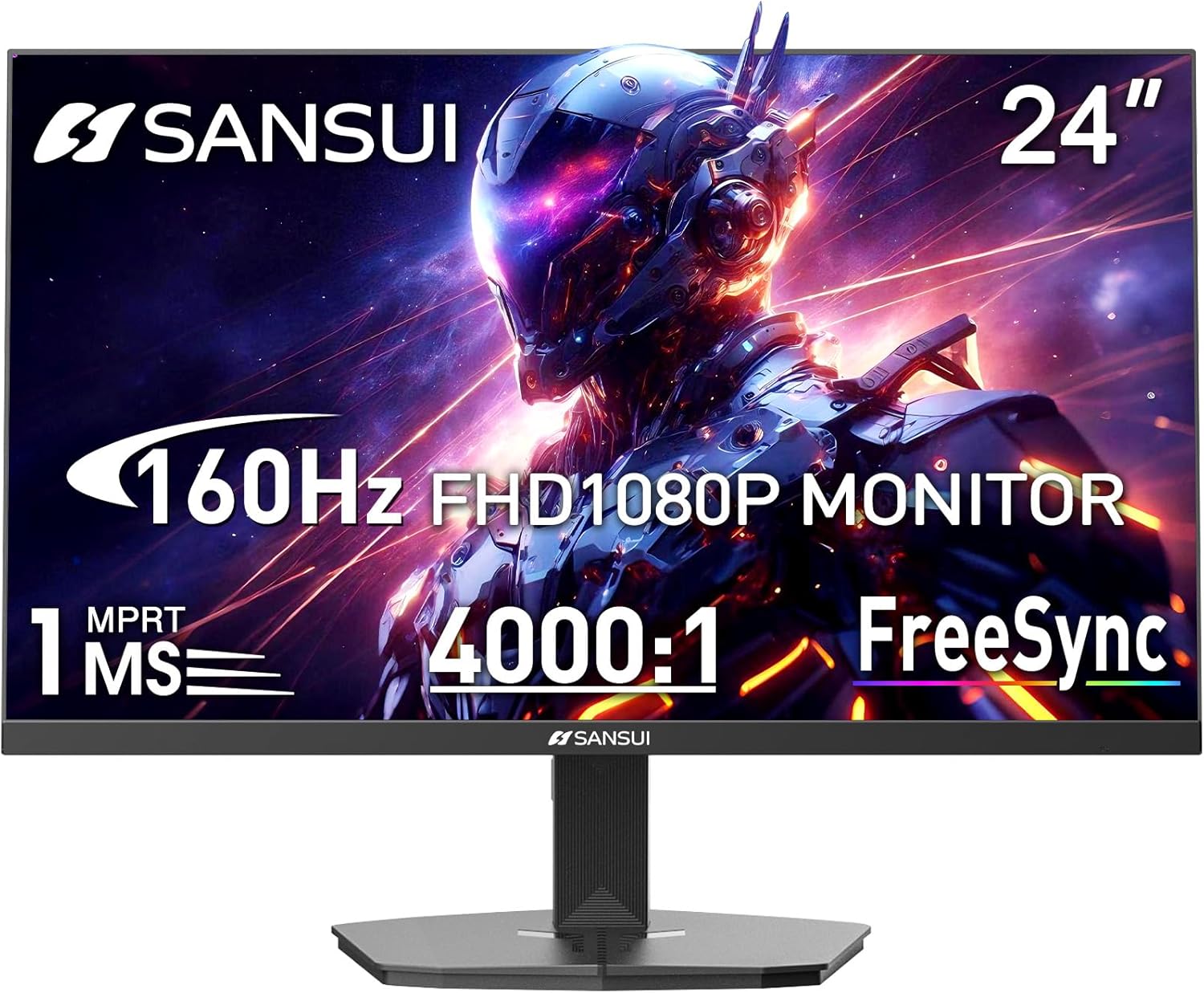
Image 1.1: SANSUI 24 Inch Gaming Monitor (Model ES-G24F4M)
2. Sikkerhedsoplysninger
- Sørg for, at skærmen er placeret på en stabil, plan overflade for at forhindre utilsigtede fald.
- Udsæt ikke skærmen for regn, fugt eller ekstreme temperaturer.
- Undgå at blokere ventilationsåbningerne for at forhindre overophedning.
- Brug kun den strømadapter, der følger med skærmen.
- Disconnect the power cable from the outlet before cleaning or if the monitor will not be used for an extended period.
3. Pakkens indhold
Bekræft at alle varer er til stede i pakken:
- SANSUI 24 Inch Gaming Monitor
- HDMI-kabel x 1
- Strømadapter x 1
- Hurtig installationsvejledning
- Garantikort
4. Produktfunktioner
- Skærmstørrelse: 24 tommer
- Opløsning: FHD 1080p (1920 x 1080 pixels)
- Opdateringshastighed: 160 Hz
- Svartid: 1ms MPRT
- Kontrastforhold: 4000:1
- Lysstyrke: 300 cd/m²
- Farveskala: 72 % sRGB
- Teknologi: FreeSync, HDR, Anti-flicker, Anti-Glare, Low Blue Light Eye Care
- Porte: HDMI & DP Ports (HDMI Cable Included)
- Montering: VESA Support (75x75mm)
- Dimensioner: 21.2 x 7.95 x 16.28 tommer
- Vægt: 3.54 pund
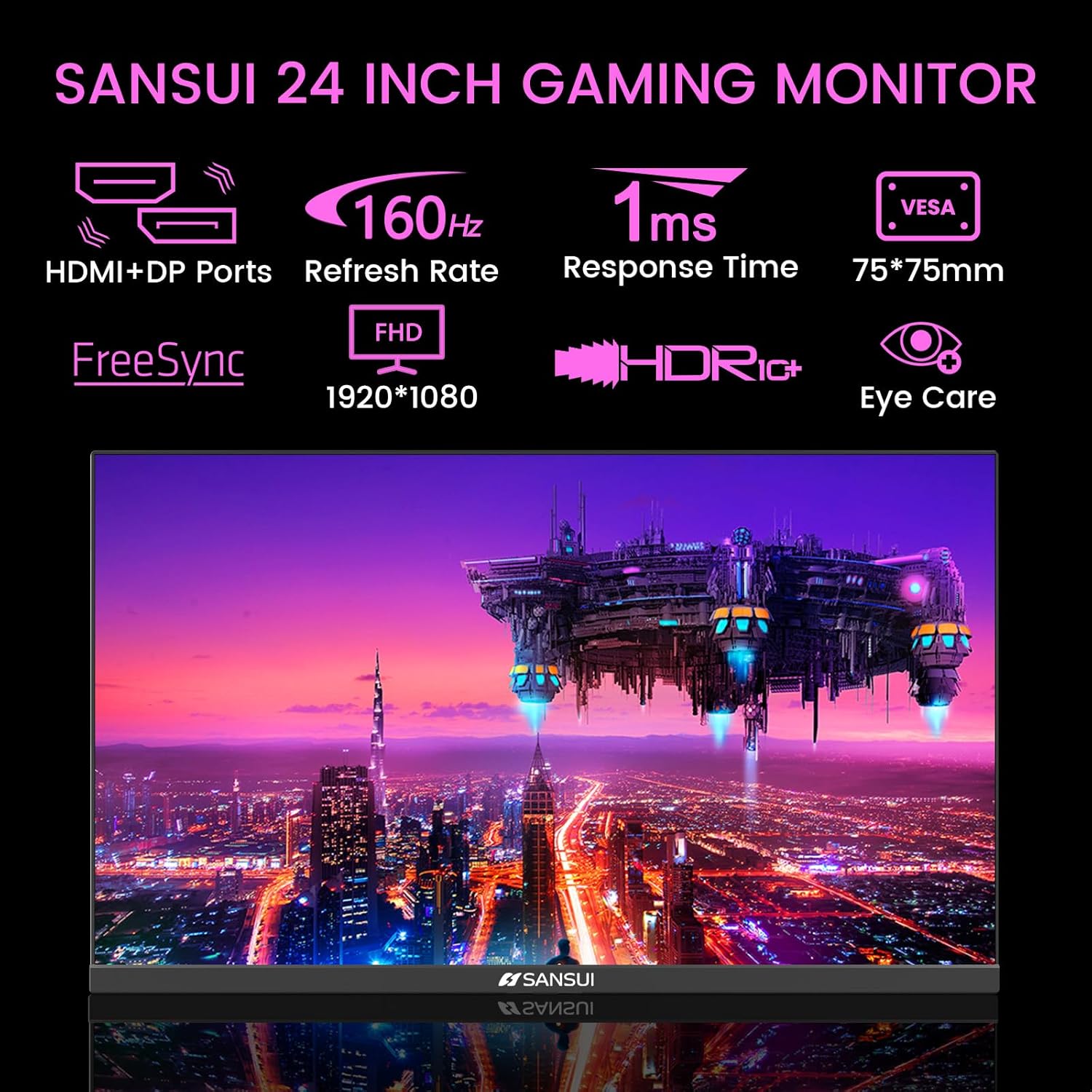
Image 4.1: Key Features of the SANSUI 24 Inch Gaming Monitor.
5. Opsætning
5.1. Samling af stativet
- Tag forsigtigt skærmens og stativets komponenter ud af emballagen.
- Fastgør stativets base til stativets hals med de medfølgende skruer.
- Secure the assembled stand to the back of the monitor. Ensure it clicks into place or is fastened securely with screws, depending on the design.
5.2. VESA-montering (valgfrit)
The monitor supports VESA 75x75mm mounting. If using a VESA mount, remove the pre-attached stand and follow the instructions provided with your VESA mounting kit.
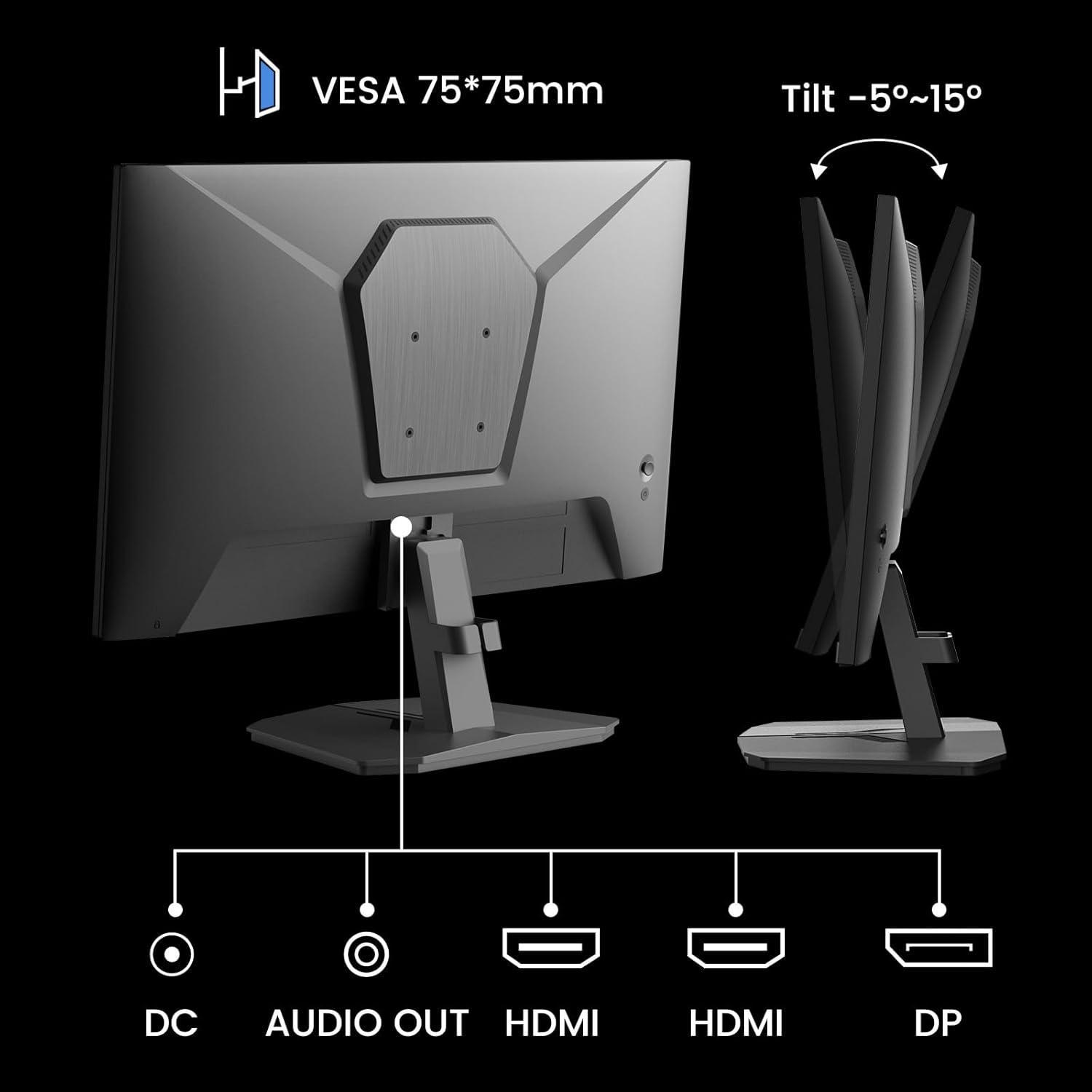
Billede 5.1: Bagside view showing VESA mount and input ports.
5.3. Tilslutning til en enhed
- Connect one end of the HDMI cable (included) or a DisplayPort (DP) cable to the corresponding port on your computer or gaming console.
- Connect the other end of the cable to the HDMI or DP input port on the SANSUI monitor.
- For audio output, connect external speakers or headphones to the 'AUDIO OUT' port on the monitor.
- Connect the power adapter to the 'DC IN' port on the monitor, then plug the adapter into a power outlet.
5.4. Første opstart
Press the power button located on the underside of the monitor to turn it on. The monitor will automatically detect the active input source. If not, manually select the input source using the OSD menu.
6. Betjeningsvejledning
6.1. OSD (On-Screen Display) Menu Navigation
The OSD menu allows you to adjust various monitor settings. The control buttons are located on the underside of the monitor:
- Menu-knap: Tryk for at åbne OSD-menuen eller gå ind i en undermenu.
- Pil op/ned: Naviger gennem menuindstillinger.
- Enter knap: Confirm selection or adjust values.
- Power knap: Tænd/sluk for monitoren.
6.2. Billedindstillinger
Access the 'Picture' section in the OSD menu to adjust:
- Lysstyrke: Justerer skærmens samlede lysstyrke.
- Kontrast: Justerer forskellen mellem de lyseste og mørkeste områder.
- Overdrive: Enhances pixel response time for reduced motion blur.
- HDR (High Dynamic Range): When enabled, HDR provides a wider range of colors and contrast. Note: Some settings may be locked when HDR is active.
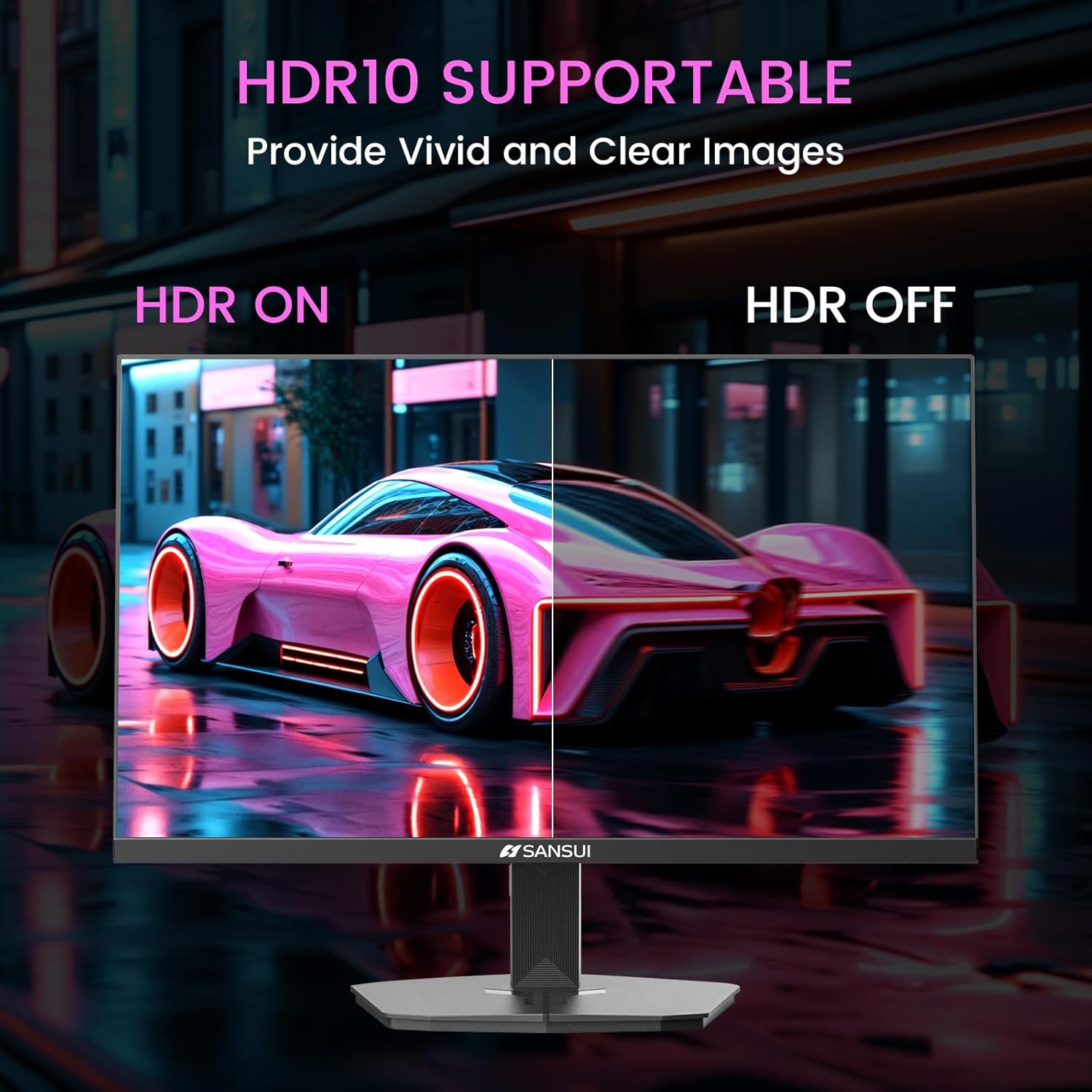
Image 6.1: HDR10 Support for vivid and clear images.
6.3. Farveindstillinger
In the 'Color Setup' menu, you can adjust color temperature and other color-related parameters when HDR is not active.
6.4. Game Modes and Assistants
The monitor includes exclusive gaming modes and assistants to enhance your gaming experience:
- CrossHair: Provides an on-screen crosshair for improved aiming.
- Timer: Displays an on-screen timer.
- RTS/FPS/RACING: Pre-calibrated display modes optimized for specific game genres.
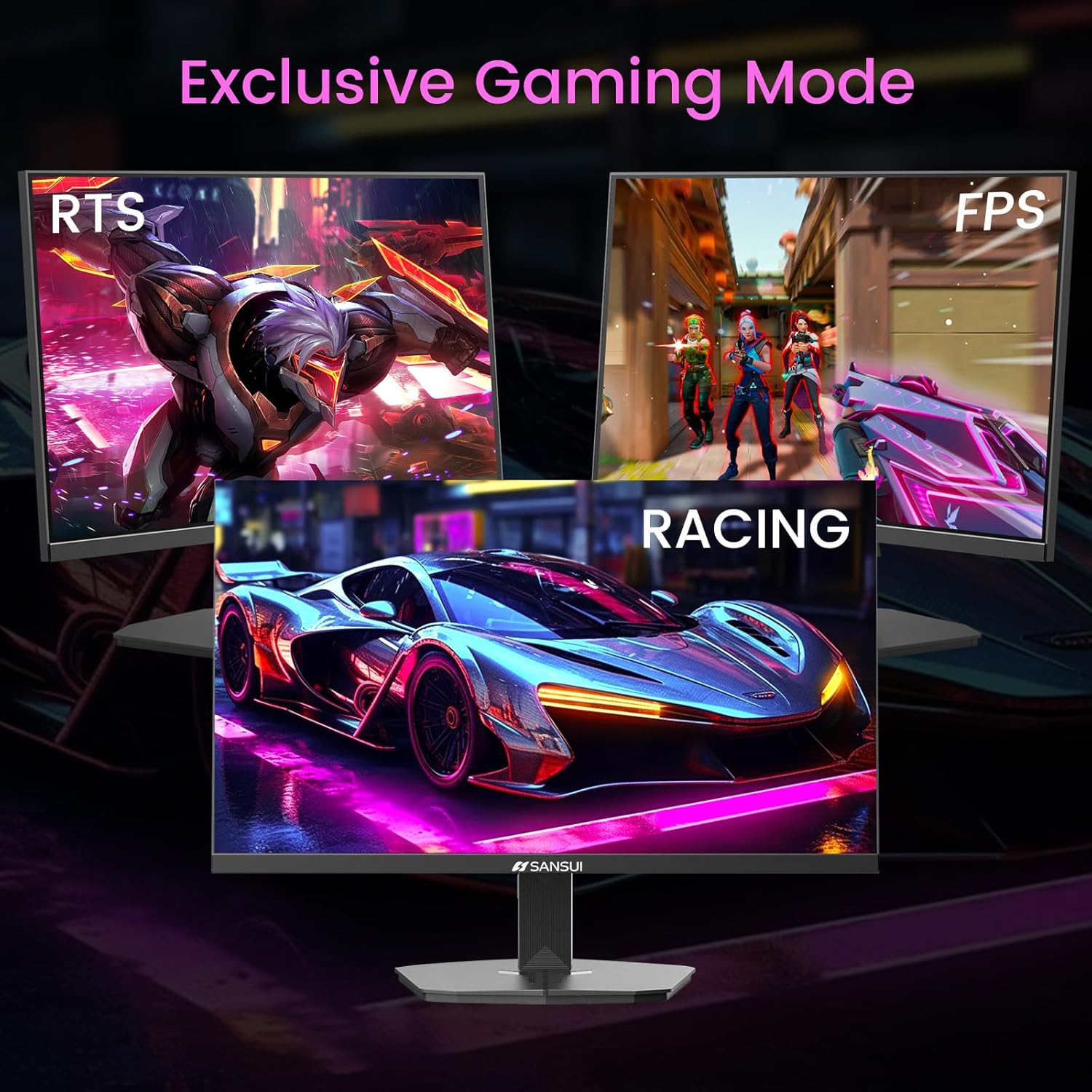
Image 6.2: Exclusive Gaming Modes for optimized visuals.
6.5. FreeSync Technology
FreeSync technology synchronizes the monitor's refresh rate with your graphics card's frame rate, eliminating screen tearing and stuttering for a smoother gaming experience. Enable or disable FreeSync through the OSD menu.
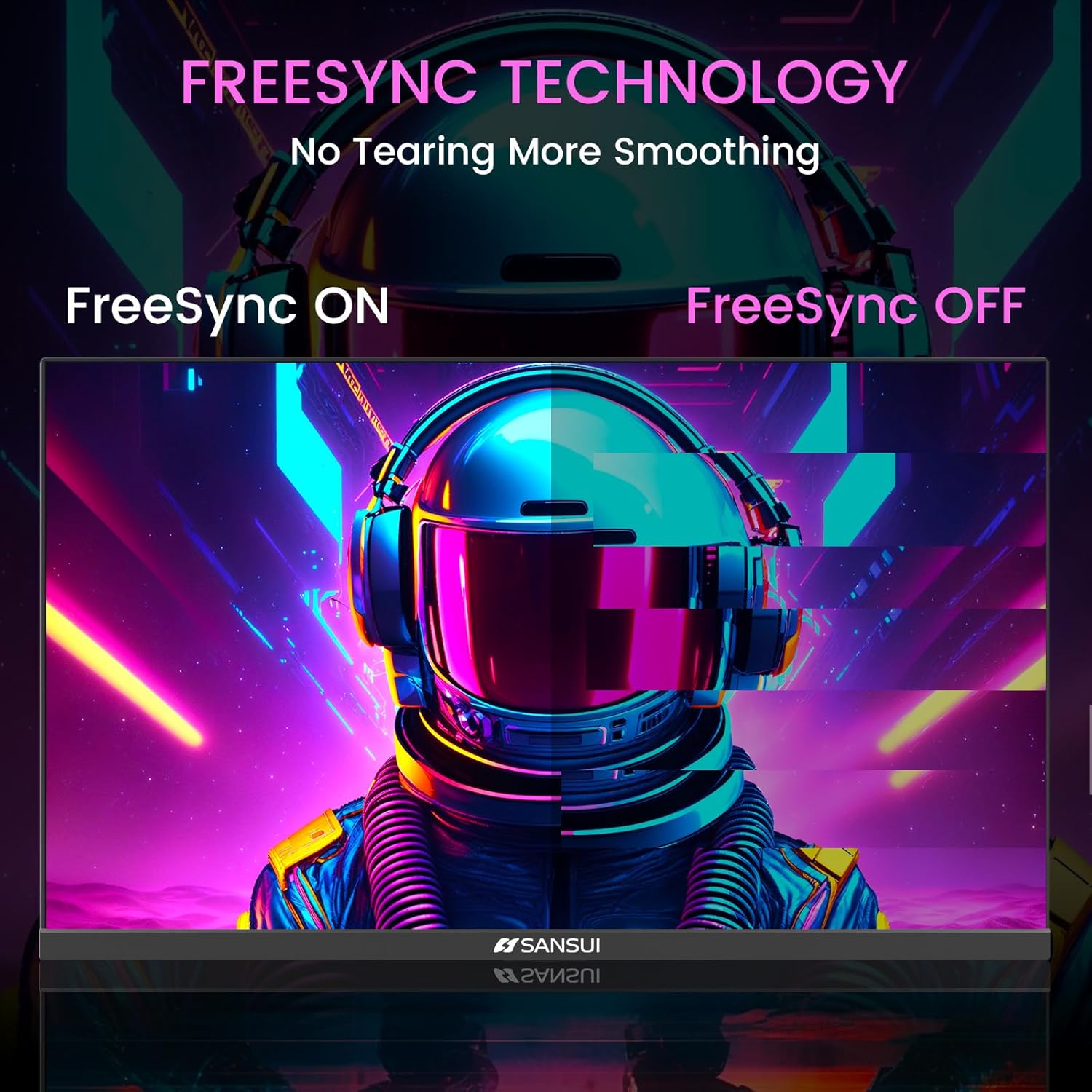
Image 6.3: FreeSync Technology for no tearing and smoother visuals.
6.6. Valg af input
Use the OSD menu to manually select the input source (HDMI or DP) if the monitor does not automatically detect it.
Video 6.1: SANSUI FreeSync - 24-inch Gaming Monitor, 160Hz, FHD. This video demonstrates the monitor's features and performance, including its 160Hz refresh rate and FreeSync technology.
7. Vedligeholdelse
- Rengøring af skærmen: Brug en blød, fnugfri klud lidt dampskylles med vand eller en skærmrens. Spray ikke rengøringsmiddel direkte på skærmen.
- Rengøring af Casing: Brug en blød, tør klud til at tørre skærmen afasing. Undgå slibende rengøringsmidler.
- Opbevaring: Hvis skærmen opbevares i en længere periode, skal alle kabler frakobles og opbevares et køligt og tørt sted, helst i originalemballagen.
8. Fejlfinding
- Ingen strøm: Sørg for, at strømkablet er korrekt tilsluttet til både skærmen og stikkontakten. Kontroller, om stikkontakten fungerer.
- Intet signal: Verify that the video cable (HDMI/DP) is correctly connected to both the monitor and the source device. Ensure the correct input source is selected in the OSD menu.
- Flimrende skærm: Check the video cable connection. Ensure the refresh rate is set correctly in your device's display settings.
- Billedforvrængning: Reset the monitor to factory settings via the OSD menu. Check your device's display resolution settings.
- Knapper reagerer ikke: Disconnect the power for a few minutes, then reconnect. If the issue persists, contact customer support.
9. Specifikationer
| Feature | Specifikation |
|---|---|
| Produktdimensioner | 21.2 x 7.95 x 16.28 tommer |
| Varens vægt | 3.54 pund |
| Fabrikant | EXPRESS LUCK INDUSTRIAL(ZHONGSHAN)LIMITED |
| Varemodelnummer | ES-G24F4M |
| Stående skærm displaystørrelse | 24 tommer |
| Aspektforhold | 16:9 |
| Opløsning | 1920 x 1080 pixels (FHD 1080p) |
| Billedlysstyrke | 300 cd/m² |
| Beskrivelse af skærmoverfladen | Mat |
10. Garanti og support
SANSUI offers a money-back and free replacement warranty from the order date within 30 days. Additionally, lifetime technical support is provided for the SANSUI 24 inch 160Hz 1ms gaming monitor. For any questions or support needs, please contact SANSUI's after-sales support team.


