1. Introduktion
The MCHOSE K7 Ultra is an advanced wireless gaming mouse designed for optimal performance and comfort. It features an ultra-lightweight design, high-precision sensor, and versatile connectivity options to enhance your gaming and productivity experience.
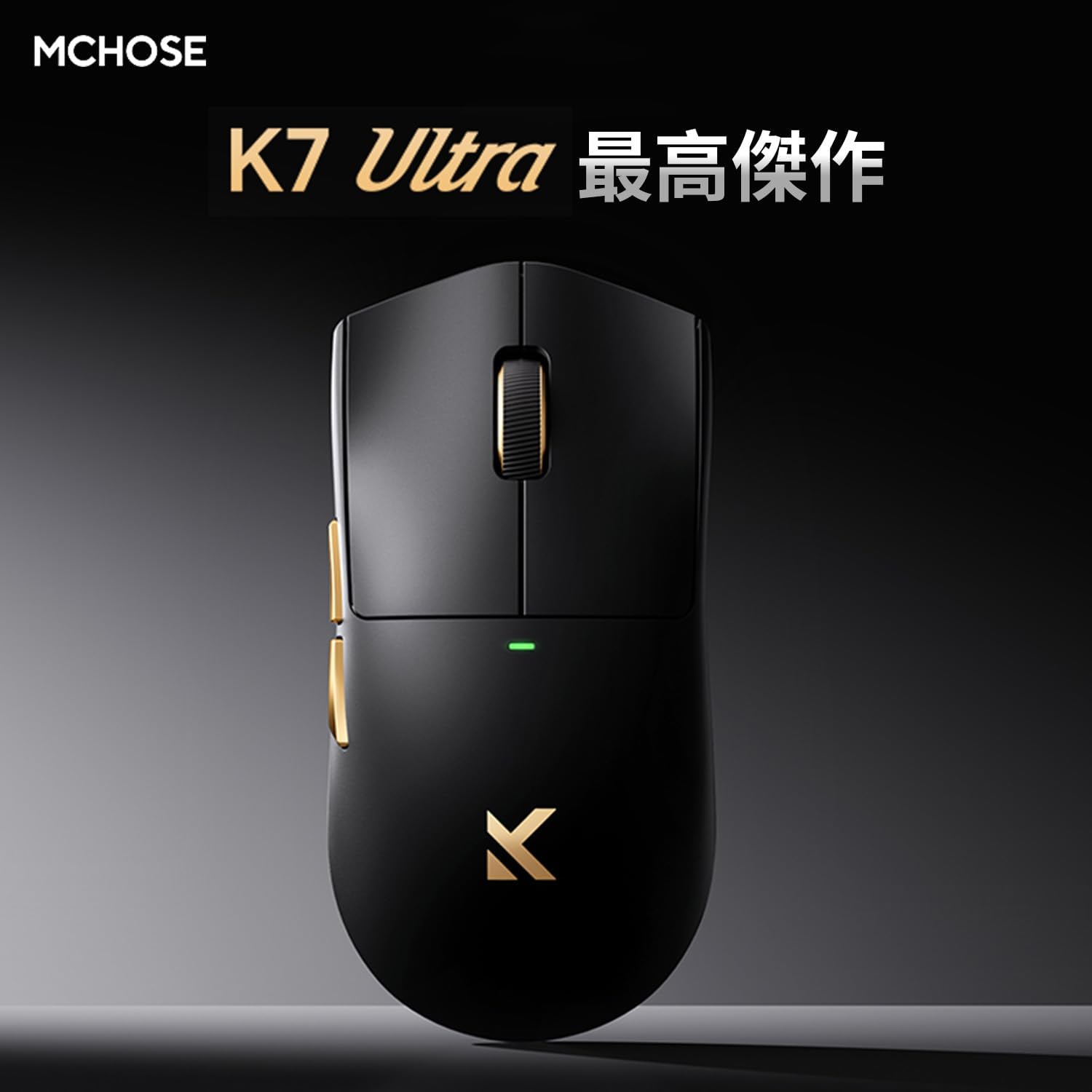
Image: MCHOSE K7 Ultra Gaming Mouse in black, highlighting its optimal performance.
2. Pakkens indhold
Kontroller venligst, at alle varer er til stede i din pakke:
- MCHOSE K7 Ultra Gaming Mouse
- 8K Dongle & Magnetic Wireless Charging Dock (Integrated)
- 1K NANO-modtager
- Paracord USB Cable
- Anti-slip Grip Tape
- Funktionskort
- Garantikort
- Dedicated Mouse Storage Pouch
- "Burn" Mouse Pad (First Edition Standard Accessory)
- e-Sports Grade Glass Skates (First Edition Standard Accessory)
3. Produktet er slutview
The MCHOSE K7 Ultra mouse is designed for right-handed users with a symmetrical shape, offering comfort during extended use. It features a lightweight construction and high-quality components.

Billede: Top og side view of the MCHOSE K7 Ultra Gaming Mouse in white, showcasindens ergonomiske design.
Nøglefunktioner:
- Ultralet: Approximately 59g for effortless movement.
- Højpræcisionssensor: Pixart PAW3950 sensor with up to 42,000 DPI.
- Alsidig tilslutning: 2.4GHz Wireless, Bluetooth, and USB-C Wired modes.
- Holdbare afbrydere: Omron optical micro switches for reliable clicks.
- Langtidsholdbart batteri: 500mAh batterikapacitet.
- Advanced Polling Rate: Supports 8K polling rate in both wired and wireless modes.

Image: Visual representation of key features including 59g weight, Super Glide glass coating, Omron optical switches, TTC Gold scroll wheel, and 500mAh battery.

Billede: Eksploderet view illustrating the internal components and construction of the MCHOSE K7 Ultra mouse, including the gold-plated PCB, Omron switches, and magnetic charging coil.
4. Opsætning
4.1 Opladning af musen
Before first use, fully charge the mouse. Connect the USB-C cable to the charging dock and a power source, then place the mouse onto the magnetic charging dock. The RGB lighting on the dock will indicate charging status.
4.2 Tilslutning af musen
The MCHOSE K7 Ultra supports three connection modes: 2.4GHz Wireless, Bluetooth, and Wired USB-C.
2.4 GHz trådløs forbindelse:
- Insert the 8K dongle into an available USB port on your computer.
- Tænd musen ved hjælp af knappen i bunden.
- The mouse should automatically connect to the dongle. The indicator light on the mouse will confirm connection.
Bluetooth-forbindelse:
- Turn on the mouse and switch it to Bluetooth mode (refer to the function card for specific switch position).
- Gå til Bluetooth-indstillingerne på din computer eller enhed, og søg efter nye enheder.
- Select "MCHOSE K7 Ultra" from the list of available devices to pair.
Wired USB-C Connection:
- Connect the paracord USB cable to the mouse and an available USB port on your computer.
- Musen skifter automatisk til kablet tilstand og begynder at oplade.

Image: The MCHOSE K7 Ultra mouse on its 8K dongle and magnetic wireless charging dock, illustrating the charging process and RGB lighting.
5. Betjeningsvejledning
5.1 DPI-justering
The mouse features a dedicated DPI button (usually located on the bottom or top of the mouse, refer to the function card for exact placement) to cycle through preset DPI levels. The indicator light color will change to reflect the current DPI setting.
5.2 Programmerbare knapper
The MCHOSE K7 Ultra has programmable buttons. You can customize button functions, macros, and RGB lighting effects using the M HUB software. Download the M HUB software from the official MCHOSE webwebsted.
5.3 Justering af afstemningsfrekvens
The polling rate can be adjusted via the M HUB software. The mouse supports up to 8K polling rate for ultra-responsive tracking.
6. Vedligeholdelse
6.1 Rengøring
Brug en blød, tør klud til at rengøre musen. Til genstridigt snavs kan du bruge en let tør klud.amp en klud med mild sæbe kan bruges, og sørg for at der ikke kommer væske ind i musen. Undgå slibende rengøringsmidler eller opløsningsmidler.
6.2 Pleje af batterier
To prolong battery life, avoid fully discharging the mouse frequently. Charge it regularly. If storing the mouse for an extended period, charge it to approximately 50% and store it in a cool, dry place.
7. Fejlfinding
7.1 Mouse Not Responding:
- Sørg for, at musen er tændt.
- Kontroller batteriniveauet og oplad om nødvendigt.
- For wireless connection, ensure the dongle is properly inserted and within range. Try a different USB port.
- For Bluetooth skal du sørge for, at Bluetooth er aktiveret på din enhed, og at musen er parret.
- Prøv at tilslutte via USB-C-kabel for at udelukke problemer med den trådløse forbindelse.
7.2 Cursor Movement is Erratic:
- Rengør musesensoren med en blød klud.
- Sørg for at bruge musen på en passende overflade (f.eks. en musemåtte).
- Check for any obstructions around the sensor.
7.3 M HUB Software Not Detecting Mouse:
- Ensure the mouse is connected to the computer (preferably wired or via 2.4GHz dongle).
- Restart the M HUB software and your computer.
- Check for software updates for M HUB.
8. Specifikationer
Detailed technical specifications for the MCHOSE K7 Ultra Gaming Mouse:

Image: Table detailing the MCHOSE K7 Ultra product specifications.
| Feature | Specifikation |
|---|---|
| Model | K7 Ultra |
| Størrelse (L x B x H) | Ca. 127.3 x 63.8 x 39.9 mm |
| Chip | Realtek Flagship Chip |
| Transmissionsteknologi | MCHOSE TOPSPEED Wireless Technology |
| Overfladefinish | Super Glide Glass Coating |
| Specialbehandling | Gold-plated PCB, Side Button Electroplating, Aluminum Alloy Wheel Anodized Gloss Finish |
| Vægt | Ca. 59 g |
| Chauffør | Fully self-developed M HUB (Web Driver/Client Driver) |
| Micro Switch | Omron Optical Switch |
| Scrollhjul | TTC guld |
| Batteri | 500mAh |
| Dongle/Charging | 8K Dongle & Magnetic Wireless Charging Dock (Integrated) |
| Afstemningsfrekvens | Wired 8K + Wireless 8K |
| Tilslutningsmetode | Kablet/2.4G/Bluetooth |
9. Garanti og support
The MCHOSE K7 Ultra Gaming Mouse comes with a limited warranty. Please refer to the included Warranty Card for detailed terms and conditions, including warranty period and coverage.
For technical support, driver downloads, or further assistance, please visit the official MCHOSE website or contact customer service through the information provided on your warranty card or product packaging.


