ULTIMEA Poseidon D70 7.1ch Sound System User Manual
Model: U2600
1. Introduktion
This manual provides detailed instructions for setting up and operating your ULTIMEA Poseidon D70 7.1ch Sound System. Please read this manual thoroughly before use to ensure proper functionality and to maximize your audio experience.

Billede 1.1: Overview of the ULTIMEA Poseidon D70 7.1ch Sound System components including the soundbar, wireless subwoofer, and four wired surround speakers.

Image 1.2: The Poseidon D70 sound system integrated into a living room environment, highlighting its 7.1 channel virtual surround sound, four surround speakers, and app control capabilities.
2. Hvad er der i æsken
Carefully unpack all components and ensure all items are present before proceeding with setup.
- 1x Soundbar
- 1x trådløs subwoofer
- 4x Wired Surround Speakers
- 1x Power Adaptor (for soundbar)
- 1x Subwoofer Power Cable
- 2x Stereo RCA to RCA Audio Cables (20 feet, for surround speakers)
- 1 x HDMI kabel
- 1x digitalt optisk kabel
- 1x Stereo 3.5mm to RCA Audio Cable
- 1x Remote Control (Battery not included)
- 1x brugermanual
- Wall Mounted Kit (Wall Bracket, Mounting Screws)
Video 2.1: An unboxing and setup guide for the ULTIMEA Poseidon D70 sound system, demonstrating how to unpack and identify all included components.
3. Produktet er slutview
The ULTIMEA Poseidon D70 is a 7.1ch virtual surround sound system designed to enhance your home audio experience. It features a soundbar, a wireless subwoofer, and four wired surround speakers.
3.1 nøglekomponenter
- Soundbar: Contains three mid-high drivers (Left, Center, Right channels) for clear dialogue and front soundstage.
- Trådløs subwoofer: A 6.5-inch subwoofer providing deep bass, connecting wirelessly to the soundbar.
- Surroundhøjttalere: Four wired speakers (two front, two rear) with mid-high drivers to expand the soundstage and create an immersive environment.

Image 3.1: A visual representation of the 7.1 surround sound system, illustrating the placement of the soundbar, subwoofer, and four surround speakers, along with their respective driver configurations.
3.2 Dimensioner
- Soundbar: 15.75" D x 3.54" B x 2.76" H
- subwoofer: 7.3" D x 10.2" B x 11.3" H
- Surroundhøjttalere: 5.3" D x 3.5" B x 2.8" H
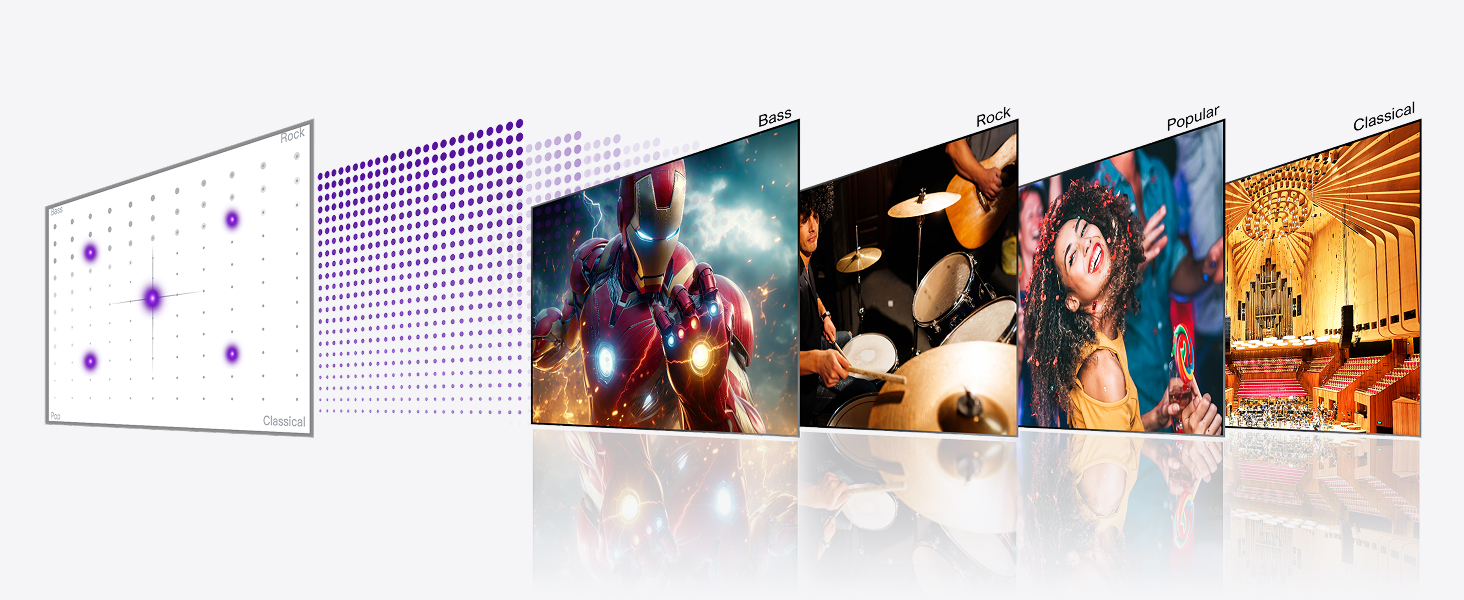
Image 3.2: Detailed dimensions of the soundbar, subwoofer, and individual surround speakers for planning placement.
4. Opsætningsvejledning
4.1 Connecting Front Surround Speakers to Soundbar
- Identify the two front surround speakers.
- Use the provided Stereo RCA-RCA cables to connect the front surround speakers to the corresponding ports on the soundbar. Ensure color interfaces (white/red) match.
- Place the front surround speakers on either side of your TV, near the soundbar.

Image 4.1: The soundbar positioned with two front surround speakers, enhancing audio spatiality and immersion.
4.2 Connecting Rear Surround Speakers to Subwoofer
- Identify the two rear surround speakers.
- Use the provided 20-foot Stereo RCA-RCA cables to connect the rear surround speakers to the corresponding ports on the wireless subwoofer. Ensure color interfaces (white/red) match.
- Place the rear surround speakers behind your listening position, ideally at or near ear level for optimal effect.
Image 4.2: Two rear surround speakers positioned behind a couch, designed to improve surround sound immersion.
4.3 Subwoofer-parring
The subwoofer is factory-paired with the soundbar. If there is no sound from the subwoofer, re-pairing may be necessary.
- Press and hold the "SUB PAIR" button on the remote control for 3 seconds. The LED on the soundbar will show "SUB" flashing.
- On the subwoofer, press and hold the ON/OFF button for 5 seconds. The white LED light will flash rapidly.
- Once successfully paired, the white LED light on the subwoofer will remain solid.
4.4 Placeringsanbefalinger
For optimal lydgengivelse skal du overveje følgende placeringsretningslinjer:
- Soundbar: Place centrally below your TV.
- Front Surround Speakers: Position on either side of the TV, equidistant from the soundbar.
- Bagerste surroundhøjttalere: Place behind your main listening area, at ear level, or slightly above. Wall mounting kits are included, but speaker stands are not.
- subwoofer: Can be placed anywhere in the room due to its wireless connection, but often performs well in a corner or near a wall.
Video 4.3: A demonstration of the ULTIMEA Poseidon D70's surround sound capabilities and speaker placement in a living room setting.
5. Tilslutning til dit TV
The soundbar offers multiple connection options for your TV. HDMI ARC is generally preferred for optimal performance and features.
5.1 Available Ports on Soundbar

Image 5.1: The rear panel of the soundbar, indicating the various input and output ports for connectivity.
5.2 HDMI ARC Connection (Preferred)
- Locate the HDMI ARC or eARC port on your TV. This port is usually labeled.
- Connect one end of the provided HDMI cable to the HDMI ARC/eARC port on your TV.
- Connect the other end of the HDMI cable to the HDMI ARC port on the soundbar.
- Turn on the soundbar and TV. Select ARC mode on the soundbar using the remote control.
- In your TV's sound settings, select the HDMI ARC output.
Note: When using HDMI ARC, the CEC (Consumer Electronics Control) function is supported, allowing your TV remote to control basic soundbar functions like power and volume simultaneously.
5.3 Optical Connection (Better)
- Remove the protective caps from both ends of the digital optical cable.
- Connect one end of the optical cable to the OPTICAL OUT port on your TV.
- Connect the other end of the optical cable to the OPTICAL port on the soundbar.
- Turn on the soundbar and TV. Select OPT mode on the soundbar using the remote control.
- In your TV's sound settings, select the Optical output.
5.4 AUX Connection (Good)
- Connect the Stereo 3.5mm to RCA Audio Cable to the AUDIO OUT port on your TV.
- Connect the 3.5mm end of the cable to the AUX port on the soundbar.
- Turn on the soundbar and TV. Select AUX mode on the soundbar using the remote control.
- In your TV's sound settings, select the Analog Audio Out (or similar) output.
5.5 Bluetooth-forbindelse (trådløs)
- Turn on the soundbar and select BT mode using the remote control. The soundbar will indicate "BT" and enter pairing mode.
- On your smartphone or TV, go to Bluetooth settings and search for "Poseidon D70".
- Select "Poseidon D70" to connect. You will hear an audible confirmation when connected successfully.
Video 5.2: A detailed video guide on connecting the ULTIMEA Poseidon D70 soundbar to your TV using various methods including HDMI ARC, Optical, AUX, and Bluetooth.
5.6 TV Audio Settings
For best audio results, ensure your TV's digital audio output is set to PCM. When streaming on platforms like Netflix, select "English Original" or "Other Languages Original" in the "Audio & Subtitles" menu for optimized audio output.
6. ULTIMEA Smart App-kontrol
The ULTIMEA Smart App provides comprehensive control and customization options for your Poseidon D70 sound system. Download the app from your device's app store.
6.1 6 Tailored EQ Modes
Choose from six dedicated equalizer modes, each calibrated for specific listening scenarios:
- Film
- Musik
- Stemme
- Sport
- Spil
- Nat
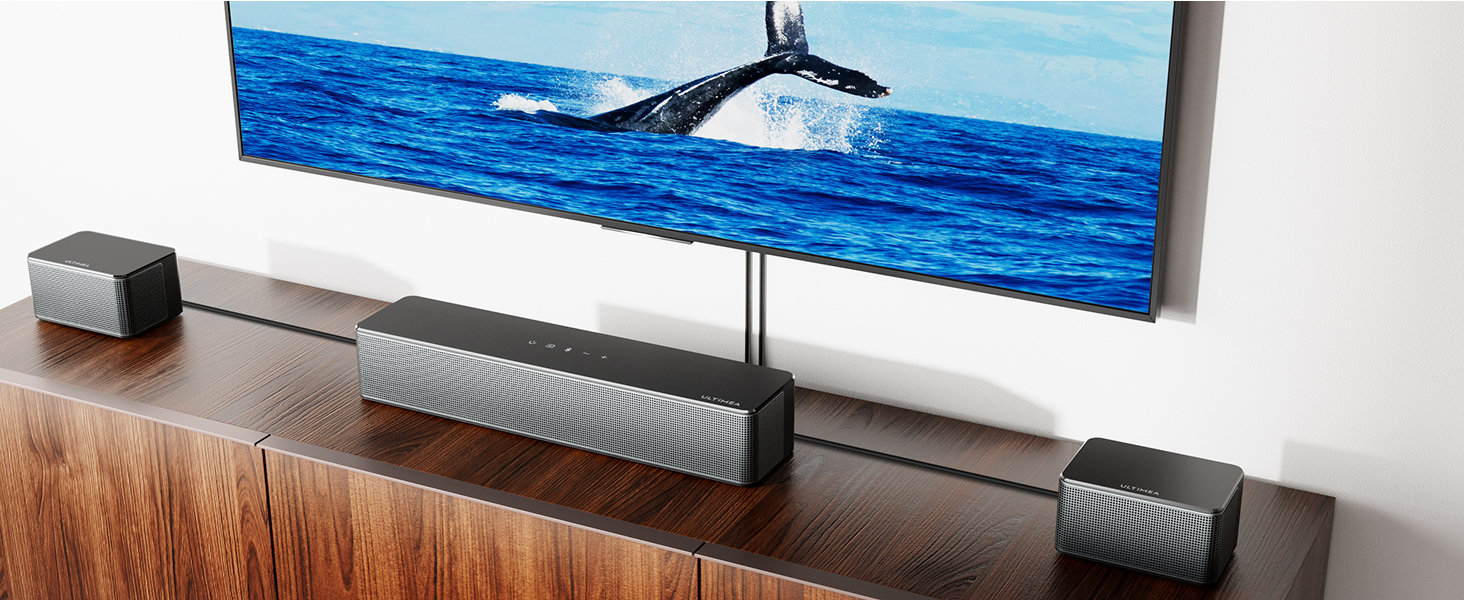
Image 6.1: The ULTIMEA Smart App displaying the six tailored EQ modes, allowing users to select the best audio profile for their content.
Video 6.2: A demonstration of the ULTIMEA Smart App's 6 tailored EQ modes, showing how to switch between Movie, Music, Voice, Sport, Game, and Night settings.
6.2 10-Band Equalizer Settings
For advanced customization, use the "Customize" feature in the app to adjust the 10-band equalizer and fine-tune your sound preferences.
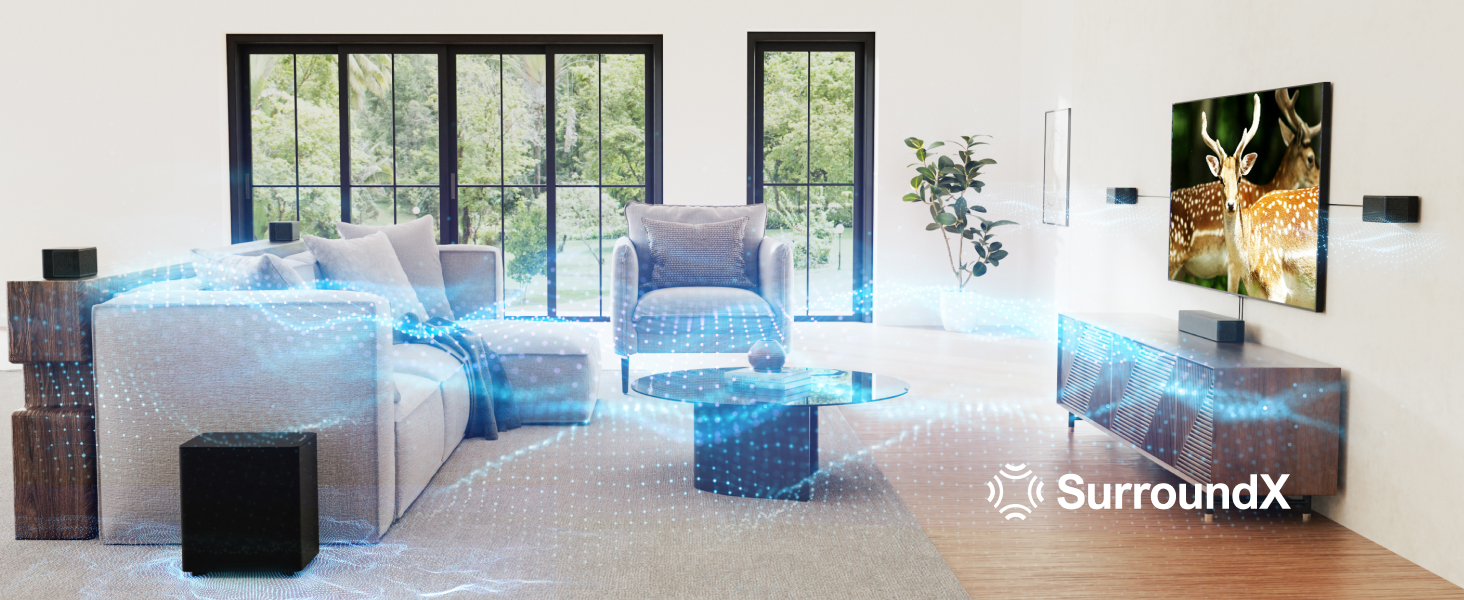
Image 6.3: The ULTIMEA Smart App's 10-band equalizer interface, allowing precise adjustment of audio frequencies.
6.3 121 Preset EQ Matrices
Explore 121 expertly designed preset EQ options available in the ULTIMEA App. Switch between four main styles (Bass, Pop, Classical, and Rock) and fine-tune every note for a tailored soundscape.
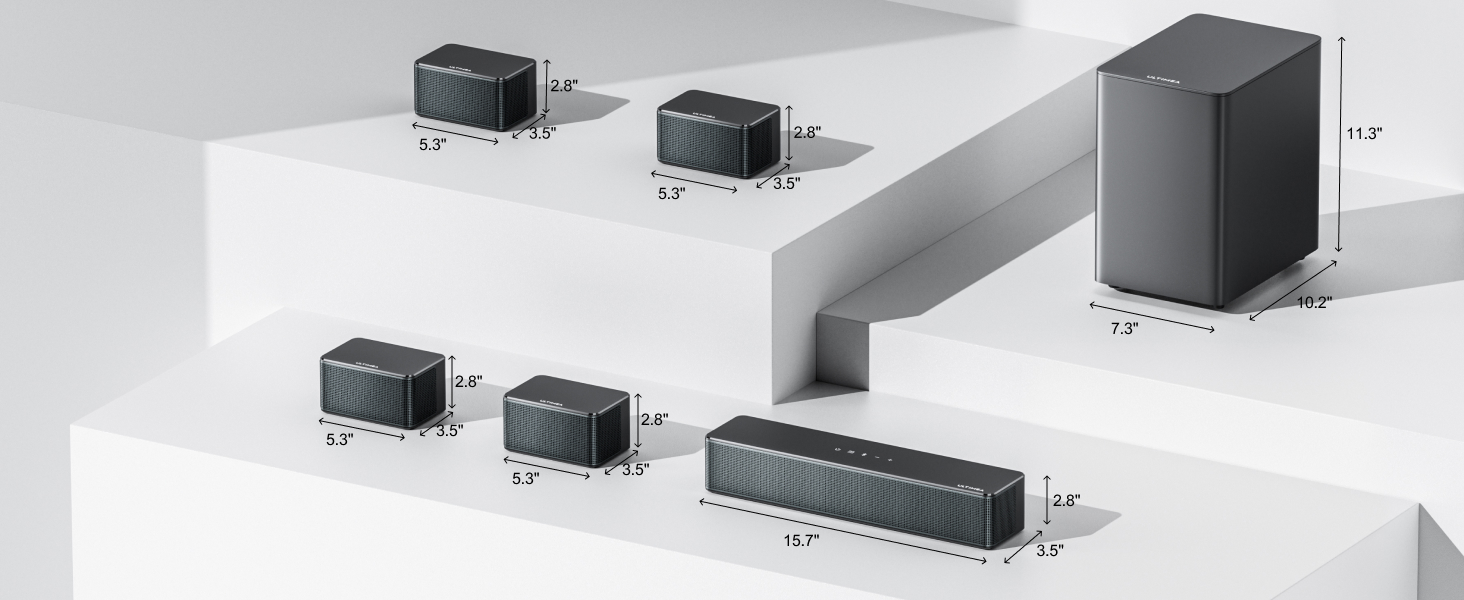
Image 6.4: The ULTIMEA Smart App's interface for 121 preset EQ matrices, offering various sound styles like Bass, Pop, Classical, and Rock.
7. Fjernbetjening
The included remote control provides convenient access to all soundbar functions, including input selection, volume adjustment, EQ modes, and bass/treble control.
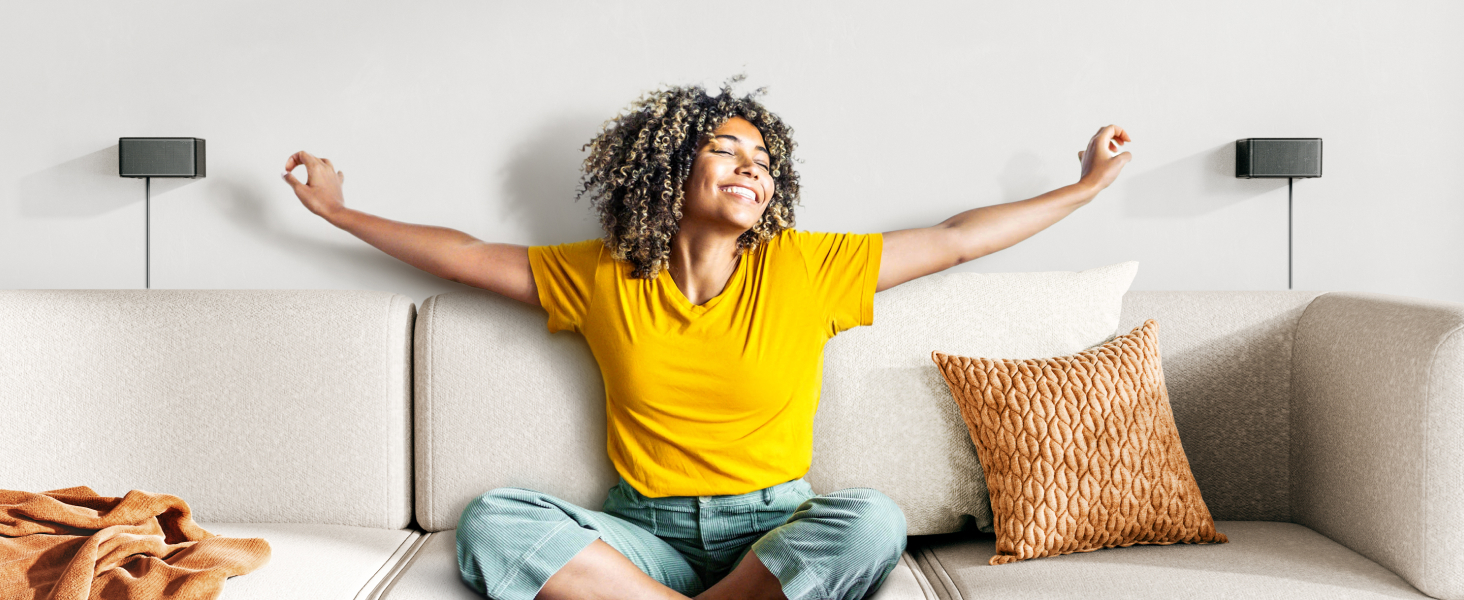
Image 7.1: The remote control for the ULTIMEA Poseidon D70, showing buttons for various audio adjustments and input selections.
7.1 Fjernbetjeningsfunktioner
- Magt: Tænd/sluk for soundbaren.
- Valg af input: Buttons for ARC, HD IN, OPT, AUX, BT, USB.
- Lydstyrkekontrol: Øg eller sænk lydstyrken.
- Stum: Slå lyd til/fra.
- Bass MX: Juster basniveauet.
- mellemtone: Adjust midrange level.
- Diskant: Juster diskantniveau.
- EQ-tilstande: Dedicated buttons for Movie, Music, Voice, Sport, Game, Night.
- Omgive: Adjust surround sound level.
- Up-Firing: Adjust up-firing volume level.
- LED dæmper: Adjust LED display brightness.
8. Specifikationer
| Feature | Specifikation |
|---|---|
| Modelnavn | Poseidon D70 |
| Varemodelnummer | U2600 |
| Surround Sound Kanalkonfiguration | 7.1 |
| Højttaler Maksimal udgangseffekt | 410 watt |
| Subwoofer diameter | 6.5 tommer |
| Speaker Size (Surround) | 2.25 tommer |
| Trådløs kommunikationsteknologi | Bluetooth |
| Forbindelsesteknologi | Auxiliary, Bluetooth, HDMI, Optical |
| Lydudgangstilstand | Omgive |
| Frekvensrespons | 18 KHz |
| Monteringstype | Vægmontering |
| Varens vægt | 19.96 pund |
9. Fejlfinding
9.1 No Sound from System
- Tjek forbindelser: Ensure all cables (HDMI ARC, Optical, AUX) are securely connected to both the soundbar and your TV.
- Valg af input: Verify that the correct input source is selected on the soundbar (e.g., ARC, OPT, AUX, BT).
- TV-lydindstillinger: Confirm your TV's audio output settings are correctly configured for the chosen connection type (e.g., HDMI ARC, Optical, or Analog Out). For digital connections, ensure the TV's digital audio format is set to PCM.
- Subwoofer parring: If there is no bass, check the subwoofer's pairing status. Re-pair if necessary as described in Section 4.3.
- Lydstyrkeniveauer: Ensure both the soundbar and TV volumes are not muted and are set to an audible level.
9.2 Fjernbetjening virker ikke
- Batterikontrol: Udskift fjernbetjeningens batterier, hvis de er ved at være tomme eller opbrugte.
- Synslinje: Sørg for, at der ikke er nogen forhindringer mellem fjernbetjeningen og soundbarens sensor.
- Afstand: Operate the remote within its effective range.
10. Sikkerhedsoplysninger
For at mindske risikoen for elektrisk stød, brand eller skade på enheden, bedes du overholde følgende sikkerhedsforanstaltninger:
- Udsæt ikke dette apparat for regn eller fugt.
- Åbn ikke c'enasing. Overlad al service til kvalificeret personale.
- Sørg for korrekt ventilation omkring enheden.
- Brug kun den strømadapter, der følger med enheden.
- Hold enheden væk fra varmekilder og direkte sollys.
11. Garanti og support
Your ULTIMEA Poseidon D70 sound system comes with a manufacturer's warranty. For detailed warranty information, product support, or technical assistance, please visit the official ULTIMEA webwebsted eller kontakt kundeservice.
- Online support: Besøg www.ultimea.com
- E-mail support: Se din produktemballage eller den officielle webwebsted for kontakt-e-mail.


