1. Introduktion
Thank you for choosing the Cuifati Portable 4G 5G WiFi Hotspot Device. This manual provides essential information for setting up, operating, and maintaining your device. This mobile hotspot allows you to create a fast 300Mbps network, connecting up to 10 devices simultaneously, ensuring you stay connected wherever you go. It features a built-in 2100mAh battery and uses a Type-C port for charging.

Figur 1.1: Forside view of the Cuifati Portable WiFi Hotspot Device.
2. Sikkerhedsoplysninger
- Udsæt ikke enheden for ekstreme temperaturer, direkte sollys eller høj luftfugtighed.
- Undgå at tabe eller udsætte enheden for kraftige stød.
- Forsøg ikke selv at skille enheden ad eller reparere den. Kontakt kvalificeret servicepersonale.
- Brug kun det medfølgende eller godkendte opladningskabel.
- Hold enheden væk fra vand og andre væsker.
- Sørg for tilstrækkelig ventilation, når du bruger enheden, for at forhindre overophedning.
3. Pakkens indhold
Tjek venligst pakken for følgende varer:
- 1 x Portable WiFi Hotspot Device
- 1 x USB Type-C opladningskabel
- 1 x Brugermanual (dette dokument)

Figure 3.1: Included items: Hotspot device and USB Type-C cable.
4. Produktet er slutview
Gør dig bekendt med enhedens komponenter:
- Power knap: Bruges til at tænde/slukke enheden.
- LED-indikatorer: Display network signal strength, battery status, and message notifications.
- SIM-kortplads: Til isætning af dit 4G/5G SIM-kort.
- Type-C port: Til opladning af enheden.

Figure 4.1: The hotspot device positioned on a desk, ready for use with other devices.
5. Opsætning
5.1. Isætning af SIM-kortet
- Sørg for, at enheden er slukket.
- Locate the SIM card slot on the device. This is typically found by removing the back cover.
- Carefully insert your standard-sized SIM card into the slot with the gold contacts facing down, until it clicks into place.
- Replace the back cover if removed.

Figur 5.1: View of the SIM card slot, showing where to insert the SIM card.
5.2. Opladning af enheden
- Connect the provided USB Type-C cable to the Type-C port on the device.
- Connect the other end of the USB cable to a USB power adapter (not included), a computer USB port, or a car USB charger.
- The battery indicator LED will show charging status. A full charge ensures over 10 hours of stable connectivity.

Figur 5.2: Detaljeret view of the Type-C charging port.
6. Betjeningsvejledning
6.1. Tænd/sluk
- For at tænde: Press and hold the Power button for a few seconds until the indicator lights illuminate.
- For at slukke: Press and hold the Power button again until the indicator lights turn off.
6.2. Tilslutning af enheder til hotspottet
Once the hotspot is powered on and has established a network connection (indicated by the signal LED), you can connect your devices:
- On your Wi-Fi enabled device (smartphone, tablet, laptop), go to the Wi-Fi settings.
- Søg efter available Wi-Fi networks. The hotspot's SSID (network name) and password are usually found on a sticker inside the battery compartment or on the device packaging.
- Select the hotspot's SSID from the list.
- Indtast Wi-Fi-adgangskoden, når du bliver bedt om det.
- Your device should now be connected to the internet via the hotspot. The hotspot supports simultaneous connection of up to 10 devices.

Figure 6.1: Easy setup and connection with a laptop, highlighting the plug-and-play functionality.

Figure 6.2: The hotspot providing convenient connectivity for a user working on a laptop.
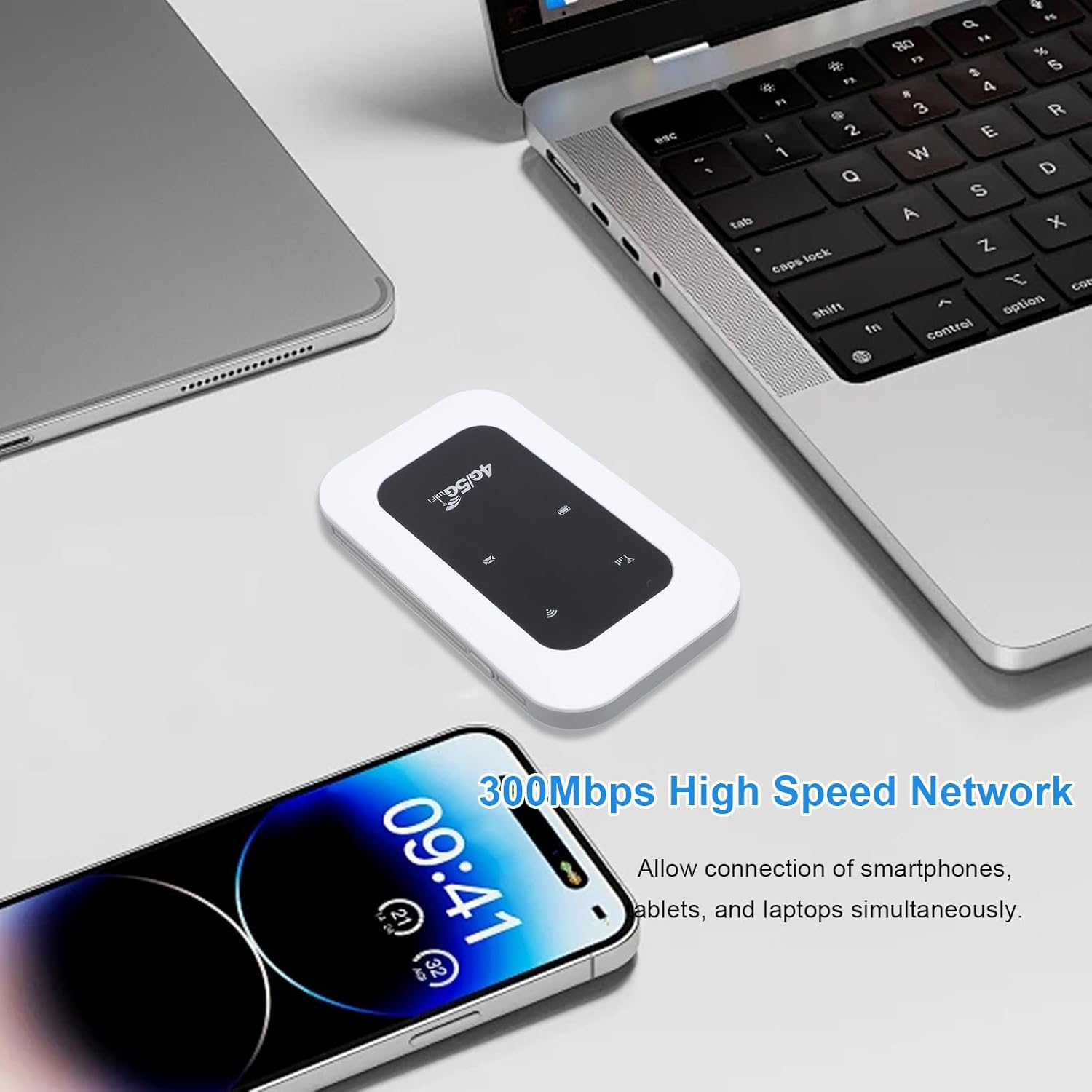
Figure 6.3: The hotspot enabling high-speed network access for multiple devices like smartphones and laptops.
7. Vedligeholdelse
- Rengør enheden med en blød, tør klud. Brug ikke flydende rengøringsmidler eller aerosoler.
- Opbevar enheden på et køligt, tørt sted, når det ikke er i brug.
- Avoid blocking the ventilation holes to ensure proper heat dissipation.
- Regularly check for firmware updates (if applicable) through the manufacturer's website for optimal ydeevne.

Figure 7.1: The portable design allows for easy transport and use on the go, supported by its long battery life.
8. Fejlfinding
| Problem | Mulig årsag | Løsning |
|---|---|---|
| Intet netværkssignal | SIM card not inserted correctly; No network coverage; SIM card not activated. | Reinsert SIM card; Move to an area with better coverage; Contact your service provider. |
| Kan ikke oprette forbindelse til Wi-Fi | Incorrect Wi-Fi password; Device too far from hotspot; Hotspot not powered on. | Verify password; Move closer to hotspot; Power on the hotspot. |
| Langsom netværkshastighed | Too many connected devices; Weak signal; Network congestion. | Disconnect some devices; Move to an area with stronger signal; Try again later. |
| Enheden oplader ikke | Faulty cable or adapter; Loose connection. | Try a different cable/adapter; Ensure cable is securely connected. |
9. Specifikationer
| Feature | Detalje |
|---|---|
| Varetype | Portable 4G 5G WiFi Hotspot |
| Netværksfrekvens | LTE: Band 1/Band 3/Band 5/Band 40, WCDMA: Band 1 |
| WIFI support | 802.11 b/g/n |
| Wireless Network Transmission Frequency | Op til 300 Mbps |
| Card Slot | 1 x SIM Card (not included) |
| Batteritype | Indbygget 2100mAh batteri |
| Forbindelse | Tilslutter op til 10 enheder samtidigt |
| Opladningsport | Type-C |
| Modelnummer | Cuifatizyd6i8p4gm |
| Dimensioner | 11 x 7 x 4 cm |
| Vægt | 101 g |
10. Garanti og support
For warranty information and technical support, please refer to the warranty card included with your product or visit the official Cuifati website. If you encounter any issues not covered in this manual, please contact Cuifati customer service for assistance.
Online support: Besøg venligst www.cuifati.com (Bemærk: Dette er en pladsholder URLSe venligst den faktiske produktdokumentation for korrekte supportlinks.)