1. Introduktion
Thank you for choosing the seenda COE310 Bluetooth Ergonomic Keyboard and Mouse Combo. This manual provides detailed instructions for setting up, operating, and maintaining your new device. Please read it carefully to ensure optimal performance and longevity of your product.
2. Produktet er slutview
The seenda COE310 combo offers a comfortable and efficient typing experience with its ergonomic design and multi-device connectivity. It is designed to enhance productivity across various platforms.
Nøglefunktioner:
- Ergonomic Wave Design: The keyboard features a wave-curved layout and a cushioned wrist rest to reduce strain during extended use.
- Tilslutning til flere enheder: Connects to up to three devices via USB-A, Type-C, or Bluetooth, allowing seamless switching.
- Universal kompatibilitet: Supports Windows, macOS, iOS, and Android operating systems with dual layouts for Windows and Mac.
- Genopladelige batterier: Built-in rechargeable batteries for both keyboard (500mAh) and mouse (300mAh) provide long active use and standby times.
- Lydløs drift: The mouse features silent clicks for a focused work environment.
- Justerbar hældning: The keyboard includes five adjustable tilt angles for personalized comfort.
- 12 Shortcut Keys: Enhance efficiency with dedicated shortcut keys.

Figure 1: seenda COE310 Ergonomic Keyboard and Mouse Combo.
3. Opsætning
3.1 Pakkens indhold
- seenda COE310 Ergonomic Keyboard
- seenda COE310 Wireless Mouse
- USB-A Receiver (stored in mouse)
- Type-C Receiver (stored in mouse)
- USB-C ladekabel
- Brugermanual
- Hurtig startvejledning
3.2 Opladning af enhederne
- Locate the USB-C charging ports on both the keyboard and the mouse.
- Connect the provided USB-C charging cable to the devices and a power source (e.g., computer USB port, USB wall adapter).
- The indicator lights will show charging status. A full charge typically takes 2-3 hours.
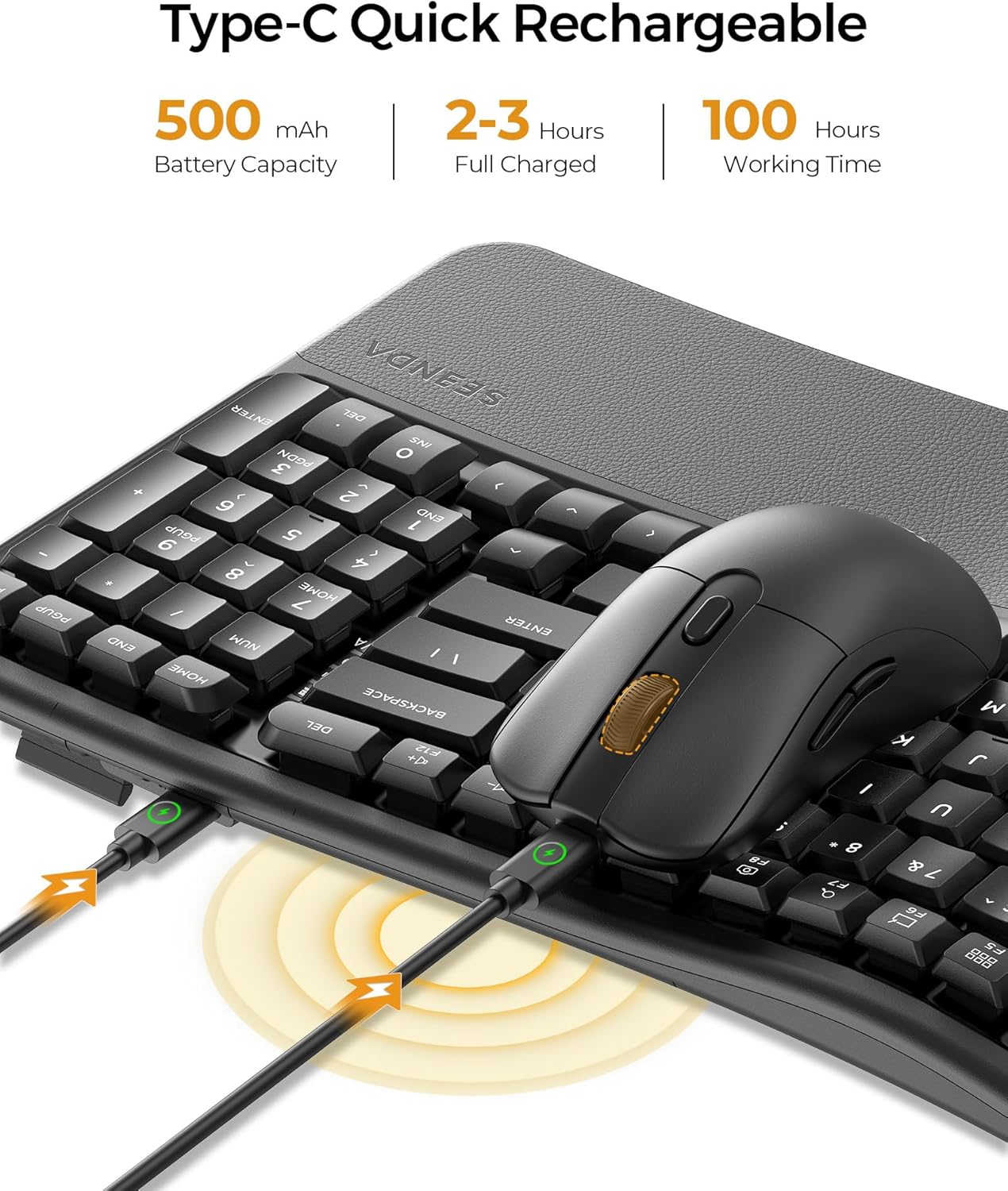
Figure 2: Keyboard and mouse connected to power via USB-C for charging.
3.3 Tilslutning af musen
The mouse offers three connection modes: 2.4G USB-A, 2.4G Type-C, and Bluetooth.
- For 2.4G USB-A/Type-C Connection:
- Åbn batterirummet på undersiden af musen.
- Remove the desired USB-A or Type-C receiver.
- Plug the receiver into an available USB-A or Type-C port on your computer or device.
- Tænd musen ved hjælp af tænd/sluk-knappen på undersiden.
- Toggle the mode switch button on the mouse to the corresponding 2.4G channel (indicated by a light). The mouse should connect automatically.
- For Bluetooth-forbindelse:
- Tænd musen ved hjælp af tænd/sluk-knappen.
- Toggle the mode switch button on the mouse to one of the Bluetooth channels (e.g., BT1 or BT2). The indicator light will flash.
- On your device, go to Bluetooth settings and search for "SEENDA COE310".
- Select the device and follow the on-screen prompts to pair.

Figure 3: Mouse underside showing USB and Type-C receivers.
3.4 Tilslutning af tastaturet
The keyboard also offers three connection modes: 2.4G USB-A, 2.4G Type-C, and Bluetooth.
- For 2.4G USB-A/Type-C Connection:
- Ensure the corresponding USB-A or Type-C receiver is plugged into your device.
- Tænd tastaturet med tænd/sluk-knappen (normalt på siden eller bagsiden).
- Press the Fn key + F1 (for USB-A) or Fn key + F2 (for Type-C) to select the channel. The indicator light will confirm connection.
- For Bluetooth-forbindelse:
- Tænd for tastaturet.
- Press the Fn key + F3 (for BT1) or Fn key + F4 (for BT2) or Fn key + F5 (for BT3) to select a Bluetooth channel. The indicator light will flash.
- On your device, go to Bluetooth settings and search for "SEENDA COE310".
- Select the device and follow the on-screen prompts to pair.
Video 1: Officielt produkt slutview of the seenda COE310 Multi-Device Ergonomic Keyboard and Mouse, demonstrating its features and multi-device connectivity.
4. Betjeningsvejledning
4.1 Tastaturfunktioner
- Indtastning: The wave-curved design promotes a natural hand position for comfortable typing.
- Justerbar hældning: Use the adjustable feet on the underside of the keyboard to set your preferred typing angle. There are five adjustable tilts.
- Windows/macOS Layout Switch: Trykke fn + A to switch to Windows layout or Fn + S to switch to macOS layout.
- Genvejstaster: The keyboard includes 12 dedicated shortcut keys for common functions. Refer to the Quick Start Guide for specific key functions.

Figure 4: Keyboard layout with Windows and macOS switch keys highlighted.
4.2 Musens funktioner
- DPI-justering: The mouse features 3 adjustable DPI settings (1000-1600-2400) for precise cursor control. Press the DPI button on the top of the mouse to cycle through settings.
- Lydløse klik: Enjoy a quiet working environment with the noiseless click design.
- Frem/Tilbage-knapper: Use the side buttons for quick navigation in web browsere eller file opdagelsesrejsende.

Figure 5: seenda wireless mouse, highlighting its silent operation.
4.3 Skift mellem enheder
Sådan skifter du mellem tilsluttede enheder:
- Tastatur: Trykke Fn + F1/F2/F3/F4/F5 to switch to the corresponding connected device (F1 for USB-A, F2 for Type-C, F3/F4/F5 for Bluetooth channels).
- Mus: Press the mode switch button on the underside of the mouse to cycle through the connected 2.4G (USB-A/Type-C) and Bluetooth channels.
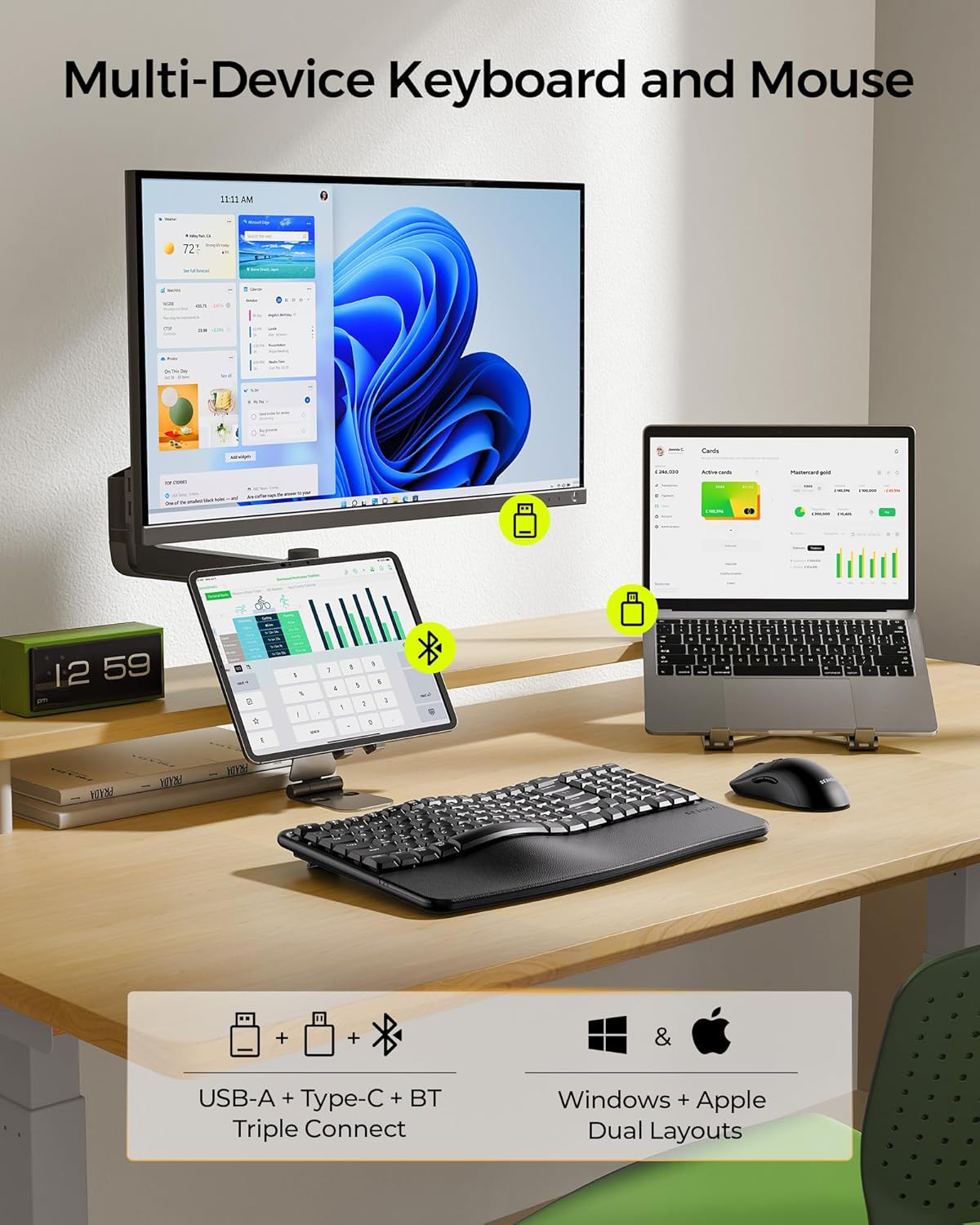
Figure 6: Multi-device connectivity example with the keyboard and mouse.
5. Vedligeholdelse
5.1 Rengøring
- Use a soft, dry cloth to wipe down the keyboard and mouse surfaces.
- Til genstridigt snavs, let dampda kluden med vand eller et mildt, ikke-slibende rengøringsmiddel.
- Avoid using harsh chemicals, solvents, or abrasive materials, as these can damage the finish.
- Do not immerse the devices in water or any liquid.
5.2 Pleje af batterier
- Oplad enhederne regelmæssigt for at opretholde batteriets sundhed.
- Avoid fully discharging the batteries frequently.
- If storing the devices for an extended period, charge them to about 50% before storage.
5.3 Opbevaring
- Store the keyboard and mouse in a cool, dry place away from direct sunlight and extreme temperatures.
- Keep the USB-A and Type-C receivers stored securely in the mouse's compartment when not in use to prevent loss.
6. Fejlfinding
- Enheden opretter ikke forbindelse:
- Ensure the devices are powered on and fully charged.
- Verify the correct connection mode (2.4G or Bluetooth) is selected on both the keyboard and mouse.
- For 2.4G, ensure the USB-A or Type-C receiver is securely plugged into your device.
- For Bluetooth skal du sørge for, at Bluetooth er aktiveret på din enhed, og prøve at parre igen.
- Try connecting to a different USB port or device to rule out port/device specific issues.
- Forsinket eller intermitterende forbindelse:
- Move the devices closer to your computer to minimize interference.
- Sørg for, at der ikke er store metalgenstande eller andre trådløse enheder, der forårsager interferens.
- Check battery levels; low battery can affect performance.
- Keys or mouse buttons not responding:
- Recharge the devices.
- Genstart din computer eller enhed.
- If using 2.4G, try re-inserting the receiver.
- Incorrect key layout (Windows/macOS):
- Trykke fn + A for Windows layout or Fn + S for macOS layout.
7. Specifikationer
| Feature | Detalje |
|---|---|
| Modelnummer | COE310 |
| Forbindelsesteknologi | USB (2.4G), Type-C (2.4G), Bluetooth |
| Kompatible enheder | PC, Laptop, Tablet, Mac, MacBook Pro/Air, iPad, iPhone |
| Tastaturets batterikapacitet | 500mAh |
| Musens batterikapacitet | 300mAh |
| Arbejdstid | Op til 100 timer (aktiv brug) |
| Standby tid | Op til 300 dage |
| Opladningstid | 2-3 timer |
| Mus DPI-indstillinger | 1000, 1600, 2400 |
| Keyboard Tilt Angles | 5 justerbare niveauer |
| Varens vægt | 2.83 pund |
| Pakkedimensioner | 17.28 x 12.01 x 2.13 tommer |
8. Garanti og support
seenda products are designed for reliability and performance. For warranty information, technical support, or any inquiries regarding your COE310 keyboard and mouse combo, please refer to the contact information provided in your product packaging or visit the official seenda webwebsted.


