1. Introduktion
This manual provides essential information for the setup, operation, and maintenance of your Metz 43MUF7000Z 43-inch 4K UHD Google Smart TV. Please read these instructions carefully before using your television to ensure proper functionality and safety. Keep this manual for future reference.

Billede 1.1: Forside view of the Metz 43MUF7000Z 43-inch 4K UHD Google Smart TV.
2. Nøglefunktioner
2.1. 4K Ultra Clear Image with AI Power
Experience stunning 4K HDR10 and HLG images with vibrant colors and high contrast. The S AI engine analyzes each frame in real-time, enhancing color and detail for a complete cinematic experience.
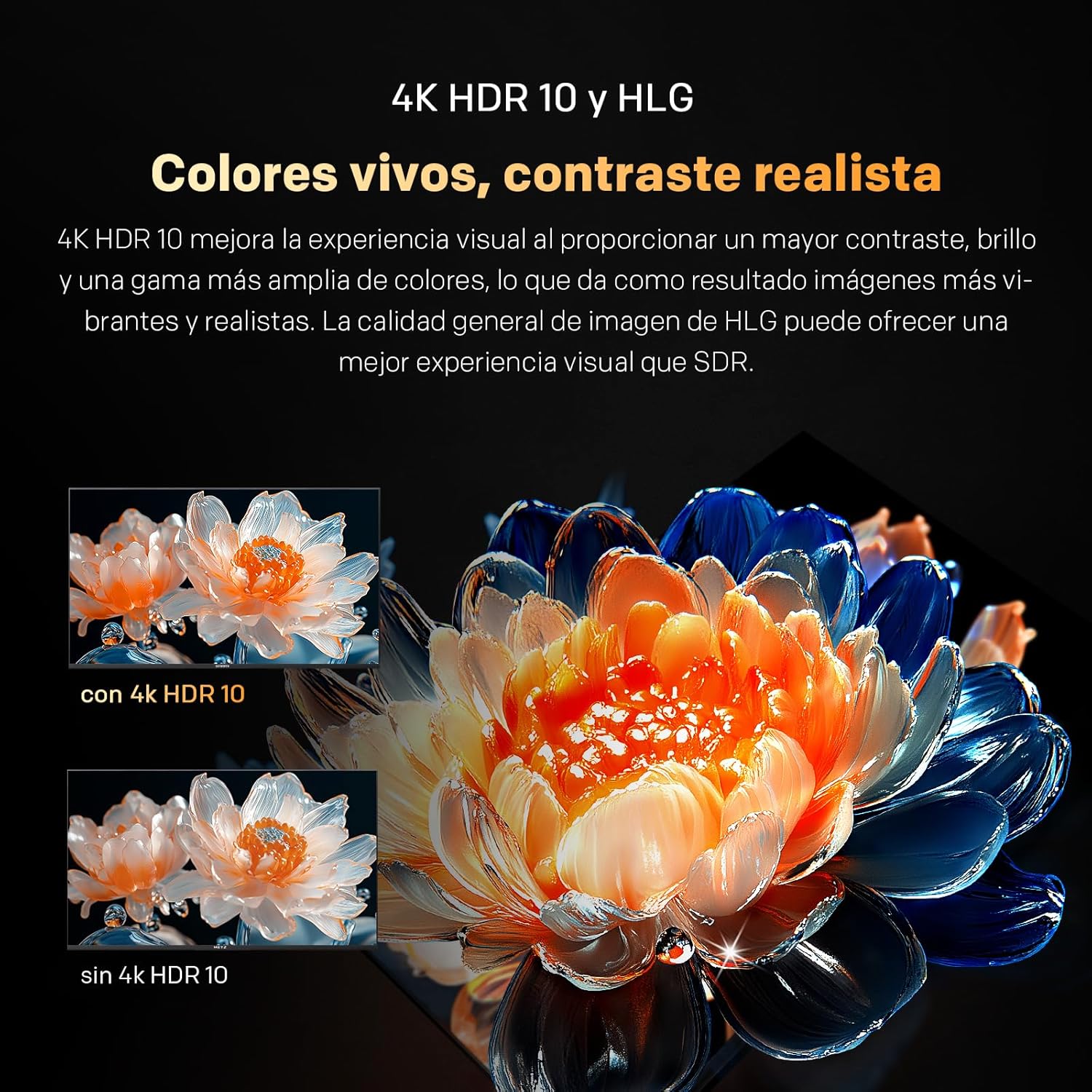
Image 2.1: Visual comparison of 4K HDR 10 and HLG technology, showcasing enhanced colors and contrast.

Image 2.2: Diagram illustrating the S AI Engine, which optimizes image quality in real-time.
2.2. MEMC Motion Clarity
Powered by MEMC (Motion Estimation, Motion Compensation), the Metz Smart TV reduces blur in fast-moving scenes, ensuring clear details. This feature is ideal for sports, action movies, and video games, providing ultra-fluid, uninterrupted motion.

Image 2.3: Visual representation of MEMC technology reducing motion blur in fast-paced content.
2.3. Dolby Atmos and Wonder Audio
With 87 years of experience, enjoy crisp sound with Wonder Audio. Six adaptive sound modes optimize audio for each scene, delivering an immersive and balanced experience.

Image 2.4: Graphics illustrating the immersive sound experience provided by Dolby Atmos and Wonder Audio with adaptive sound modes.
2.4. Google TV
Enjoy personalized recommendations, organized lists, and voice control. Child filters and smart suggestions make the Metz 4K Google TV your personalized entertainment hub.

Billede 2.5: Overview of Google TV features including personalized content, voice control, and child filters.
2.5. Øjenpleje
Personalized visual assistance corrects color deficiency, while reduced blue light and flicker-free technology protect your eyes. View safely, vividly, and without fatigue.

Image 2.6: Explanation of Eye Care features, including reduced blue light and flicker-free viewing for eye comfort.
2.6. Remote Control with Buzzer
The integrated buzzer ensures you never lose your remote control at home. Find it instantly.
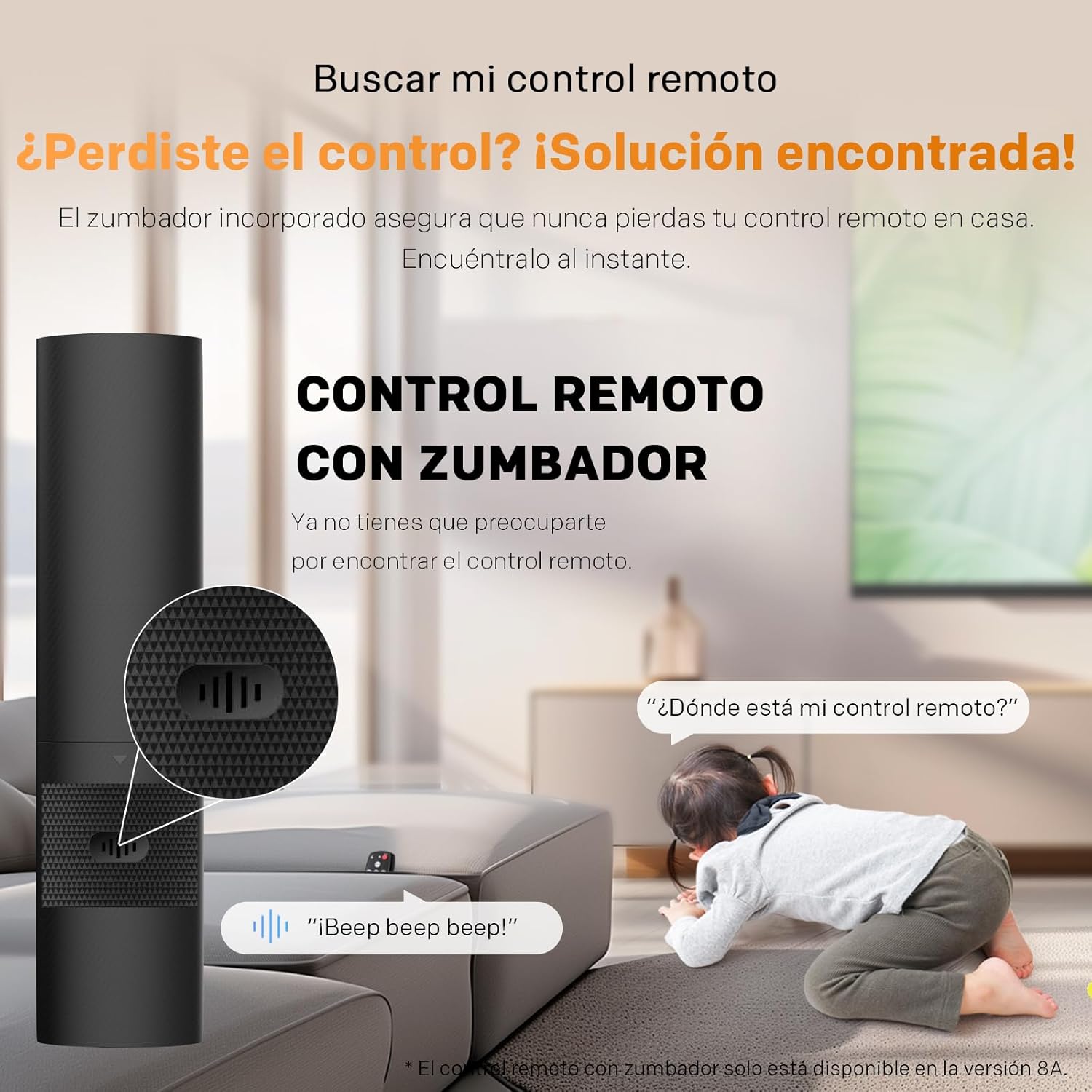
Image 2.7: Illustration of the remote control with a buzzer function to help locate it.
2.7. General Product Overview (Video)
Se denne video for en generel oversigtview of Metz TV features, including display technology, smart capabilities, and audio enhancements. While this video may feature a different model, the core technologies and user experience are representative of Metz Smart TVs.
Video 2.1: A general product video from Metz showcasing various features and technologies.
3. Opsætning
3.1. Udpakning og montering
- Tag forsigtigt tv'et ud af emballagen.
- Placer tv'et med forsiden nedad på en blød, flad overflade for at forhindre, at skærmen beskadiges.
- Attach the included bases (feet) to the TV using the provided screws. Ensure they are securely fastened.
- Alternatively, if using a wall mount (not included), follow the wall mount manufacturer's instructions for installation.
3.2. Tilslutning af eksterne enheder
- Strømkabel: Tilslut strømkablet til tv'et og derefter til en stikkontakt.
- HDMI-enheder: Use HDMI cables to connect external devices such as Blu-ray players, game consoles, or set-top boxes to the HDMI ports on the TV.
- USB-enheder: Indsæt USB-drev til medieafspilning i USB-portene.
- Antenne/kabel: Connect your antenna or cable TV feed to the DVB-T/T2 or DVB-C/S/S2 input.
- Netværk: For wired internet, connect an Ethernet cable to the LAN port. For wireless, ensure Wi-Fi is enabled during initial setup.

Image 3.1: Diagram showing the TV dimensions and available input/output ports.
4. Betjeningsvejledning
4.1. Indledende opsætning
- Tilslut tv'et, og tryk på tænd/sluk-knappen på fjernbetjeningen.
- Følg instruktionerne på skærmen for at vælge dit sprog og land og oprette forbindelse til dit Wi-Fi-netværk.
- Log ind med din Google-konto for at få adgang til Google TV-funktioner, apps og personlige anbefalinger.
- Scan for available TV channels if you have connected an antenna or cable.
4.2. Grundlæggende funktioner
- Tænd/sluk: Tryk på tænd/sluk-knappen på fjernbetjeningen.
- Lydstyrkekontrol: Brug knapperne for lydstyrke op/ned på fjernbetjeningen.
- Kanalvalg: Brug knapperne Kanal op/ned eller det numeriske tastatur.
- Inputkilde: Tryk på knappen 'Input' eller 'Source' for at skifte mellem HDMI, USB, TV osv.
- Google Assistant: Press the Google Assistant button on your remote and speak your commands to search for content, control smart home devices, and more.
5. Vedligeholdelse
- Rengøring af skærm: Tør forsigtigt skærmen af med en blød, tør og fnugfri klud. Brug en skærmspecifik rengøringsopløsning på kluden, ikke direkte på skærmen, til genstridige pletter.
- Skabsrengøring: Tør tv-kabinettet af med en blød, tør klud. Undgå at bruge slibende rengøringsmidler eller opløsningsmidler.
- Ventilation: Sørg for, at ventilationsåbningerne på bagsiden af tv'et ikke er blokerede for at forhindre overophedning.
- Sluk: Unplug the TV from the power outlet during thunderstorms or when it will be left unattended for long periods.
6. Fejlfinding
- Ingen strøm: Kontroller, om strømkablet er tilsluttet korrekt, og om stikkontakten fungerer. Prøv en anden stikkontakt.
- Intet billede/lyd: Bekræft, at den korrekte inputkilde er valgt. Kontroller alle kabelforbindelser (HDMI, antenne).
- Dårlig billedkvalitet: Juster billedindstillingerne (lysstyrke, kontrast, skarphed). Sørg for, at inputkilden leverer et signal af høj kvalitet.
- Fjernbetjeningen virker ikke: Udskift batterierne. Sørg for, at der ikke er nogen forhindringer mellem fjernbetjeningen og tv'et.
- Problemer med internetforbindelse: Genstart din router og dit modem. Tilslut tv'et til Wi-Fi-netværket igen, eller kontroller Ethernet-kabelforbindelsen.
- TV is Slow/Unresponsive: Try restarting the TV by unplugging it for a few minutes and plugging it back in. If issues persist, consider a factory reset (refer to the on-screen menu for this option).
7. Specifikationer
| Parameter | Værdi |
|---|---|
| Skærmstørrelse | 43 tommer |
| Mærke | Metz |
| Displayteknologi | LED |
| Opløsning | 4K |
| Opdateringshastighed | 60 Hz |
| Særlige funktioner | Chromecast, Dolby Atmos, Dolby Vision, Eye Care, MEMC |
| Forbindelsesteknologi | Bluetooth, USB, Wi-Fi |
| Aspektforhold | 16:9 |
| Produktdimensioner | 23.7 x 95.7 x 62.9 cm |
| Vægt | 6.15 kg |
| Energieffektivitetsklasse | F |
For detailed energy information, refer to the official EU energy label: EPREL Produktinformationsblad.

Image 7.1: Product Information Sheet detailing technical specifications and energy data.

Image 7.2: EU Energy Label for the Metz 43MUF7000Z TV, showing its energy efficiency class.
8. Hvad er der i æsken
- Fjernbetjening
- Strømkabel
- Instruktionsmanual
- Bases (TV feet)
- 2 batteries for the remote control
9. Garanti og support
Your Metz 43MUF7000Z TV comes with a standard manufacturer's warranty. Please refer to the warranty card included in the packaging for specific terms and conditions, including the warranty period and coverage details. For technical support, troubleshooting assistance, or service inquiries, please contact Metz customer service through their official webwebstedet eller kontaktoplysningerne i din garantidokumentation.


