1. Introduktion
This manual provides essential information for the safe and efficient use of your DOOGEE Blade 10 Pro Energy Rugged Phone. Please read this manual thoroughly before operating the device and retain it for future reference. The DOOGEE Blade 10 Pro Energy is designed for durability and performance, featuring an ultra-thin yet robust design, a powerful battery, and an advanced camera system.
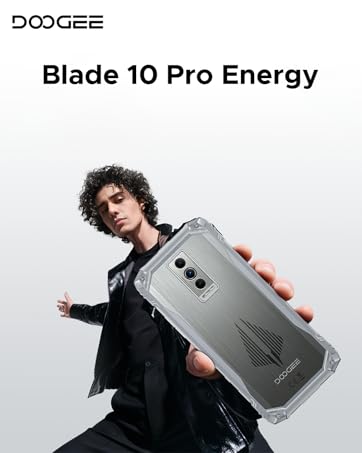
Image 1.1: DOOGEE Blade 10 Pro Energy Rugged Phone Overview
2. Hvad er der i æsken
Kontroller, at alle varer er til stede i emballagen:
- 1 x Blade10 Pro Energy Rugged Phone
- 1 x Type-C USB Cable and Charger
- 1 x Packing Box 1 x Manual
- 1 x Warranty Card 1 x Sling 1 x Protective case
- 1 x Tempered Glass Protective Film (Pre-applied)

Image 2.1: Included Accessories - Protective Case and Phone Strap
3. Enhed overview
Familiarize yourself with the physical components of your DOOGEE Blade 10 Pro Energy phone.
Billede 3.1: Side View af enheden

Billede 3.2: Bagside View and Camera Module
4. Opsætning
4.1 Installation af SIM- og TF-kort
The DOOGEE Blade 10 Pro Energy supports a triple card slot design, allowing for two SIM cards and one TF (microSD) card simultaneously.
- Find SIM-kortbakken på siden af telefonen.
- Brug det medfølgende SIM-kortudløserværktøj til at åbne bakken.
- Carefully place your SIM cards and TF card into their respective slots, ensuring correct orientation.
- Skub forsigtigt bakken tilbage i telefonen, indtil den flugter med enhedens kabinet.

Image 4.1: Triple Card Slot and Security Features
4.2 Indledende tænding
Press and hold the Power button located on the side of the device until the DOOGEE logo appears. Follow the on-screen instructions to complete the initial setup, including language selection, Wi-Fi connection, and Google account setup.
4.3 Netværkskompatibilitet
Før købasing and using the device, ensure compatibility with your local frequency bands. The DOOGEE Blade 10 Pro Energy supports the following network bands:
- GSM: B2/3/5/8
- WCDMA: B1/2/4/5/8
- TDD: B34/38/39/40/41
- FDD: B1/2/3/4/5/7/8/18/19/20/25/26/28AB/66
5. Betjeningsvejledning
5.1 Android 15-operativsystem
Your device runs on the Android 15 operating system, offering enhanced performance, security, and user experience. Navigate through the interface using gestures and on-screen buttons.

Image 5.1: Android 15 System with Glove Mode
5.2 Display
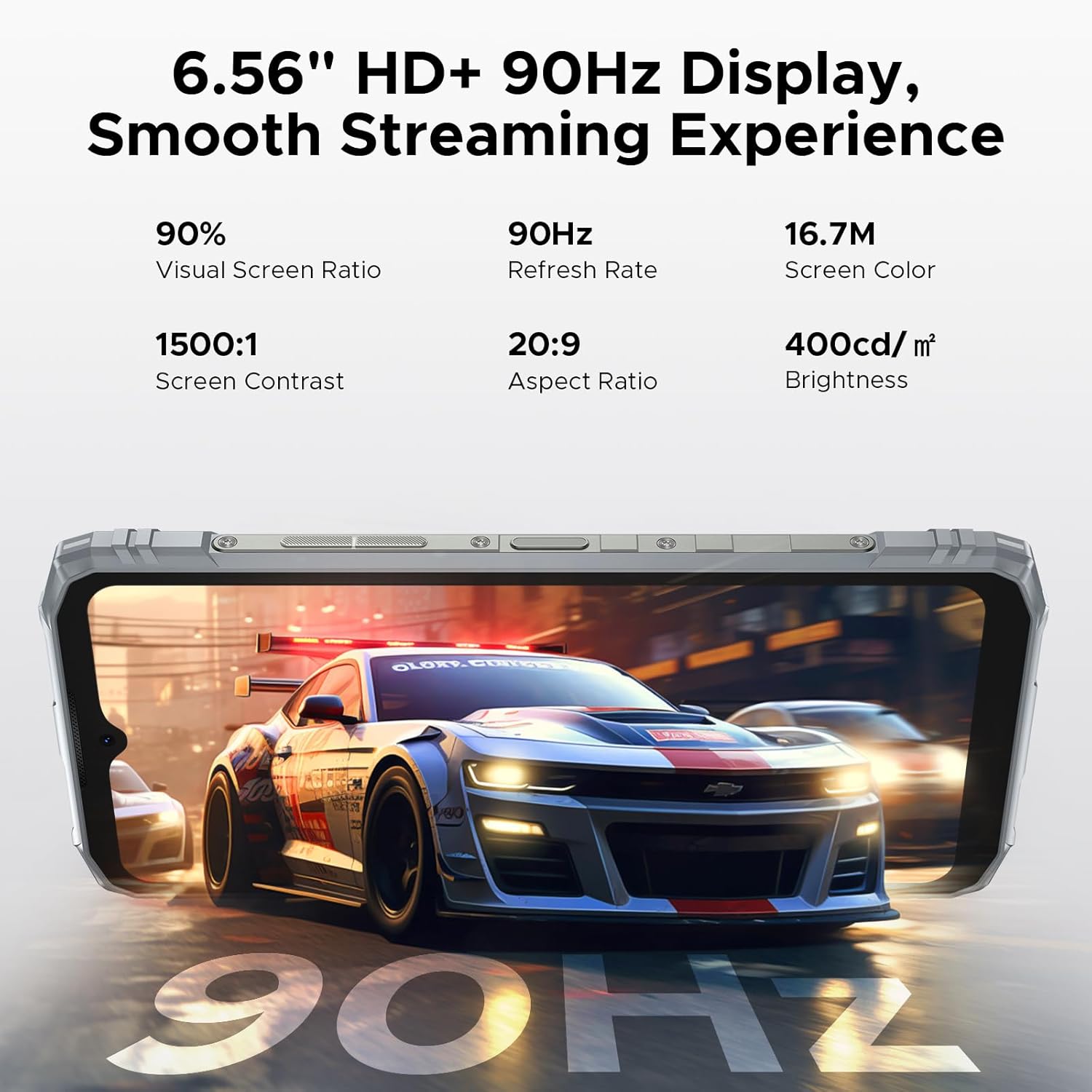
The phone features a 6.56-inch HD+ IPS waterdrop screen with a 90Hz refresh rate for smooth visuals. The IPS technology provides wide viewing angles, and the 90Hz refresh rate ensures fluid scrolling and gaming.

Image 5.2: 6.56" HD+ 90Hz Display Features
5.3 Kamera
Capture high-quality photos and videos with the 50MP main camera and 8MP front camera. The camera system includes AI recognition for scene optimization and various shooting modes.
- 50MP hovedkamera: For detailed and clear images.
- 8MP frontkamera: Til selfies og videoopkald.
- Undervandskameratilstand: Giver mulighed for fotografering i vandmiljøer.
- AI-genkendelse: Automatically identifies and optimizes shooting scenes.
- Forskellige tilstande: Includes Beauty, Portrait, Panoramic, HDR, Pro, Night, and more.

Image 5.3: Camera Specifications

Image 5.4: Underwater Camera Functionality
5.4 NFC-funktionalitet
The device supports NFC (Near Field Communication) for convenient and fast operations such as mobile payments and data transfer with compatible devices.

Image 5.5: NFC for Convenient Transactions
5.5 Sikkerhedsfunktioner
Unlock your phone securely using Face ID or the side-mounted fingerprint sensor.
5.6 Andre funktioner
The DOOGEE Blade 10 Pro Energy includes various useful software features:
- App-kloning: Run multiple instances of an app.
- Delt skærmtilstand: Brug to apps samtidigt.
- Super Udklipsholder: Forbedret udklipsholderfunktionalitet.
- Dobbelt systemtilstand: Create separate user environments.
- Real-time Subtitles: Provides live captioning.
- Smart Sensing/Incoming Call Muting: Intelligent call management.
- Screen Sensing: Advanced screen interaction.
- Forbedring af videovisning: Optimizes video playback quality.

Image 5.6: Additional Smart Functions
6. Batteristyring
The DOOGEE Blade 10 Pro Energy is equipped with a 6150mAh Si-C battery, designed for extended usage. It supports 18W fast charging and reverse charging.
- Opladning: Use the provided Type-C USB cable and charger for optimal charging speed.
- Hurtig opladning: Supports 18W fast charging to reduce charging time.
- Omvendt opladning: The phone can act as a power bank to charge other devices.
- Batteriets levetid: The Si-C battery is designed for 1000 charging cycles and maintains over 80% health status for up to 3 years.

Image 6.1: 6150mAh Battery Capacity

Image 6.2: Fast and Reverse Charging
7. Holdbarhedsfunktioner
The DOOGEE Blade 10 Pro Energy is built to withstand challenging environments, meeting IP68/IP69K and MIL-STD-810H standards.
- IP68/IP69K: Certified for water and dust resistance.
- MIL-STD-810H: Militærkvalitets holdbarhed mod fald, stød og ekstreme temperaturer.
- Konstruktion: Features an aviation-grade aluminum titanium alloy frame for enhanced compression and high-temp resistance.

Image 7.1: Durability Test Results

Image 7.2: IP68/IP69K and MIL-STD-810H Certifications
8. Vedligeholdelse
To ensure the longevity and optimal performance of your DOOGEE Blade 10 Pro Energy, follow these maintenance guidelines:
- Regularly clean the screen and device body with a soft, lint-free cloth.
- Undgå at udsætte telefonen for ekstreme temperaturer eller direkte sollys i længere perioder.
- Ensure all port covers are securely closed when the phone is exposed to water or dust.
- Keep the software updated to the latest version for security and performance improvements.
- Brug kun godkendt tilbehør og opladere.
9. Fejlfinding
Hvis du støder på problemer med din enhed, kan du se følgende almindelige fejlfindingstrin:
- Enheden tænder ikke: Sørg for, at batteriet er opladet. Tilslut opladeren, og vent et par minutter, før du forsøger at tænde igen.
- Skærmen reagerer ikke: Restart the device by holding the Power button for approximately 10-15 seconds.
- Problemer med netværksforbindelse: Check if your SIM card is properly inserted. Verify network settings and ensure you are within network coverage.
- Apps der går ned: Ryd cachen for den problematiske app, eller geninstaller den. Sørg for, at din enheds software er opdateret.
- Langsom ydeevne: Luk unødvendige baggrundsapplikationer. Ryd cache og midlertidige files. Overvej at udføre en fabriksnulstilling, hvis problemet fortsætter (tag først en sikkerhedskopi af dine data).
For more complex issues, please contact DOOGEE customer support.
10. Specifikationer
Key technical specifications for the DOOGEE Blade 10 Pro Energy:
| Feature | Specifikation |
|---|---|
| Modelnavn | Blade10 Pro Energy |
| Operativsystem | Android 15 |
| Processor | UNISOC T7250 Octa-core (1.8 GHz) |
| VÆDDER | 32 GB (6 GB fysisk + 26 GB virtuel) |
| Intern opbevaring | 256 GB |
| Udvidelig opbevaring | Up to 2 TB (TF card, sold separately) |
| Skærmstørrelse | 6.56 tommer |
| Skærmopløsning | 720 x 1600 (HD+) |
| Opdateringshastighed | 90 Hz |
| Hovedkamera | 50 MP |
| Forreste kamera | 8 MP |
| Batterikapacitet | 6150 mAh |
| Opladning | 18W hurtigopladning, omvendt opladning |
| SIM-kort support | Dual SIM (Triple Card Slot) |
| Forbindelse | 4.5G LTE, Wi-Fi 5, Bluetooth 5.0, NFC, GPS |
| Holdbarhed | IP68/IP69K Water & Dust Resistant, MIL-STD-810H Certified |
| Dimensioner | 3.15 x 0.42 x 6.8 tommer (10.7 mm tynd) |
| Vægt | 1.1 pund (499 gram) |
11. Garanti og support
Your DOOGEE Blade 10 Pro Energy comes with a warranty card included in the box. Please refer to the warranty card for detailed terms and conditions regarding coverage and duration.
For teknisk support, service eller yderligere forespørgsler, besøg venligst den officielle DOOGEE website or contact their customer service department. Keep your purchase receipt and warranty card handy when seeking support.


