1. Introduktion
This manual provides detailed instructions for the installation, operation, and maintenance of your NEWFAST U352 AX1800 USB WiFi 6 Adapter. Please read this manual thoroughly before using the product to ensure proper functionality and to maximize its performance. This adapter is designed to provide high-speed wireless connectivity for your desktop or laptop computer running Windows 10 or Windows 11.
2. Sikkerhedsoplysninger
- Keep the device away from water, fire, high humidity, or hot environments.
- Forsøg ikke at adskille, reparere eller modificere enheden.
- Use only with compatible USB ports (USB 3.0 recommended for optimal performance).
- Sørg for tilstrækkelig ventilation omkring enheden under drift.
- Opbevares utilgængeligt for børn.
3. Pakkens indhold
Bekræft at alle varer er til stede i din pakke:
- 1x NEWFAST AX1800 USB WiFi 6 Adapter
- 1x brugermanual
4. Produktet er slutview
The NEWFAST U352 AX1800 USB WiFi 6 Adapter is designed to provide a fast and stable wireless connection for your computer. It features dual-band support, high-gain antennas, and advanced WiFi 6 technologies like MU-MIMO and OFDMA.

Figur 4.1: The NEWFAST U352 AX1800 USB WiFi 6 Adapter with its dual adjustable antennas.
Nøglefunktioner:
- WiFi 6 (802.11ax) Teknologi: Offers faster speeds, lower latency, and increased capacity compared to previous Wi-Fi standards.
- AX1800 Dual Band: Provides speeds up to 1201 Mbps on the 5GHz band and 574 Mbps on the 2.4GHz band.
- USB 3.0-interface: Ensures high-speed data transfer, up to 10 times faster than USB 2.0, to fully utilize the adapter's wireless capabilities.
- MU-MIMO og OFDMA: Enhances network efficiency and reduces latency, especially in environments with multiple devices.
- WPA3-kryptering: Supports the latest security protocol for enhanced network protection.
- Adjustable High-Gain Antennas: Improves signal reception and transmission for a wider and more stable connection.
- Driverfri installation: Automatic device recognition and configuration for Windows 10/11.

Figur 4.2: Illustration of WiFi 6 speeds (1201 Mbps on 5GHz, 600 Mbps on 2.4GHz) and USB 3.0 interface.
The adapter leverages WiFi 6 technology to deliver combined speeds of up to 1800 Mbps (1.8 Gbps). The USB 3.0 interface ensures that the data transfer between the adapter and your computer does not bottleneck the wireless speed.

Figur 4.3: Comparison of AX1800 WiFi 6 speed with AC1200 WiFi 5, highlighting OFDMA and MU-MIMO benefits.
With OFDMA and MU-MIMO technologies, the adapter efficiently handles multiple devices simultaneously, reducing network congestion and improving overall performance for activities like gaming, streaming, and video calls.
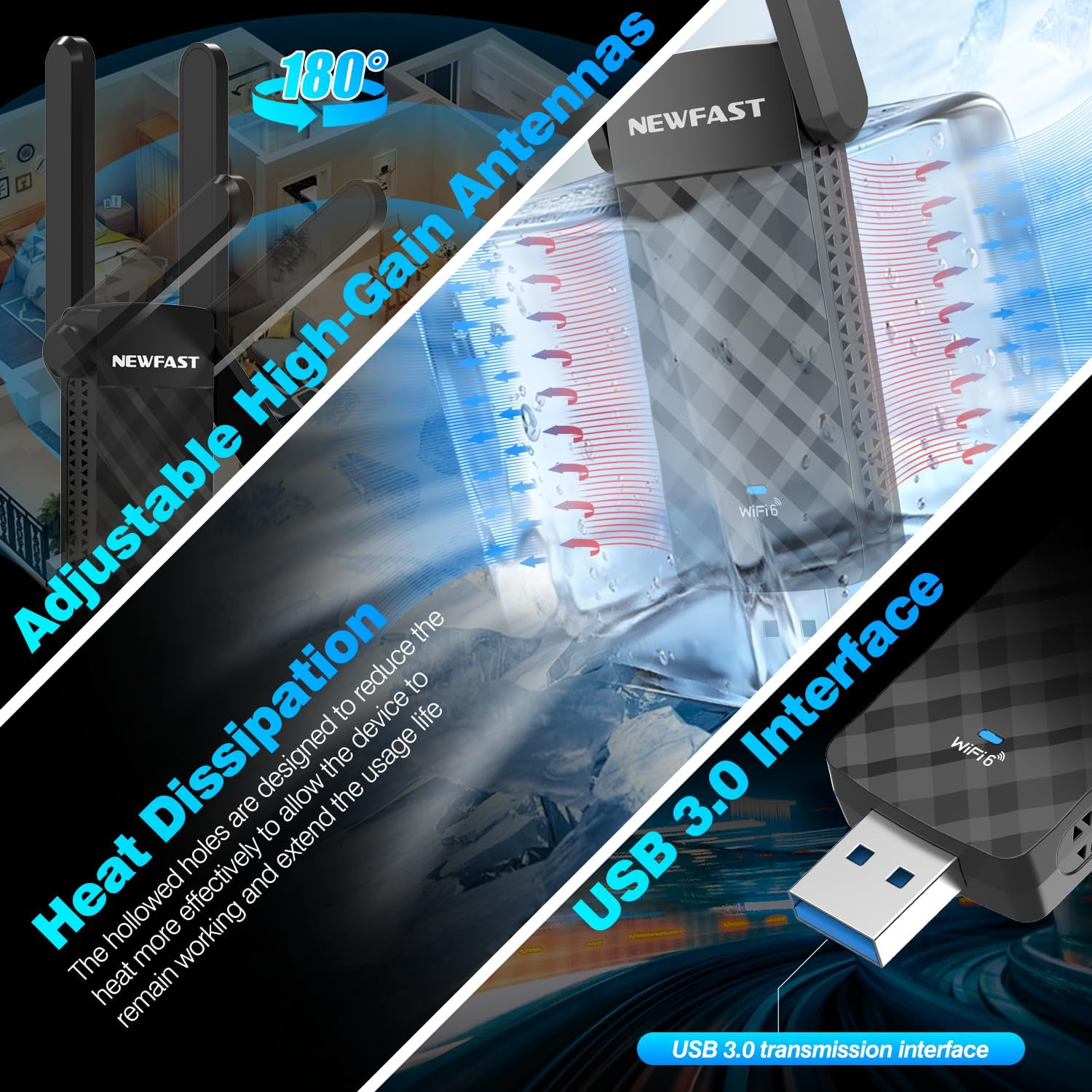
Figur 4.4: Details on the adjustable antennas for optimal signal, heat dissipation design, and the USB 3.0 interface.
The dual adjustable antennas allow for flexible positioning to optimize signal reception. The adapter's design also incorporates heat dissipation features to ensure stable and long-term operation.
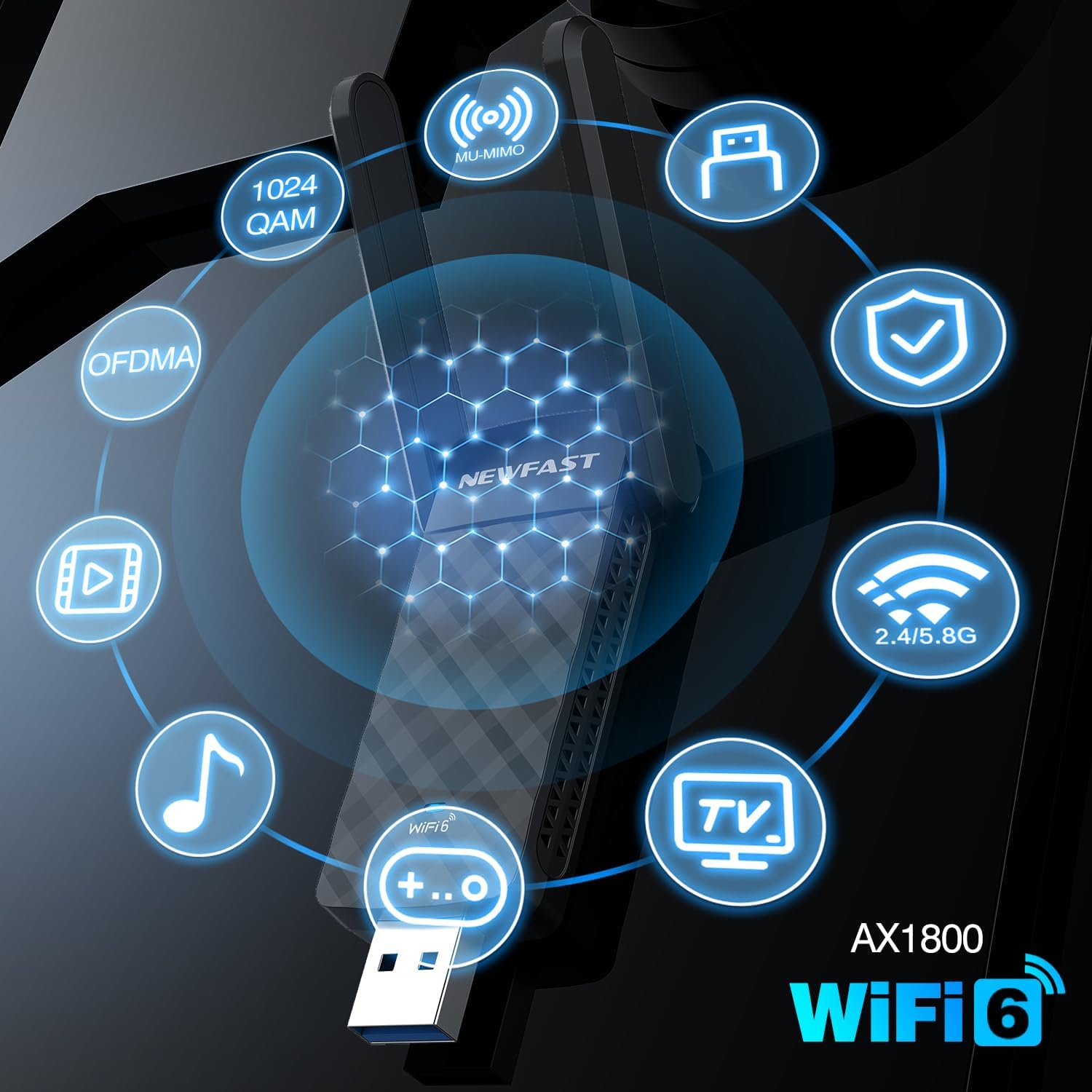
Figur 4.5: Visual representation of key AX1800 WiFi 6 features including 1024 QAM, OFDMA, MU-MIMO, WPA3, and dual-band support.
This image summarizes the advanced features of the AX1800 WiFi 6 adapter, including 1024-QAM for higher data rates, OFDMA and MU-MIMO for efficient multi-device communication, WPA3 for enhanced security, and support for both 2.4GHz and 5GHz bands.
5. Opsætningsvejledning
The NEWFAST U352 AX1800 USB WiFi 6 Adapter offers a simple, driver-free installation process for Windows 10 and Windows 11.
Systemkrav:
- Operating System: Windows 10 (32/64-bit) or Windows 11 (64-bit)
- Available USB Port (USB 3.0 recommended)
Installationstrin:
- Tilslut USB-adapteren: Insert the NEWFAST USB WiFi 6 Adapter into an available USB port on your desktop or laptop computer. For optimal performance, use a USB 3.0 port.
- Automatisk driverinstallation: Windows 10/11 will automatically detect the device and begin installing the necessary drivers. A notification may appear indicating the installation progress.
- Opret forbindelse til WiFi: Once the driver installation is complete (this may take a few moments), you can connect to your desired WiFi network through the standard Windows network settings.
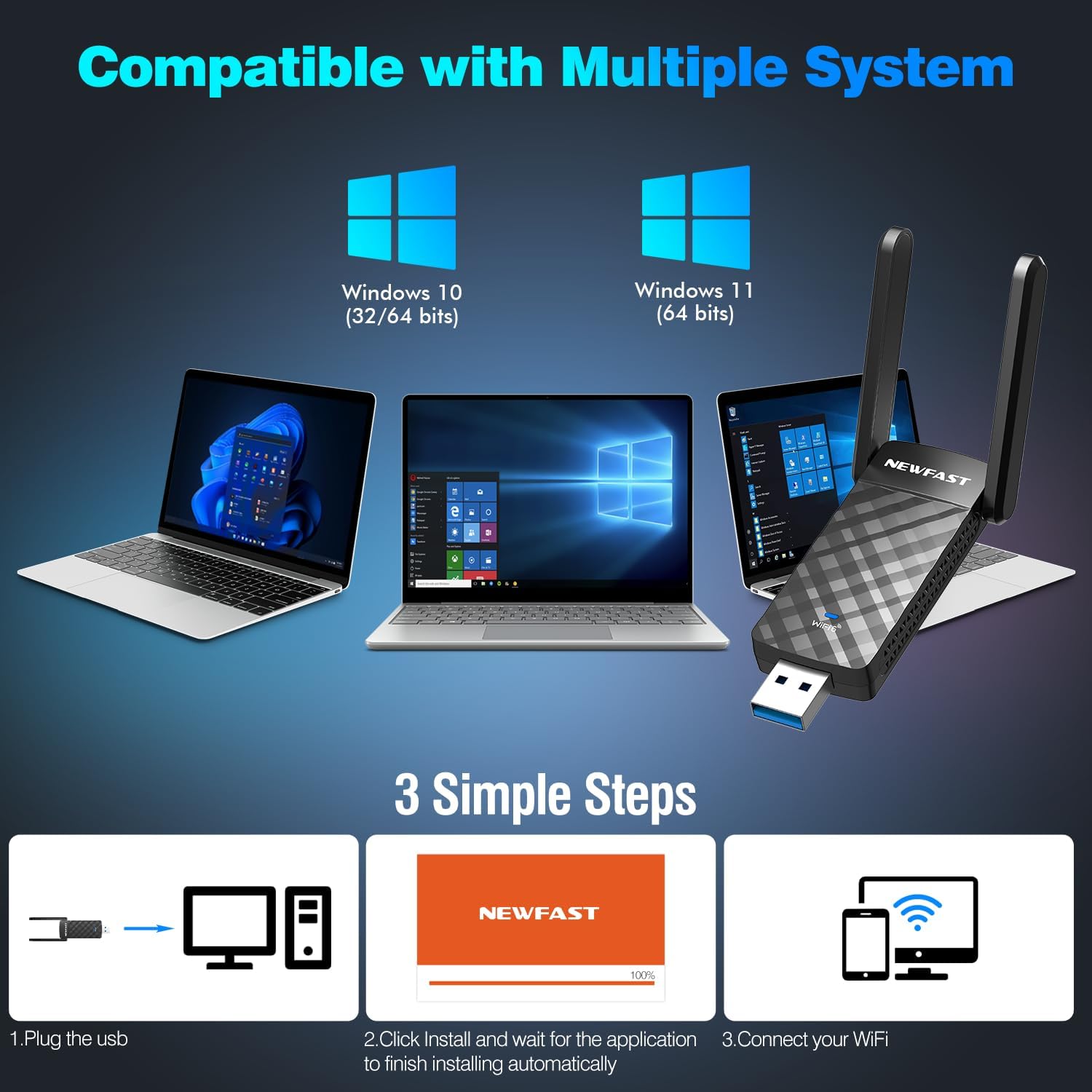
Figur 5.1: Visual guide to the three-step installation process: Plug in, install drivers automatically, and connect to WiFi.
This image illustrates the straightforward installation process: 1. Plug the USB adapter into your computer. 2. Allow the system to automatically install the drivers. 3. Connect to your WiFi network.
6. Betjeningsvejledning
Tilslutning til et trådløst netværk:
- After successful driver installation, click on the WiFi icon in your Windows taskbar (usually in the bottom-right corner).
- En liste over tilgængelige trådløse netværk vises. Vælg det ønskede netværk.
- Click "Connect". If the network is secured, you will be prompted to enter the network security key (password).
- Once connected, the WiFi icon will indicate a successful connection.
Soft AP Mode (WiFi Router Function):
The adapter supports Soft AP mode, allowing your computer to function as a wireless hotspot, sharing its internet connection with other devices like smartphones or tablets.
- Sørg for, at din computer har en aktiv internetforbindelse (f.eks. via Ethernet).
- Open Windows Settings > Network & Internet > Mobile hotspot.
- Toggle "Mobile hotspot" to "On".
- You can customize the network name (SSID) and password under "Edit".
- Other devices can now connect to this hotspot using the provided credentials.

Figur 6.1: Illustration showing the adapter's dual functionality: receiving WiFi (WiFi Card Function) and sending WiFi (WiFi Router Function via Soft AP Mode).
This image demonstrates how the adapter can both receive a WiFi signal to connect your computer to the internet and create a WiFi hotspot (Soft AP mode) to share your computer's internet connection with other wireless devices.
7. Vedligeholdelse
- Rensning: Brug en blød, tør klud til at rengøre adapteren. Brug ikke flydende rengøringsmidler eller aerosoler.
- Opbevaring: Når adapteren ikke er i brug i længere perioder, skal den opbevares et køligt og tørt sted.
- Firmwareopdateringer: Tjek regelmæssigt den officielle NEWFAST-udbyder website for any available firmware or driver updates to ensure optimal performance and security.
- Fysisk beskyttelse: Undgå at tabe adapteren eller udsætte den for hårde stød.
8. Fejlfinding
Almindelige problemer og løsninger:
- No WiFi Networks Detected:
- Sørg for, at adapteren er korrekt tilsluttet en USB-port.
- Verify that WiFi is enabled in your computer's settings.
- Genstart din computer.
- Check if the adapter's drivers are correctly installed in Device Manager.
- Langsom forbindelseshastighed:
- Sørg for, at du er forbundet til en WiFi 6-kompatibel router.
- Prøv at oprette forbindelse til 5 GHz-båndet, hvis det er tilgængeligt, da det generelt tilbyder højere hastigheder.
- Flyt tættere på din trådløse router for at forbedre signalstyrken.
- Ensure the adapter is plugged into a USB 3.0 port.
- Tjek for interferens fra andre elektroniske enheder.
- Hyppige afbrydelser:
- Opdater din routers firmware og adapterens drivere.
- Adjust the position of the adapter's antennas for better signal.
- Sørg for, at der ikke er nogen fysiske forhindringer mellem adapteren og routeren.
- Prøv en anden USB-port.
- Fejl i driverinstallation:
- Ensure your operating system is Windows 10 or Windows 11.
- Deaktiver midlertidigt antivirusprogrammer under installationen, hvis de forstyrrer.
- Prøv en anden USB-port.
- Manually download drivers from the NEWFAST support website if automatic installation fails.
9. Specifikationer
| Feature | Detalje |
|---|---|
| Model | U352 AX1800 |
| Trådløs Standard | IEEE 802.11ax (WiFi 6) |
| Dataoverførselshastighed | Op til 1800 Mbps (1201 Mbps ved 5 GHz, 574 Mbps ved 2.4 GHz) |
| Frekvensbånd | 2.4 GHz, 5 GHz |
| Interface | USB 3.0 (bagudkompatibel med USB 2.0, USB 1.1) |
| Antenner | Dual High-Gain Adjustable Antennas |
| Trådløs sikkerhed | WPA3, WPA2, WPA |
| Understøttede teknologier | MU-MIMO, OFDMA, 1024-QAM |
| Kompatible operativsystemer | Windows 11, Windows 10 |
| Produktdimensioner | 3.08 x 0.41 x 1.45 tommer |
| Varens vægt | 1.6 ounce |
10. Garanti og support
NEWFAST products are designed for reliability and performance. For warranty information and technical support, please refer to the warranty card included with your product or visit the official NEWFAST webwebsted. Vores supportteam er tilgængeligt for at hjælpe dig med eventuelle spørgsmål eller problemer, du måtte støde på.
Officiel Webwebsted: NEWFAST-butik på Amazon (Please check the product packaging or official website for direct support contact information.)


