Indledning
This manual provides essential information for the safe and efficient use of your Pixio PX248 PRO V2 24-inch Gaming Monitor. Please read it thoroughly before operating the device and retain it for future reference. The Pixio PX248 PRO V2 features a 24-inch FHD 1080p Fast IPS panel, a 200Hz refresh rate, and a 1ms GTG response time, designed for a responsive and immersive visual experience.
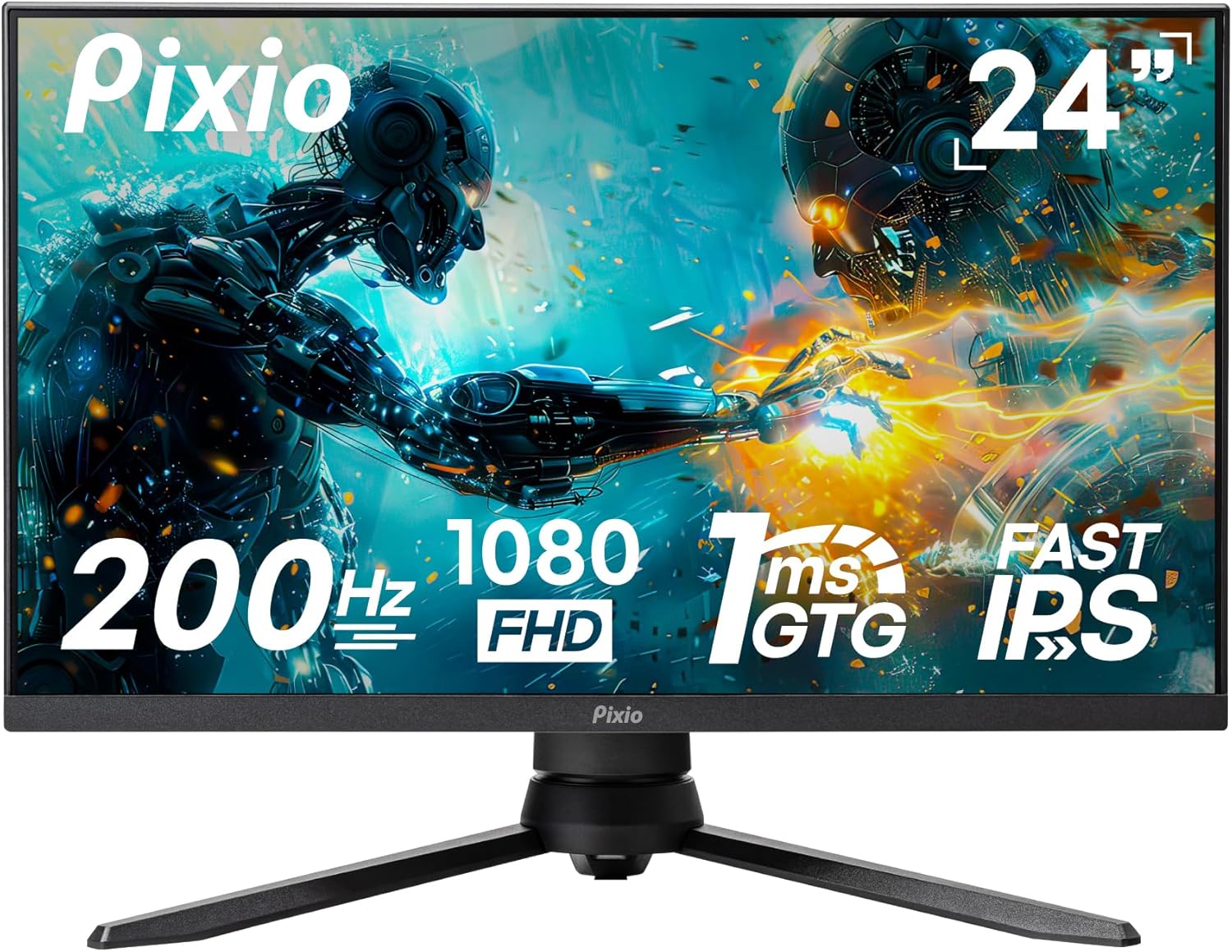
Billede: Forside view of the Pixio PX248 PRO V2 24-inch Gaming Monitor, highlighting its 200Hz refresh rate, 1080p FHD resolution, 1ms GTG response time, and Fast IPS panel technology.
Sikkerhedsoplysninger
- Sørg for, at skærmen er placeret på en stabil, plan overflade for at forhindre utilsigtede fald.
- Bloker ikke ventilationsåbningerne. Korrekt luftgennemstrømning er afgørende for at forhindre overophedning.
- Brug kun den strømadapter, der følger med skærmen.
- Hold skærmen væk fra vand, fugt og direkte sollys.
- Avoid placing heavy objects on the power cord or monitor cables.
- Tag strømkablet ud af stikkontakten, før du rengør skærmen.
Pakkens indhold
Bekræft at alle varer er til stede i pakken:
- Pixio PX248 PRO V2 Monitor
- Monitorstativ (base og hals)
- Strømadapter
- DisplayPort-kabel
- Brugervejledning (dette dokument)
Opsætning
Monitor samling
Følg disse trin for at samle skærmstativet eller forberede VESA-montering:
- Tag forsigtigt skærmens og stativets komponenter ud af emballagen.
- Fastgør stativets hals til skærmpanelet. Sørg for, at den klikker sikkert på plads, eller at den er fastgjort med skruer, hvis de medfølger.
- Fastgør stativets base til stativets hals. Spænd fingerskruen eller skruerne fra bunden af basen.
- For VESA mounting (100x100mm), remove the stand from the monitor panel. Attach your VESA-compatible mount to the four screw holes on the back of the monitor.

Image: Diagram illustrating the adjustable features of the monitor stand, including tilt, height adjustment, swivel, and pivot capabilities for ergonomic positioning.

Image: Technical drawing showing the dimensions of the Pixio PX248 PRO V2 monitor and the location of the 100x100mm VESA mount points on the rear panel.
Tilslutning til enheder
Connect your computer or other devices to the monitor using the appropriate cables:
- DisplayPort (DP 1.2): For optimal performance, including 200Hz refresh rate and Adaptive Sync, use the DisplayPort cable.
- HDMI (HDMI 2.0): Connect devices using HDMI cables. The monitor has two HDMI 2.0 ports.
- Stik til øretelefoner: Connect headphones or external speakers to this port for audio output.

Billede: Nærbillede view of the Pixio PX248 PRO V2 monitor's rear input panel, showing two HDMI 2.0 ports, one DisplayPort 1.2, an earphone jack, and the DC power input.
Strømtilslutning
Tilslut strømadapteren til skærmens DC-indgangsport, og sæt derefter adapteren i en stikkontakt.
Drift
On-Screen Display (OSD) menu
The monitor features an intuitive OSD menu for adjusting various settings. Use the joystick or buttons located on the monitor (typically on the back or bottom right) to navigate and select options.
- Tryk på joysticket: Access OSD menu.
- Flyt joysticket op/ned: Naviger gennem menuindstillinger.
- Flyt joysticket til venstre/højre: Adjust values or enter sub-menus.
- Press Joystick (again): Bekræft valg.
Nøglefunktioner og indstillinger
- Opdateringshastighed (200Hz): The monitor supports a 200Hz refresh rate for smoother motion. Ensure your graphics card and connection type (DisplayPort recommended) support this setting. Adjust in your operating system's display settings.

Image: Visual comparison demonstrating the difference in motion clarity between 200Hz, 75Hz, and 60Hz refresh rates, highlighting the smoother experience at 200Hz.
- Svartid (1ms GTG): The 1ms Gray-to-Gray (GTG) response time minimizes motion blur and ghosting. This setting is typically enabled by default or can be adjusted in the OSD menu under 'Overdrive' or 'Response Time' settings.
- Adaptiv synkronisering: This technology synchronizes the monitor's refresh rate with your graphics card's frame rate, eliminating screen tearing and stuttering. Enable Adaptive Sync in the OSD menu and ensure it is also enabled in your graphics card's control panel.

Image: Side-by-side comparison showing the visual difference between Adaptive Sync ON and Adaptive Sync OFF, illustrating how Adaptive Sync eliminates screen tearing for smoother gameplay.
- HDR (High Dynamic Range): HDR enhances contrast and color accuracy, providing a more vibrant and realistic image. Enable HDR in the OSD menu and in your operating system's display settings if your content supports it.

Image: A vibrant scene displayed on the Pixio PX248 PRO V2 monitor, demonstrating the enhanced contrast and color depth provided by HDR technology.
- Farveindstillinger: The Fast IPS panel offers wide viewing angles and accurate colors. Adjust brightness, contrast, color temperature, and gamma settings via the OSD menu to suit your preference. The monitor supports 133.9% sRGB and 100% DCI-P3 color spaces.

Image: A colorful abstract image displayed on the Pixio PX248 PRO V2 monitor, illustrating the vivid and lifelike color reproduction of the Fast IPS panel.
- Lavt blåt lys: This feature reduces blue light emissions to minimize eye strain during extended use. Activate or adjust the Low Blue Light setting in the OSD menu.

Image: A user wearing headphones, looking at the monitor with the 'Low Blue Light' feature enabled, indicating reduced eye strain for prolonged viewing.
- On-Screen Crosshair: For competitive gaming, an on-screen crosshair can be enabled via the OSD menu to assist with aiming.

Image: A first-person shooter game displayed on the monitor, with an on-screen crosshair overlay visible, demonstrating the aiming assistance feature.
Opretholdelse
- Rengøring af skærmen: Tør forsigtigt skærmen af med en blød, fnugfri klud. Fjern genstridige mærker ved atampRengør kluden let med vand eller en skærmrens uden ammoniak og uden alkohol. Spray ikke rengøringsmiddel direkte på skærmen.
- Rengøring af Casing: Brug en blød, tør klud til at tørre skærmen afasing. Undgå slibende rengøringsmidler.
- Opbevaring: If storing the monitor for an extended period, place it in its original packaging or a protective cover in a cool, dry place.
Fejlfinding
- Ingen strøm: Sørg for, at strømadapteren er korrekt tilsluttet både skærmen og en fungerende stikkontakt. Kontroller, om strømindikatoren lyser.
- Intet signal: Verify that the video cable (DisplayPort or HDMI) is correctly connected to both the monitor and your device. Ensure the correct input source is selected in the OSD menu.
- Flimrende skærm: Check the video cable connection. Try a different cable or port. Ensure your graphics card drivers are up to date. If Adaptive Sync is enabled, try disabling it temporarily.
- Billedforvrængning/sløret: Adjust the resolution and refresh rate in your operating system's display settings to match the monitor's native resolution (1920x1080) and desired refresh rate (up to 200Hz).
- Ingen lyd: Ensure speakers or headphones are properly connected to the earphone jack. Check the volume settings on both the monitor (OSD menu) and your connected device. Verify that the correct audio output device is selected in your operating system.
Specifikationer
| Feature | Specifikation |
|---|---|
| Mærke | pixio |
| Modelnummer | PX248PROV2 |
| Skærmstørrelse | 24 tommer |
| Paneltype | Næsten IPS |
| Opløsning | FHD 1080p (1920 x 1080) |
| Opdateringshastighed | 200 Hz |
| Svartid | 1ms GTG |
| Aspektforhold | 16:9 |
| Billedlysstyrke | 380 Candela |
| Forbindelse | 2x HDMI 2.0, 1x DisplayPort 1.2, Høretelefonstik |
| USB-porte | 2 (I alt) |
| Voltage | 12 volt |
| Produktdimensioner | 11 x 21 x 19 tommer |
| Varens vægt | 13.42 pund |
| VESA-kompatibilitet | 100x100 mm |
Garanti og support
For garantioplysninger og teknisk support henvises til den officielle Pixio website or contact their customer service. You can also find additional resources and the original PDF user manual her.


