1. Introduktion
This manual provides essential information for the setup, operation, and maintenance of your iFFALCON 55-Inch Class U85 Series QD-Mini LED 4K UHD Google Smart TV. Please read this manual thoroughly before using your television to ensure proper and safe operation. Keep this manual for future reference.
The iFFALCON U85 Series TV features advanced display technologies including QD-Mini LED for precise lighting, QLED for vibrant colors, 4K UHD resolution, HDR 1000 nits peak brightness, and a 144Hz native refresh rate. It integrates Google TV for smart entertainment and offers enhanced audio with Dolby Atmos and DTS Virtual X. Gaming is optimized with features like 240Hz DLG and FreeSync Premium Pro.
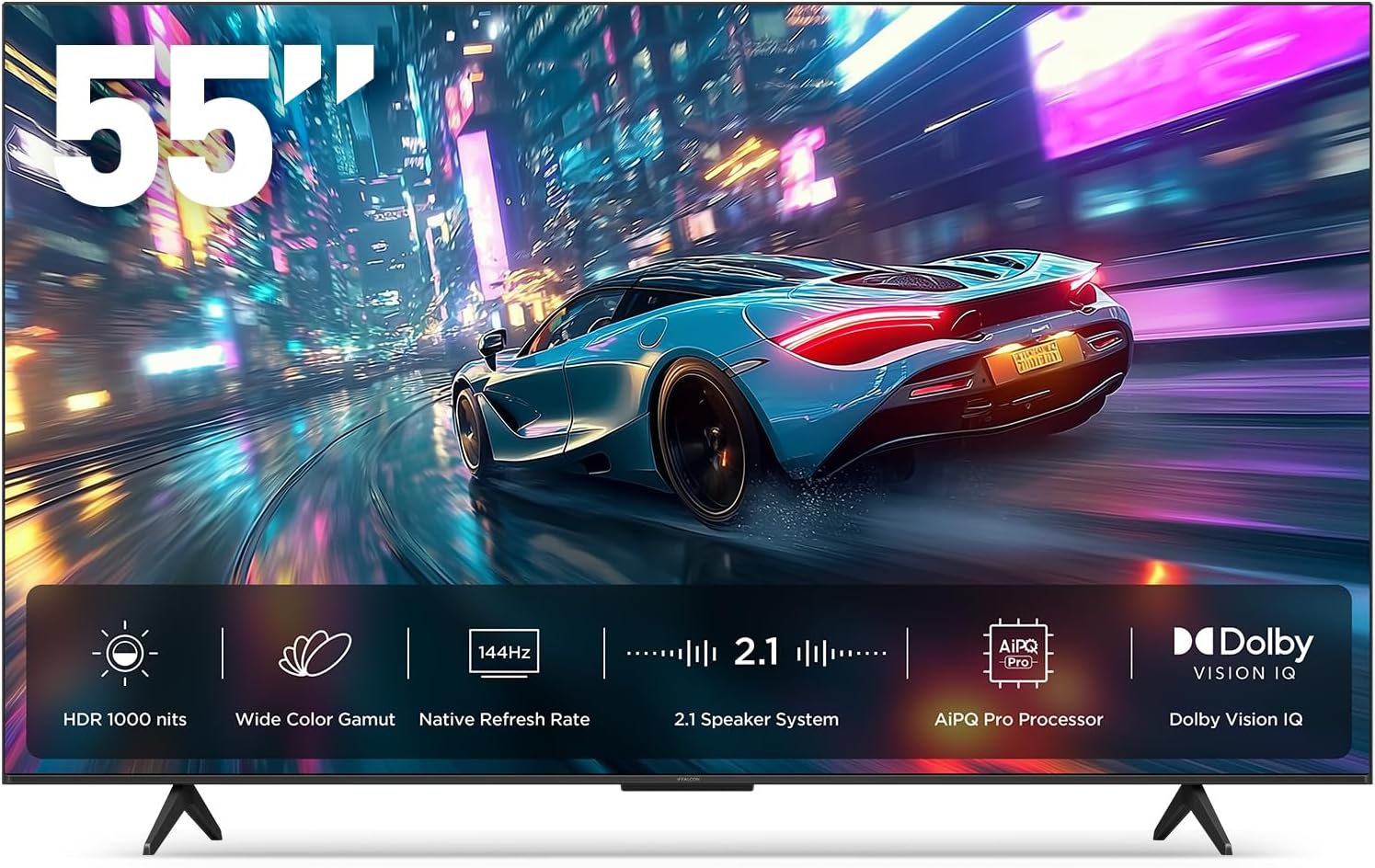
Billede 1.1: Forside view of the iFFALCON 55-Inch U85 Series TV, showcasing its display with a vibrant image of a car on a city street.
2. Hvad er der i æsken
Carefully unpack your television and ensure all items are present. If any items are missing or damaged, contact your retailer.
- Mini LED TV
- Strømkabel
- 2 x AAA batterier til fjernbetjening
- 6 x Standskruer
- Bordstativer (2 stk.)
- 5 x kabelklemmer
- Hurtig startvejledning
- Fjernsyns fjernbetjening
3. Opsætning
3.1 Fysisk opsætning
Before proceeding, ensure the TV is placed on a stable, flat surface or securely mounted to a wall. Refer to the Quick Start Guide for detailed instructions on attaching the table stands or mounting the TV to a wall bracket (wall mount sold separately).
3.2 Tilslutning af eksterne enheder
Connect your external devices such as cable boxes, gaming consoles, or Blu-ray players to the TV's HDMI ports. Ensure the power cable is securely connected to the TV and a power outlet.
3.3 Første opstart og Google TV-opsætning
- Sæt strømkablet i en stikkontakt.
- Tryk på tænd/sluk-knappen på fjernbetjeningen eller tv'et.
- Follow the on-screen instructions to complete the initial setup, including network connection, Google account sign-in, and channel scanning.
4. Betjening af tv'et
4.1 Fjernbetjeningsfunktioner
Den medfølgende fjernbetjening giver dig mulighed for at navigere i menuer, justere lydstyrken, skifte kanal og få adgang til smarte funktioner. Sæt dig ind i knappernes layout for optimal brug.
4.2 Smart Features: Google TV, Google Assistant, and Alexa
Your iFFALCON U85 TV is equipped with Google TV, providing access to a wide range of streaming services and apps. Use the built-in Google Assistant or connect to an Alexa-enabled device for hands-free voice control.
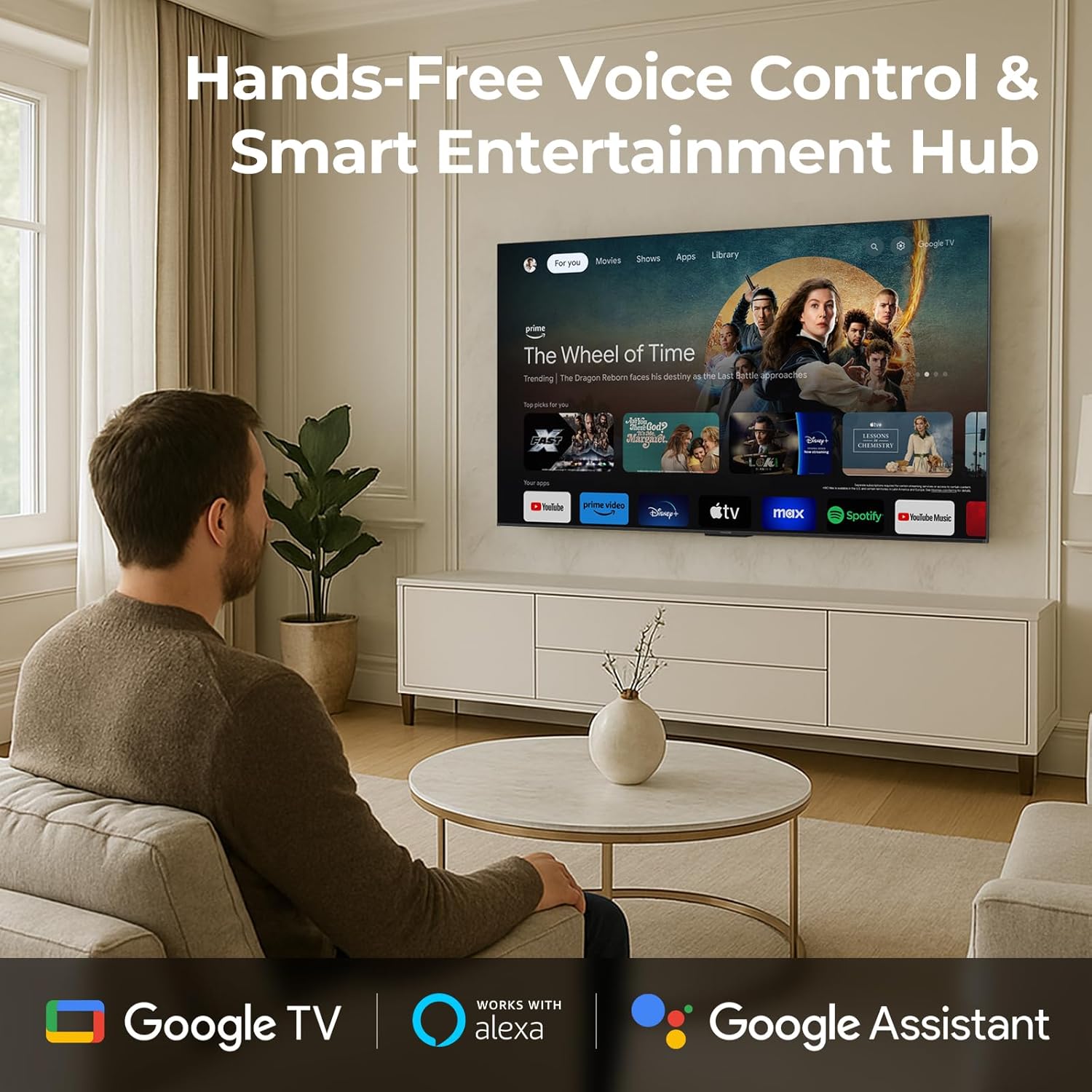
Image 4.1: A man interacting with the iFFALCON TV using voice commands, demonstrating the hands-free control feature.
4.3 Billedindstillinger og kvalitet
The U85 Series TV offers exceptional picture quality through several advanced technologies:
- QD-Mini LED: Provides precise lighting control with up to 144 local dimming zones and 1000 nits peak brightness for bright highlights and deep blacks.
- QLED bred farve: Quantum Dot technology delivers a 93% DCI-P3 wide color gamut for true-to-life images.
- AiPQ Pro-processor: Optimizes brightness, contrast, and detail in real-time for enhanced visual performance.
- Dolby Vision IQ: Automatically adjusts HDR brightness based on ambient light conditions.
- 6000:1 Kontrastforhold: Achieves deep blacks and vibrant colors with enhanced contrast.

Image 4.2: Visual comparison illustrating how Mini-LED technology enhances bright highlights and deep blacks compared to conventional TVs.
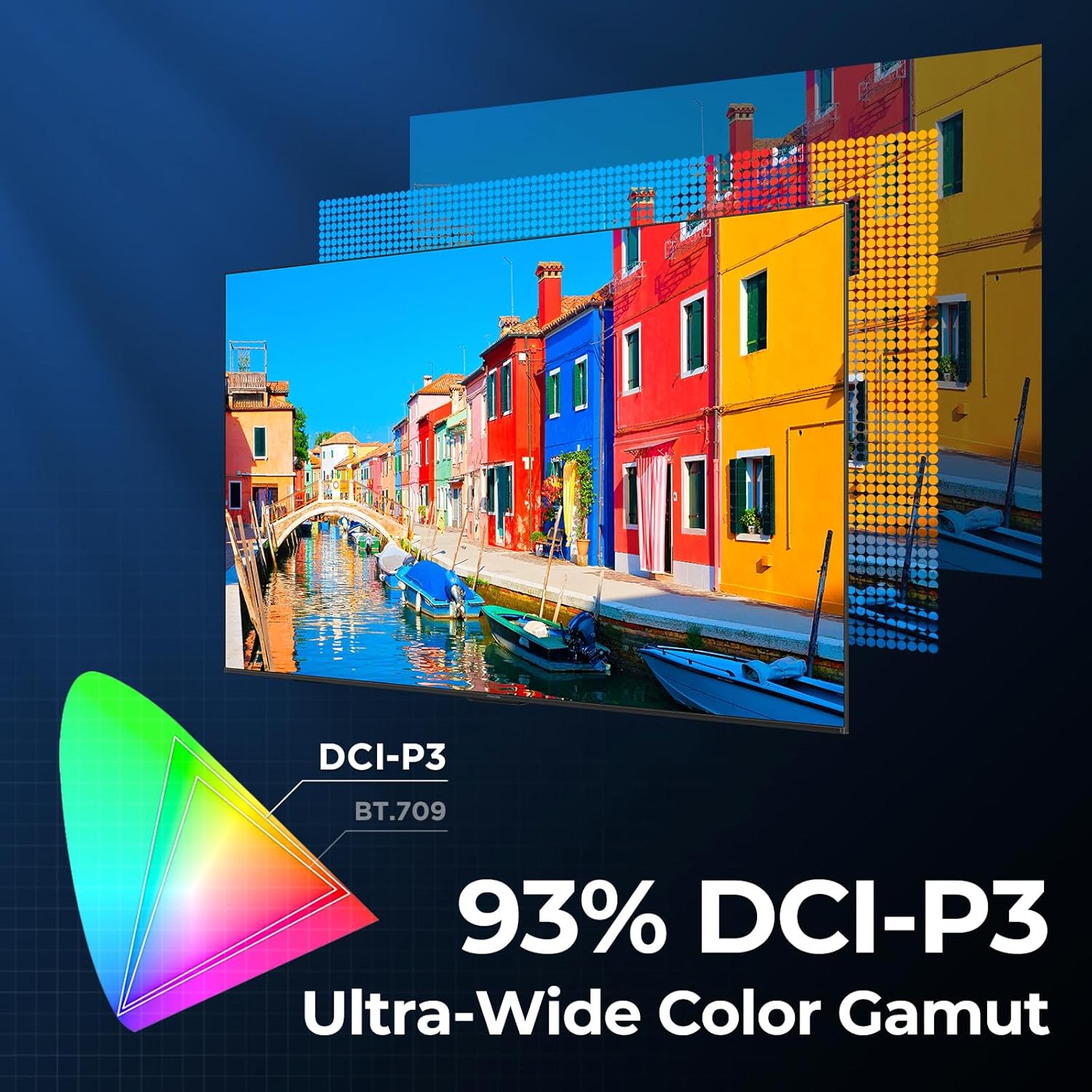
Image 4.3: Diagram showing the 93% DCI-P3 ultra-wide color gamut, indicating the TV's ability to display a broad spectrum of colors.
4.4 Audio Settings and Quality
Experience immersive sound with the TV's integrated audio features:
- 2.1-channel 50W Sound System: Delivers powerful stereo sound with deep bass.
- Dolby Atmos: Provides multi-dimensional audio that flows around and above you.
- DTS Virtual X: Creates expansive, room-filling sound with virtual height and surround effects.
- IMAX Forbedret: Optimizes audio and visual performance for a cinematic experience.

Image 4.4: A couple enjoying a movie on the iFFALCON TV, illustrating the immersive audio experience with sound waves emanating from the screen.
4.5 Spilfunktioner
The iFFALCON U85 TV is designed for an optimal gaming experience:
- 4K 144Hz Panel with VRR: Ensures smooth, crystal-clear motion and reduces screen tearing.
- 240Hz DLG-acceleration: Boosts refresh rates for ultra-smooth action.
- FreeSync Premium Pro: Provides tear-free, low-latency HDR gaming.
- Game Mode & Game Bar: Dedicated settings and on-screen overlay for quick adjustments during gameplay.
- ALLM (Auto Low Latency Mode): Automatically switches to a low-latency mode for responsive gameplay.

Image 4.5: A gaming console connected to the iFFALCON TV, highlighting the 144Hz refresh rate and other gaming features.
4.6 Øjenkomfortfunktioner
For extended viewing comfort, the TV incorporates multiple eye-care technologies:
- Lavt blåt lys: Reducerer skadelige blå lysudledninger.
- Flicker Reduction: Minimizes screen flicker for a more comfortable viewoplevelse.
5. Vedligeholdelse
To ensure the longevity and optimal performance of your iFFALCON U85 TV, follow these maintenance guidelines:
- Rengøring af skærmen: Tør forsigtigt skærmen af med en blød, tør og fnugfri klud. Tør forsigtigt genstridige mærker afampRengør kluden med vand eller et specialiseret skærmrensemiddel. Undgå skrappe kemikalier eller slibende materialer.
- Rengøring af rammen: Brug en blød, tør klud til at rengøre TV-rammen og -foden.
- Ventilation: Sørg for tilstrækkelig ventilation omkring tv'et. Bloker ikke ventilationsåbningerne.
- Strømledning: Kontrollér regelmæssigt netledningen for skader. Hvis den er beskadiget, skal du ophøre med at bruge den og kontakte kundesupport.
- Undgå direkte sollys: Do not expose the TV to direct sunlight or excessive heat.
6. Fejlfinding
Hvis du støder på problemer med dit tv, kan du bruge følgende almindelige løsninger. Hvis problemet fortsætter, skal du kontakte kundesupport.
| Problem | Mulig årsag | Løsning |
|---|---|---|
| Ingen strøm | Netledningen er ikke tilsluttet; stikkontakten virker ikke | Sørg for, at netledningen er korrekt tilsluttet; Test stikkontakten med en anden enhed |
| Intet billede, men der er lyd | Incorrect input source; Loose HDMI cable | Select correct input source; Reconnect HDMI cable securely |
| Ingen lyd, men der er billede | Volume muted or too low; External audio device issue | Unmute or increase volume; Check connections to external audio devices |
| Fjernbetjening virker ikke | Batterierne er opbrugt; Blokering mellem fjernbetjening og tv | Replace batteries; Remove any obstructions |
| Problemer med netværksforbindelse | Wi-Fi signal weak; Router issue | Move TV closer to router or use Ethernet; Restart router |
7. Specifikationer
| Feature | Detalje |
|---|---|
| Mærke | iFFALCON |
| Modelnummer | 55U85 |
| Skærmstørrelse | 55 tommer |
| Displayteknologi | Mini LED, QLED |
| Opløsning | 4K UHD |
| Opdateringshastighed | 120 Hz (Native), 144Hz Game Mode Pro, 240Hz DLG |
| Højeste lysstyrke | 1000 nits |
| Kontrastforhold | 6000:1 |
| Lokale dæmpningszoner | 144 |
| Særlige funktioner | Dynamic Contrast Enhancer, Eye Comfort Mode, Game Mode, Intelligent Voice Recognition, Local Dimming, Dolby Vision IQ, Dolby Atmos, DTS Virtual X, IMAX Enhanced, Google TV, Google Assistant, Alexa Compatibility, FreeSync Premium Pro, ALLM |
| Forbindelsesteknologi | Bluetooth, WiFi |
| Produktmål (D x B x H) | 10.8 cm x 48.3 cm x 30.2 cm |
| Varens vægt | 27.3 pund |
| Batterier påkrævet | 2 AAA-batterier (til fjernbetjening) |
8. Garanti og support
Your iFFALCON 55-Inch Class U85 Series QD-Mini LED 4K UHD Google Smart TV is covered by a manufacturer's warranty. For specific warranty details and duration, please refer to the warranty card included with your product or visit the official iFFALCON support webwebsted.
For technical assistance, troubleshooting beyond this manual, or to inquire about warranty service, please contact iFFALCON customer support. Contact information can typically be found on the manufacturer's webwebstedet eller i hurtigstartguiden.
Gem venligst dit købsbevis for garantikrav.


