Indledning
This manual provides essential instructions for the safe and efficient operation of your AKAI PM-160P Wireless Portable Outdoor Party Speaker. Please read this manual thoroughly before using the product and retain it for future reference.
Sikkerhedsoplysninger
- Udsæt ikke højttaleren for ekstreme temperaturer eller direkte sollys i længere perioder.
- Avoid submerging the speaker in water. The IPX4 rating protects against splashes, not submersion.
- Brug kun det medfølgende opladningskabel og strømadapter.
- Hold højttaleren væk fra børn og kæledyr.
- Do not attempt to disassemble or repair the speaker yourself. Contact qualified service personnel.
- Sørg for ordentlig ventilation, når du bruger højttaleren.
Pakkens indhold
Kontroller, at alle varer er til stede i emballagen:
- 1N Main Unit Speaker
- 1N Wireless Microphone
- 1N fjernbetjening
- 1N Charging Cable
- 1N Aux kabel
- 1N Brugermanual/Garantikort
Produkt overview
The AKAI PM-160P is a powerful wireless portable party speaker designed for outdoor and indoor use. It features dual 8-inch woofers and a 2-inch tweeter for rich audio, a 5000mAh battery for extended playtime, and multiple connectivity options.
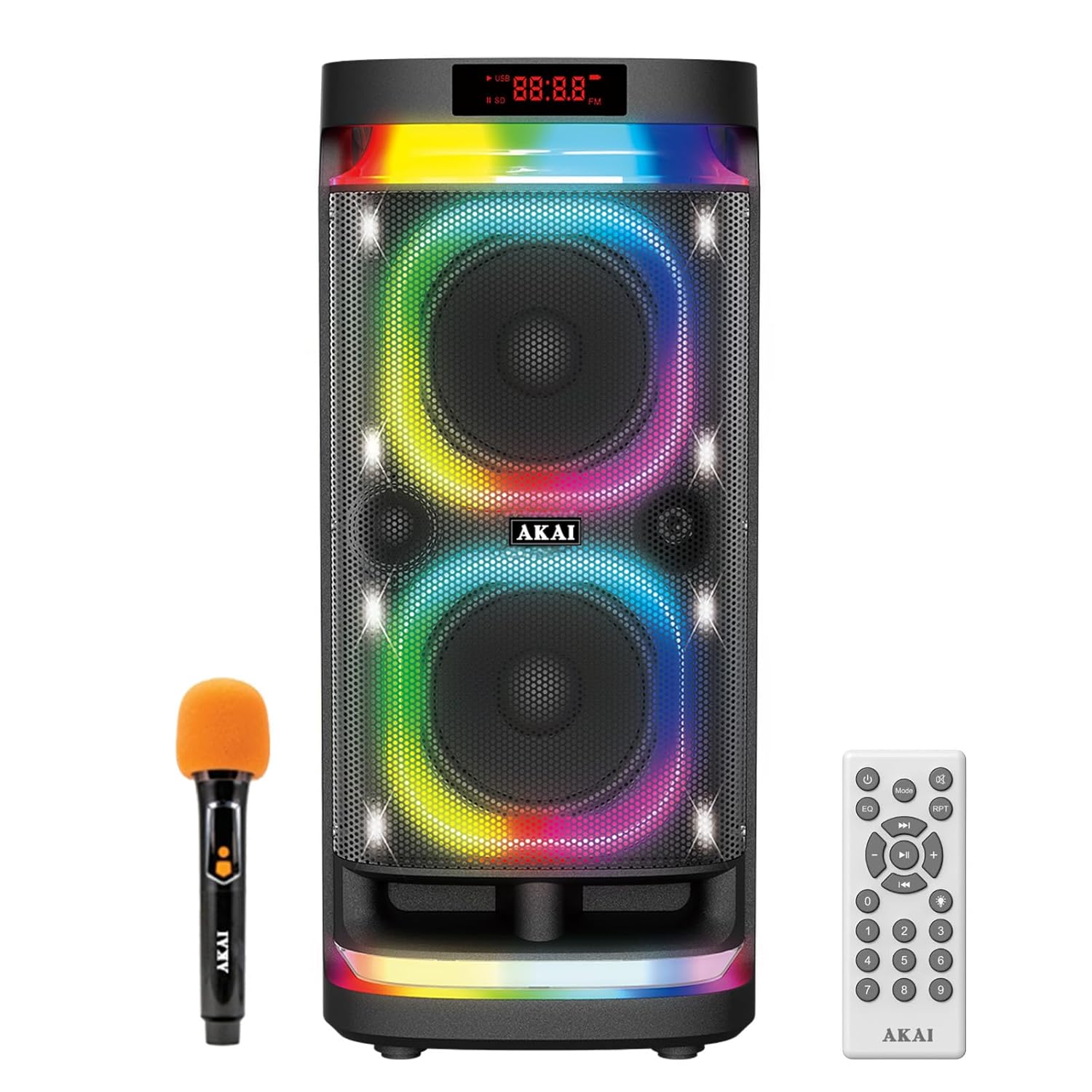
Figur 1: AKAI PM-160P Speaker, Wireless Microphone, and Remote Control. This image displays the main speaker unit with its vibrant LED lights, alongside the included wireless microphone and remote control, illustrating the complete product package.
Nøglefunktioner:
- 160W RMS Output: Delivers powerful sound.
- Dual 8" Woofers & 2" Tweeter: For enhanced bass and clear highs.
- 5000mAh batteri: Up to 5 hours playtime at 50% volume.
- IPX4 Splash-Proof: Protection against light water splashes.
- Flere tilslutningsmuligheder: Bluetooth 5.0, AUX, USB, TF Card, Guitar Input.
- True Wireless Stereo (TWS): Connect two PM-160P speakers for stereo sound.
- Trådløs mikrofon: For karaoke and vocal performances.
- Dynamiske LED-lys: Multicolor lighting effects.
- Mobilholder: Integrated slot for holding a smartphone or tablet.

Figur 2: Integrated Mobile Holder. This image highlights the top panel of the speaker, showing a smartphone securely placed in the built-in mobile holder, demonstrating its convenience for media playback or display.
Opsætning
1. Opladning af højttaleren
- Tilslut det medfølgende opladningskabel til højttalerens opladningsport.
- Plug the other end into a suitable power outlet.
- The charging indicator will illuminate. Allow approximately [X hours - not specified in data] for a full charge.
- A fully charged battery provides up to 5 hours of playtime at 50% volume.

Figur 3: Battery Life and Portability. This image shows the AKAI PM-160P speaker in an outdoor setting with people enjoying music, emphasizing its portable design and the 5000 mAh battery offering up to 5 hours of playtime.
2. Første opstart
- Locate the power button on the speaker.
- Press and hold the power button for a few seconds until the display illuminates and the speaker powers on.
3. Tilslutning af den trådløse mikrofon
- Ensure the wireless microphone has fresh batteries (if applicable, the product description states "Rechargeable Wireless Mic").
- Tænd mikrofonen. Den burde automatisk parres med højttaleren.
- Adjust the microphone volume using the dedicated control on the speaker or remote.
Betjeningsvejledning
1. Bluetooth-parring
- Power on the AKAI PM-160P speaker.
- The speaker will automatically enter Bluetooth pairing mode (indicated by a flashing Bluetooth icon or voice prompt).
- Aktiver Bluetooth på din mobilenhed, og søg efter tilgængelige enheder.
- Select "AKAI PM-160P" from the list.
- Når højttaleren er parret, bekræfter den forbindelsen, og Bluetooth-indikatoren lyser konstant.
- The Bluetooth 5.0 technology ensures stable connections up to 10 meters.
2. Ægte trådløs stereo (TWS) funktion
To achieve an immersive stereo sound experience, you can connect two AKAI PM-160P speakers wirelessly:
- Ensure both PM-160P speakers are powered on and not connected to any Bluetooth device.
- On one speaker (this will be the primary speaker), long press the TWS button.
- The speaker will search for another PM-160P speaker.
- Once connected, both speakers will play audio in stereo.
- Connect your mobile device to the primary speaker via Bluetooth as described above.

Figur 4: TWS Functionality. This diagram illustrates how two AKAI PM-160P speakers can be wirelessly linked to a single mobile device, enabling a True Wireless Stereo sound experience.
3. Using Other Connectivity Options (AUX, USB, TF Card, Guitar Input)
- AUX-indgang: Connect an external audio device using the provided 3.5mm AUX cable to the AUX port on the speaker. Select AUX mode using the mode button.
- USB-afspilning: Indsæt et USB-flashdrev med MP3-lyd files into the USB port. The speaker will automatically detect and play the files.
- TF-kortafspilning: Indsæt et TF-kort (microSD) med MP3-lyd files into the TF card slot. The speaker will automatically detect and play the files.
- Guitar input: Connect your guitar to the dedicated guitar input port. Adjust the guitar volume as needed.

Figur 5: Multiple Connectivity Options. This image displays icons representing Bluetooth 5.0, Aux, USB, and TF Card inputs, along with a diagram explaining the TWS function, highlighting the speaker's versatile connection capabilities.
4. Karaoke-funktion
With the included wireless microphone, you can enjoy karaoke:
- Ensure the wireless microphone is connected (see Setup section).
- Play your desired music track through any input source (Bluetooth, USB, AUX).
- Adjust the microphone volume and echo effects using the controls on the speaker or remote for optimal vocal performance.

Figur 6: Karaoke and Guitar Input. This image depicts individuals singing with the wireless microphone and playing a guitar, showcasing the speaker's suitability for karaoke parties and musical performances.
5. Equalizer-indstillinger
Customize your audio experience with multiple equalizer presets. Use the "EQ" button on the speaker or remote control to cycle through available sound modes (e.g., Pop, Rock, Jazz, Classic, Flat).
6. Dynamic LED Lights
The speaker features dynamic multicolor LED lights that enhance the party atmosphere. Use the dedicated light button on the speaker or remote to change light modes or turn them off.
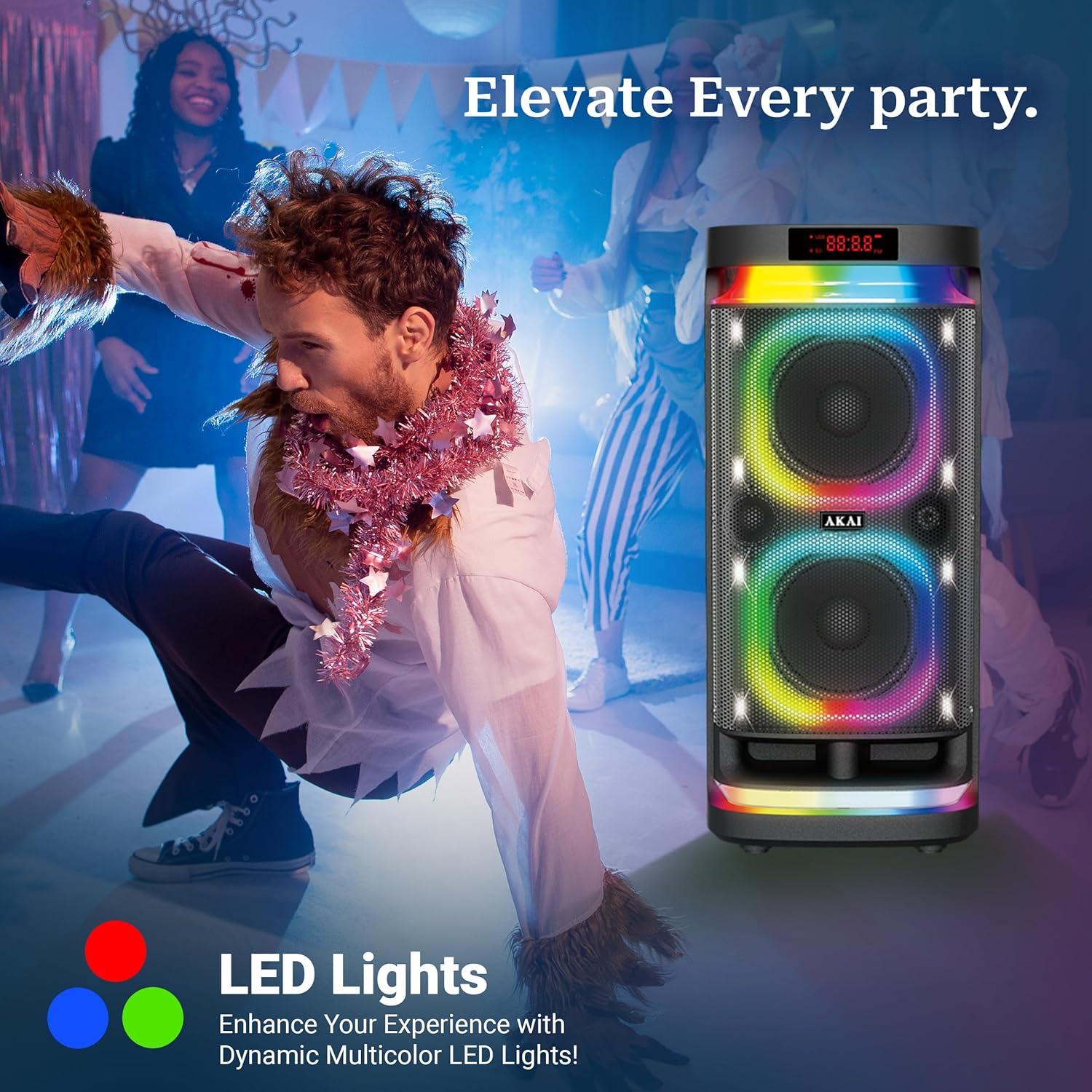
Figur 7: Dynamic LED Lighting. This image shows the AKAI PM-160P speaker with its vibrant, multicolor LED lights active in a lively party environment, illustrating how the lighting enhances the entertainment atmosphere.
7. Betjening af fjernbetjening
The included remote control allows convenient operation from a distance. Functions include power on/off, mode selection, volume control, track selection, EQ settings, and LED light control.

Figur 8: Remote Control and Top Panel. This image displays the speaker's top control panel alongside the remote control, emphasizing the ease of managing settings and playback from a distance.
Opretholdelse
- Rensning: Brug en blød, tør klud til at rengøre højttalerens yderside. Brug ikke slibende rengøringsmidler eller opløsningsmidler.
- Opbevaring: Opbevar højttaleren et køligt, tørt sted væk fra direkte sollys og ekstreme temperaturer, når den ikke er i brug i længere perioder.
- Batteripleje: To prolong battery life, fully charge the speaker before long-term storage and recharge it every 3-6 months.
- Vandtæthed: The IPX4 rating means it is splash-proof. Do not immerse the speaker in water or expose it to heavy rain. Ensure all port covers are securely closed when near water.
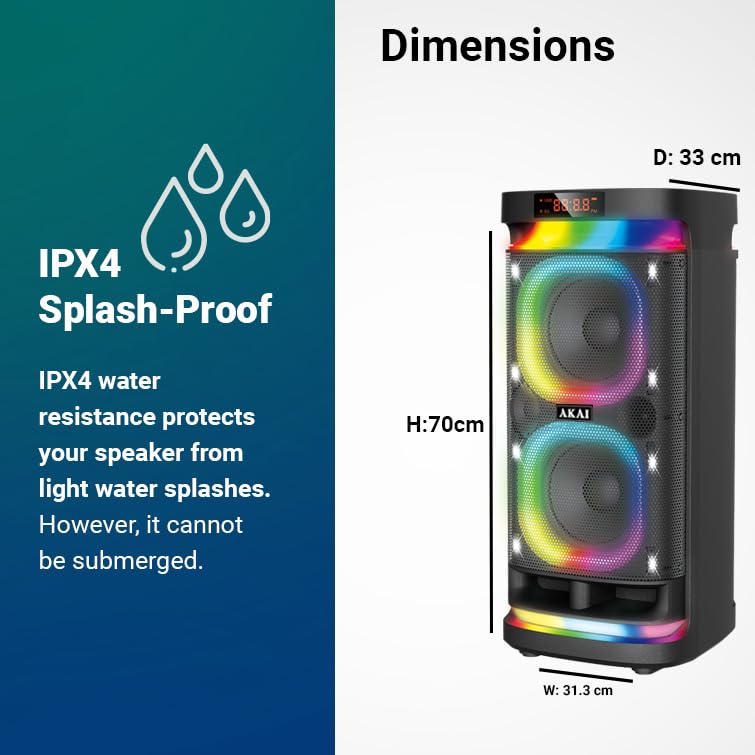
Figur 9: IPX4 Splash-Proof Rating. This image highlights the speaker's IPX4 water resistance, indicating protection against light splashes, along with its physical dimensions for reference.
Fejlfinding
| Problem | Mulig årsag | Løsning |
|---|---|---|
| Højttaleren tænder ikke. | Lavt batteri; Tænd/sluk-knappen er ikke trykket korrekt ind. | Charge the speaker; Press and hold the power button until it turns on. |
| Ingen lyd. | Lydstyrken er for lav; Forkert inputtilstand; Enheden er ikke parret. | Increase volume; Select correct input mode; Re-pair Bluetooth device. |
| Bluetooth-forbindelsen er ustabil. | Enhed for langt væk; Forhindringer; Interferens. | Move device closer (within 10m); Remove obstructions; Avoid other wireless devices. |
| Mikrofon virker ikke. | Microphone off; Low microphone battery; Volume too low. | Turn on microphone; Charge/replace microphone batteries; Increase microphone volume. |
| TWS-parring mislykkes. | Speakers already paired to another device; Incorrect TWS procedure. | Ensure both speakers are unpaired from other devices; Follow TWS pairing steps carefully. |
Specifikationer
| Feature | Detalje |
|---|---|
| Model | PM-160P |
| Mærke | AKAI |
| RMS udgangseffekt | 160W |
| Woofer størrelse | Dual 8 inches |
| Diskantstørrelse | 2 tommer |
| Batterikapacitet | 5000 mAh |
| Spilletid | Op til 5 timer (ved 50 % volumen) |
| Bluetooth version | 5.0 |
| Tilslutningsmuligheder | Bluetooth, AUX, USB, TF Card, Guitar Input |
| Vandmodstand | IPX4 Splash-Proof |
| Materiale | Acrylonitril Butadien Styren (ABS), Plast |
| Produktmål (L x B x H) | 31.3 x 33 x 70 cm |
| Varens vægt | 9.1 kg |

Figur 10: Power and Driver Configuration. This image visually emphasizes the AKAI PM-160P's 160W RMS power output and its speaker configuration, featuring dual 8-inch woofers and a 2-inch tweeter for high bass performance.
Garanti og support
Your AKAI PM-160P speaker comes with a 1 års garanti fra købsdatoen. Denne garanti dækker fabrikationsfejl ved normal brug.
For warranty claims, technical support, or service inquiries, please contact AKAI India customer support:
- E-mail: akaicare@akaiindia.in
- Telefon: +918544840022 / 33
- Producentens adresse: Hometech Digital Ltd SCO 363-364 Sector-35B, Chandigarh, India
Please retain your purchase receipt as proof of purchase for warranty validation.


