Indledning
This manual provides detailed instructions for the assembly, operation, and maintenance of your FLEXISPOT Standing Desk with a 40x24 inch one-piece desktop. Please read this manual thoroughly before assembly and use to ensure proper function and safety.
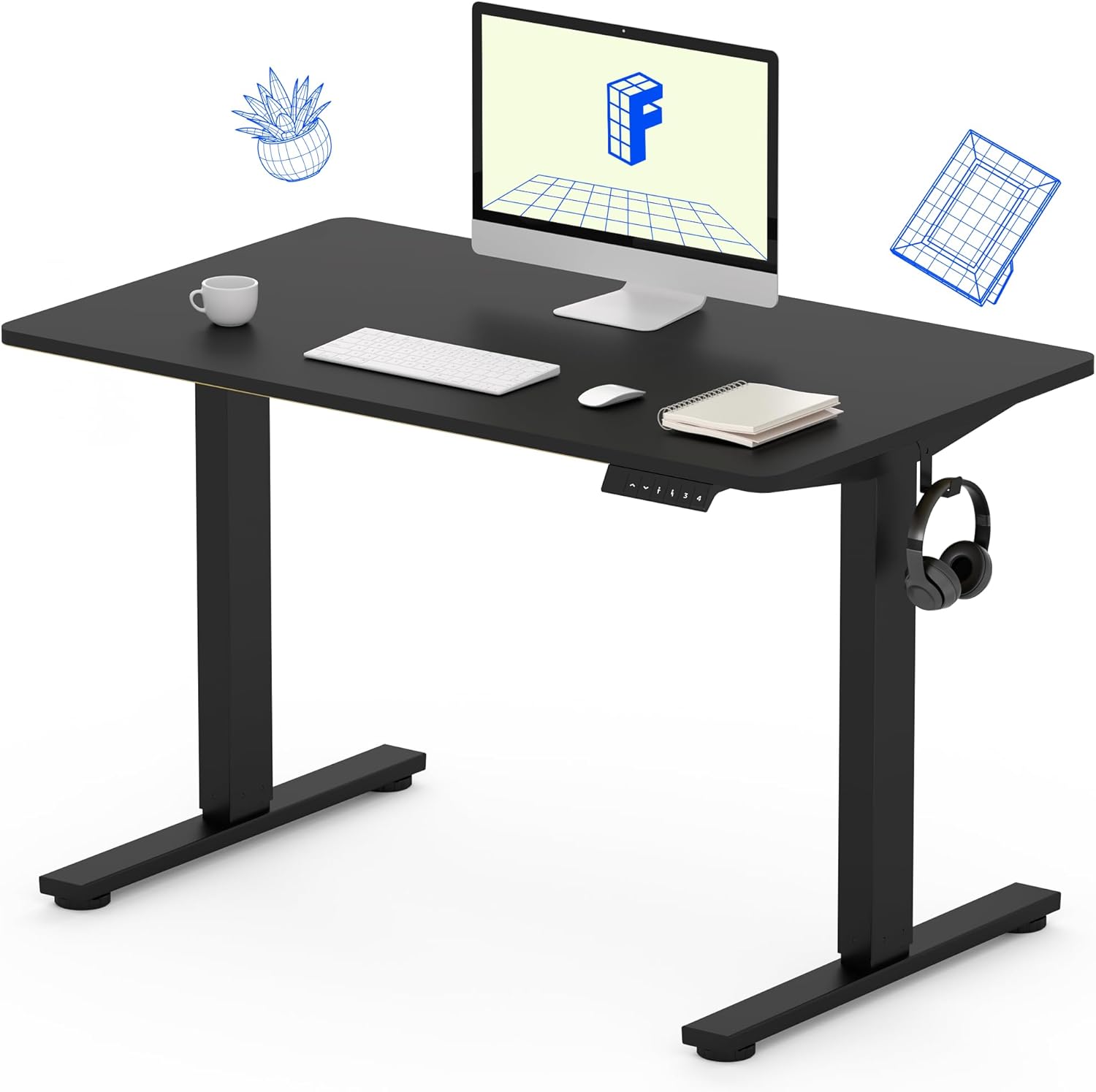
Image 1: The FLEXISPOT Standing Desk, showcasing its black desktop, black frame, and integrated control panel with a headphone hook.
Sikkerhedsoplysninger
ADVARSEL:
- Always use caution when assembling the desk, especially when using a drill.
- Overskrid ikke den maksimale vægtgrænse på 154 lbs (70 kg).
- Keep hands and body parts away from moving parts during height adjustment to prevent injury.
- Ensure all cables are properly managed to avoid entanglement during desk movement.
Pakkens indhold
Før monteringen påbegyndes, skal du kontrollere, at alle komponenter er til stede og ubeskadigede. Hvis der mangler eller er beskadigede dele, bedes du kontakte kundesupport.
- One-Piece Desktop (40" x 24", Black)
- Desk Legs (Black Frame, Dual-Stage)
- Motor and Control Box
- Kontrolpanel med hukommelsesforudindstillinger
- Høretelefonkrog
- Samlebeslag (skruer, unbrakonøgle)
- Strømkabel

Image 2: Illustration highlighting the seamless design of the FLEXISPOT one-piece desktop, contrasting it with multi-piece alternatives.
Opsætning og montering
Assembly typically requires 30 minutes to an hour. It is recommended to have two people for assembly due to the weight of the package. A power drill (not included) may be needed for some steps.
- Udpak komponenter: Carefully remove all parts from the packaging. Inspect for any damage. Note that the packaging can be heavy.
- Saml skrivebordsrammen: Attach the crossbar to the lifting columns (legs) using the provided hardware. Ensure all screws are tightened securely.
- Fastgør fødder: Secure the desk feet to the bottom of the lifting columns.
- Monter skrivebord: Carefully place the one-piece desktop upside down on a soft, clean surface. Position the assembled frame onto the desktop. Align the pre-drilled holes (if present) or mark positions for screws. Secure the frame to the desktop using the provided screws. A power drill may be helpful for this step.
- Install Control Box and Panel: Mount the control box and control panel to the underside of the desktop in the designated locations. Connect the motor cables and control panel cable to the control box.
- Vedhæft tilbehør: Install the headphone hook to the side of the desktop as desired.
- Kabelstyring: Route all cables neatly using cable ties or management clips (not included) to prevent interference with desk movement.
- Endelig placering: With assistance, carefully flip the desk upright and place it in its desired location. Ensure it is stable and level.

Image 3: The FLEXISPOT Standing Desk integrated into a home office setup, demonstrating its spacious desktop and functionality.
Betjeningsvejledning
Your FLEXISPOT Standing Desk features an electric motor for smooth height adjustments and a control panel with memory presets.
Højdejustering
- Tryk på Op (▲) knappen for at hæve skrivebordet.
- Tryk på Ned (▼) knappen for at sænke skrivebordet.
- The desk moves smoothly and quietly (under 50 dB) between 28.7 tommer (73 cm) og 46.5 tommer (118 cm).
Hukommelsesforudindstillinger
The control panel allows you to save up to four preferred height settings.
- Set a Height: Adjust the desk to your desired sitting or standing height using the Up/Down buttons.
- Gem forudindstilling: Tryk på "M" button, then immediately press one of the numbered preset buttons (1, 2, 3 eller 4). The display will show "S-" followed by the number, indicating the height is saved.
- Genkald forudindstilling: Press the corresponding numbered preset button (1, 2, 3 eller 4) for automatisk at flytte skrivebordet til den gemte højde.

Image 4: Visual representation of the desk's adjustable height range, showing it at its lowest (29") and highest (46.6") positions.
Opretholdelse
- Rensning: Tør skrivebordet og rammen af med en blød kludamp klud. Undgå skrappe kemikalier eller slibende rengøringsmidler.
- Kabeltjek: Kontrollér regelmæssigt alle kabler for slid eller beskadigelse. Sørg for, at de er sikkert tilsluttet og ikke er klemt.
- Skruefasthed: Occasionally check and tighten any loose screws on the frame or desktop connections.
Fejlfinding
| Problem | Mulig årsag | Løsning |
|---|---|---|
| Skrivebordet bevæger sig ikke. | Power cable disconnected, control box cable loose, overload. | Check power connection. Ensure all cables to the control box and motor are secure. Reduce weight on the desk if exceeding 154 lbs. |
| Skrivebordet bevæger sig ujævnt eller laver usædvanlige lyde. | Løse forbindelser, blokering, ujævn vægtfordeling. | Check all assembly screws. Ensure no objects are obstructing the legs. Distribute weight evenly on the desktop. |
| Control panel display shows an error code. | Specifik fejltilstand. | Refer to the specific error code in the full product manual (if available) or contact customer support. Often, a power cycle (unplug for 10 seconds, then plug back in) can resolve temporary errors. |
Specifikationer
| Feature | Detalje |
|---|---|
| Mærke | FLEXISPOT |
| Model | B0F747SWWB |
| Desktop Dimensions (D x W) | 24" x 40" (One-Piece) |
| Højdeområde | 73 cm - 118 cm (28.7" - 46.5") |
| Maksimal vægtkapacitet | 154 lbs (70 kg) |
| Støjniveau | Mindre end 50 dB |
| Rammemateriale | Legeret stål |
| Top materiale | Konstrueret træ |
| Farve | Black Frame / Black Top |
| Montering påkrævet | Ja |

Image 5: Details of the desk's construction, including the dual-stage lifting columns and the convenient backpack/headphone hook.
Garanti og support
Your FLEXISPOT Standing Desk is backed by a comprehensive warranty:
- Stel og motor: 5 års begrænset garanti.
- Elektronik: 2 års begrænset garanti.
For warranty claims, technical assistance, or any questions regarding your product, please contact FLEXISPOT customer support through their official webwebstedet eller forhandleren, hvor produktet blev købt.


